Opening a SECBank Philippines Account in 2026: Rural Bank Status, Passport KYC, InstaPay, and Transfer Limits
Checked on 18 November 2026 against the SECBank site, official download page and App Store listing: how to start an account at this BSP-regulated, PDIC-insured
What this guide covers
This article was checked on 18 November 2026 (Asia/Shanghai, UTC+8) against the SECBank website, the About page, the online account-opening page, the official how-to guide, the official download page, the SECBank Mobile page, the InstaPay product page, the 26 July 2026 free InstaPay announcement, the PESONet page, the QR Ph product page, the 4 September 2026 QR payments announcement, the Regular Savings product page, and the official App Store listing and its screenshots. It explains how to start an account with SouthEast Country Bank (SECBank), a Philippine rural bank, through the official app, how InstaPay, PESONet and QR Ph are described officially, and which limits and review steps you should check first.
Screens, emails, review times and limit tables labelled as user feedback or a user case only show what that applicant saw at the time. They are not official promises. We have not opened an account or sent a transfer ourselves. Fees, limits, receiving institutions and review requirements can change. Rely on the terms and confirmation screen in your account on the day, together with the official website and official app stores. This guide is not tax, immigration or investment advice.
Which bank this is
SECBank's legal name is SouthEast Country Bank, Inc. (A Rural Bank). The official site states that it is a rural bank regulated by the Bangko Sentral ng Pilipinas (BSP). Its head office is in Camaligan, Camarines Sur, and it has served customers since 1974. The public branch list currently has five locations: Camaligan, Pili, Buhi and Calabanga in Camarines Sur, plus an Aseana branch in Parañaque, Metro Manila.
It is not the better-known Philippine commercial bank Security Bank. The names are easy to mix up. When you apply, send money or search for the app, use the official legal name, the website secbank.ph and the official download links.
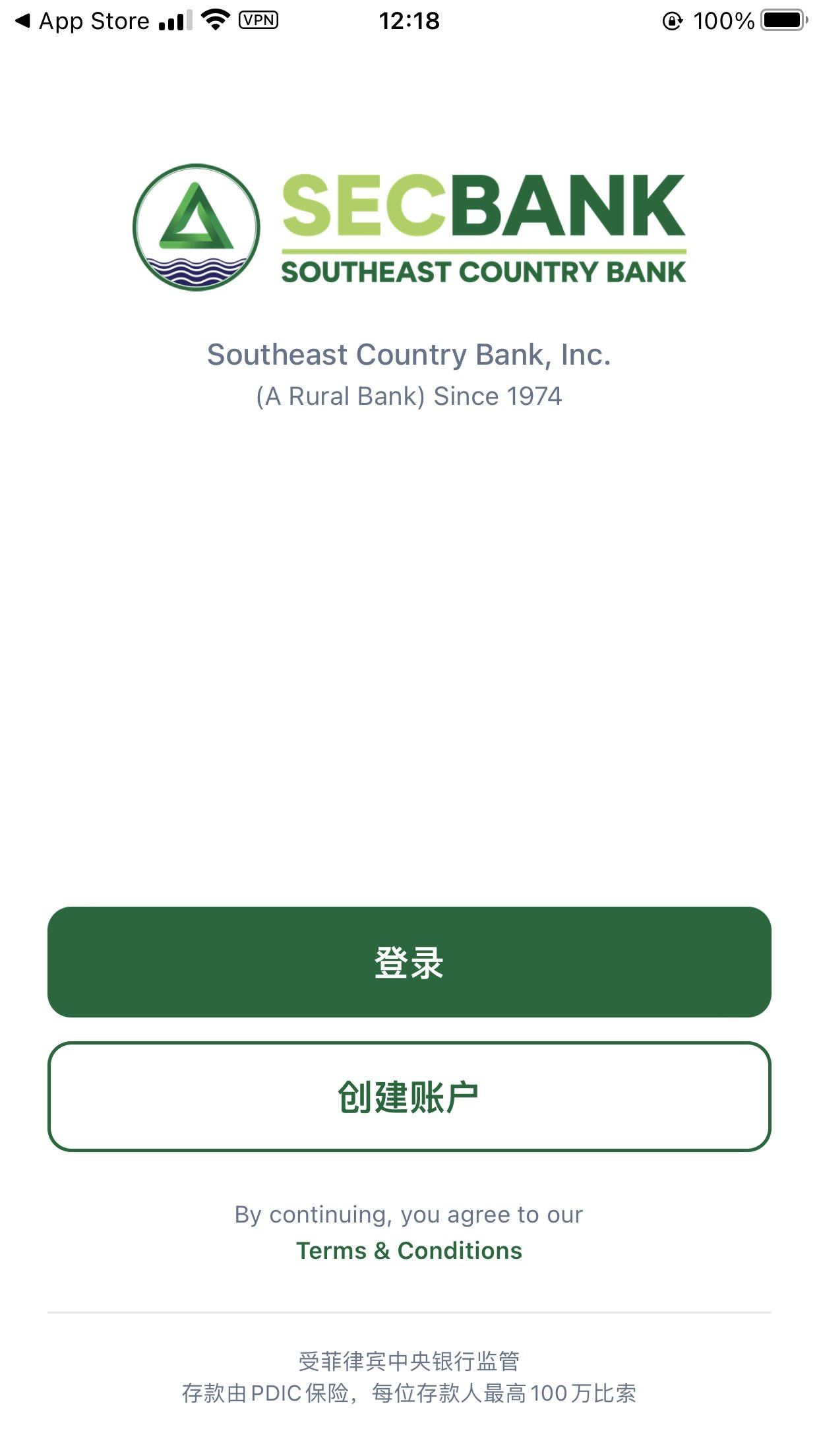
On deposit protection, the SECBank site, the official download page and the App Store listing all state that deposits are insured by the Philippine Deposit Insurance Corporation (PDIC) up to PHP 1,000,000 per depositor. PDIC's own site states that this maximum coverage took effect on 15 March 2025. The official app's Chinese login screen says the same: regulated by the Philippine central bank, with PDIC insurance up to ₱1 million per depositor. A rural bank is not the same thing as the country's largest universal banks, but this is a PDIC-insured bank account, not an e-money wallet.
Who this is for — and who may want to stop here
The bank lets you start account opening in the official app, but the online account-opening page is explicit: opening is still subject to identity verification, eligibility checks, documentary requirements and bank review. Approval is not automatic. SECBank may approve, decline, or ask for more documents or a branch follow-up. The same page tells you not to submit false, incomplete or outdated information.
In one user case, a Chinese passport could enter the app's KYC flow, and the applicant later received a request for more information and then an approval email. That only shows that Passport was an accepted ID type in that session. It is not an official promise that a Chinese passport, or any other foreign passport, will be approved. Eligibility is decided by the bank.
User feedback also reported that a new account left at Level 1 showed a daily outbound limit of ₱5,000. If you need a higher daily sending limit, check whether that tier is enough before you rely on the account, and only then follow in-app prompts to submit more documents. Being able to apply is not the same as being able to send large amounts from day one.
You will usually need a mobile number that can receive SMS and an email address that can receive messages. In the user case, a Philippine +63 number was used. The official site asks for current contact details; it does not separately guarantee that a non-Philippine number will always complete verification. If you still need a Philippine number, see our DITO Philippines eSIM guide and complete any registration with truthful information. Do not invent an address or identity details for this bank or for a SIM registration.
For cash-in and cash-out, official materials still point to branches. The current network is concentrated in the Bicol region and Aseana. If you are not in the Philippines for long stretches, think ahead about how you will fund or withdraw from the account.
Official features and fees: always read the confirmation screen
The official app can be used to start account opening, review balances and activity, send eligible InstaPay and PESONet transfers, and use QR payment features. Services, fees and limits may vary by account status, app version, eligibility and bank controls.
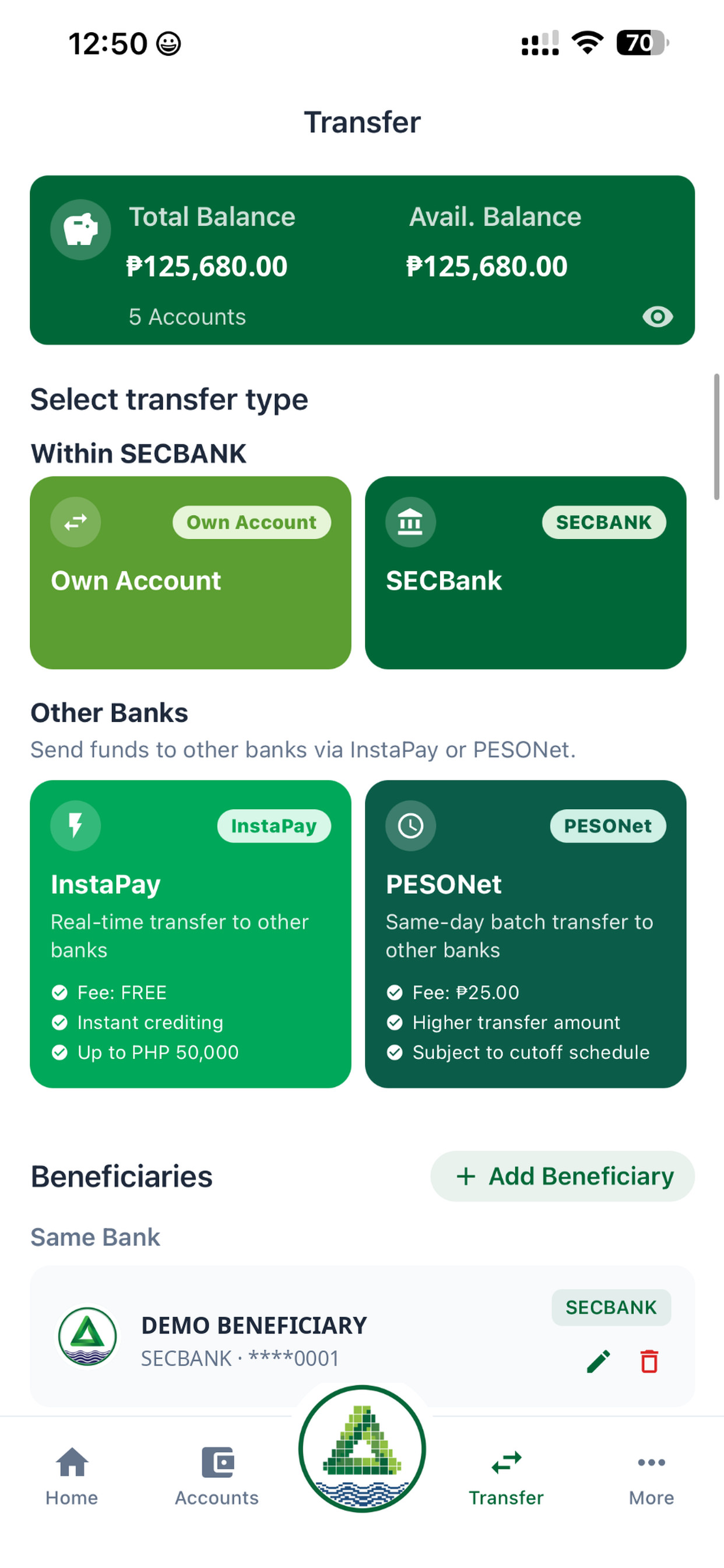
InstaPay. SECBank's 26 July 2026 announcement states that eligible InstaPay transfers sent from SECBank Mobile currently have no transaction fee charged by SECBank, subject to applicable limits and service availability. The bank may still update fees and conditions. The announcement tells customers to review the confirmation screen before completing a transfer. The InstaPay product page cites a reference limit of up to PHP 50,000 per transaction (BSP's public description of InstaPay) and notes that SECBank may still apply its own daily, account and channel limits.
An official App Store screenshot of the Transfer screen describes the two channels as follows:
- InstaPay: real-time transfer to other banks; Fee: FREE; Instant crediting; Up to PHP 50,000
- PESONet: same-day batch transfer to other banks; Fee: ₱25.00; Higher transfer amount; Subject to cutoff schedule
That is how the official store artwork read at the time, not a separate fee schedule. The PESONet page also says fees, daily limits, channel limits and account eligibility may apply, and that you should review the channel prompts before confirming. PESONet is meant for non-urgent, larger or batch payments. Credit timing depends on cut-off times and the receiving institution, so it is not a real-time rail.
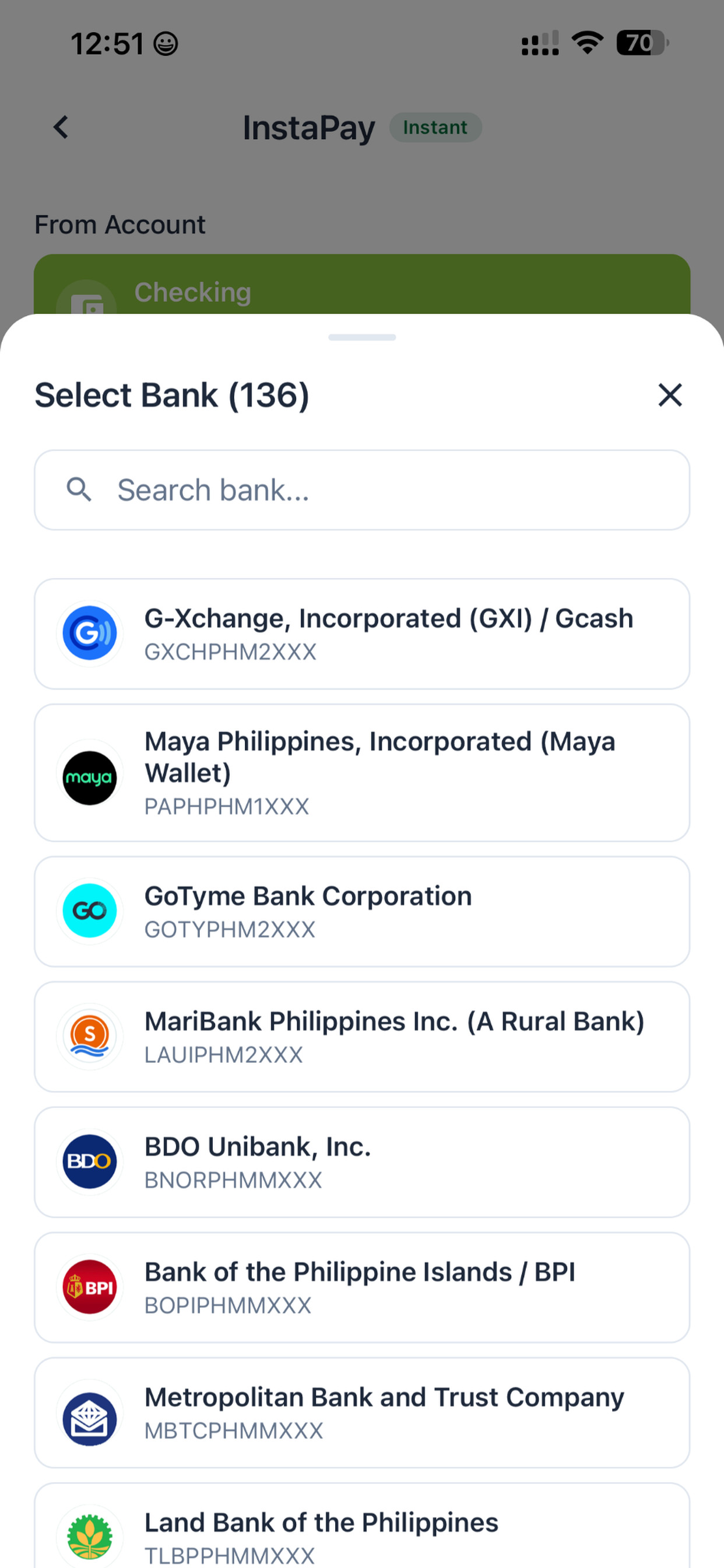
The three images below are official App Store screenshots. Names, balances, masked account numbers and the word "DEMO" are promotional sample data, not typical balances for a newly opened account.
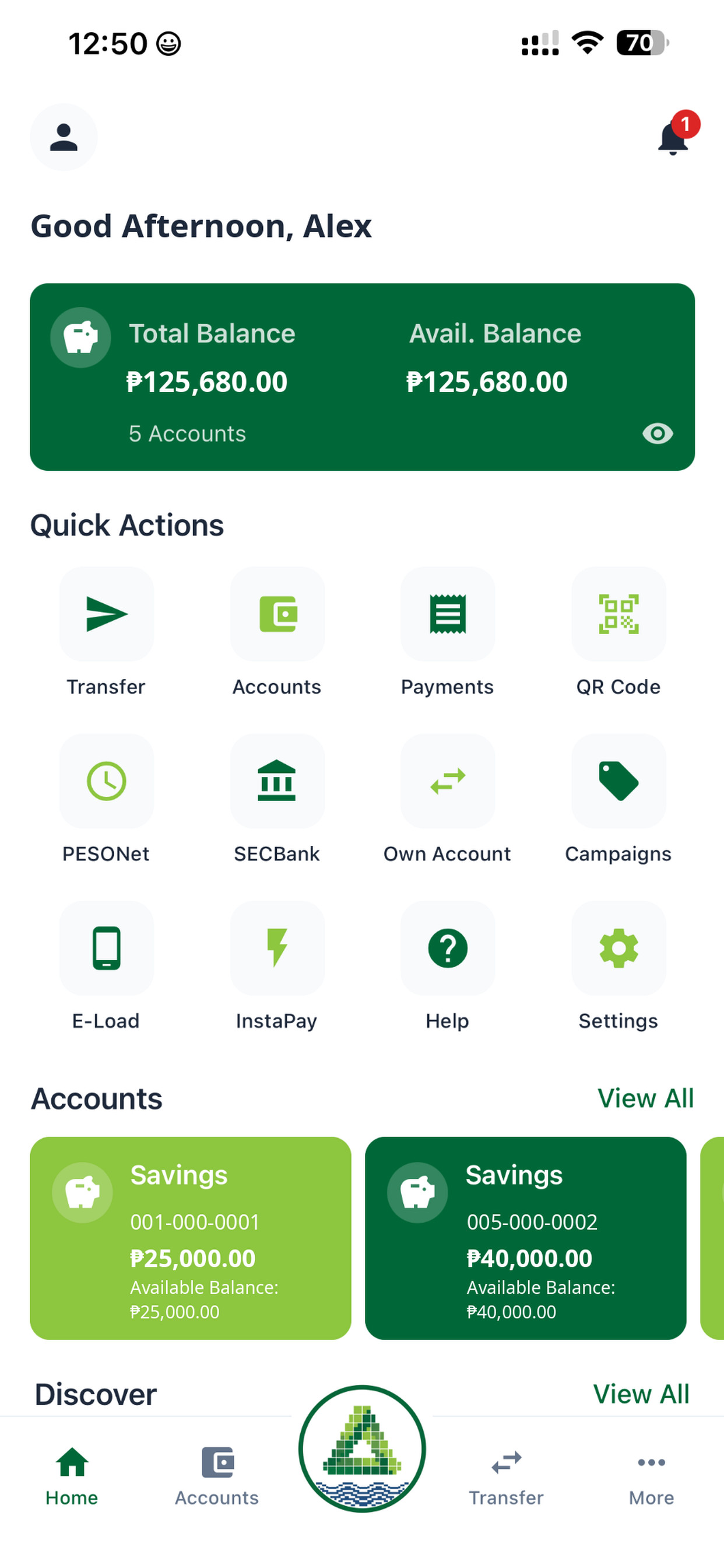
Receiving institutions. In the same official artwork, the InstaPay picker is titled Select Bank (136). Visible rows include GCash (G-Xchange, Incorporated), Maya Philippines, GoTyme Bank and MariBank. A related official scan-QR screen also shows marks for BDO, BPI, UnionBank, Metrobank and others. In a user case, Wise also appeared in the recipient list. The bank does not publish a standing webpage promise that transfers to Wise will always be available. Whether a given institution can receive funds depends on the list in your app that day, the recipient account, and network status. These transfers are domestic Philippine-peso InstaPay payments, not international wires.
QR Ph. A 4 September 2026 announcement states that SECBank Mobile now supports QR-based person-to-person transfers, merchant payments and bill payments, and that SECBank can act as both the originating institution (OFI) and the receiving institution (RFI). You should still check the payee, amount and any fee shown for that payment. App Store release notes have also described scanning InstaPay bank or e-wallet QR codes (for example GCash, Maya, BDO and BPI) or showing your own QR to receive funds.
One more caveat: even when you use the official Google Play link, the long store description may still contain older "coming soon" wording. That lags behind the official website, the App Store listing and the official screenshots. For downloads and feature checks, use the official download page, the App Store listing and the confirmation screens in the app.
The website also publishes terms for a branch-oriented Regular Savings Deposit, including a ₱1,000 initial deposit, 0.75% interest per annum credited quarterly, a ₱200 below-maintaining-balance charge and a ₱30 monthly dormancy fee. Those figures belong to that product page. Do not assume that every account opened in the app uses the same fee set. The online account-opening page says the account type, opening requirements, fees and minimum balances may vary and remain subject to current bank terms.
The official app also offers Simplified Chinese and other languages, which is why the user-case screenshots below are in Chinese. The display language does not change the underlying terms.
What to prepare
Install SECBank / SECBank Mobile only from the official download page and its store links:
- App Store (Philippines listing, id 6758782621), which requires iOS 15.1 or later
- Google Play (package com.secbankv3.mobile)
Do not install an unofficial package, and do not follow a similarly named older listing or a third-party link. The developer should appear as SouthEast Country Bank.
According to the official opening guidance, you should have a compatible phone, a stable internet connection, current and accurate contact details, and valid identification. In the user case, the applicant used a personal +63 mobile number, a Chinese passport and an email address that could receive mail. The flow asked for a Philippine address at that time, without requiring an address-proof upload on that step. Even if proof is not requested on screen, submit only truthful information. If you do not have a genuine address or contact detail that the form asks for, do not invent one. The bank may still request supporting documents later.
There is no referral code to enter for this product.
Account opening: screens from a user case
The steps below follow a user case in the app at that time. The number of steps, wording and accepted ID types can change with the app version. Follow the prompts on your own phone, and do not copy another person's address, phone number or identity details.
Step 1. Create an account and verify the mobile number
Open the official app, tap Create Account, enter a mobile number that can receive SMS, and complete verification. The login screen says that by continuing you agree to the terms, and it repeats the BSP supervision and PDIC ₱1 million coverage wording.
Step 2. Choose an ID type
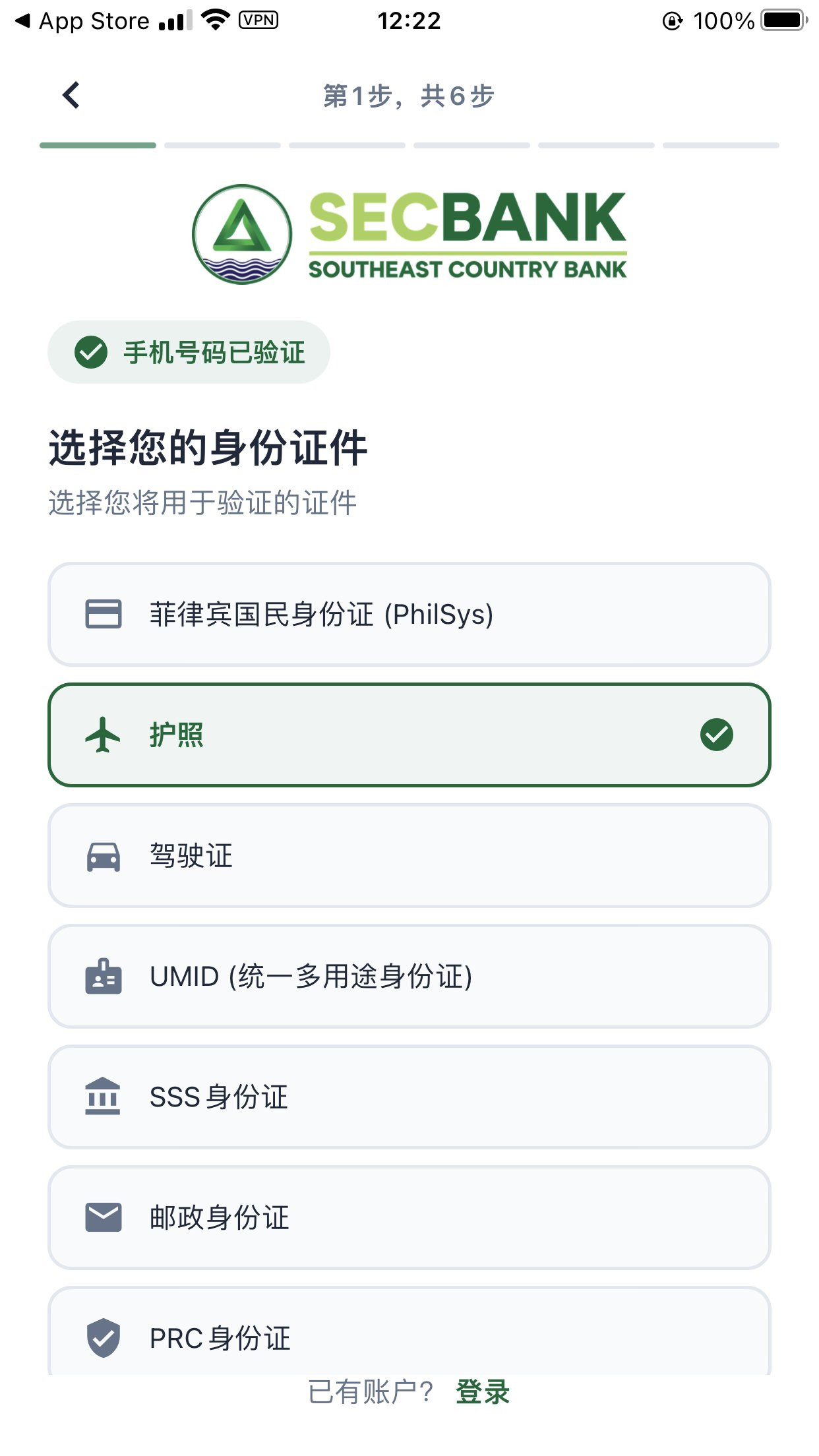
After you enter KYC, choose a document type. The user-case screen listed PhilSys, Passport, a driver's licence, UMID, SSS and PRC. Choose Passport if you are applying with a passport. The presence of these options does not mean every document type or nationality will be approved.
Step 3. Verify your email
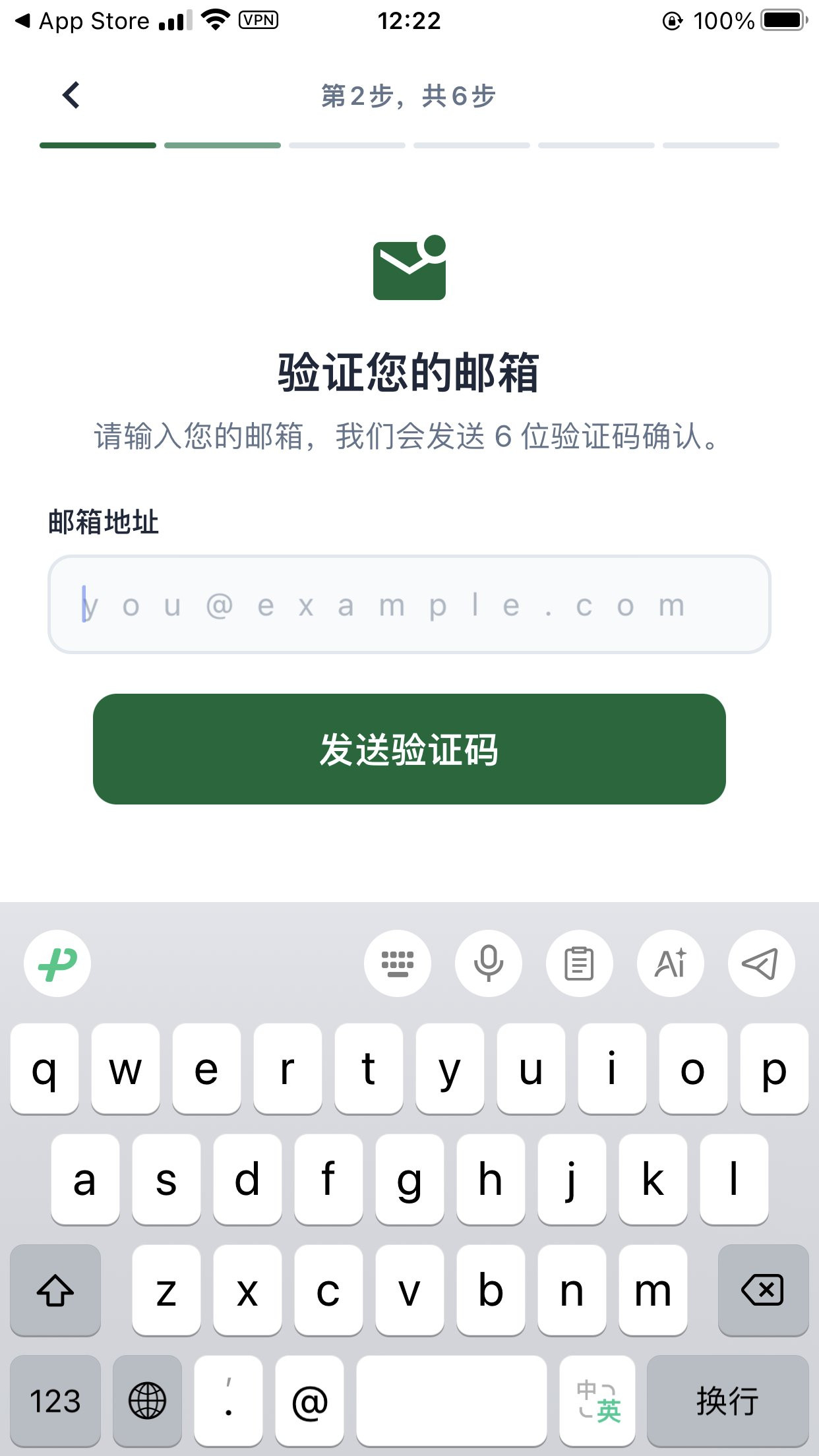
Enter an address you can actually use, then request and type the 6-digit code. Later messages about extra information and "your account is ready" go to this mailbox, so do not enter a throwaway address. The you@example.com text in the screenshot is only a placeholder.
Step 4. Photograph the passport biodata page
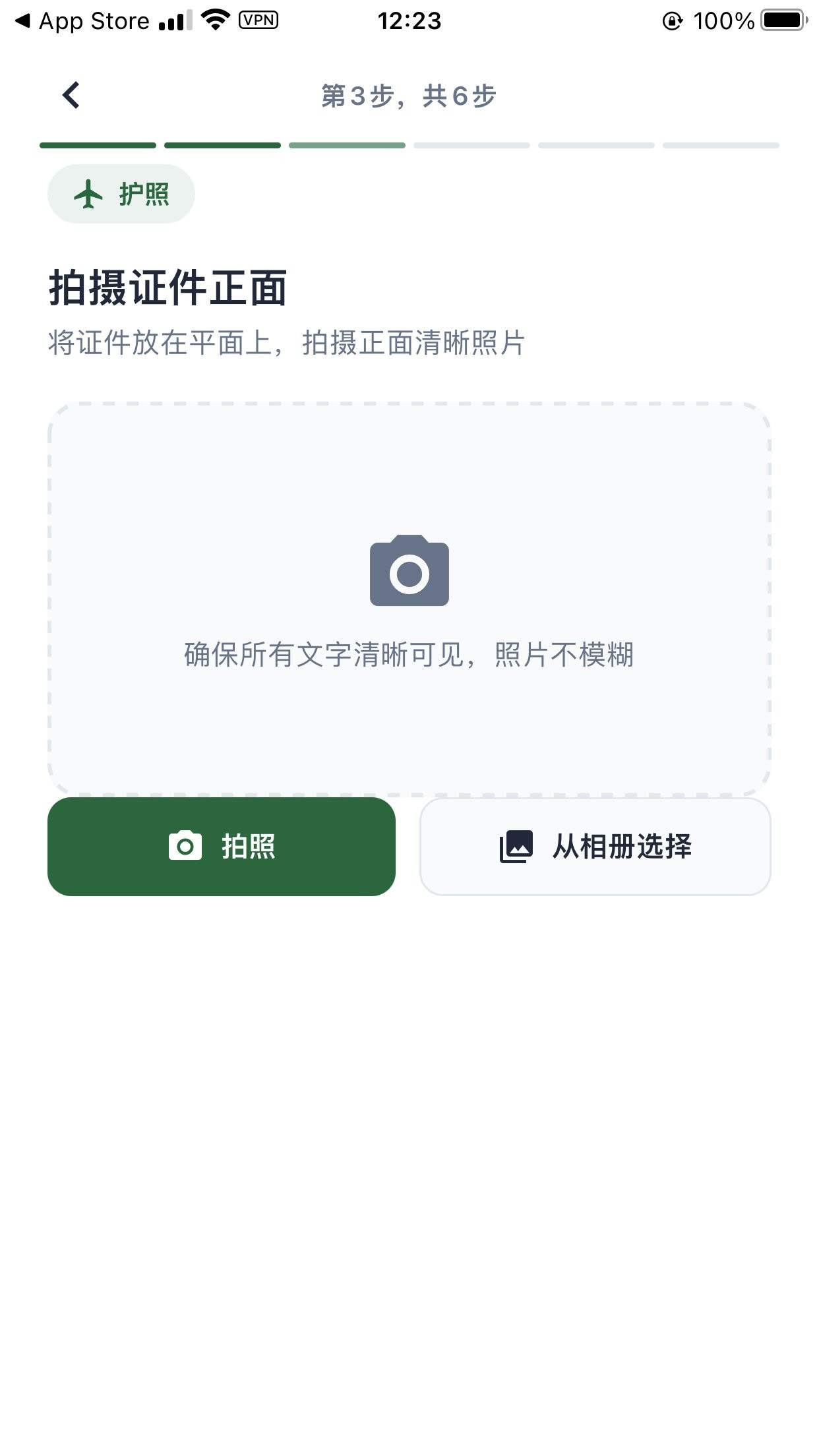
Photograph the passport biodata page, or choose a clear photo from your library. The name, passport number and the MRZ at the bottom should be complete and sharp, without glare, blur or cropping.
Step 5. Check your details, then complete signatures and face verification
In the user case, the app asked the applicant to review name, date of birth, sex, nationality, document number, mobile number and address after automatic recognition. After a Chinese passport was scanned, nationality showed as CHN. Correct any recognition errors first, then read and accept the terms and privacy policy.
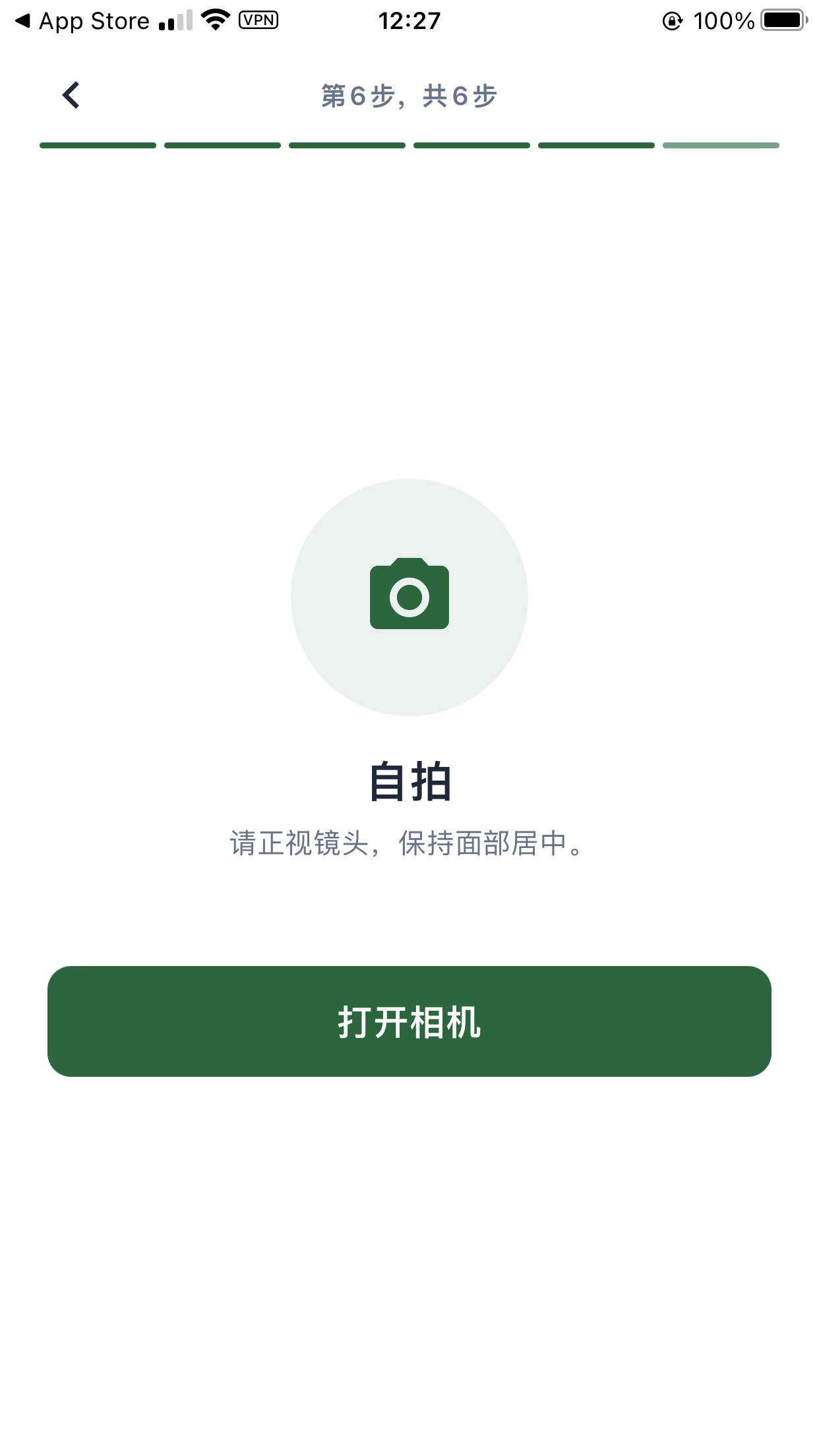
The same flow asked for three handwritten signatures in a row, consistent with the signature on the passport, followed by a selfie / liveness check. Keep your face centred in good light. Do not substitute another person's photo or an edited image.
Step 6. Wait for review after you submit
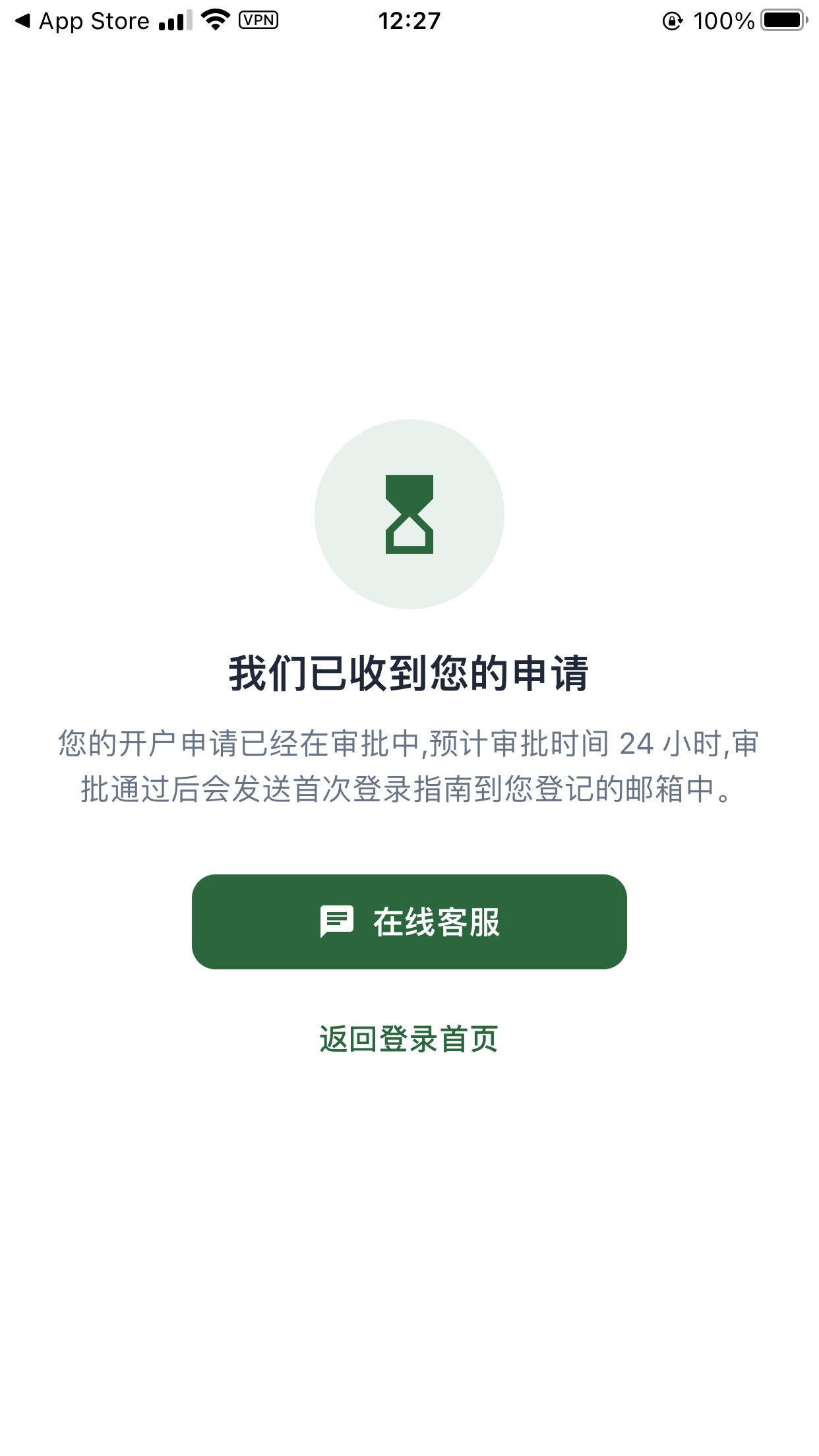
After submission, the user-case screen read: the bank had received the application, it was under review, the estimated review time was 24 hours, and a first-time login guide would be sent to the registered email if the application was approved. That 24-hour figure was the app's estimate at the time, not a service-level promise. In this case, the later emails arrived over a longer stretch, as described below.
After you submit: the follow-up email and first login
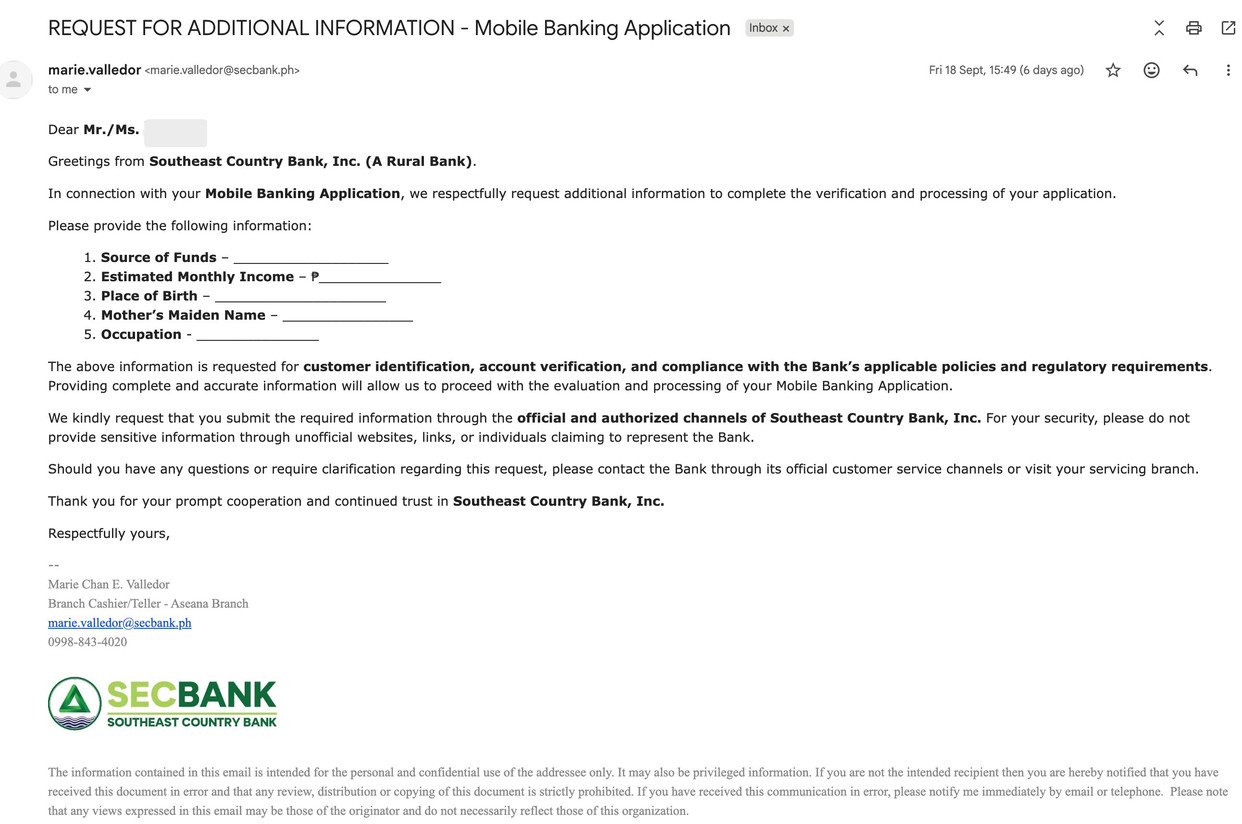
In the user case, about two to three business days after submission, the registered inbox received a message titled REQUEST FOR ADDITIONAL INFORMATION - Mobile Banking Application, sent from a @secbank.ph address used by bank staff. It asked for source of funds, estimated monthly income, place of birth, mother's maiden name and occupation. The email said the information was needed for customer identification, account verification and compliance, and that it should be sent only through the official and authorised channels of Southeast Country Bank. Do not send sensitive information to unofficial websites, links or people claiming to represent the bank. Reply truthfully; do not invent income or funding sources.
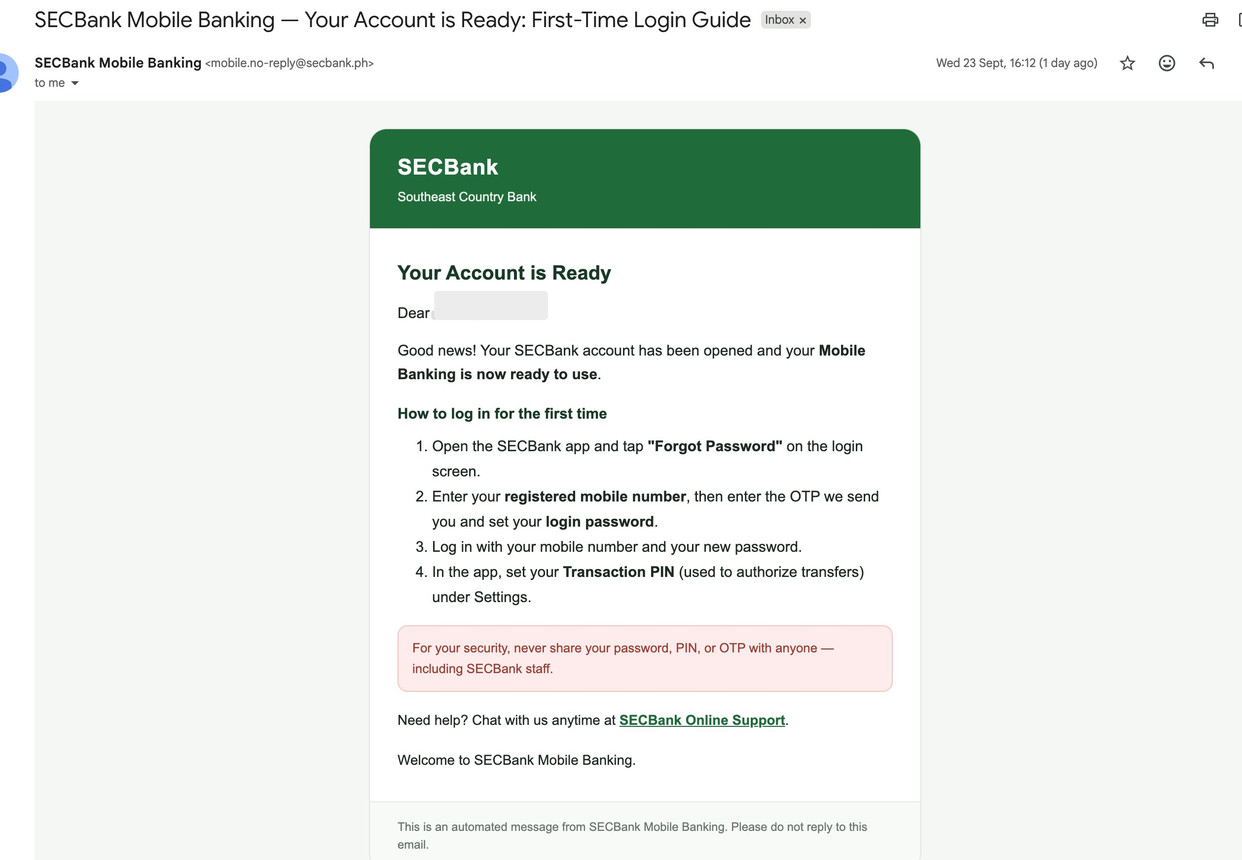
After further business days, the same case received a message titled SECBank Mobile Banking — Your Account is Ready: First-Time Login Guide, from mobile.no-reply@secbank.ph. The official email's first-login steps are:
- Open the official app and tap Forgot Password on the login screen
- Enter your registered mobile number, then the OTP, and set a login password
- Sign in with that number and the new password
- In Settings, set a Transaction PIN used to authorise transfers
The email also says you should never share your password, PIN or OTP with anyone, including people who say they work for SECBank.
User feedback reported that the password-reset screens also asked for a selfie and for the applicant to hold the passport. That was an extra step seen in that session. It is not written in the body of the official email above. Follow the prompts in your app at the time.
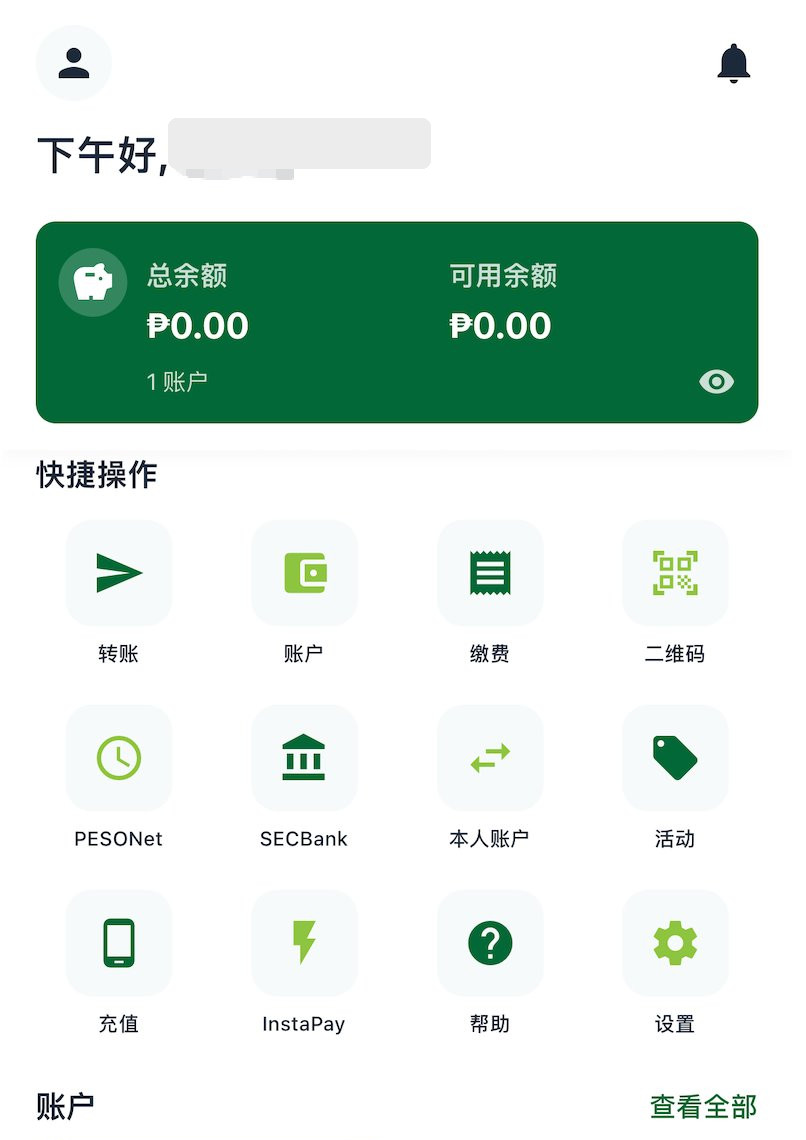
After login, the user-case home screen showed shortcuts for transfers, PESONet, InstaPay, QR, bills and accounts. It showed a savings account with a ₱0.00 balance. That was the state of this account just after opening, not an official welcome bonus or a published minimum-balance figure.
Account levels and sending limits
The official website does not publish a complete Level 1 to Level 4 table. The App Store notes for version 3.3.18, dated 27 July 2026, say you can submit KYC documents in the app to raise your account limits. Which documents are required, and which tier you can reach, depend on the in-app prompts and the bank's review.
User feedback reported that the app then grouped accounts into Levels 1 to 4, with these daily outbound limits on screen:
| Account level | Daily outbound limit shown | | --- | ---: | | Level 1 | ₱5,000 | | Level 2 | ₱50,000 | | Level 3 | ₱200,000 | | Level 4 | ₱400,000 |
On the same screen, the daily inbound column showed No Limit for each level. That is the label on that page. It does not mean every incoming transfer is free of other rules, risk checks or receiving-network limits. User feedback also reported that the screen asked for additional Bank Documents from Level 3, and Business Documents at Level 4.
If a new account stays on Level 1, daily outbound transfers are constrained by the ₱5,000 figure shown for that tier. The InstaPay reference cap of ₱50,000 per transaction can still sit above a lower daily account limit. Whether you can upgrade, and what you must submit, depends on your own account. Another customer's move to Level 2 is not a result you should count on.
Other points to watch
- Getting into the flow is not the same as being approved. The official site says approval is not automatic. A Chinese passport entering KYC does not guarantee approval.
- Submit only truthful information. The official site says not to submit false, incomplete or outdated information. Do not invent a Philippine address, a phone number or income figures to complete the form.
- Fees and "free" promotions can change. Official materials currently describe eligible InstaPay transfers as having no SECBank transaction fee, and the store artwork shows PESONet at ₱25.00, but you should still read the confirmation screen before you send.
- Use the right bank name and the official app. Do not confuse this rural bank with Security Bank, and do not download the app from an unofficial link.
- The branch network is small. Cash-in and cash-out are still described as branch services in Bicol and Aseana.
- Transfers to GCash, Maya, Wise or similar names are only domestic peso payments if that institution appears in your list that day. They are not an international remittance promise. If you also use Maya, see our separate Maya Philippines signup guide.
If you need to contact the bank, use channels published on the official site or in the official app. The website currently lists +63 9985346369 and info@secbank.ph. The App Store listing gives customer support at (054) 881-8692 and help@secbank.ph. Do not send follow-up documents to an unknown personal email address or messaging account.