Maya Philippines Signup Guide: +63 Number, Foreign Passport KYC and Card Prerequisites
Maya signup and foreign-passport KYC, checked against official pages: +63 SMS required; names must match passport. Enter invite code @mouseone when signing up.
What this covers
Maya (formerly PayMaya) is a major Philippine e-wallet / digital bank. Public walkthroughs show: register with a +63 Philippine mobile number, then upgrade with a foreign passport. After upgrade you unlock higher limits and products such as savings and cards.
This guide follows the shared article UI and cross-checks Maya Upgrade, Account Limits, and Maya Card. We do not invent personal-testing timelines; any “approved in under an hour” note is the source author’s experience only. Live app/site rules win.
Read this first
- A Philippine +63 number that can receive SMS is mandatory.
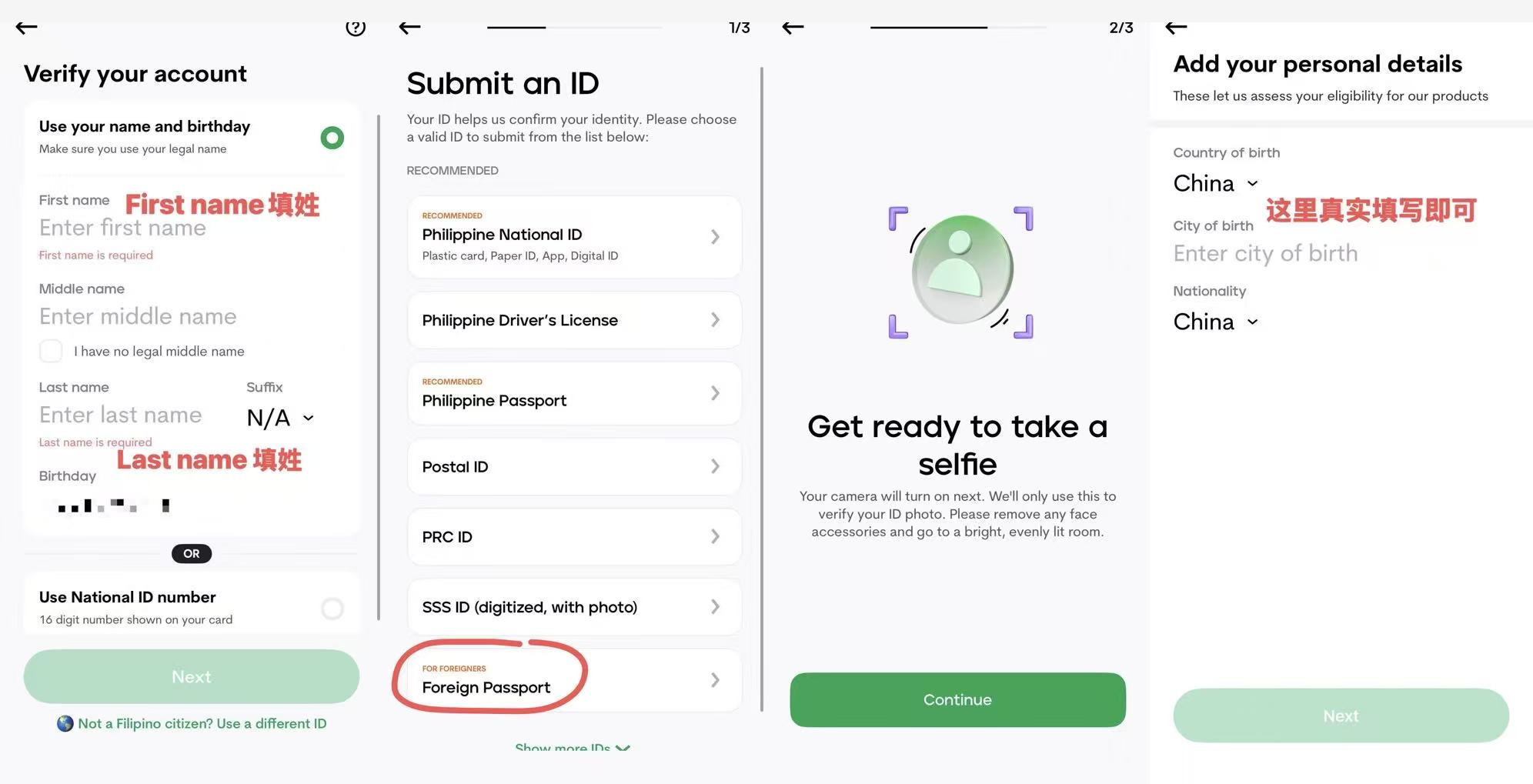
- Official foreign-national upgrade ID: Passport via Not a Filipino citizen? Use a different ID → Foreign Passport.R1
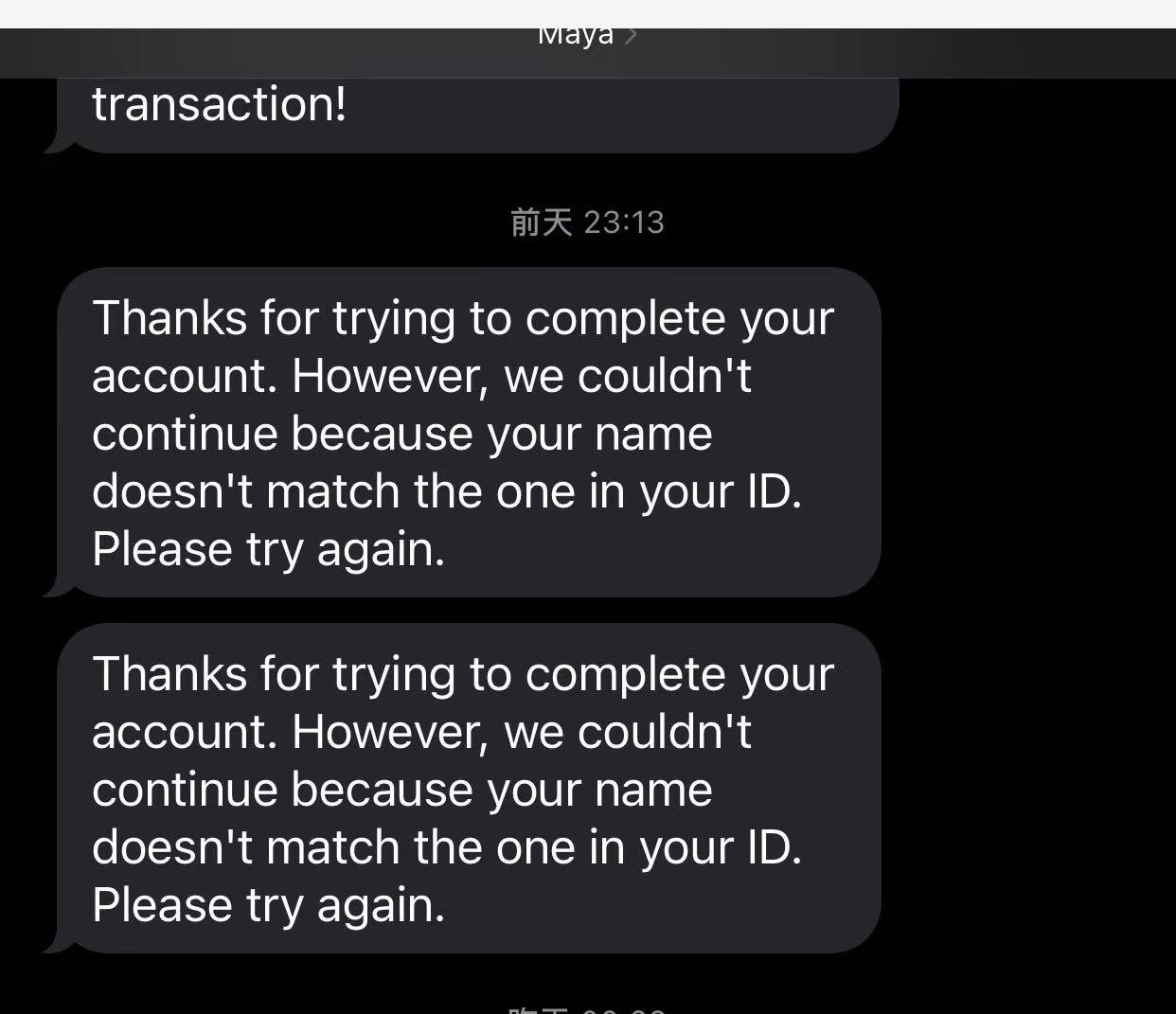
- Names must match the passport (First = given name, Last = surname).
- CURRENT ADDRESS must be in the Philippines; PERMANENT ADDRESS must be outside the Philippines (your real passport-country address). Do not fabricate addresses.
- US persons: Savings and similar features are restricted—answer the tax question truthfully.
- One Maya account per person.
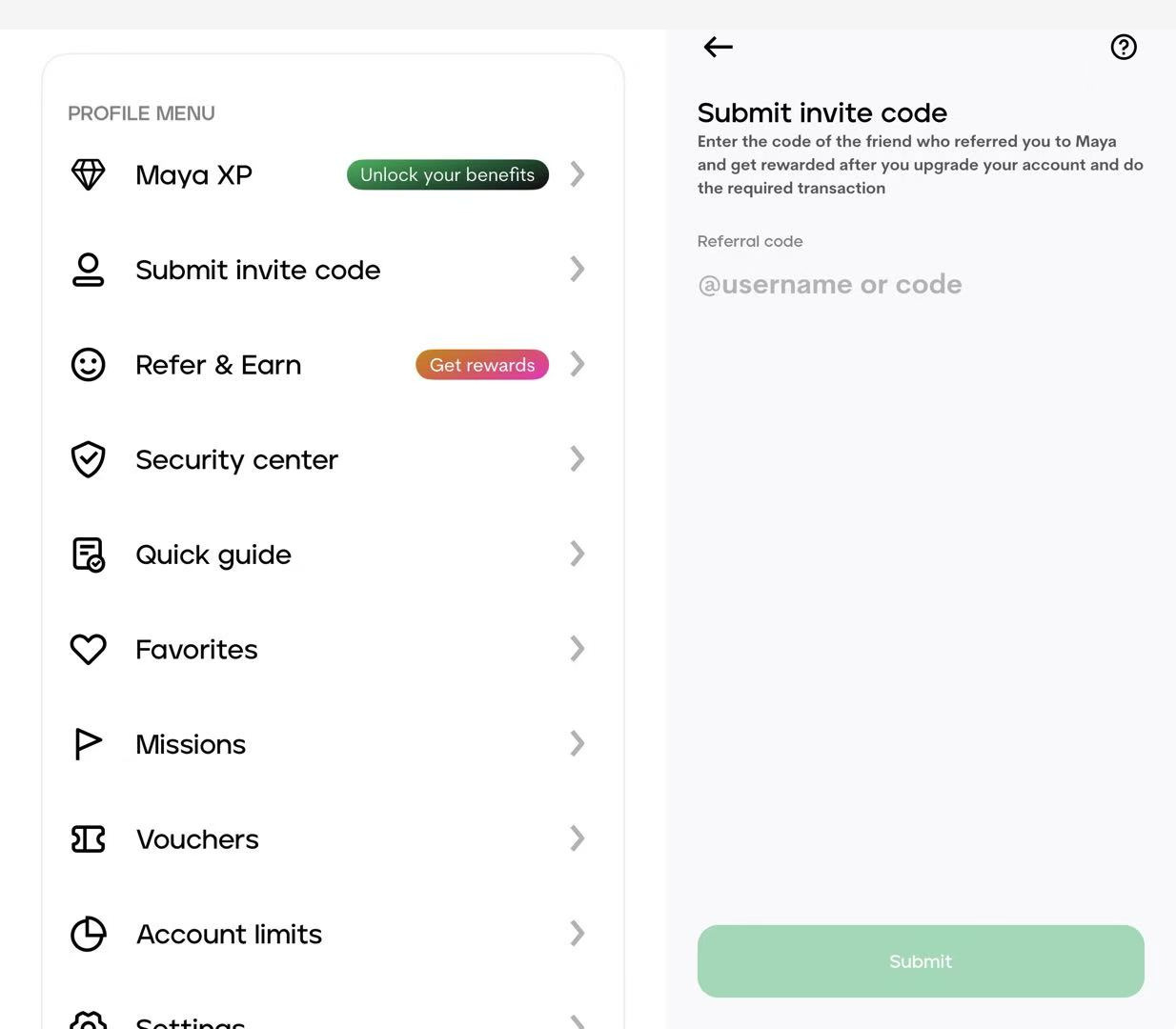
- Invite codes: Maya uses your @username as the invite code. You can enter invite code
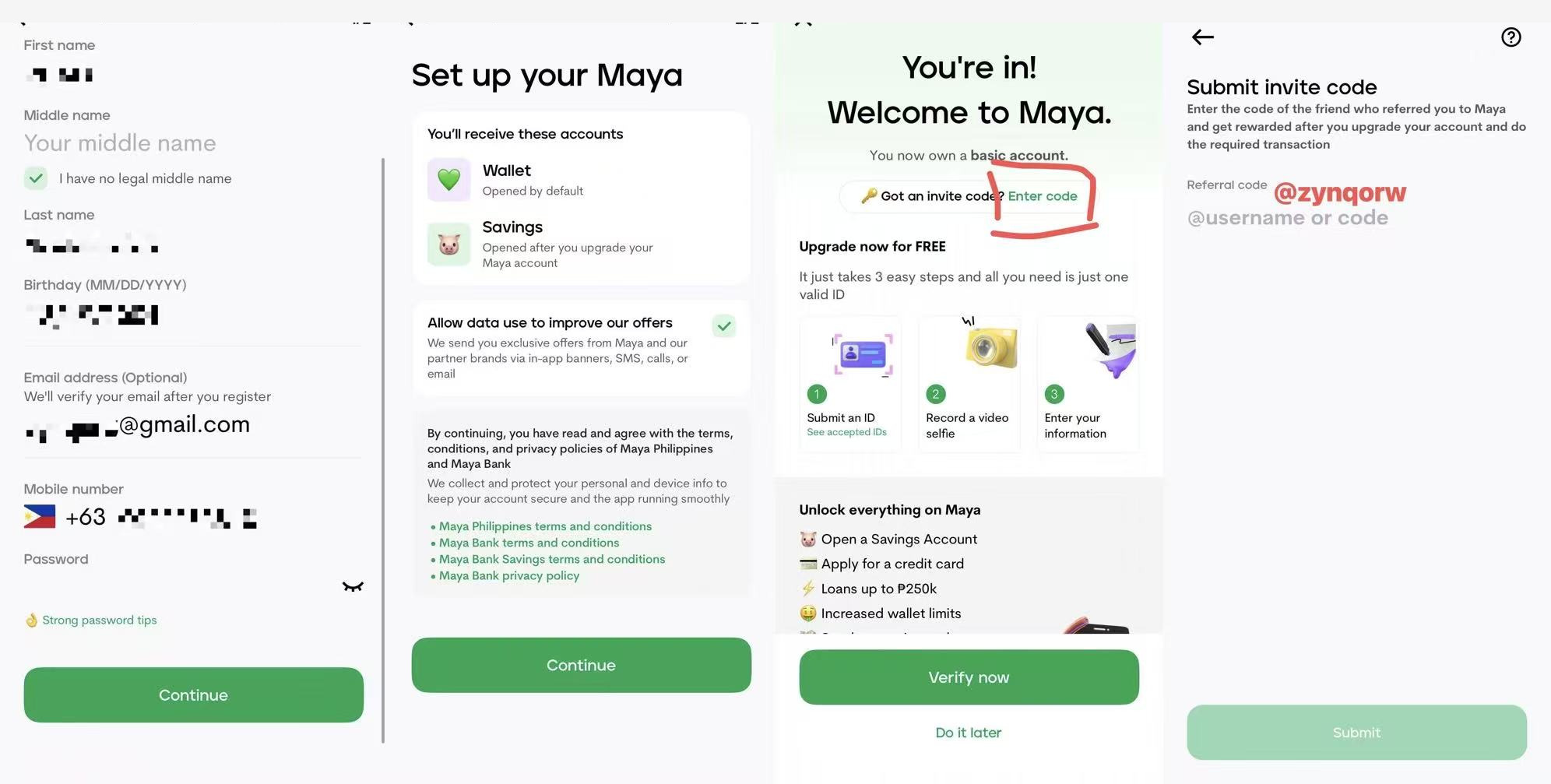
@mouseonewhen signing up, or add it later from the Profile Menu; it is optional for basic signup. Official referral rewards have cash-in, upgrade, and minimum-spend conditions—check the live promo page.R5 - Not related to BiyaPay.
What to prepare
- +63 SMS-capable number (and a plan to keep it alive)
- Physical passport for capture
- Phone for a liveness video selfie
- Accurate romanized name, DOB, birthplace, nationality, work details
- Philippine current-address fields + home-country permanent address
Flow (UI path from the source article)
1. Get a Philippine number
Without +63 SMS, signup stops. DITO eSIM / writer-card options depend on device (China-SKU iPhones often need a physical eSIM writer). Verify each vendor live; their promo codes are omitted here.
2. Create a basic account
Maya app → Start an account: names, MM/DD/YYYY birthday, email, +63 mobile, password, terms. You get a basic Wallet; Savings needs upgrade.
You can enter invite code @mouseone here, or skip and add it later from the Profile Menu.
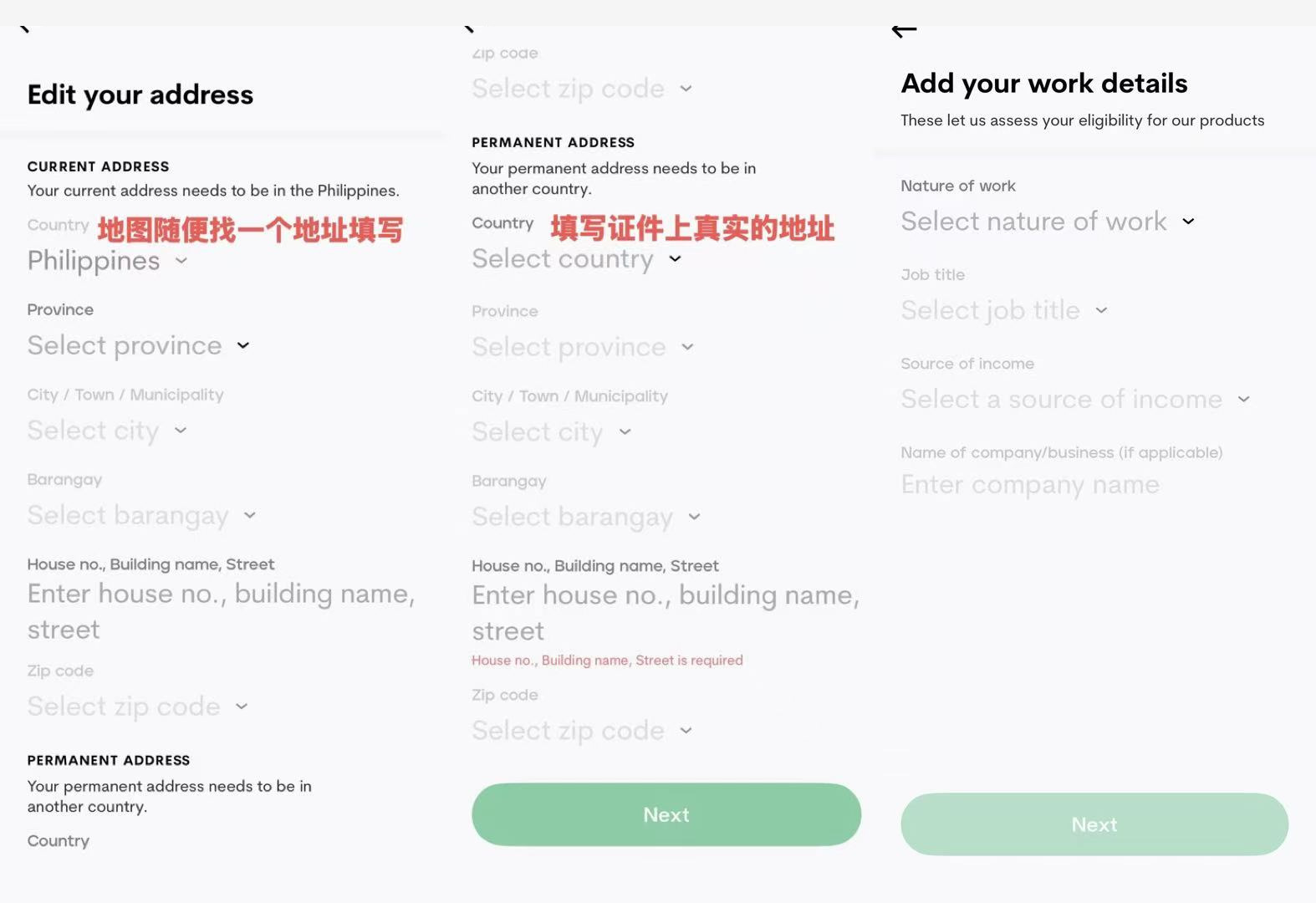
3. Upgrade (KYC) — the core
Basic accounts have low limits; cards/savings generally need upgrade.R2R3
Foreigner path: Foreign Passport → clear passport photo + video selfie → personal/address/work details → confirm passport number/expiry → US-person question → under review.
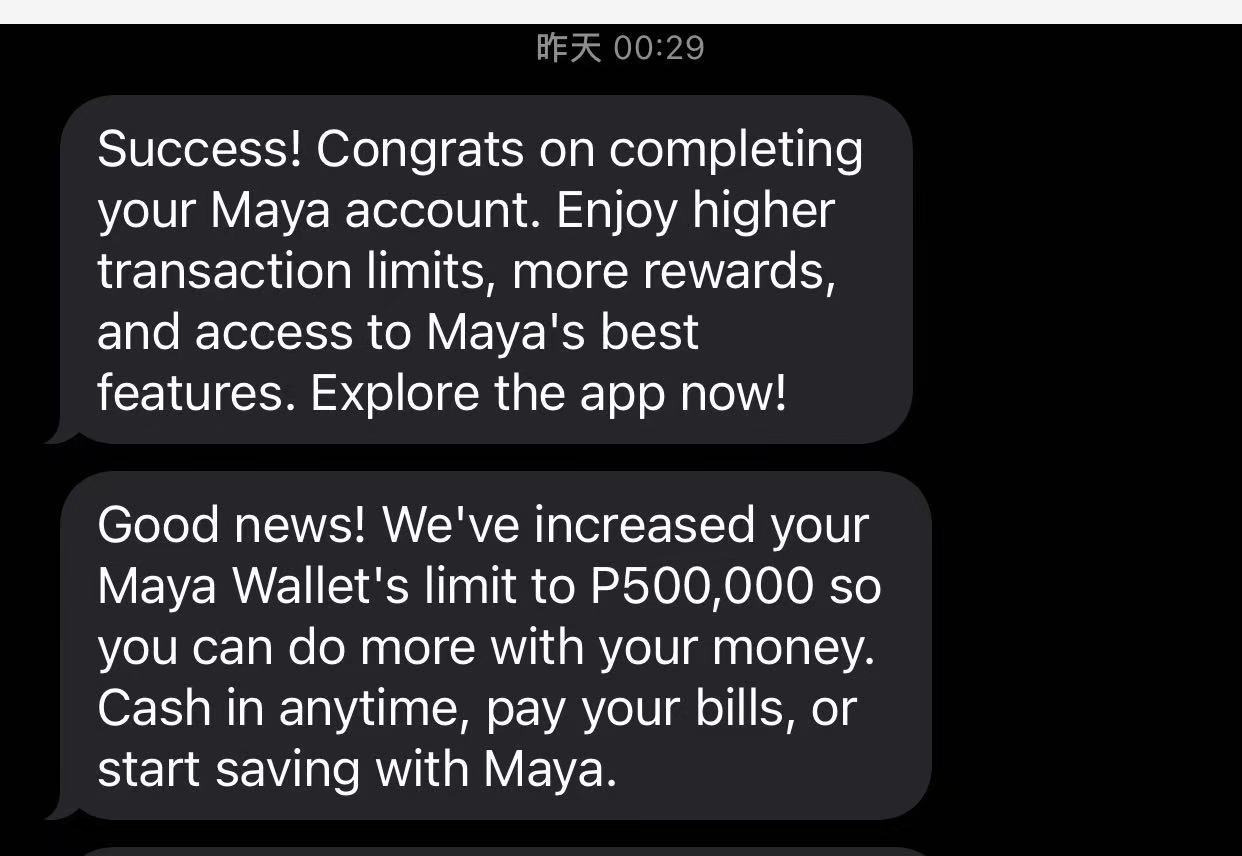
Official: SMS confirmation usually within 24 hours after approval.R1 Faster personal anecdotes are not guarantees.
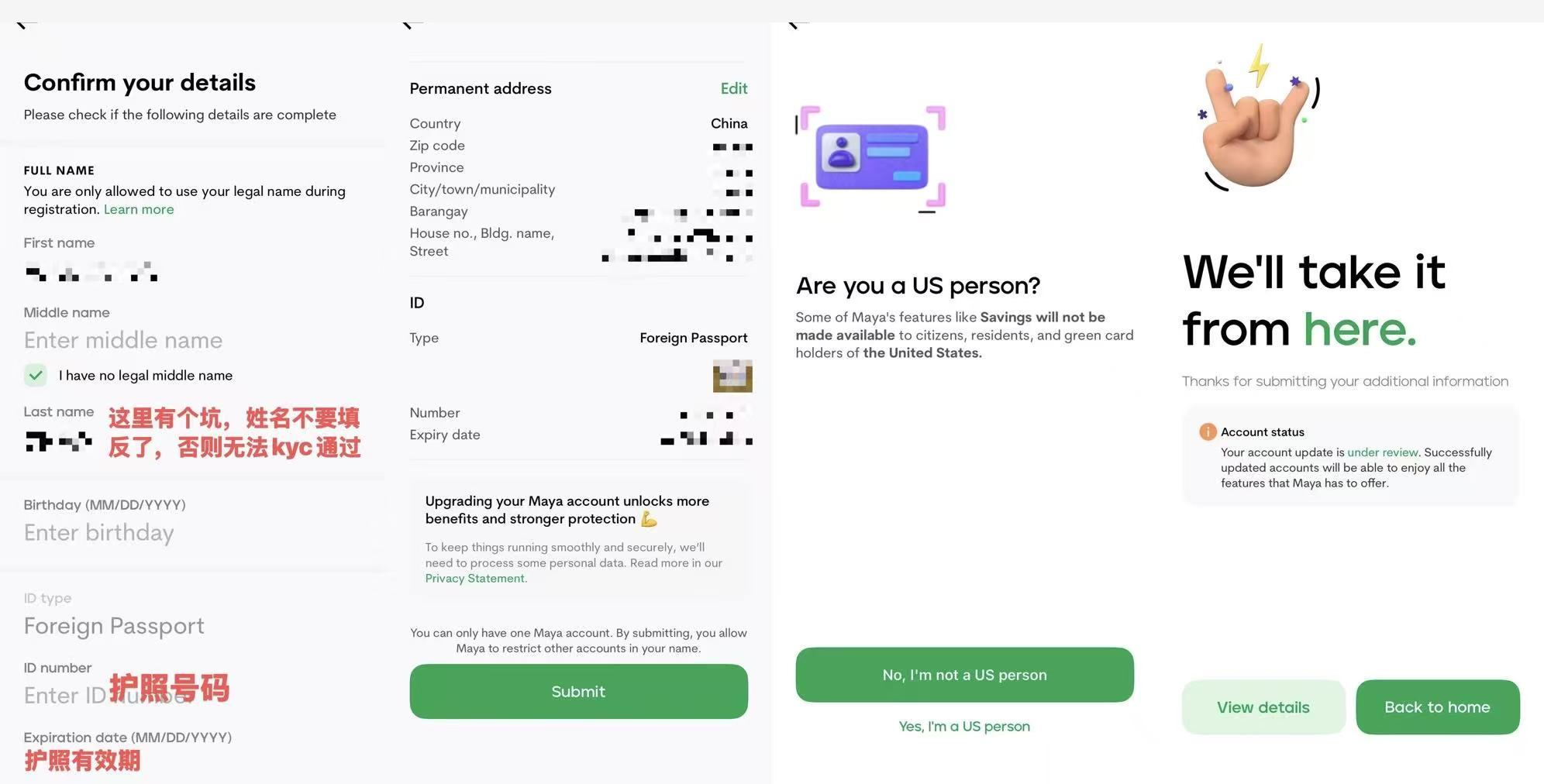
4. Invite code (optional)
You can enter invite code @mouseone when signing up. If you skipped it, you can still submit it later from the Profile Menu. Official rewards need cash-in, upgrade, and a qualified ₱100+ transaction, with voucher timing/expiry rules; check the live promo for current amounts and terms.
5. After upgrade: limits and cards
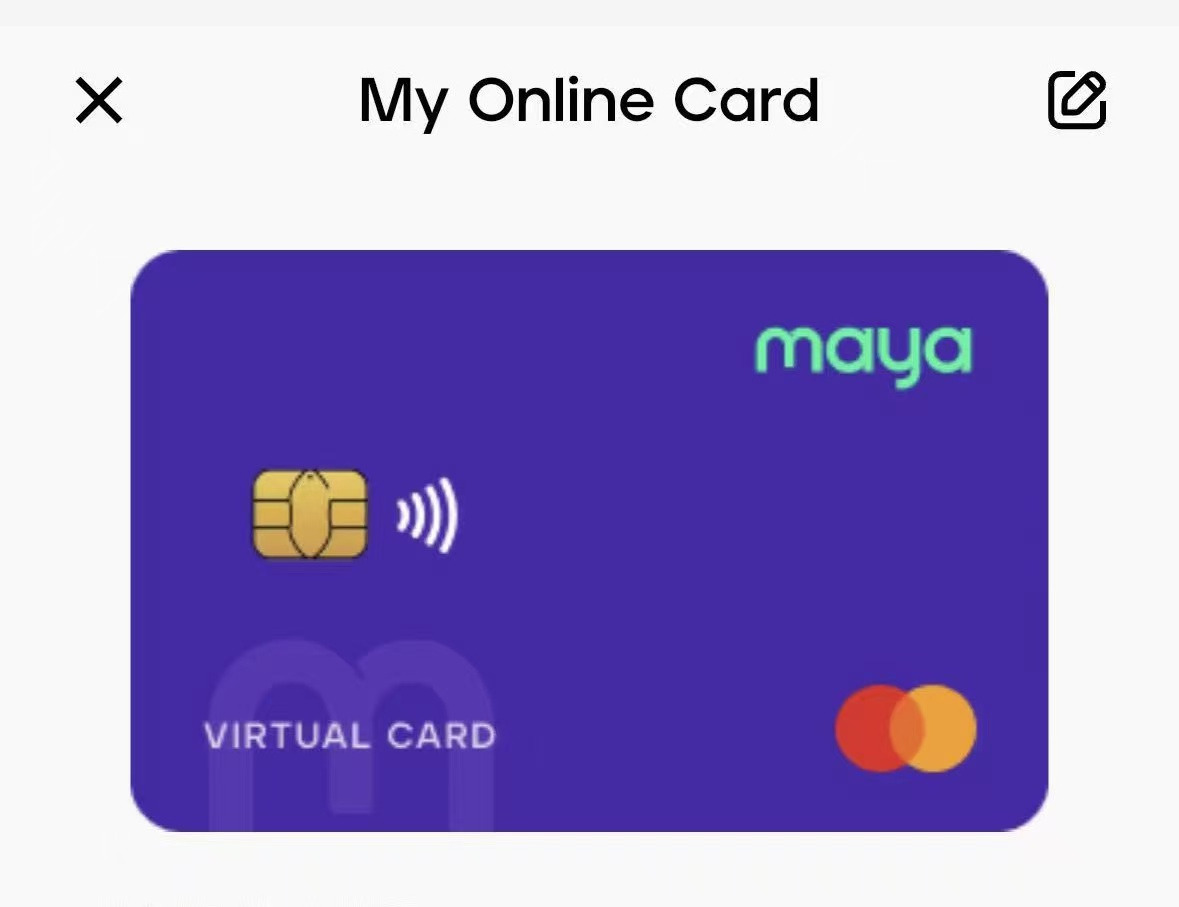
Apply for a virtual/physical Maya Card from the Cards tab after upgrade.R3 Check Account Limits in-app: Basic ~₱50K/month, Upgraded ~₱100K/month, higher tiers as you grow.R2
FAQ
- Rejected? Often reversed names, blurry passport, or inconsistent address—fix before re-trying.
- Number dies? Login/OTP depend on it.
- Skip KYC? Basic wallet only, low limits.
- Virtual card? Upgrade first per official card guide.
Sources
Checked 2026-11-09 Asia/Shanghai (UTC+8). Source article: https://x.com/zynqorw/status/2086428605677175058. Always re-check maya.ph and the app.