Smart Axiata Cambodia eSIM Guide 2026: Official Signup, KYC, SmartRoam Daily Caps, and Keeping the Number
Checked on 17 November 2026 against Smart Axiata’s official eSIM pages, Get My Number, SmartRoam terms and top-up validity: how to buy a Cambodian prepaid eSIM,
What this guide covers
This guide was checked on 17 November 2026 against Smart Axiata’s official eSIM pages, the Get My Number signup flow, the SmartRoam terms, the top-up page’s Number Lifecycle section, and the general terms of service. It explains how to choose a Cambodian Smart prepaid number online, complete identity verification, install the eSIM, use SmartRoam’s daily data spend caps, and keep the number active.
Speed, usage and IP-lookup screenshots in this article are user cases. They show what happened in those sessions only. They are not an official promise about speed, throttling or IP type. Plans, number prices, roaming destinations and top-up validity can change, so re-check the official site before you buy.
What this service is, and who it is for
Smart Axiata is one of Cambodia’s main mobile operators. It is part of Malaysia’s Axiata Group and trades as Smart. The company sells prepaid and postpaid service, local data, international roaming and eSIMs. A new eSIM can be bought in the SmartNas app, on the Get My Number page, or at a Smart Shop.
This is for people who can complete official verification with their own valid passport or Cambodian national ID, and who need a Cambodian number or official SmartRoam data in a listed destination. The official pages do not promise that an application will succeed if you are outside Cambodia or if you skip a document the flow asks for. Approval, and whether the eSIM arrives by email, depend on the system at the time.
Official requirements to check first
When you buy a new eSIM, the official site requires that you:
- Use an eSIM-compatible phone
- Connect to Wi-Fi first, so the process does not interrupt or drop service on an existing number
- Have an original Cambodian ID card or a valid passport, and complete a face scan
The Get My Number flow also checks the device IMEI. Enter the real IMEI of the device that will host this eSIM. Official wording: if the device does not support eSIM, you need a traditional physical SIM and should collect it at a Smart Shop. Do not enter someone else’s IMEI, or a made-up IMEI, to pass the check.
You may register up to five Smart numbers under one ID card or passport. You are responsible for numbers registered in your name.
Only original documents are accepted. Copies are not allowed, and neither are edited or expired files. The official scan screen asks you to place your passport or ID in the frame; the same flow may also ask you to scan a visa page. Submit the genuine, valid, unaltered document the page requests. Do not substitute another page for a requested visa page. Whether the file is accepted is decided by Smart’s eKYC process. There is no guarantee that registration will succeed without a visa, or from outside Cambodia.
Official terms also say that after you complete a website purchase, the eSIM QR code is sent to the email address you provided, and that activation instructions are in that email or in SmartNas. If the eSIM has problems, you can visit any Smart Shop with the affected device and switch back to a physical SIM at no charge.
Choose a number and buy the eSIM
The English signup page is Get My Number. You can also buy a new eSIM in SmartNas or at a shop. The steps are: choose a number, register your ID, choose a plan, then pay.
You can search by 3 to 7 digits. On 17 November 2026, the picker showed regular numbers from 8 USD. Some special numbers were on a 50% new-eSIM promotion through 31 December 2026: Iron 28 USD to 14 USD, Copper 38 USD to 19 USD, Bronze 68 USD to 34 USD. The screenshot below is only an example from that day. Use the live list for current numbers and prices.
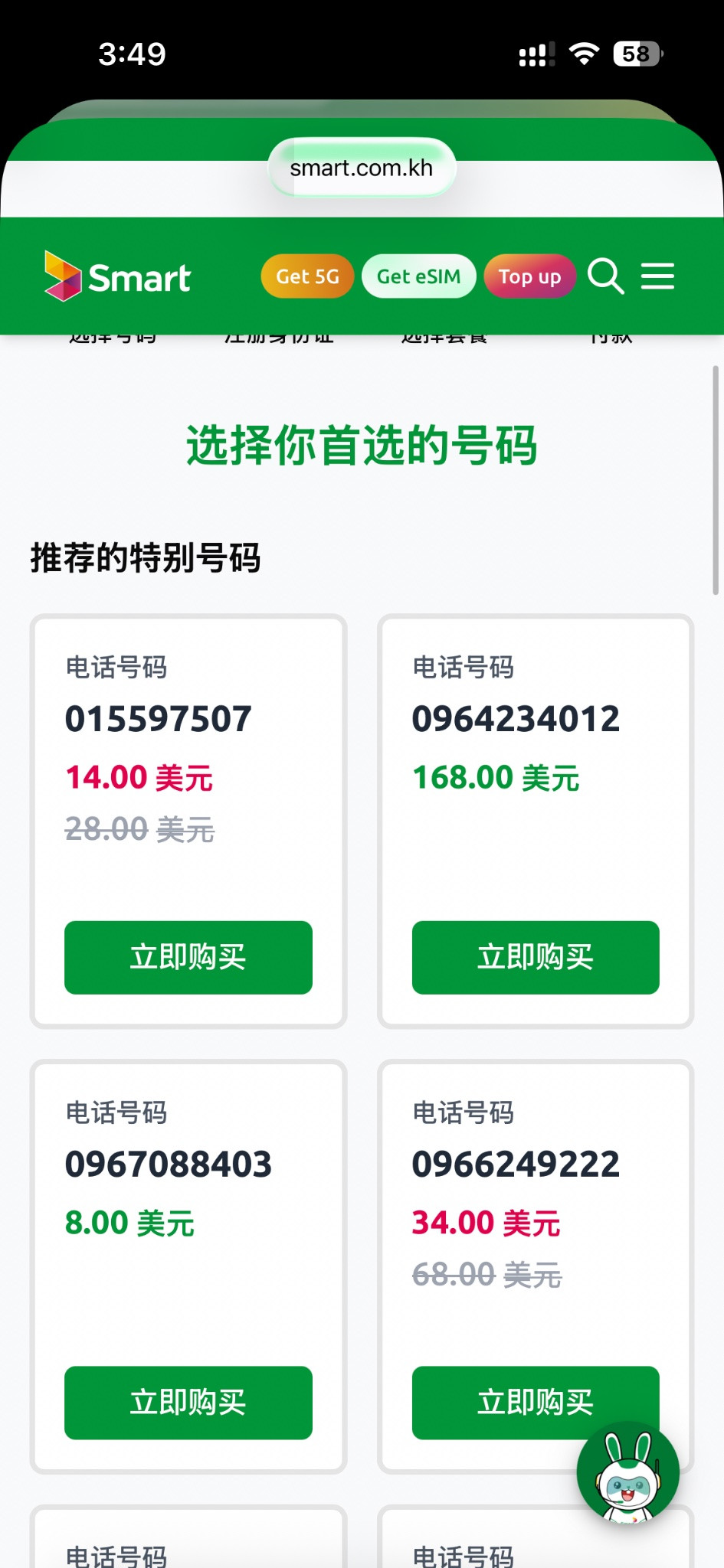
After you choose a number, select eSIM, enter the device’s real IMEI and run the compatibility check. If it passes, read and accept the terms, then continue to document scanning.
Complete verification as the page asks
Officially you must scan an original Cambodian ID card or a valid passport and complete a face scan. The Get My Number scan guide is below. Follow the “no reflection, not cut off, not blurry” examples.
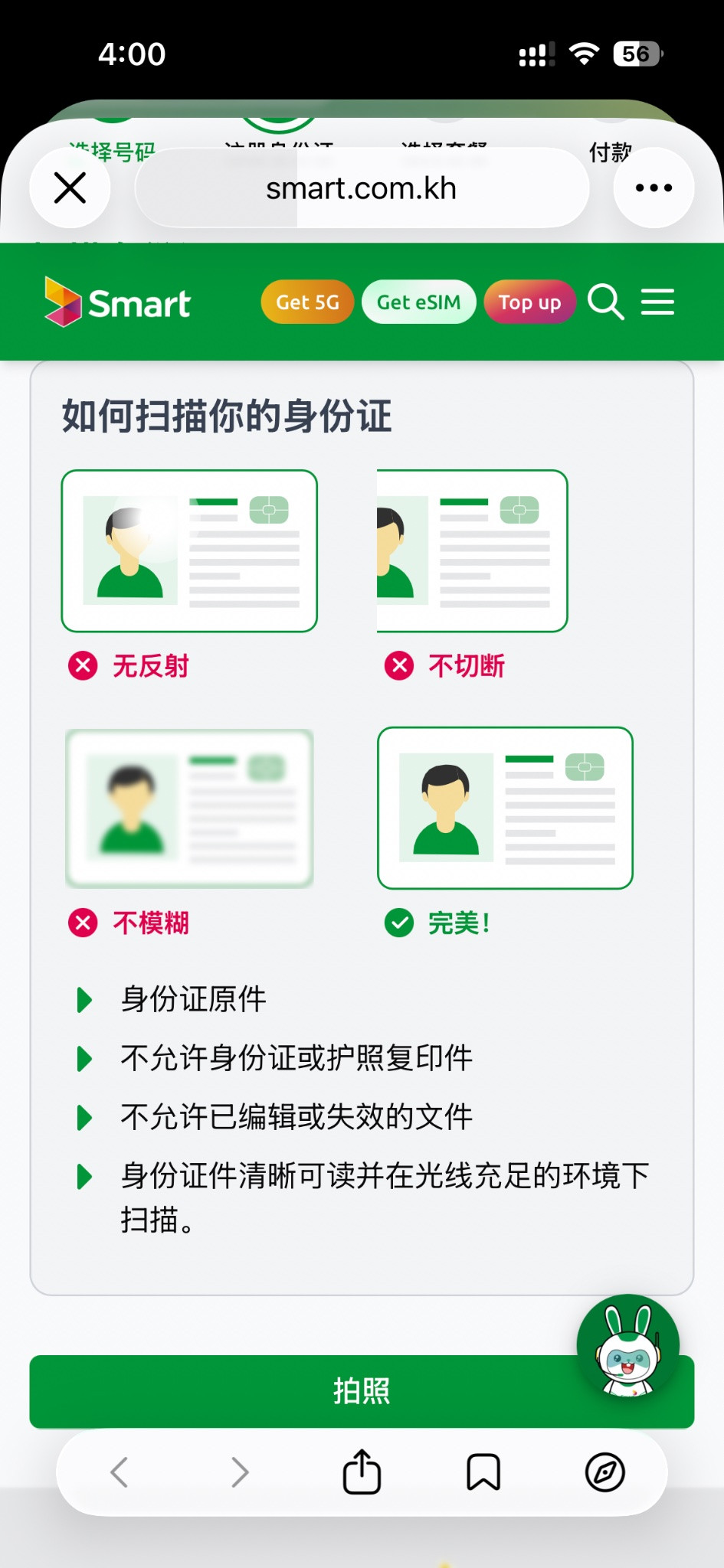
If the flow then asks you to scan a visa (VISA), submit the genuine visa page it requests. After verification, check your name and ID details, then enter the email address that should receive the eSIM.
Top up, pay, and receive the QR code
After the new number is registered, the page requires a top-up before you can start using it. Official top-up amounts and validity are in the keep-alive section below. The form may also let you type an amount between a stated minimum and maximum; follow the validation message on the page.
The payment step offers a pay-now option and a bank-app QR option. The order summary lists the number, SIM type, plan, top-up amount and total, in US dollars. Some users have reported that Visa or Mastercard cards issued in mainland China can complete payment. That is a user case, not an official guarantee. Whether a card works depends on the payment channel at the time.
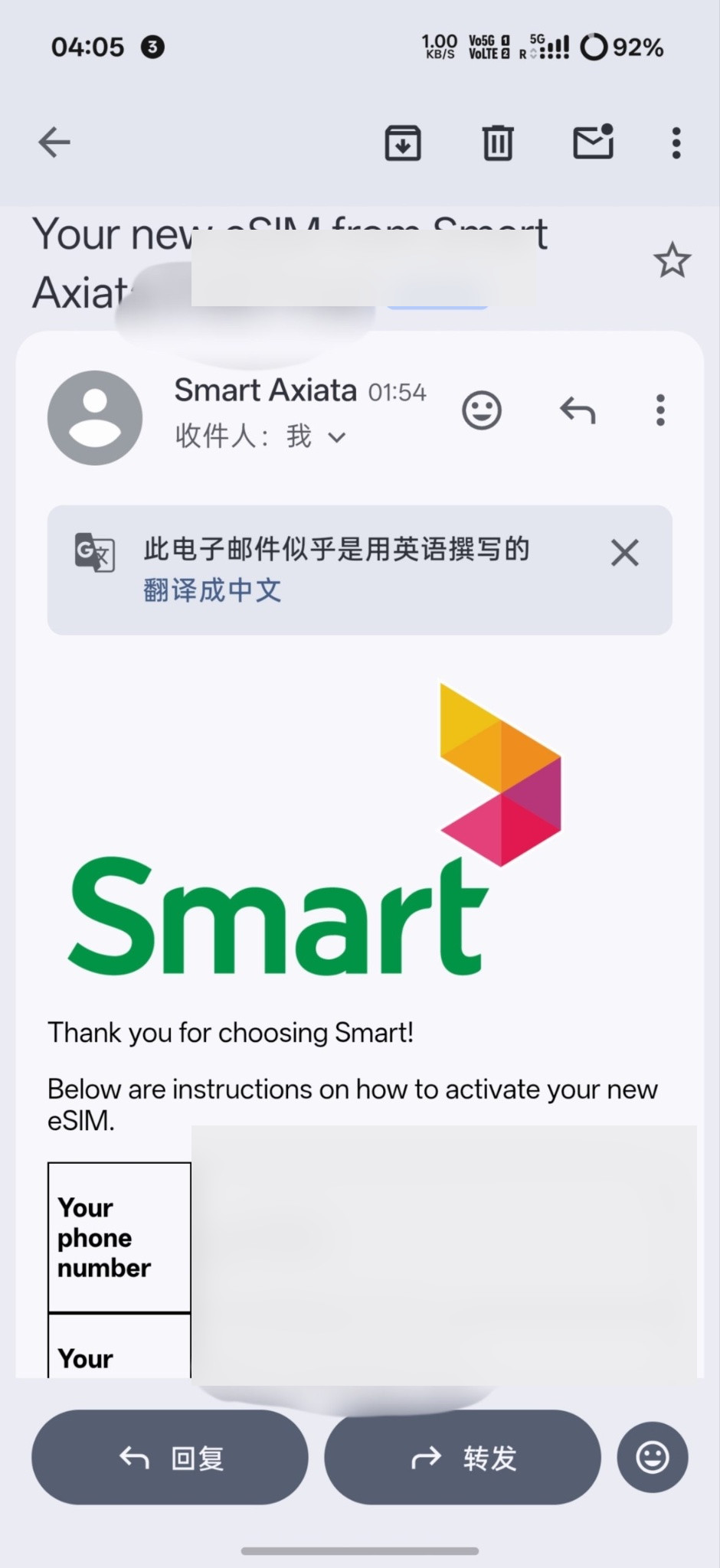
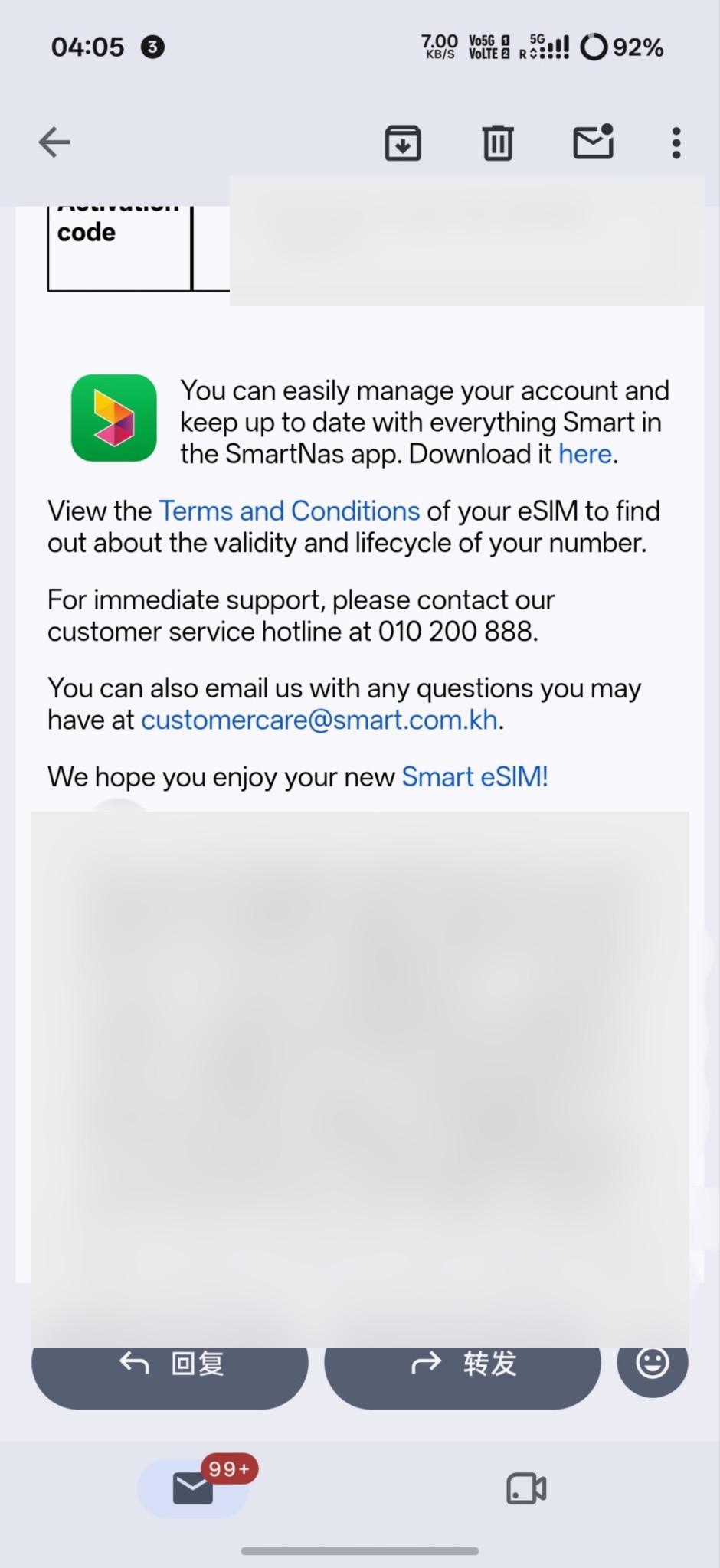
Official terms say that after a website purchase, the eSIM QR code is emailed to the address you gave. The next two screenshots are from one official activation email. The phone number, activation code and QR code have been masked.
Install the eSIM, then enable roaming and Wi-Fi Calling
Download the official SmartNas app from Google Play or the App Store. The app can be switched to Chinese or other interface languages. Add the eSIM from the email QR code, then turn on data roaming for that line in the device settings. If the phone supports it, also turn on Wi-Fi Calling.
Smart officially offers Wi-Fi Calling. On some destinations without data roaming, the site still points people to it to stay reachable. If Wi-Fi Calling does not register after you add the eSIM, check that your current network can reach the operator’s Wi-Fi Calling service, then toggle airplane mode or follow the device’s retry steps. That is a connectivity issue. It does not replace the identity checks above.
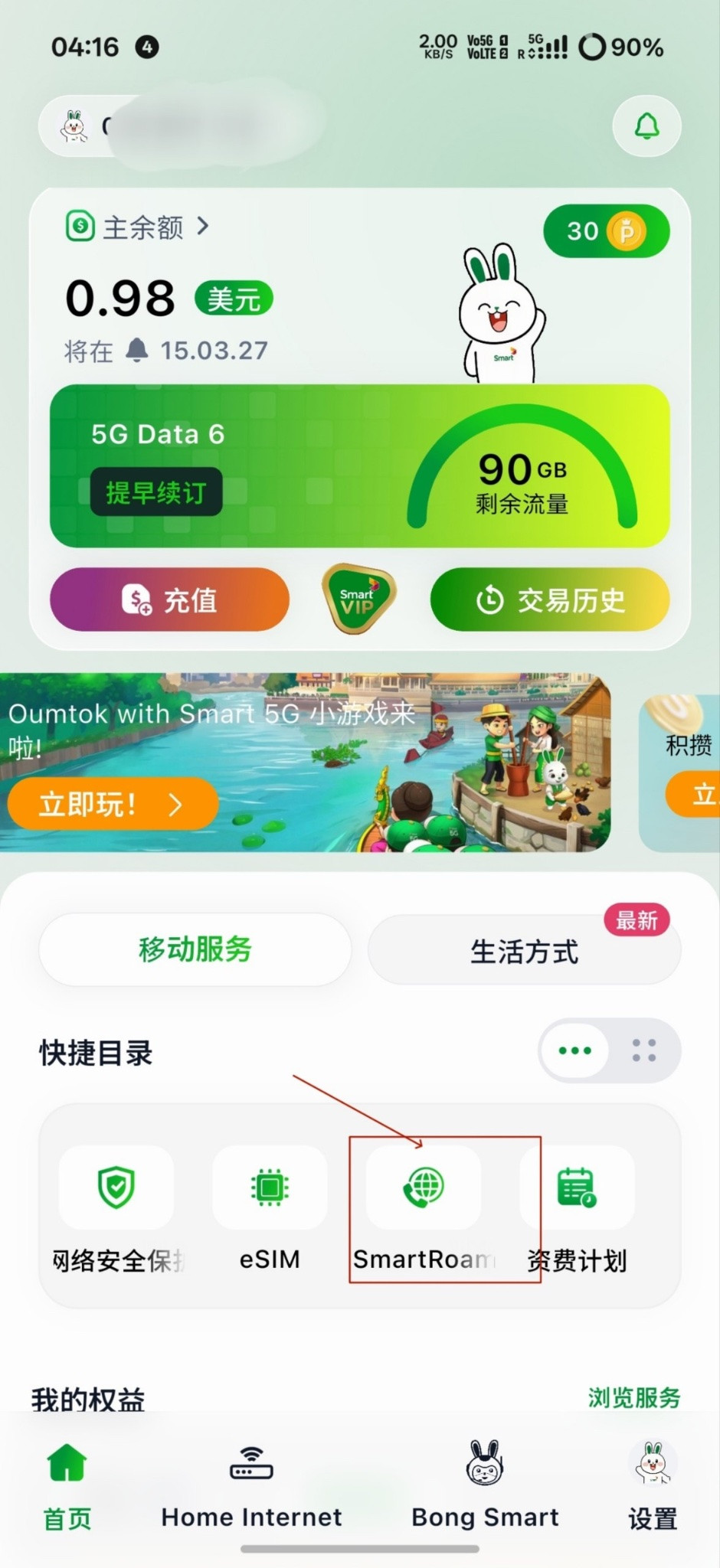
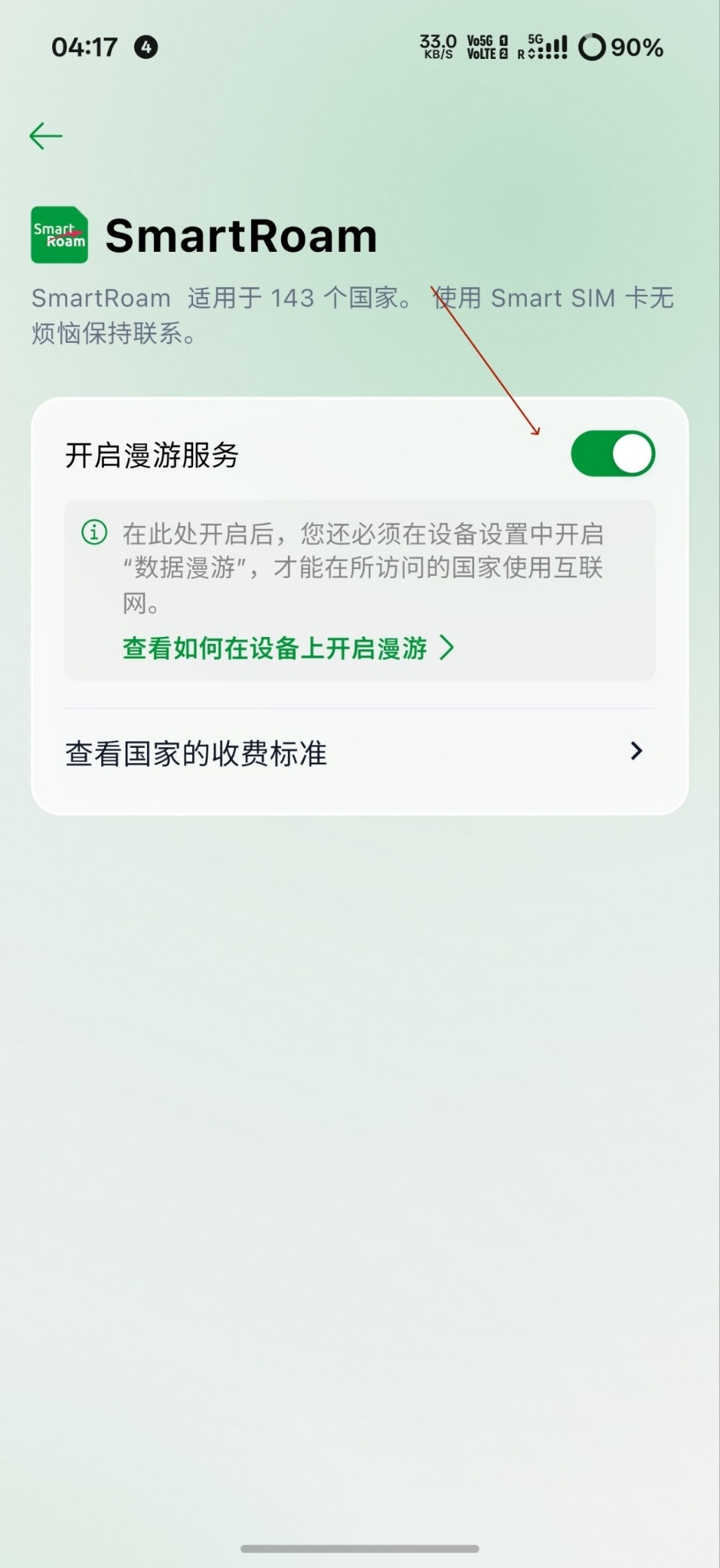
Turn SmartRoam on in SmartNas, or dial 1206# before you leave Cambodia (the official page says this is free). To turn it off, dial 1206*0#. The official terms also warn that near a neighbouring border, leaving roaming on can make the phone attach to a foreign network and incur charges. Data roaming still has to be enabled in the device settings; the in-app switch and the system switch both need to be on.
SmartRoam is a daily spend cap, not an “unlimited” pack
This is the point most often described as unlimited. The official terms say something more precise.
SmartRoam covers the destinations listed on the official page. In countries and regions that have a daily spend cap, data is charged at the applicable roaming rate until the cap is reached. After that, no further data charges apply for the rest of that period. The cap resets 24 hours after you first use roaming data that day. If you move to another SmartRoam destination, that country’s rates and cap apply.
This is not a separate “10 USD a day unlimited data pack” that you have to find and buy in a plan list, and the official terms do not guarantee a speed after the cap. If the app does not show a pack with that name, that does not mean the service is missing: once roaming is on and the balance can cover the day’s cap, roaming data is billed under those terms. Incoming SMS is free. Data, outgoing calls, outgoing SMS and incoming calls are chargeable, at the destination’s rates.
On 17 November 2026, the official daily caps were grouped as follows. Mainland China is in the 10 USD tier, with Jordan and Norway. Hong Kong, Macao and Taiwan are in the 5 USD tier.
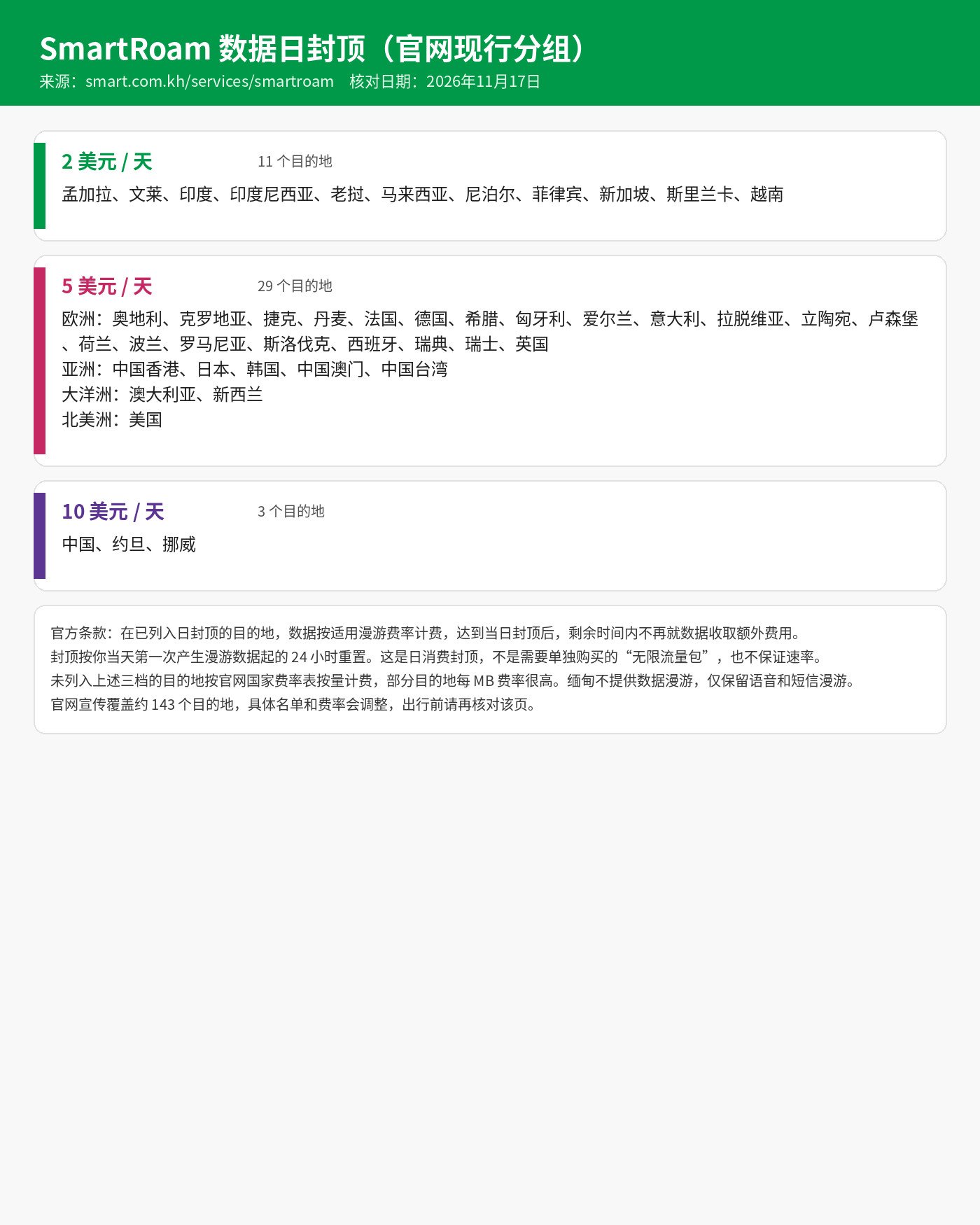
Destinations not in those three tiers are charged from the official per-country rate table. Some of those per-MB rates are very high, so they are a poor way to use roaming data. Data roaming is not available in Myanmar, as required by local authorities; voice and SMS roaming remain available at the applicable charges. The site advertises about 143 destinations. Lists and rates change, so look up your destination on the SmartRoam page before you travel.
The next three images are from a user case in mainland China. They show only that session. They are not an official promise of speed or of no throttling.
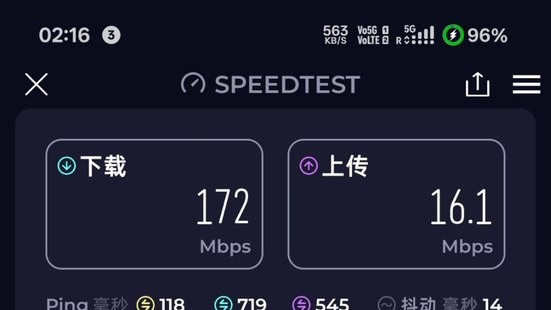
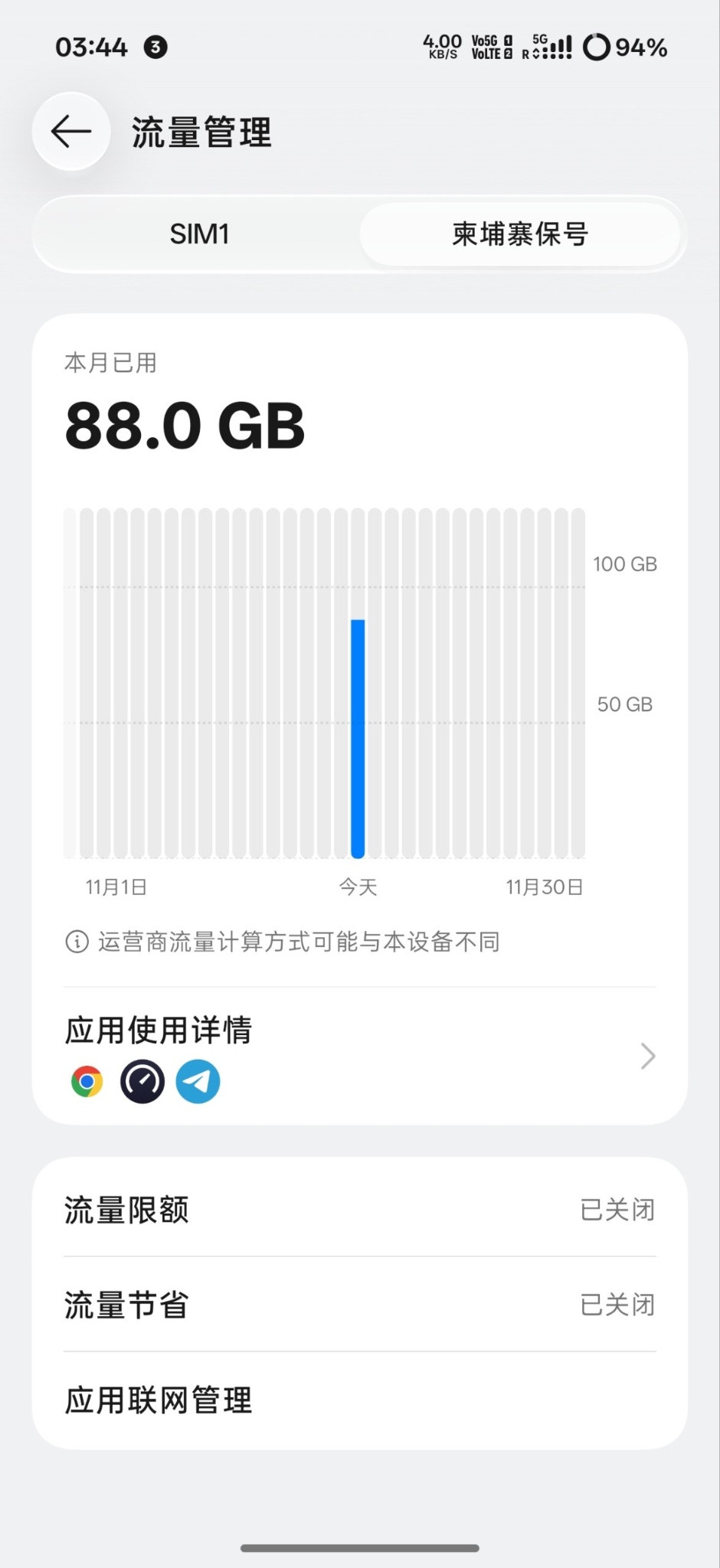
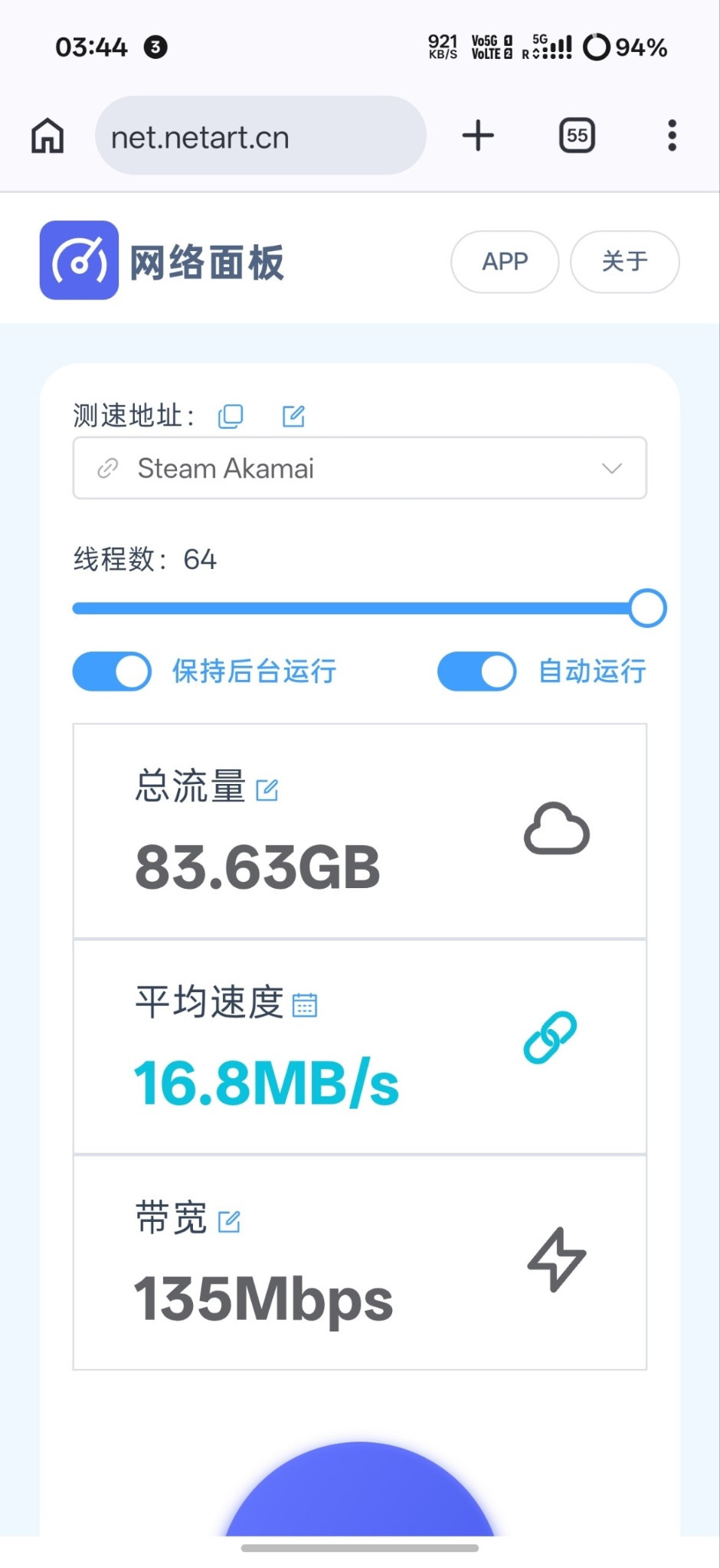
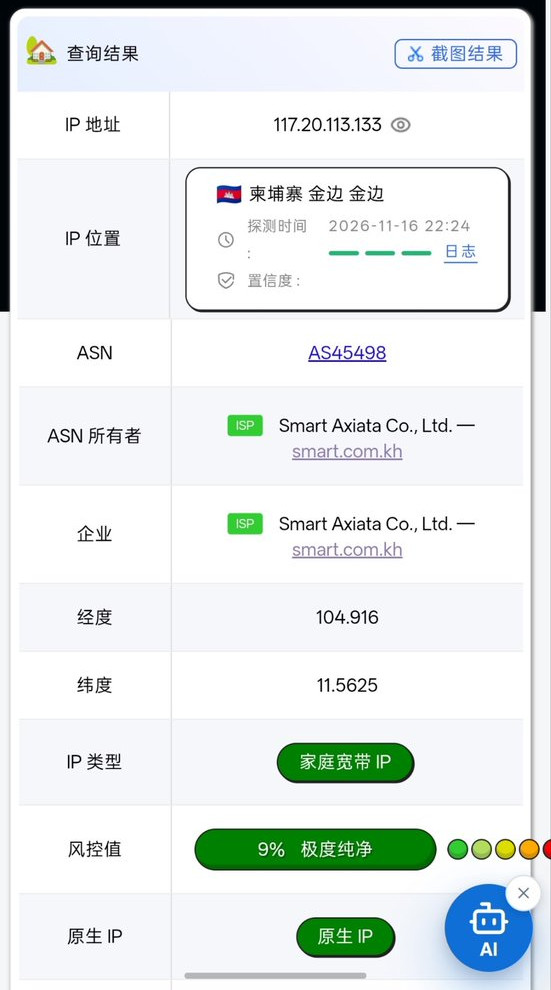
One user also looked up the exit IP on a third-party site, which placed it in Phnom Penh on AS45498 Smart Axiata and labelled it as residential broadband. That classification and “risk” score come from the lookup site, not from Smart, and they do not guarantee the same result on any other platform.
Keeping the number, the balance, and the number lifecycle
A prepaid number’s validity is set by the top-up amount. On 17 November 2026, the official top-up page listed these tiers.
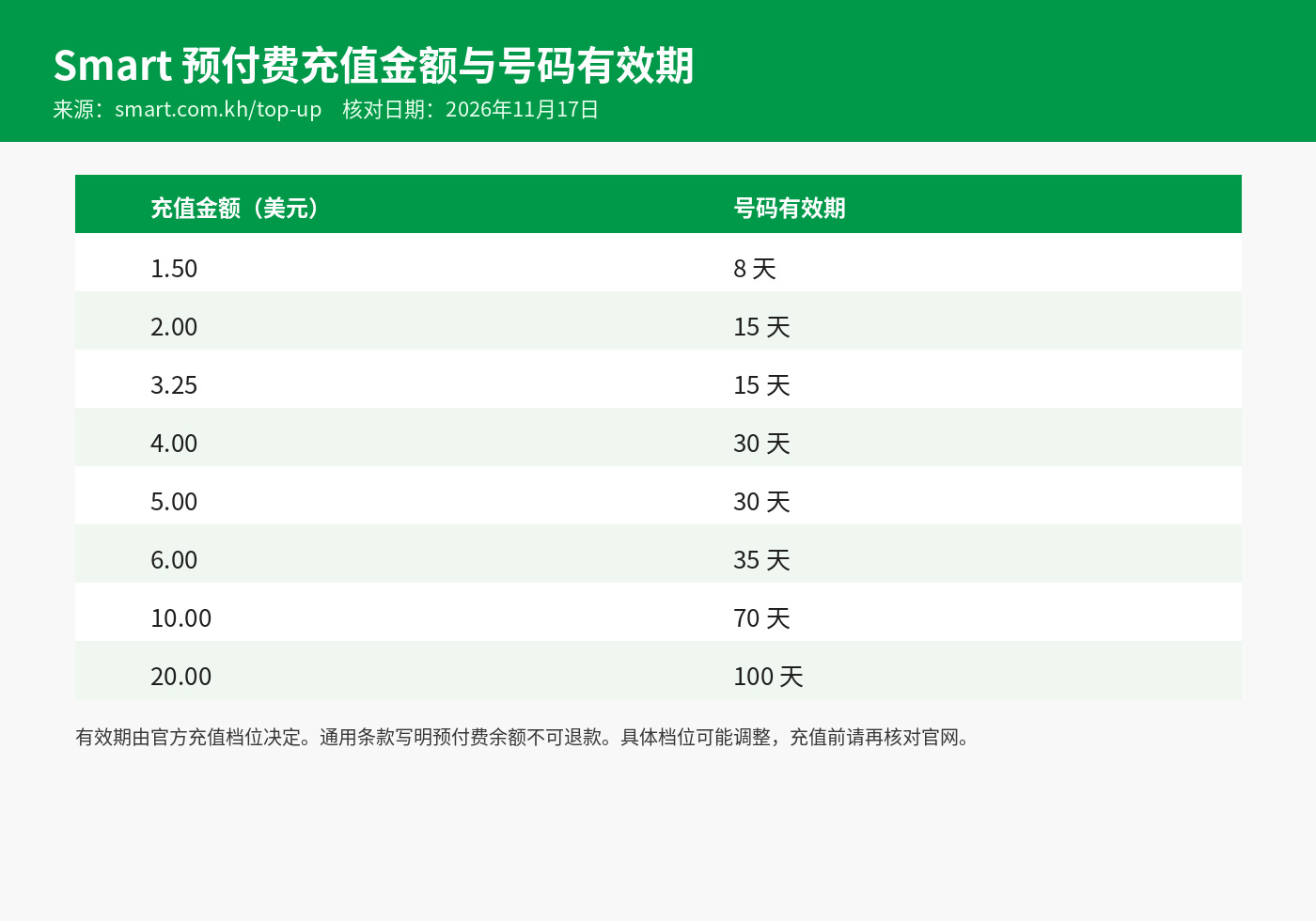
On official validity alone, 2 USD / 15 days and 4 USD / 30 days cost the same per day. If you prefer fewer top-ups, 4 USD / 30 days is the simpler of those two. This is not a plan you have to buy; it is just how official top-up tiers keep the number active. The general terms say prepaid funds are non-refundable, that they have an active period, and that unused funds expire at the end of that period.
On what happens after expiry, two official texts should be read together. Do not keep only one of the numbers in mind:
- The Number Lifecycle section on the top-up page: after validity ends, the number first enters a barred, one-way stage of about 60 days (no outgoing calls, outgoing SMS or data; incoming calls and SMS can still be received). If you still do not top up, it then enters a suspended, two-way stage of about 120 days (outgoing and incoming calls, outgoing SMS and data are blocked; incoming SMS can still be received). During either stage, a top-up of at least 1 USD can restore service. Any remaining main balance is kept and the new top-up’s validity applies. After both stages, the number is recycled and any remaining balance is forfeited.
- The general terms also say that expired prepaid funds are restored if you top up within seven days of expiry, and that if you top up before funds expire, the new amount is added and the new top-up’s active period applies to the combined balance.
Those two descriptions are not identical. The safer way to keep the number is to top up from the table above before the current validity ends. Do not treat “about 180 days to recover the number” as a reason to stop topping up.
Official validity is tied to the top-up tiers. This guide did not find an official statement that buying a data pack extends the number’s validity, so do not assume a data pack counts as keep-alive. Promotional funds have their own rules in the terms, including a 30-day active period in some cases, and are not necessarily extended by a normal top-up.
Points to re-check before you use it
- Use your own genuine ID and the device’s real IMEI, and submit what the page asks for. Do not use another person’s number, or forged or substitute documents, to pass verification.
- “No further data charges after the cap” is not an official promise of unlimited high speed. Mainland China was in the 10 USD daily cap tier when this was checked; re-check the official page before you travel or start using data.
- Before you turn roaming on, make sure the balance can cover that destination’s daily cap. Be careful near borders so the phone does not attach to a foreign network by mistake.
- Prepaid funds are non-refundable. Keep-alive depends on the official top-up validity, so do not wait until the number is in the recycle stage.
- Customer service: (+855) 10 200 888 or 1204; email: customercare@smart.com.kh.
Bottom line
A Smart prepaid eSIM can be chosen and paid for on the official site or in SmartNas, verified with an original passport or Cambodian ID, and installed from the email QR code. International roaming uses a daily spend cap by destination; mainland China was in the 10 USD tier when this guide was checked. That is cap billing, not an unlimited pack in the plan list. To keep the number, top up on official tiers such as 2 USD / 15 days or 4 USD / 30 days. Whether verification passes, when the email arrives, and whether roaming works on the day you use it, all follow the official system and terms.