Blackcat Guide 2026: Malta EMI Euro IBAN, Account Opening, SEPA and Cashback
Checked on 17 November 2026 against the Blackcat site, Help Centre and the 13 October personal fee document: eligibility, documents, SEPA, cards and rewards for
What this guide covers
Blackcat is issued by Papaya Ltd, a Malta company. Papaya Ltd is an Electronic Money Institution (EMI) authorised by the Malta Financial Services Authority (MFSA), registration number C55146, with its registered office at 31 Sliema Road, Gzira GZR 1637, Malta. The product is a euro payment account / IBAN in the account holder’s own name, with SEPA transfers and, where you qualify, Mastercard virtual and plastic cards. The public site also describes in-app crypto features through a partner.
This article was checked on 17 November 2026 (Asia/Shanghai, UTC+8) against the Blackcat website, the personal pricing page, the Private Fee V13 document dated 13 October 2026, the FAQ, eligibility requirements, required documents, bonus programs, SEPA send-and-receive guidance, security of funds and the 3% cashback promotion page. It covers eligibility, documents, the sign-up flow, SEPA, cards, rewards and fees.
Items labelled “user feedback” or “user report” only reflect what that applicant saw at the time. They are not official promises. We have not opened an account or ordered a card ourselves. Fees, eligibility, rewards and review requirements can change. Follow the terms shown in your account, and on the official site and Help Centre, on the day you apply. This guide is not tax, immigration or investment advice.
Do not treat Blackcat as a bank, and do not treat it as a like-for-like substitute for N26. N26 is a credit institution; Blackcat is an e-money account. The official FAQ states that the balance is electronic money issued against the funds you pay in, and that the provider cannot lend it out. Funds in e-money accounts are not covered by the Depositor Compensation Scheme.
Eligibility: the account and the card are not the same decision
Official pages draw a clear line between who can open an account and who can receive a card.
Opening a euro IBAN account
- The official eligibility page and FAQ say you can apply from age 16. Citizenship is not a barrier.
- Residence is what matters. Blackcat cannot serve residents of countries under EU, UN or OFAC sanctions.
- If your country of residence differs from your country of citizenship, you do not have to be physically present there at the moment of registration, but you must prove legal residence — for example with a residence permit, a permanent residence certificate, a refugee certificate or an equivalent document.
- Citizens of non-EEA countries who legally live in the EEA are asked by email, after they submit the application, for a residence permit, a long-term (Type D) visa or an equivalent document. That file is usually not uploaded inside the registration form itself.
Payment cards (Mastercard)
- The Help Centre says cards are currently issued only to residents of the European Economic Area (EEA). The EEA is the 27 EU countries plus Iceland, Liechtenstein and Norway. Switzerland is not in the EEA; official text says it may be supported in the future.
- The personal fee document dated 13 October 2026 is more specific: a Mastercard may be issued only to a private individual who is a resident/citizen in the listed countries or territories (EU and EEA members, plus the Canary Islands, Ceuta, Melilla, the Azores, Madeira, the Åland Islands, Jan Mayen, and French Guiana, Guadeloupe, Martinique, Réunion, Saint Martin (French part) and Mayotte). Otherwise the Blackcatcard package contains only an IBAN account.
- The terms also state that Mastercard cards are available only to customers residing in, or originating from, territories listed in the tariff.
So an approved account does not automatically mean a virtual or plastic card. Card issuance still depends on the review and the tariff in force at the time.
On reports that “Europe has become difficult, while Asia-Pacific can still open”
That is not an official guarantee. User feedback includes reports that European applications are now more often asked for extra local documents, such as a criminal-record certificate, and are reviewed more tightly; other user feedback says some Asia-Pacific applicants have recently been able to complete account opening. These are individual cases. They do not mean a given country will always be approved, or always declined.
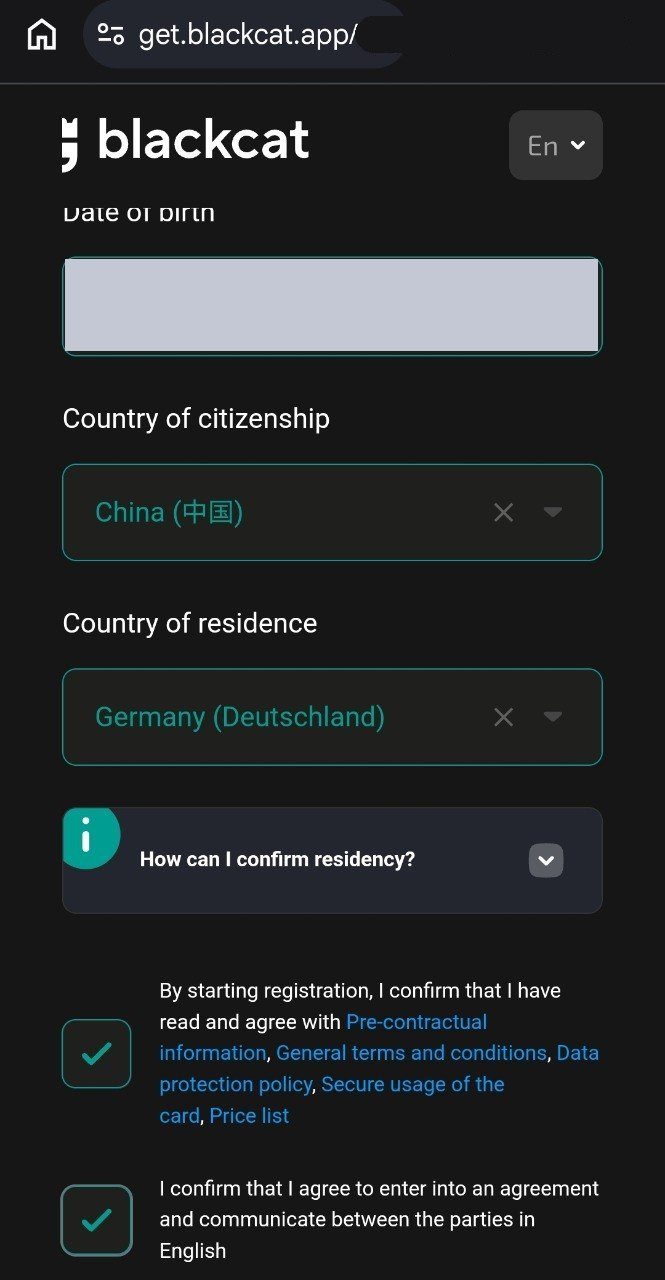
If a screenshot shows Germany as the country of residence, the employment country or a +49 calling code, that is only what appeared on that sample screen. It is not a template. If you do not have a lawful right of residence there, do not copy Germany or another European country into the form. Official rules require you to apply with your real residence. A Chinese citizenship option, or a Germany option on the page, does not replace proof of legal residence. This guide does not provide steps for falsifying an address, identity or billing document, or for bypassing residency or verification rules.
Official materials also list a reused email address or phone number as a documented reason for rejection. If you had an account before, contact support to restore access instead of registering again.
Documents to prepare
Against the official required documents page, the FAQ and the common-rejection article, you will usually need:
- A valid identity document: a passport or national ID card issued by your country of citizenship, still in date, clearly showing your full name, date of birth, photograph and document number. A driving licence is not accepted as proof of identity.
- A phone number and email you can receive messages on: for one-time codes, review notices and later checks. If an SMS or email does not arrive, confirm the country code and spelling, and check the junk folder.
- A residential address and proof of address: usually not older than three months, showing both your name and the address. Officially accepted types include a bank statement; electricity, gas, water, fixed internet, cable TV or landline bills; a registered-address certificate; a letter from a government body; a residence permit; and a lease. The required-documents page also lists a driving licence as one form of address proof. Mobile-phone bills are not accepted. Screenshots from other apps are usually not accepted either.
- Occupation, industry, income and expected transaction information: give a reasonable, truthful estimate.
- A Tax Identification Number (TIN): it must match your country of tax residence. Official tax guidance says you can register without one and supply it within 30 days. Leaving it blank for longer may lead to restrictions. Do not submit a false or outdated TIN.
The sign-up flow
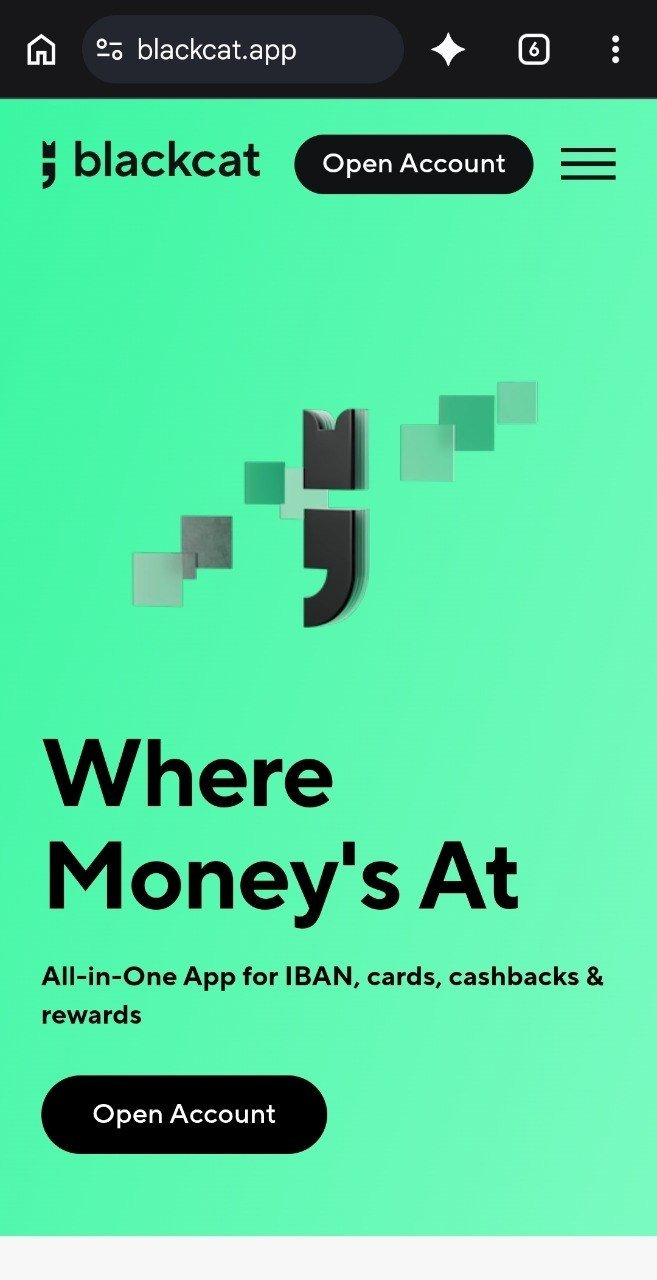
Start at the Blackcat website and tap Open Account. The site sends you to the registration entry point; you can also use the official app. Use only the official website or official app stores, not an untrusted link.
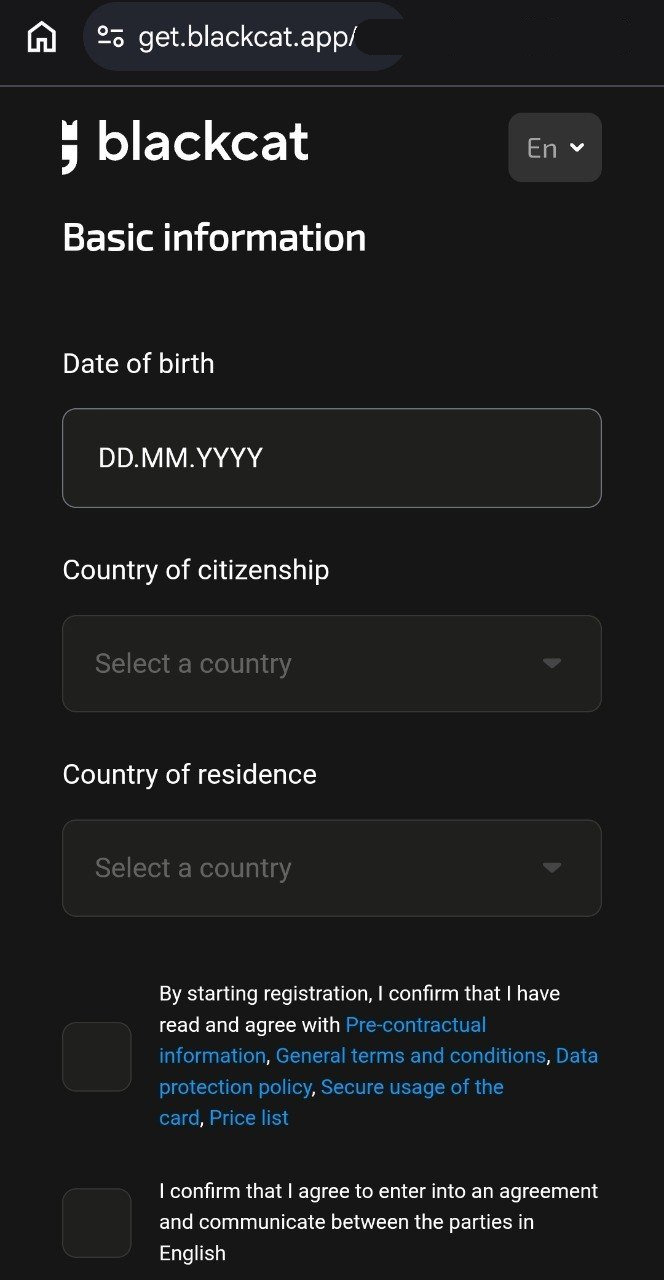
Step 1. Date of birth, citizenship and country of residence
The Basic information page has three main fields:
- Date of birth: use the day-month-year format shown on the page, and match your document.
- Country of citizenship.
- Country of residence: this must be where you actually live.
The same page asks you to confirm that you have read and agree to the pre-contractual information, general terms, data-protection policy, secure card-use rules and the price list, and that you agree to enter into the agreement and communicate in English. Open those links and read them before you tick the boxes.
The next screenshot is the same stage after citizenship and residence have been selected. The residence country shown is Germany. That is only this sample screen. Do not copy it. The date of birth has been masked.
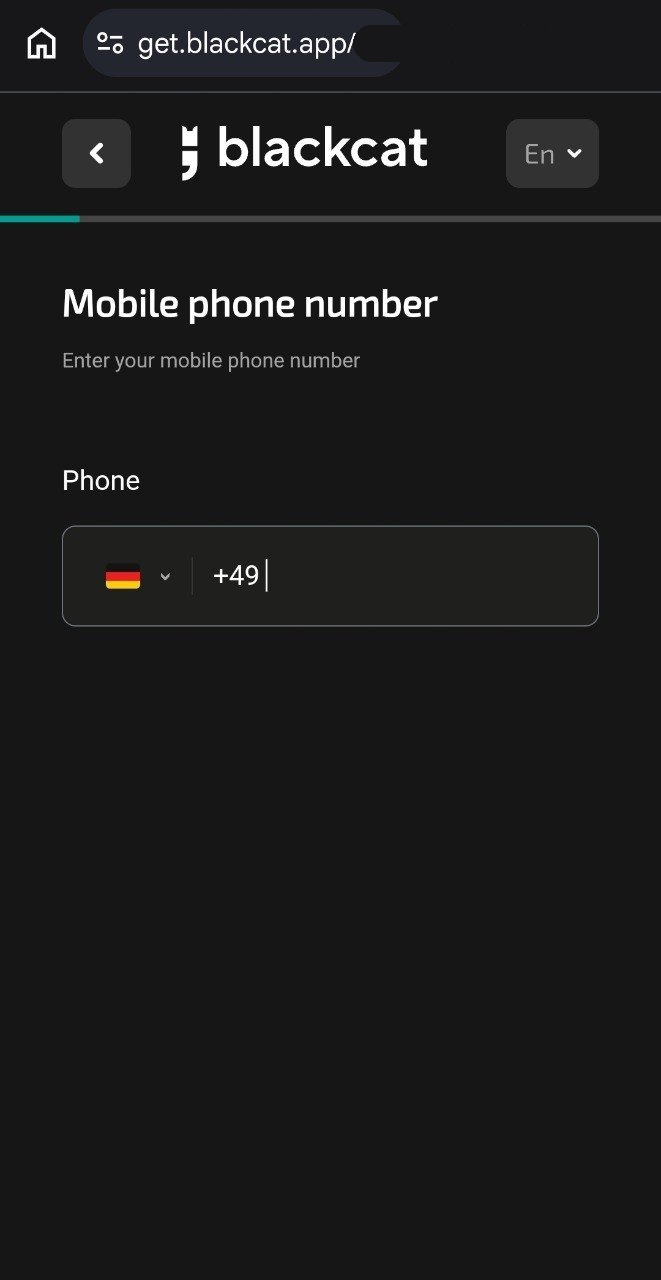
Step 2. Verify your mobile number, then complete email verification
Choose the country code that matches your number, enter the number and submit the SMS code. The +49 code in the screenshot is only a sample. Then follow the prompts to verify your email address.
Step 3. Start identity verification
Once you reach Identity Verification, the page asks you to scan the front of your ID document and take a selfie. The verification window states that Sumsub processes personal data. Tap Start Verification to continue.
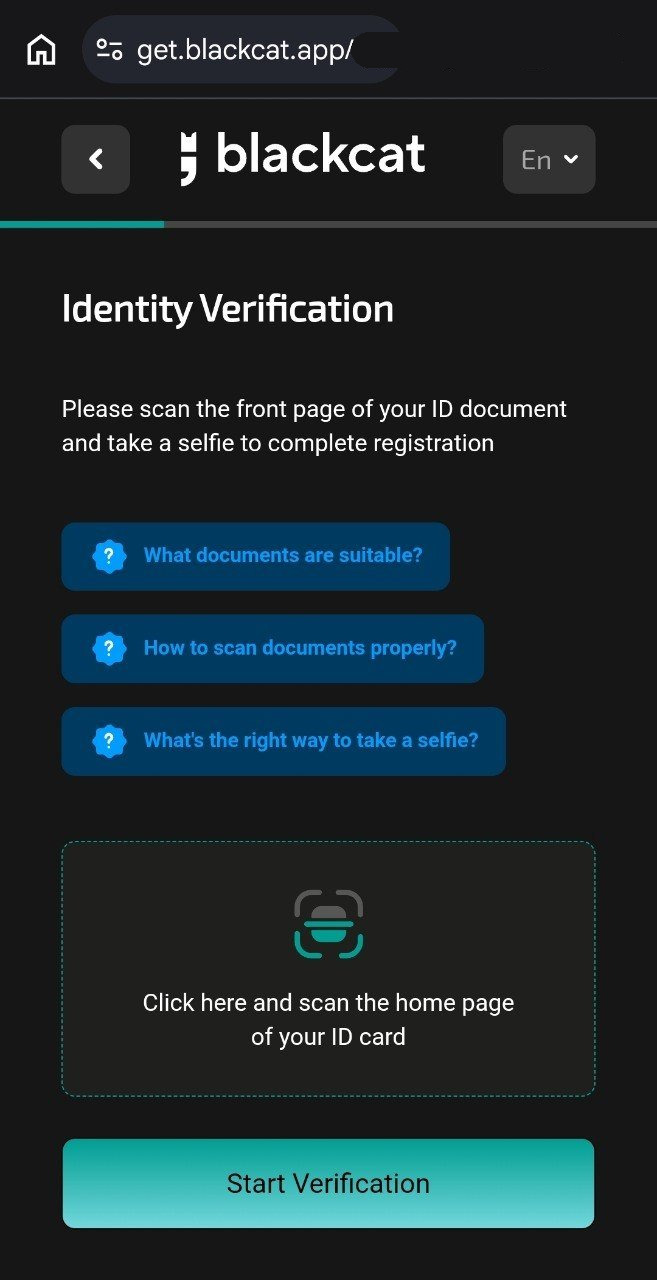
Step 4. Confirm your country of residence in the verification window
The identity-verification window asks you to confirm Country of residence again. It should match the real country you entered earlier. After you read the personal-data notice, tap Agree and continue.
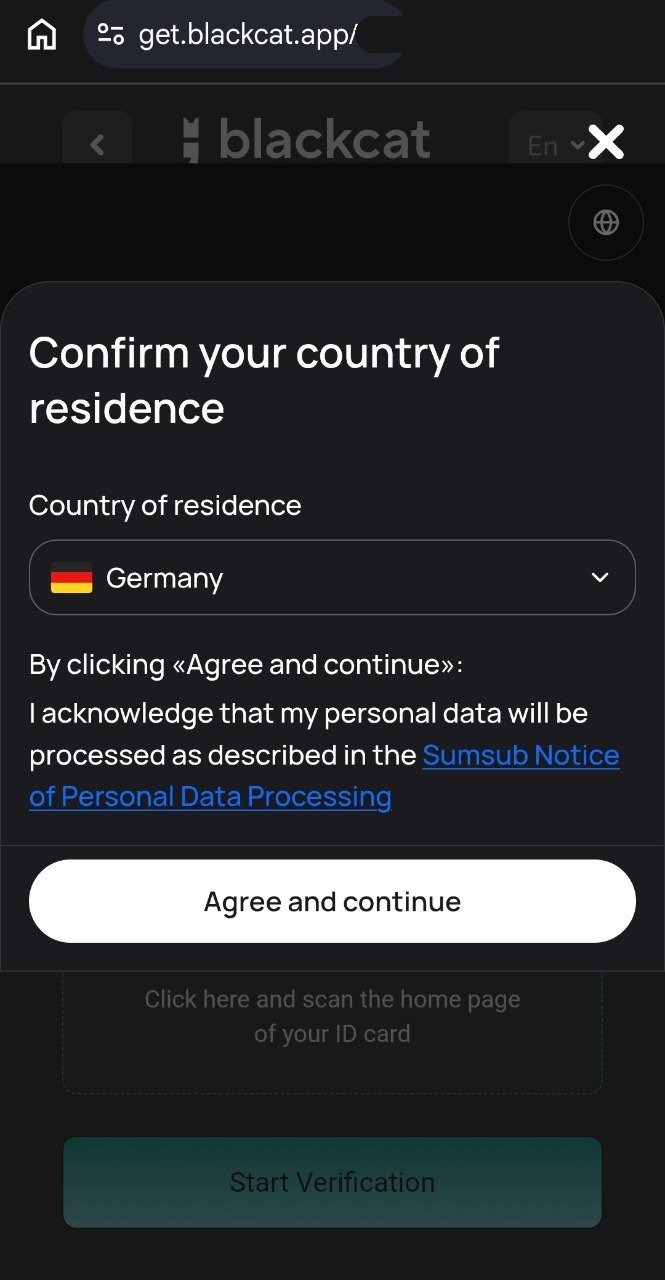
Step 5. Choose the issuing country and document type
Issuing country is the country that issued the document, not your current country of residence. If you are using a Chinese passport, choose China and then Passport from the options on the page. Other document types may appear — for example a Mainland Travel Permit for Hong Kong and Macao Residents. Choose the document you actually hold and that the page allows. Official rejection reasons include an expired document, a blurry or cropped photo, and using a driving licence as proof of identity.
Keep all four corners in frame, make the text readable and avoid glare. For the selfie, face the camera directly and follow the prompt to remove glasses, a mask or a hat. Follow the instructions on the screen at the time.
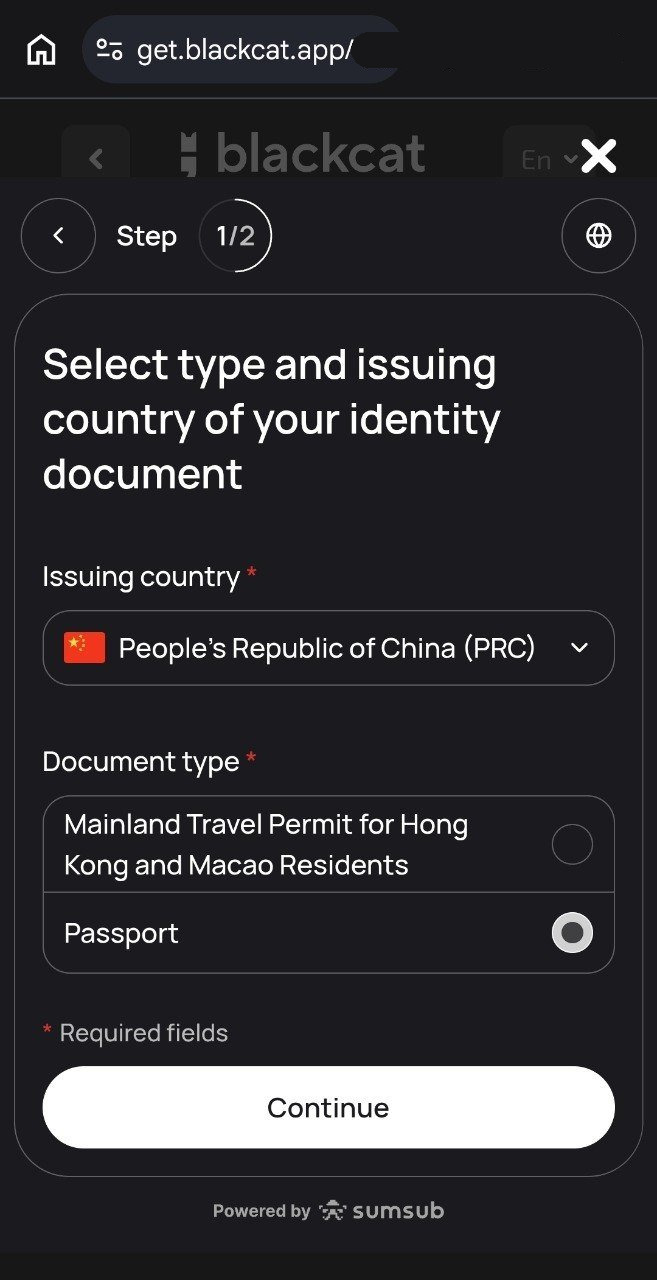
Step 6. Confirm the identity-verification status
When the page shows Identity verified, tap Next to continue with the remaining details. This only means the identity-verification step is done. You still have to submit address and occupation information, and the full application still has to be reviewed.
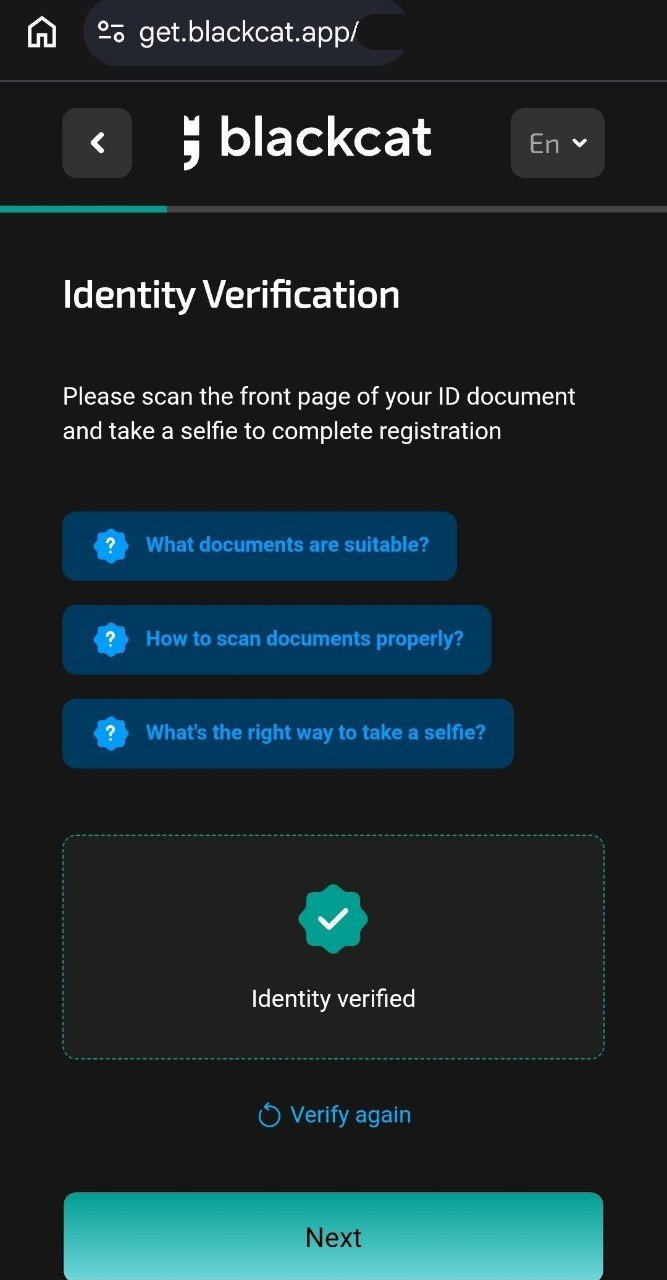
Step 7. Place of birth and citizenship
Country of birth, City of birth and Citizenship are separate from your current country of residence. Enter them as they appear on your records. In the screenshot below, the city of birth has been masked.
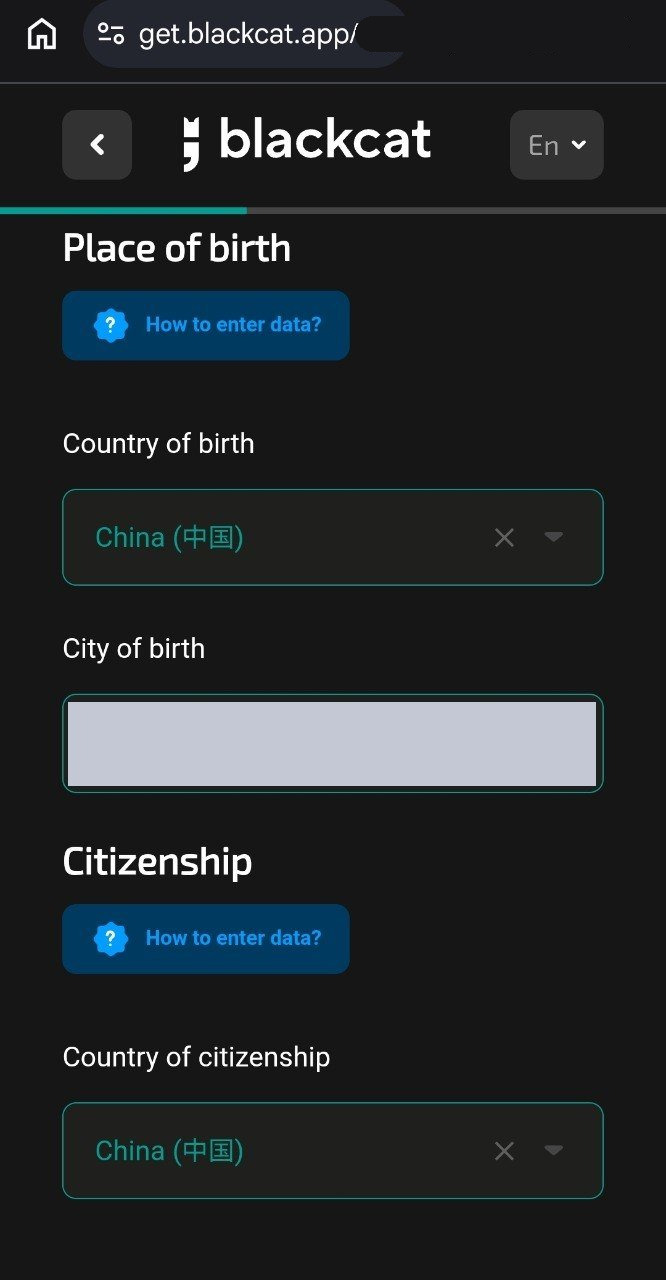
Step 8. Check the passport details
Review Document number, Date of issuance, Date of expiry and Issuing authority. Check every auto-filled field. Do not copy sample dates, and do not tick “my document does not have a date of expiry” if the document does have one. In the screenshot, the document number and dates have been masked.
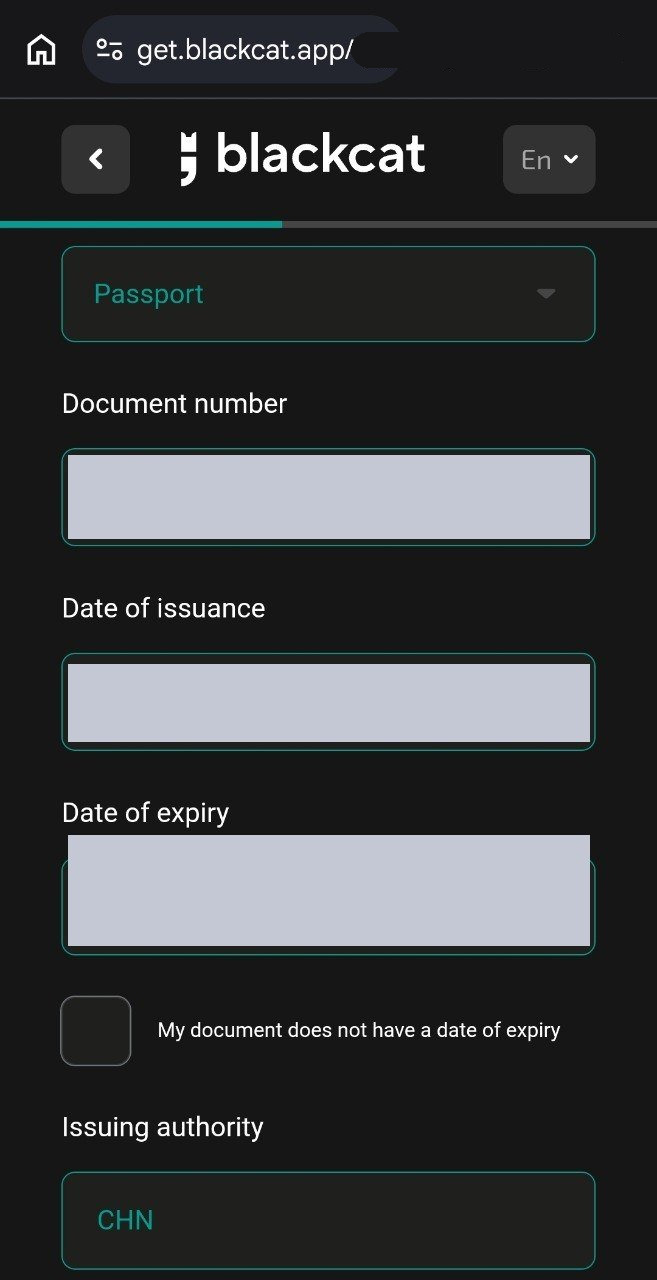
Step 9. Enter your real residential address
Typical fields are:
- ZIP code
- Region: state, province or district; marked optional on this page
- City
- Street
- House: building or house number
- Apartment: apartment or room number
The address must match the proof of address you are about to upload, including the house number, apartment number and postcode.
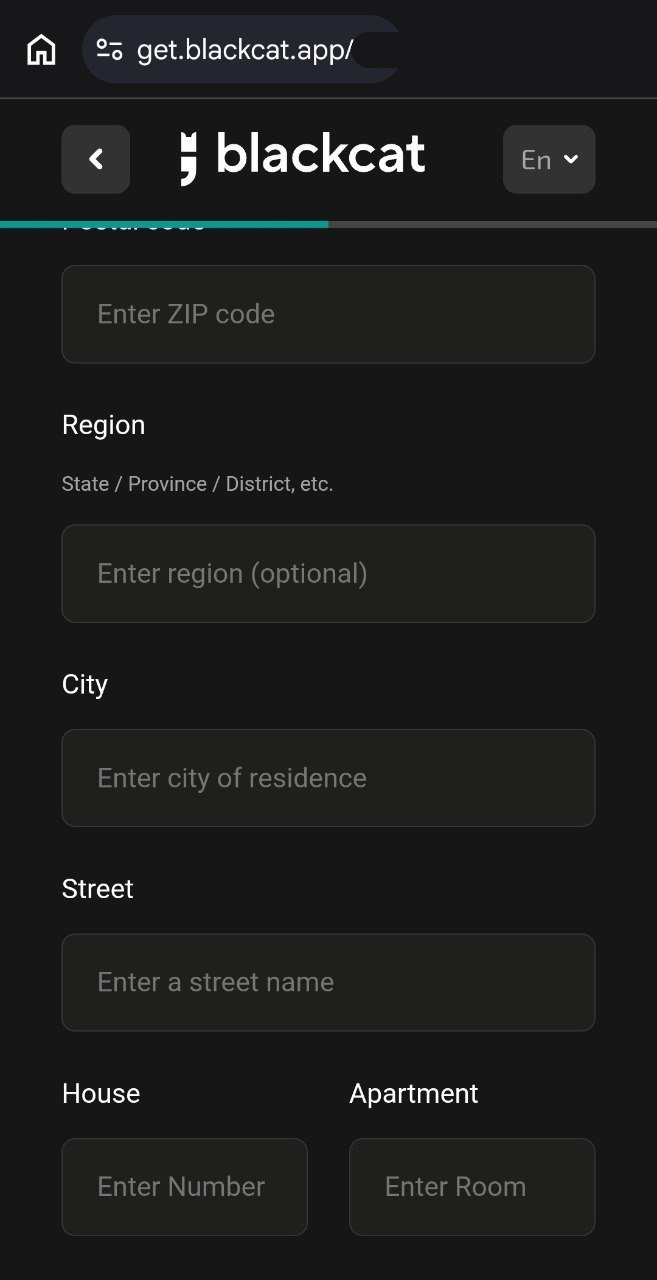
Step 10. Upload proof of address
On the An address proof page, choose the document type, enter the issue date and upload a clear, complete file. The page states that the address you entered must match the address on the document exactly. If the document is older than the usual three-month window, or the address has changed, prepare a current document before you continue. The address already entered in the screenshot has been masked.
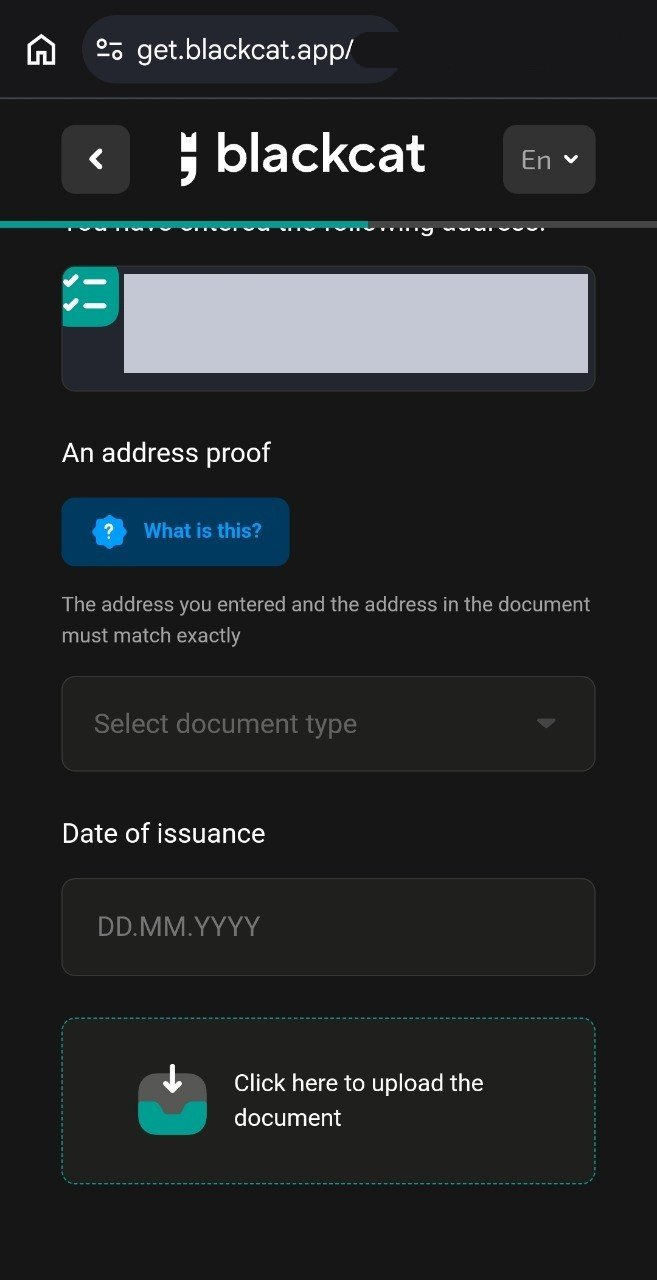
Step 11. Occupation, industry, income and expected transactions
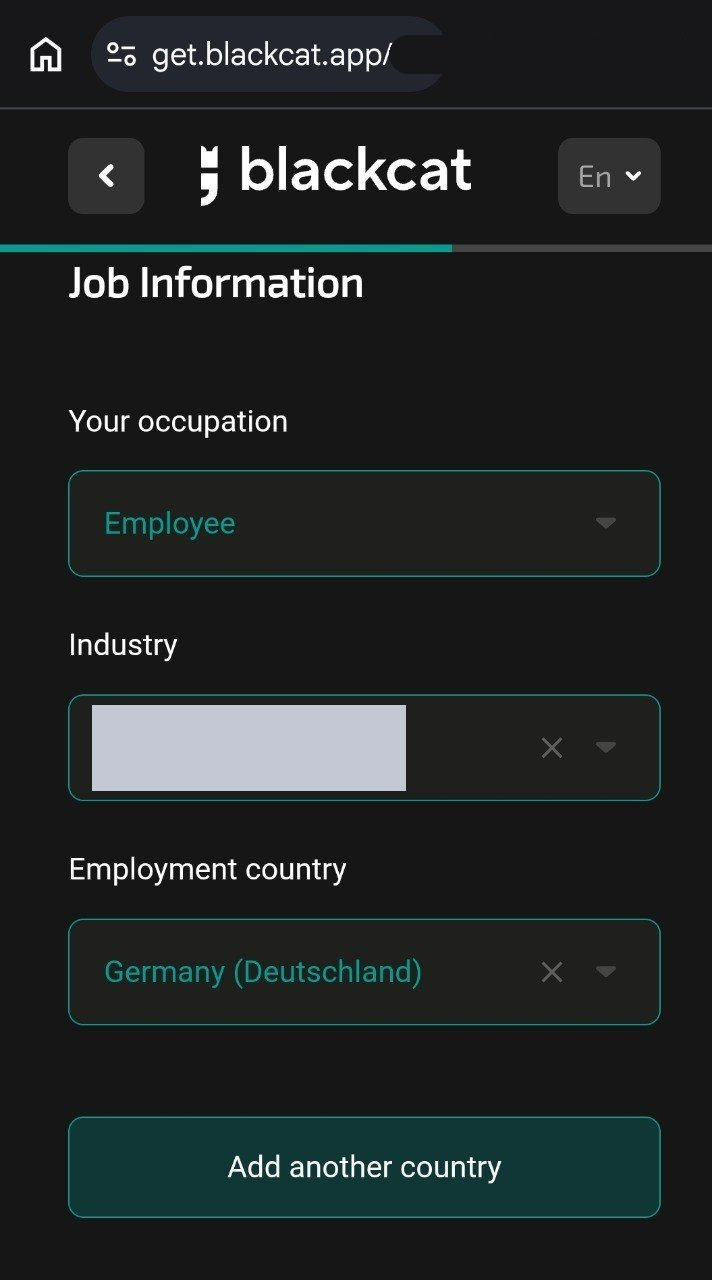
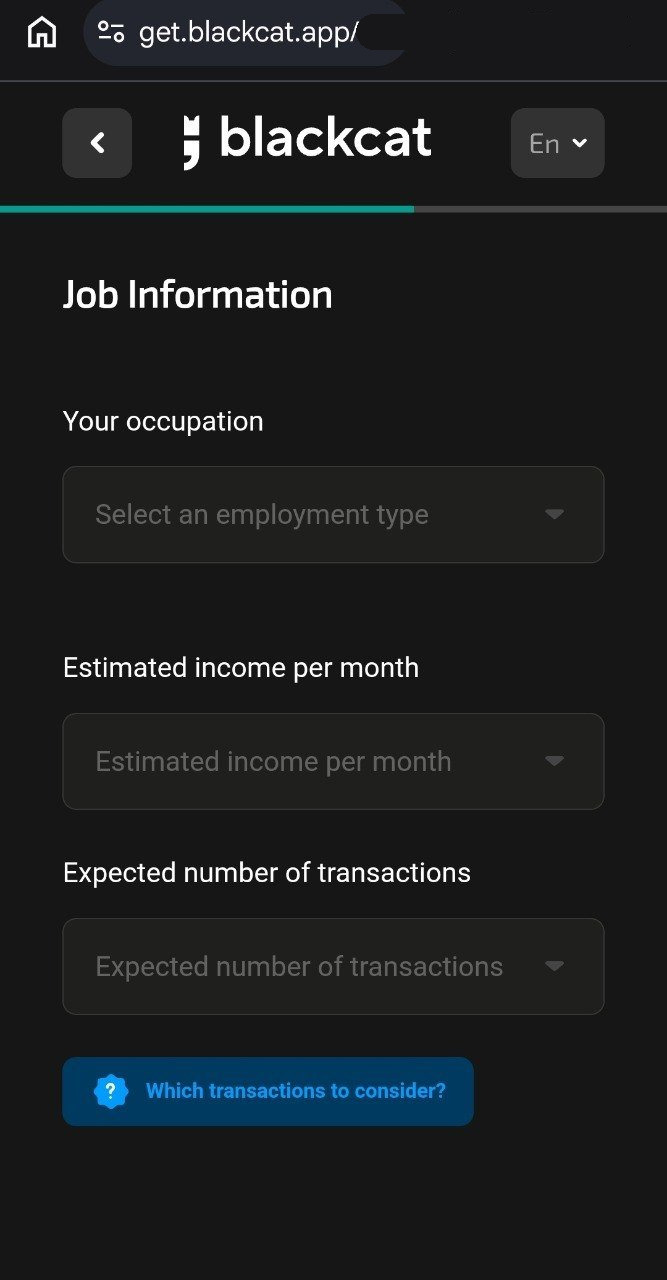
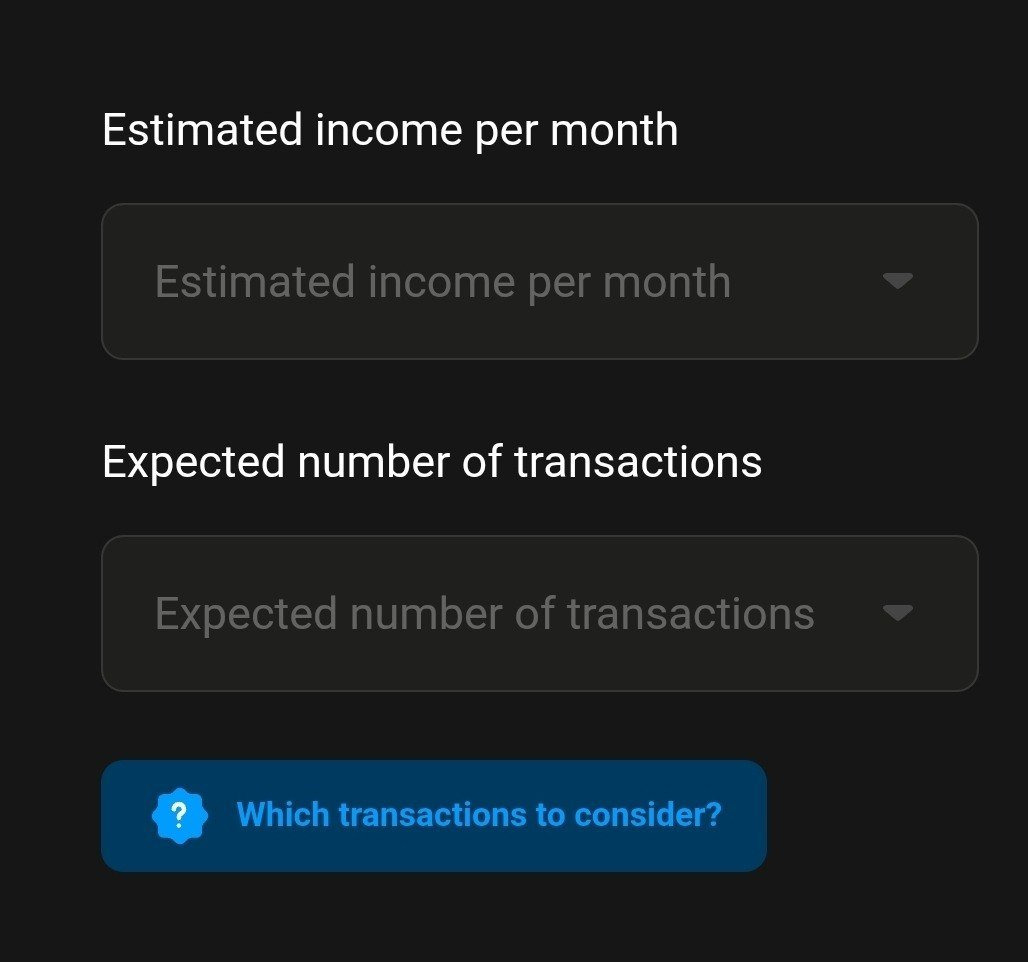
Job Information asks for your occupation, industry and country of employment, then your estimated monthly income and expected number of transactions. Give a truthful, reasonable estimate. Do not invent figures to “look better” or to get through the form. In the first screenshot below, the industry is masked; if the employment country shows Germany, that is only this sample.
Step 12. Personal identification number (TIN)
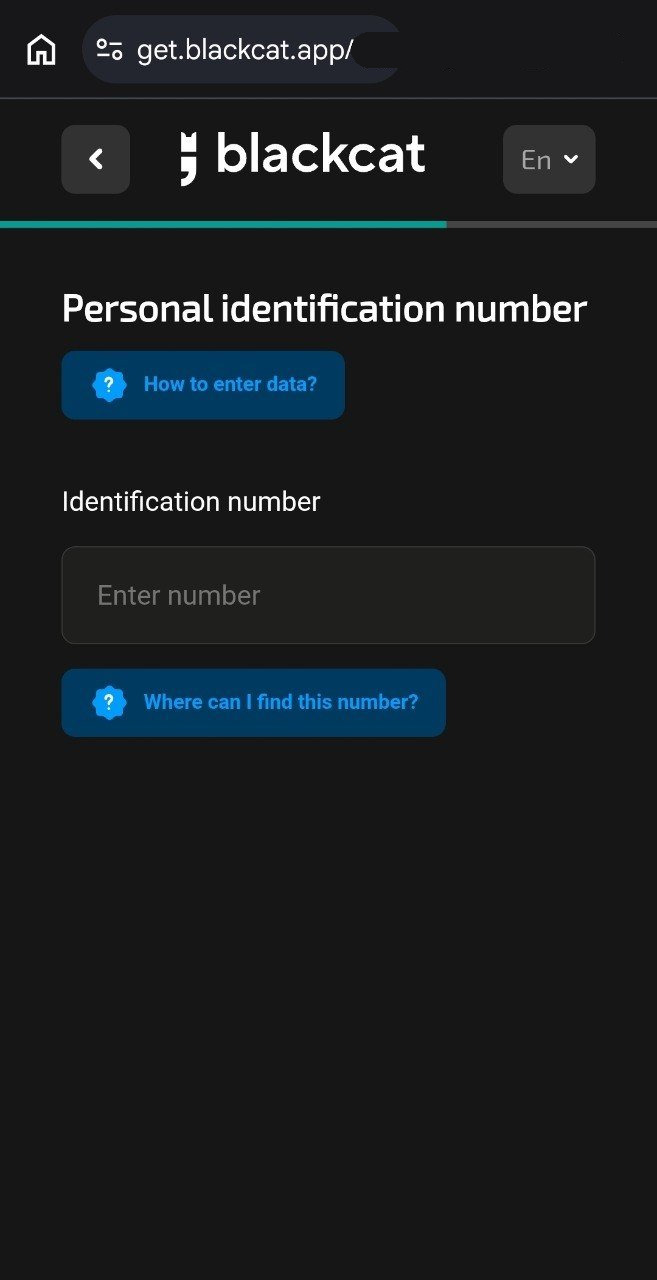
The Personal identification number / Identification number field is the Tax Identification Number (TIN) described in the official docs, and it must match your country of tax residence. If you do not have one yet, official rules allow you to register first and supply it within 30 days. Do not leave it unresolved, and do not enter a number from a country that is not your tax residence.
Step 13. Review your details before you submit
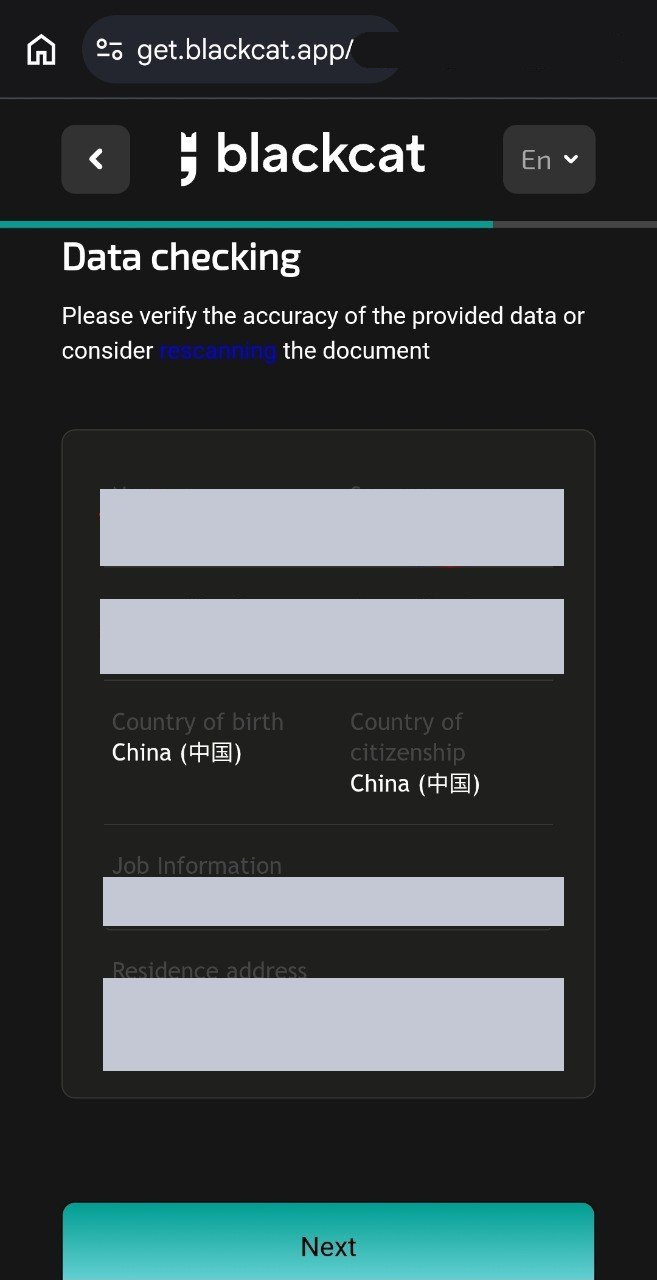
The Data checking page summarises your name, date of birth, place of birth, citizenship, occupation and residential address. Check the spelling of your name, the dates, the document details and whether the address is consistent. Correct any recognition errors before you tap Next. In the screenshot, the name, job information and address have been masked.
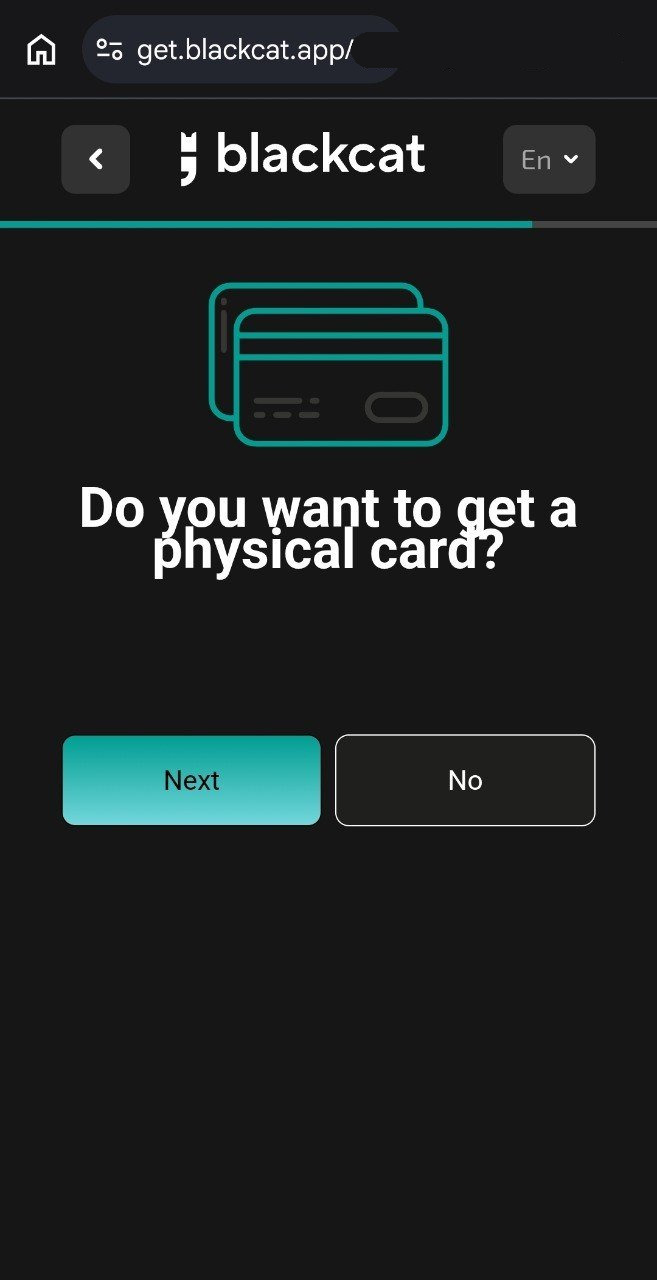
Step 14. Decide whether you want a physical card
The page asks Do you want to get a physical card? Choose the follow-on options if you do, or No if you do not need one yet. Before you confirm, check whether this is the plastic card that comes with the first card, whether it is an extra card, and what the delivery option costs. Tapping “yes” still does not guarantee a card if you are outside the official issuing territories, or if the review declines card issuance.
On the pricing page and fee document checked that day: the first card is free to issue; regular mail is free, with the site quoting an average of about 15–20 business days depending on location; DHL is €50, with the site quoting an average of about 1–5 business days. An additional card costs €7 to issue. If the account already has at least one additional card, account maintenance is €2 per month.
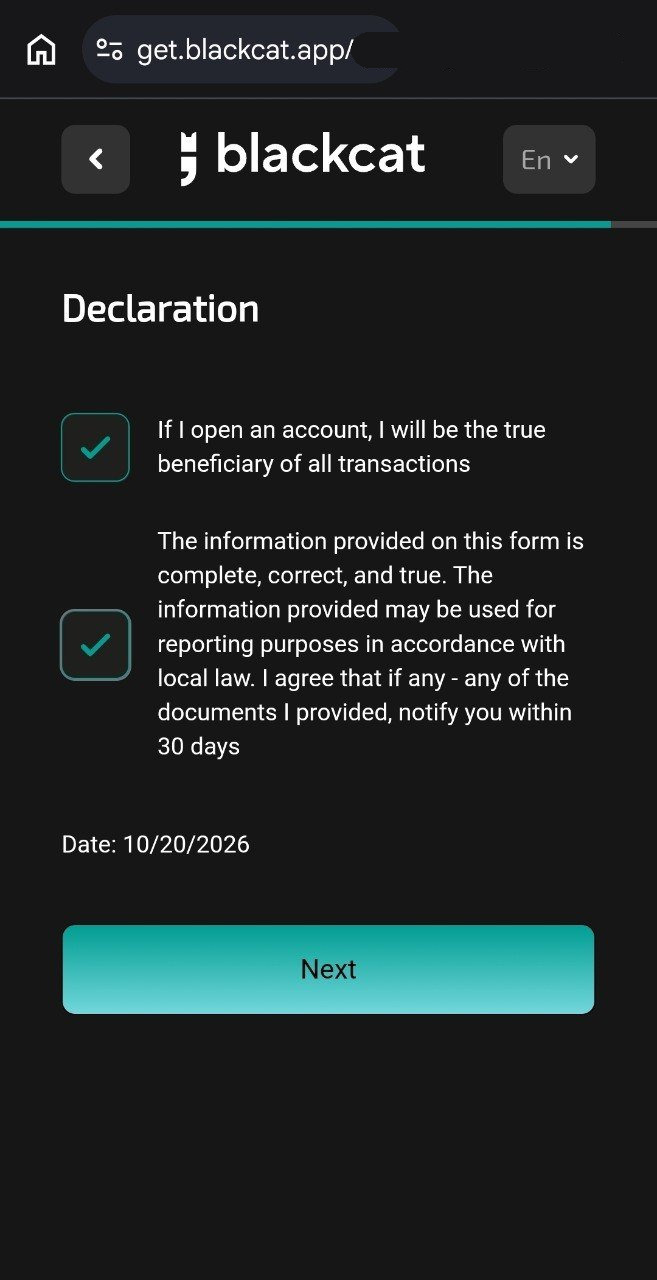
Step 15. Read and confirm the declaration
The Declaration page includes statements that you will be the true beneficiary of all transactions, that the information is complete, correct and true, that the information may be used for reporting under local law, and that you will notify the provider within 30 days if any document changes. Tick the boxes only if they are true for you. The date on the screenshot is the date shown on that sample submission, not a promotion deadline.
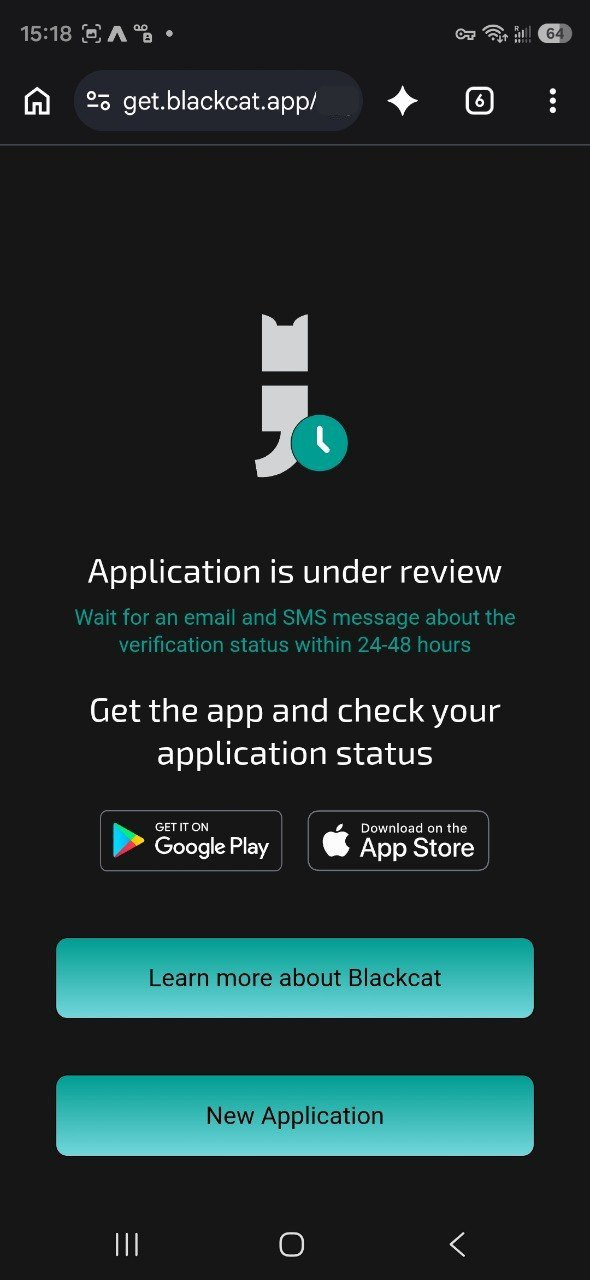
Step 16. Submit the application and wait for the review
Application is under review means the application has been submitted and is being reviewed. This screen tells you to wait for email and SMS, and quotes 24–48 hours. That is the message on the screen at the time, not a guarantee for every application. The official FAQ says some applications need manual review, which usually takes up to one business day; if it takes longer, contact support with your registration email and phone number. Extra documents, residence evidence or a manual check can add time. If you need the app, download it from the official store links on the page.
Watch your email, SMS and in-app notices afterwards. A decline may come without detailed reasons; official text attributes that to anti-money-laundering limits on what a provider may disclose.
After approval, learn the account features first
Find your euro IBAN
Open the euro wallet and read the account-holder name and IBAN. Official SEPA guidance says each euro wallet has its own IBAN. Use the details for the wallet you want the money to reach; the wrong IBAN can delay or fail a payment. The terms currently state that wallets are denominated in euro only.
To send a SEPA transfer, select the wallet you are paying from, then go to Send → SEPA Transfer, enter the recipient’s name and IBAN, and confirm with your PIN or biometrics. This path is for euro payments only; official text says other currencies are not supported there. SEPA Instant requires both sides to support the scheme; otherwise the payment falls back to a standard SEPA Credit Transfer.
Check the status of virtual and plastic cards
If you are in an official card-issuing territory and the review approves a card, check its status on the cards screen in the app. The Help Centre says a virtual card is issued instantly in the app for online use and Apple Pay / Google Pay, and a plastic card is delivered to your registered address for shops, online payments and ATMs. Both types share the same balance and limits. Official text also describes the card as a credit-grade Mastercard: payment networks treat it as a credit product, which may improve acceptance, but this is not a credit line. Spending is still limited to the available balance.
When a plastic card arrives, activate it as the app instructs, and keep the card number, security code and PIN safe. Non-EEA residents who receive an IBAN should not assume they will also receive a card.
Rewards: only one programme at a time
Rewards are paid under a loyalty programme operated by the partner Baltic Technology Solutions OÜ. The detailed terms are on its loyalty-programme terms page. Checked on 17 November 2026, the bonus-programmes article and FAQ say:
- You may be subscribed to only one bonus programme at a time. Do not assume you can collect the balance reward, everyday card cashback, Amazon cashback and Google Play cashback all at once.
- You enable or switch the programme in the app. If you turn it off, rewards stop accruing. Once enabled, it applies to the current period, subject to that programme’s conditions.
- Calculation is typically over a calendar month (from the 1st up to, but not including, the 1st of the next month), with payment usually mid-month. Amounts below a minimum payout (for example €0.10) may not be paid.
- ATM withdrawals, card-to-card transfers and payments to financial services are among the exclusions; the full list is in the programme terms.
- The average monthly balance is a weighted average of the euro closing balance at 24:00 (CET/CEST) on each calendar day, not the balance on the last day alone.
The Help Centre table that day listed:
| Programme | Main condition | Reward | Notes | | --- | --- | --- | --- | | Euro balance reward | Average monthly balance ≥ €300 | 4% p.a., paid monthly | Euro balance only. This is a loyalty bonus, not interest; an EMI is not permitted to pay interest on e-money | | Euro balance reward | If the balance condition is not met | 2.2% p.a., paid monthly | Same as above | | Everyday card cashback | Monthly balance ≥ €300 | 0.5% on eligible card purchases | A monthly cap applies | | Everyday card cashback | Monthly balance < €300 | 0.1% on eligible card purchases | A monthly cap applies | | Amazon | Eligible Amazon purchases | 2% | Monthly cap €50 | | Google Play | Eligible purchases inside Google Play | 5% | Monthly cap €50 |
The 5% rate is for eligible spend inside Google Play. Paying with Google Pay at other merchants does not, by itself, qualify for 5%, and hardware purchases from the Google Store should not be assumed to count. Enable the relevant programme first, then check whether a transaction is eligible.
The site also has a 3% card-cashback promotion page. On the day it was checked, that page described a limited-time, first-month 3% cashback on card purchases. This is a promotion, not a standing tier in the Help Centre table. Dates, eligibility and whether it can be combined with another programme follow the promotion terms and what the app shows at the time.
What “free” includes, and the fees to separate
The figures below come from the public pricing page checked on 17 November 2026 and the personal fee document dated 13 October 2026. Third-party summaries go stale quickly. Recheck before you transfer or order a card.
- Account opening and basic maintenance: opening is free. Maintenance is free if you have an account only, or only one payment card.
- First card: free to issue; regular mail is free; DHL is €50.
- Additional card: €7 to issue. If the account already has at least one additional card, maintenance is €2 per month. A reissue at the customer’s request is €7; a reissue of an expired card is free. A custom nickname on a card is €5.
- Incoming SEPA: free.
- Outgoing SEPA: the first five payments each month are free; from the sixth, €0.20 per transfer.
- Top-up by card and transfer to card: both are listed at 3% in the fee document. Do not confuse these with free SEPA transfers.
- ATM withdrawals: the issuer fee is €0 on the first €200 each month, then 1% with a €1.50 minimum. Daily limit €5,000; monthly limit €10,000. The ATM operator may charge its own fee.
- FX mark-up: 0.35% in the fee document.
- Paper account statement: €5.
- Dormancy fee: after 24 consecutive months with no deposit, withdrawal, payment or transfer initiated by you or on your instructions, €15 per month from the 25th month. Credits or payments under an affiliate programme do not count as activity for this rule.
- Storage of funds on closed accounts: €50 per month in the fee document.
- A card-transaction claim without grounds: €10.
The fee document also lists charges for other payment types, such as Sureswipe, and a list of “high-risk countries” that includes China and other jurisdictions. If you use those payment types, read the fee document directly rather than applying the SEPA free-transfer rules.
How funds are held, and crypto
The official security-of-funds page says customer funds are held in segregated accounts at European banks, naming AS Rietumu Banka in Latvia and UAB SME Bank in Lithuania, and that Papaya Ltd also has an insurance arrangement with Axiom, an EU insurer. The same official materials repeatedly state that funds in e-money accounts are not covered by the Depositor Compensation Scheme. Segregated safeguarding and extra insurance are not the same as bank deposit insurance. The actual scope depends on the legal terms and the policy; do not read this as a promise of a full pay-out in every case.
On crypto, the public site describes using Bitcoin (BTC), Ethereum (ETH) and USDC on ERC-20 in the app through the partner Manerio, including holding, converting and, where eligible, spending. The Help Centre also notes that crypto services have additional country restrictions; the list in force is in the eligibility rules at the time. Crypto assets themselves are usually outside the e-money safeguarding arrangement described above, and should be understood separately.
Common questions
I only have a Chinese passport and no lawful European residence. Can I copy Germany from the screenshots?
No. Apply with your actual country of residence. Germany, a +49 calling code or a German employment country in the screenshots are not a template you can copy. A China citizenship option, or a Germany option on the page, does not replace proof of legal residence. Whether you receive an account and whether you receive a card are two different review decisions.
Identity verification succeeded. Why is the application still under review?
Identity verified is only the identity-check status. Application is under review is the status of the full application. You may still be asked for address, residence, tax or other documents.
I am not receiving the SMS, or I need to change my details. Who can help?
Official guidance says support is available 24/7. In-app Support chat in the main menu is usually faster; you can also email support@blackcat.app from the address linked to the account. Say which step you are on and what the screen shows. Do not post ID documents, one-time codes or full account details in a public comment thread.
Can I collect every reward at once?
Do not assume so. Official text says you can subscribe to only one bonus programme at a time. Check eligibility, whether the programme is enabled in the app, which transactions count, and the payout cycle and caps.
How long does the review take?
The submission screen quotes 24–48 hours. The official FAQ says applications that need manual review usually take up to one business day. The notice you receive is what counts, and extra documents will add time.
Practical reminders
- Apply only if you actually live where you say you live, and can provide genuine ID and proof of address. Do not use a proxy to disguise your location, and do not submit false information.
- A euro IBAN does not guarantee a card. Officially, cards are issued only to EEA residents.
- The balance reward is not interest, and cashback rates are not unconditional.
- You are responsible for understanding the foreign-exchange, tax and other legal rules of your countries of citizenship and residence. Papaya Ltd states on its site that it does not take responsibility if a customer’s use of the product breaches the laws of the customer’s country of citizenship.
- If official eligibility, fees or reward rules change later, the latest Help Centre, fee document and legal terms take precedence.
Key takeaways
- Blackcat is a Malta MFSA-regulated e-money account, not a bank, and the balance is not covered by the Depositor Compensation Scheme. It is sometimes compared with N26, but the licence type and protections are different.
- Apply with your real country of residence. Account eligibility and card eligibility differ: cards are officially issued only to EEA residents, and applicants outside the listed territories may receive an IBAN-only package.
- Prepare a valid passport or national ID, proof of address usually not older than three months (not a mobile-phone bill), truthful occupation and income details, and a TIN that matches your tax residence. The TIN can be added within 30 days of registration.
- Follow the official verification and data-review flow, then submit. The 24–48 hour message on the screen is not a guaranteed deadline, and Identity verified is not the same as an approved application.
- Rewards must be enabled in the app, and only one programme can be active at a time. The balance reward is 4% p.a. when the average monthly balance is at least €300, otherwise 2.2%. Amazon 2% and Google Play 5% each have a €50 monthly cap. On fees, keep SEPA, the 3% card top-up and transfer-to-card charges, and the dormancy fee separate.