Opening a Zilch UK Account in 2026: Eligibility, Credit Reporting, the Virtual Visa, and Fees
Checked on 14 November 2026 against the Zilch UK site, Help Centre, membership terms and the UK App Store: eligibility for UK residents, proof of ID and address
What this guide covers
Zilch is a UK-regulated credit and payment provider. For UK residents it issues a virtual Visa (and, if the account allows it, an optional physical Visa) that can be used to Pay now or pay over time, and to earn Rewards on eligible purchases. This guide was checked on 14 November 2026 (Asia/Shanghai, UTC+8) against the Zilch UK site, the Help Centre, the Membership Terms of Use (Version 4.1, published November 2026), the Competition Terms, and the UK App Store listing. It covers eligibility, proof of ID and address, the soft credit check and credit reporting, linking a debit card, fees, and the official rule that you should enable your Zilch card in the app before checkout.
Approval amounts, interface screenshots and reports of using the card in China-based wallets are user-reported cases or interface examples, not official promises to every applicant, and not hands-on tests by this site. Fees, APR figures, Rewards rates and promotions change. Use the numbers and terms shown in the app and on the official site on the day you apply. This guide does not include any referral link or invite code.
Who Zilch is, and who can apply
Zilch Technology Limited is registered in England and Wales under company number 11488502, VAT number GB 304734032, with its registered office at 111 Buckingham Palace Road, London SW1W 0SR. It is authorised by the Financial Conduct Authority under the Payment Services Regulations 2017, FRN 1033706, for the provision of payment services, and is authorised and regulated by the FCA, FRN 843421. The UK site is www.zilch.com/uk/. Pages without the /uk path may belong to another market.
The Help Centre article “How do I sign up to Zilch?” lists these eligibility points:
- You must be at least 18 years old
- You must be a UK resident
- You can only have one Zilch account
- You must pass the electronic verification and soft credit checks
- You must pass IDV verification checks
The Membership Terms add that the plans are for existing Zilch customers aged 18 or over who are UK residents (excluding the Channel Islands and the Isle of Man) and who have an active, unrestricted Zilch credit account. Approval depends on the information you submit and on the soft credit check. Zilch does not guarantee that every application will be accepted.
To create an account you also need a valid UK debit card, a UK postal address, a mobile number and an email address. To issue the Zilch card, the Help Centre also requires proof of ID and proof of address. The address document is easy to miss in second-hand write-ups, but it is a stated official requirement, not an optional extra.
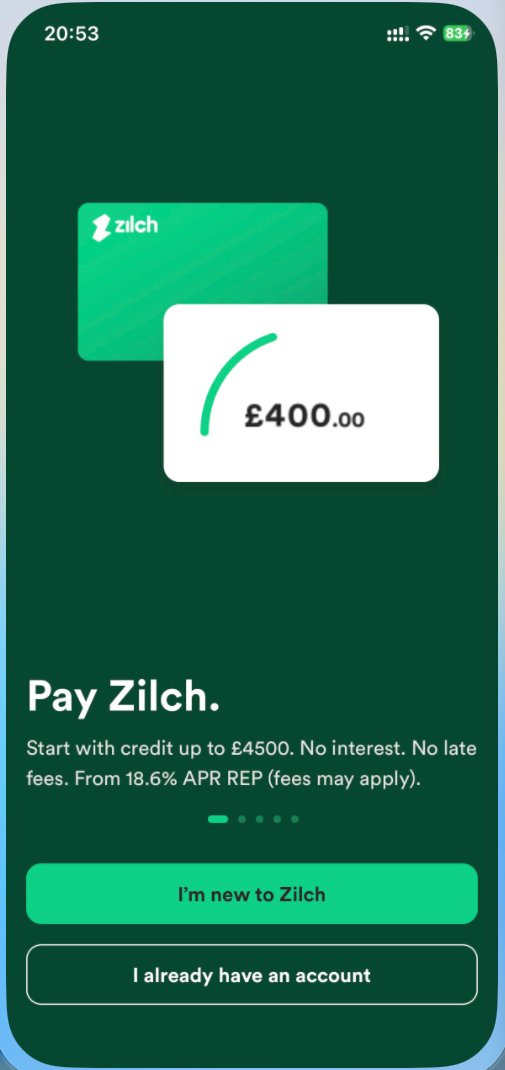
What the sign-up flow looks like
Officially, you download the Zilch app from the App Store for iOS or Google Play for Android, choose Create account, follow the in-app steps and complete identity verification. The Help Centre does not say you must use a UK Apple ID to download the app. If some users report that a UK storefront is needed, that is a case report, not an official condition.
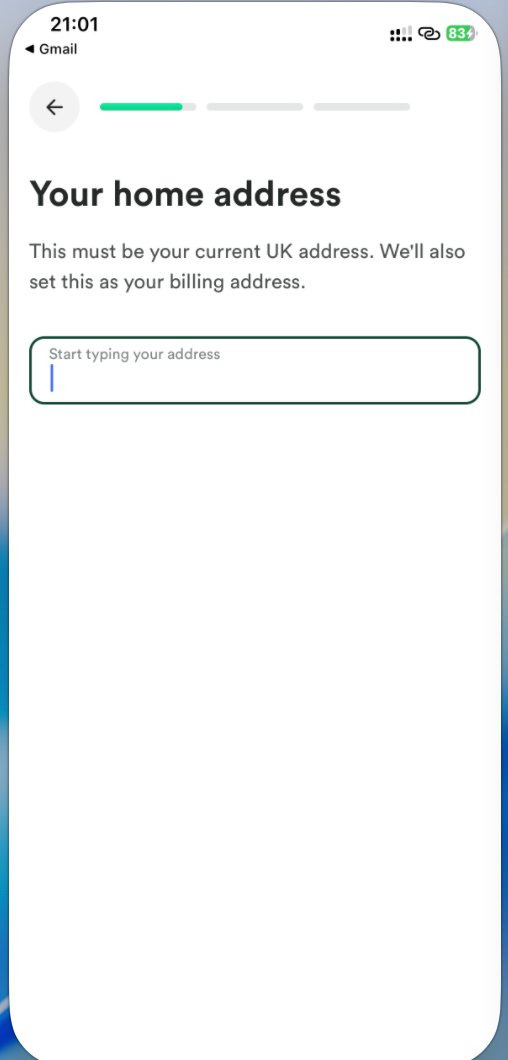
The app asks for a UK mobile number (country code +44) and confirms it with an SMS code. Your name, date of birth and UK address need to match your ID and debit-card records. The Help Centre is explicit: the name and billing address on the debit card must match the Zilch account. You cannot link someone else’s card. A debit card from a joint account is allowed only if it shows your name.
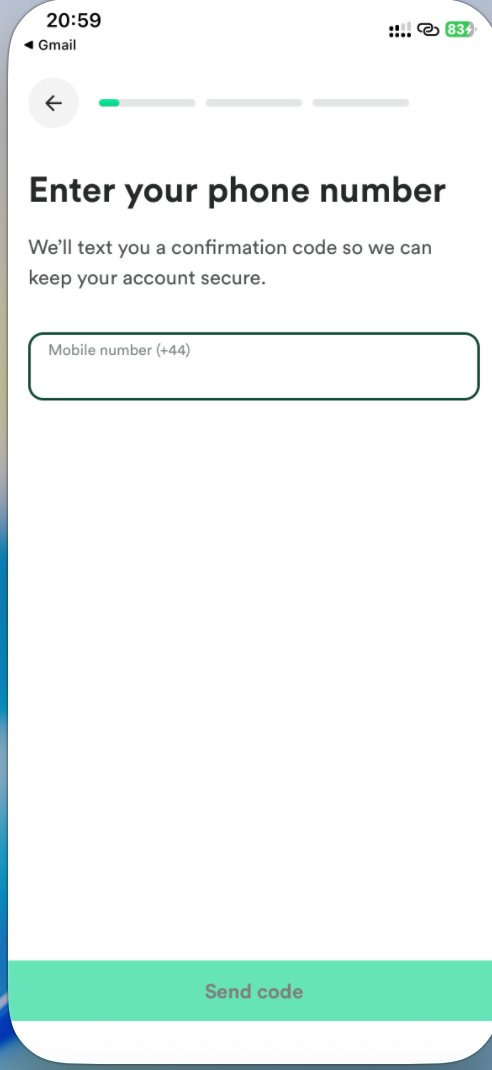
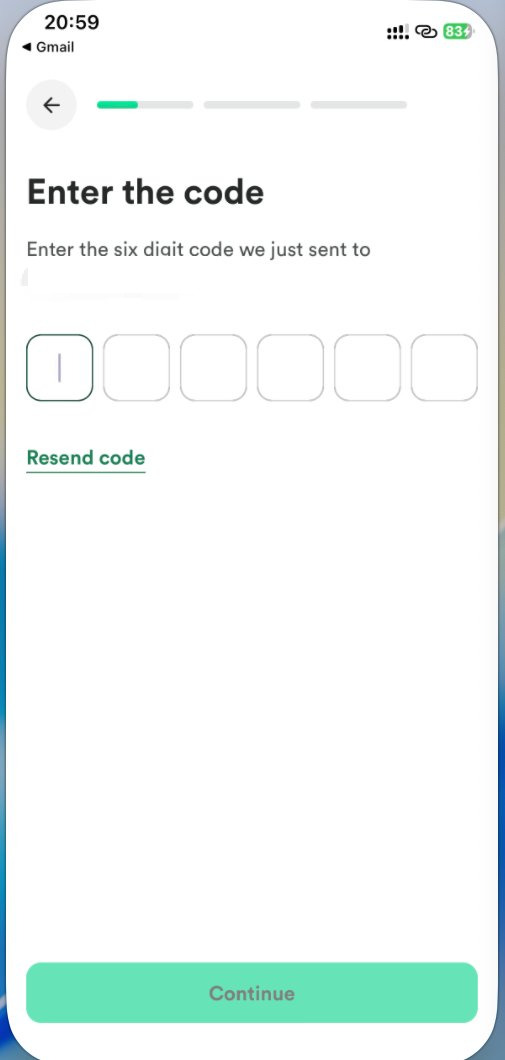
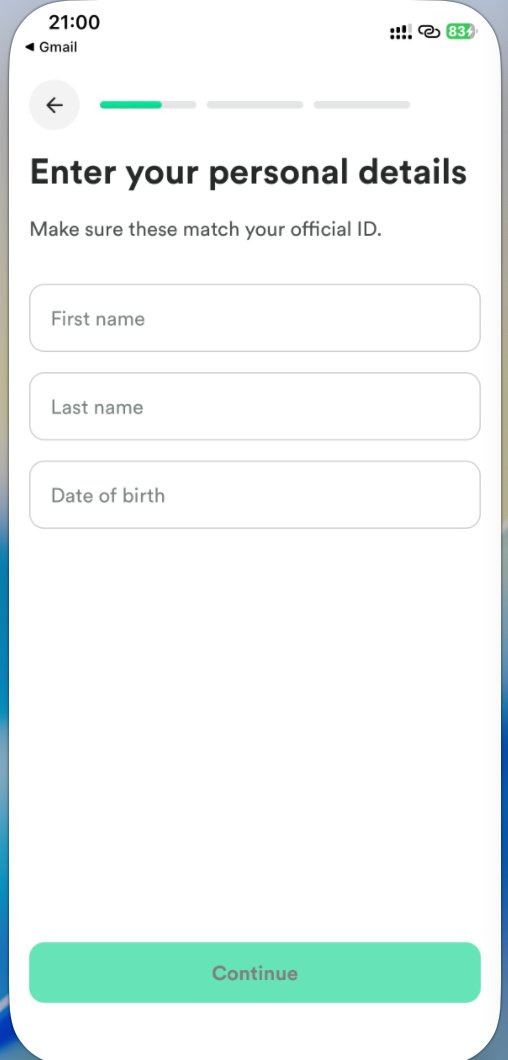
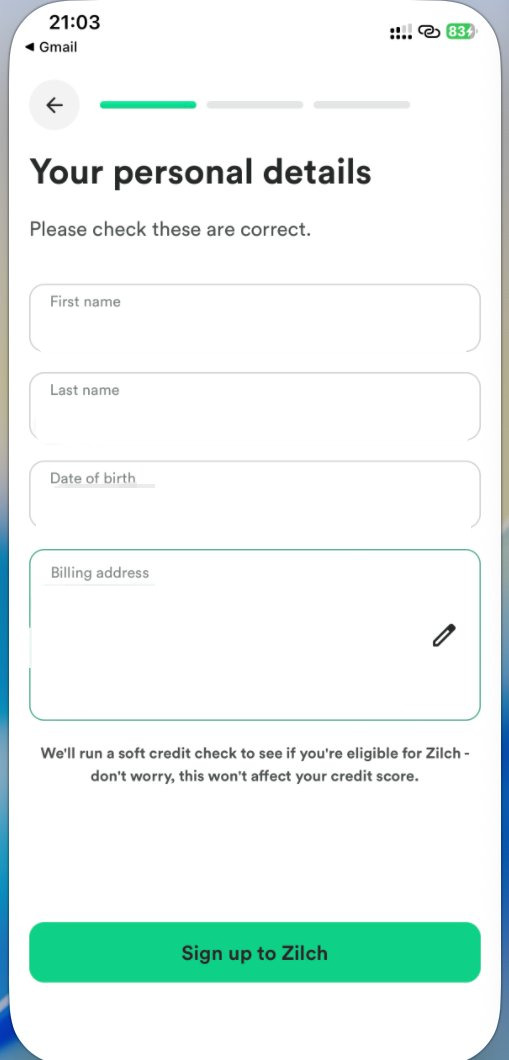
Before you submit, the app shows a personal-details review and states that Zilch will run a soft credit check to assess eligibility, and that this will not affect your credit score. That matches the Help Centre article “Does Zilch affect my credit score?”.
Identity checks and proof of address
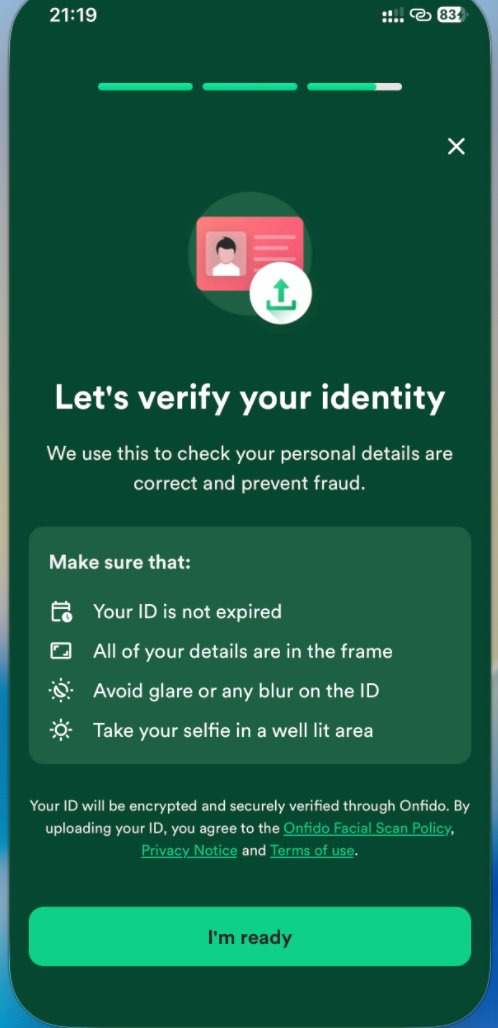
The Help Centre article “What ID can I use to sign up to Zilch?” (updated 28 September 2026) asks for a government-issued document and a video of you. The identity-verification partner is Onfido. Accepted photographic ID includes:
- A valid passport
- A driving licence or provisional driving licence
- A CitizenCard with a holographic PASS logo
- A UK birth certificate (select the Passport option in the flow; because Onfido looks for photographic ID by default, you may need more than one upload)
- A residency permit
- A national ID, for non-UK citizens
Proof of address must have been issued within the last 3 months, and you cannot use the same document as both proof of ID and proof of address. Accepted documents include a utility bill, a bank statement, a council tax bill, a mortgage statement from your lender, and a tenancy agreement — the entire document is required. The Help Centre says screenshots of PDF documents and documents printed at home are not accepted. If you do not have a paper copy, you need to request a hard copy from the issuer.
Verification usually takes up to 10 minutes after the ID is received, and in some cases up to five business days. You can start using Zilch once identity verification is complete.
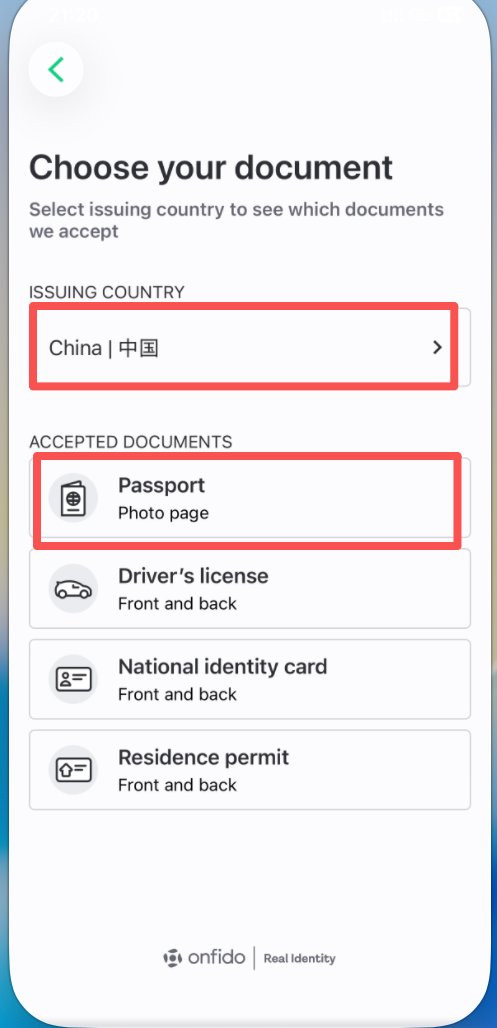
The in-app document picker lists accepted documents by issuing country. One user-reported path shows “China | 中国” with Passport (photo page) as an option, and that user reported a successful check. That is one reported interface path, not a guarantee for every applicant. Approval still depends on Onfido and Zilch, and on meeting residency, proof-of-address and soft-check requirements. Do not submit false or altered documents.
Limits, product copy and credit reporting
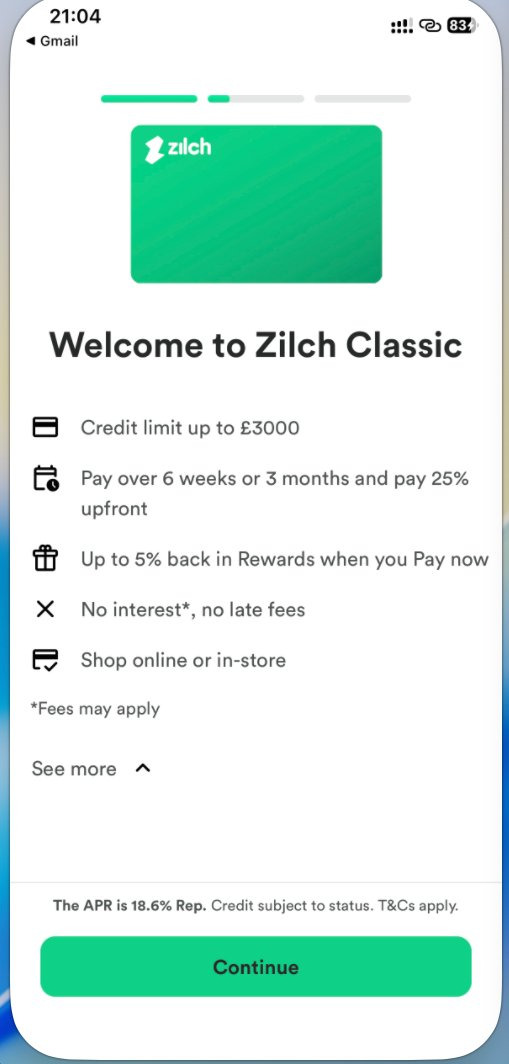
The UK marketing site describes credit of £50–£4,500, a decision in minutes, and “Credit subject to status”. Official surfaces on the same day do not all use the same cap: the splash screen says “credit up to £4500”, while the “Welcome to Zilch Classic” screen says “Credit limit up to £3000”. Those figures describe the product or a product line. They are not a personal limit you are guaranteed to receive.
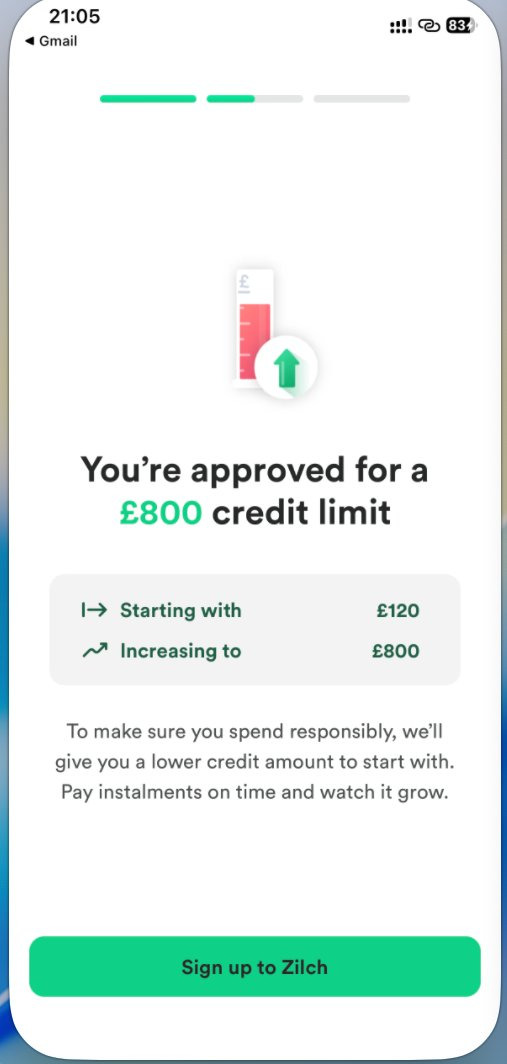
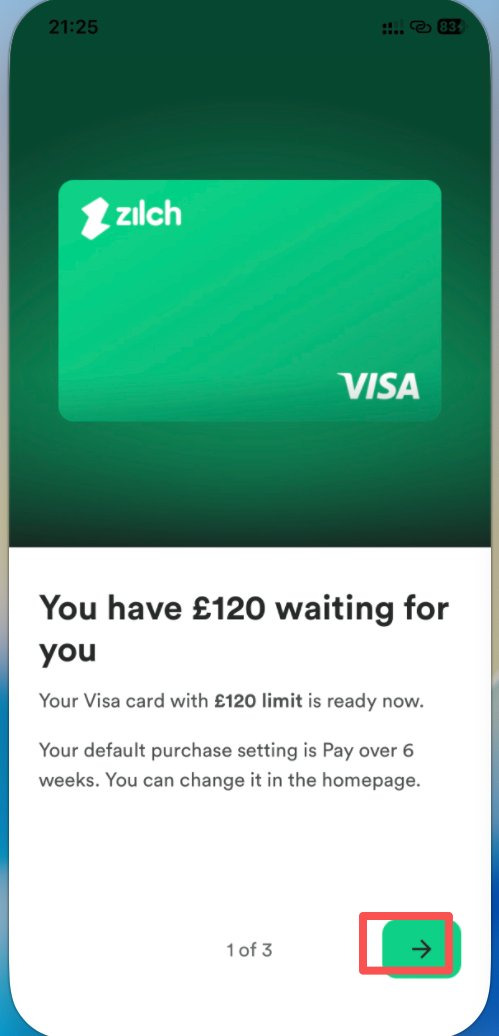
One applicant’s approval screen showed “You’re approved for a £800 credit limit”, starting with £120 and increasing to £800, together with official copy that Zilch may give a lower amount to start with so you can spend responsibly and grow the limit by paying instalments on time. £800 / £120 is that applicant’s decision, not the official product maximum, and not a claim that the highest available limit is £800.
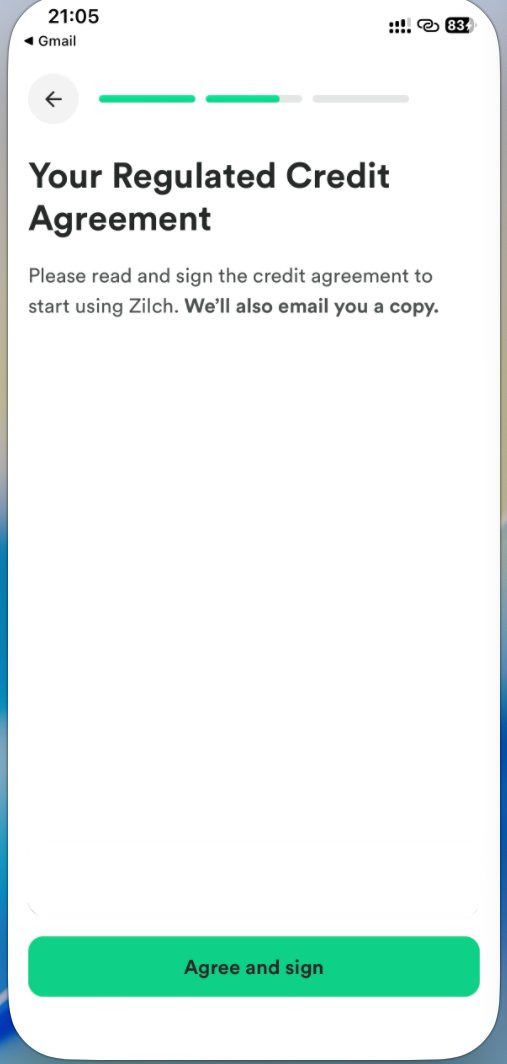
After approval you need to read and sign a Regulated Credit Agreement. Zilch also emails you a copy. The fees and rates in the agreement you are shown are the ones that apply — do not rely only on “No interest” marketing lines.
On credit files, the Help Centre (updated 2 October 2026) says:
- The soft check at sign-up does not affect your credit score.
- Zilch only starts sharing your account status with credit bureaus once you have an active, open account that has passed all verification requirements.
- It reports credit limit, usage and repayment behaviour every month, for the previous month, at the start of the current month. Even after you have repaid a balance, your file may not have updated yet.
- Paying on time or early could help you build a score; missing or late payments can hurt it. If you cannot pay by the due date, official options such as Snooze may be available; eligibility and any fees are as shown in the app.
Whether the product “builds UK credit” depends on being approved, keeping the account in good standing, and then paying on time. Opening an account does not automatically improve a score.
Linking a UK debit card and receiving the virtual Visa
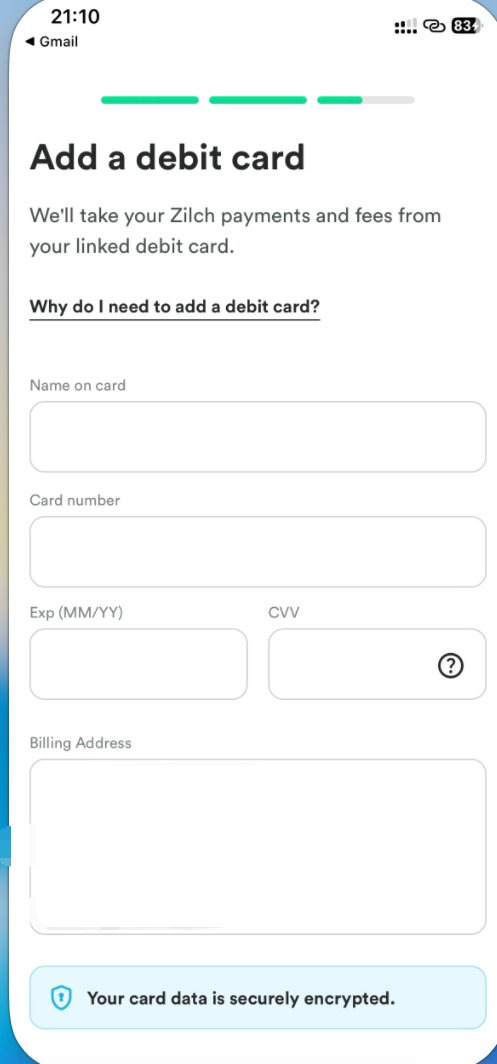
The Help Centre article “How do I link a debit card?” says you must link a debit card before you can spend and before the Zilch card can be issued. The linked card pays for Pay now purchases, pay-over-time repayments, applicable fees, Plus or Extra membership fees, and Advance repayments. The path is Account → Payment settings → Connected debit cards → Add debit card.
You can link up to three debit cards and change the default. You cannot link corporate cards, credit cards, prepaid cards, cards issued by non-UK banks, cards that are not in sterling, or cards already linked to another Zilch account. A bank may decline the request if the account does not support recurring payments. If the linked debit card is frozen, you cannot use Zilch with that card. Changing linked cards too often may lead Zilch to restrict the account for security reasons.
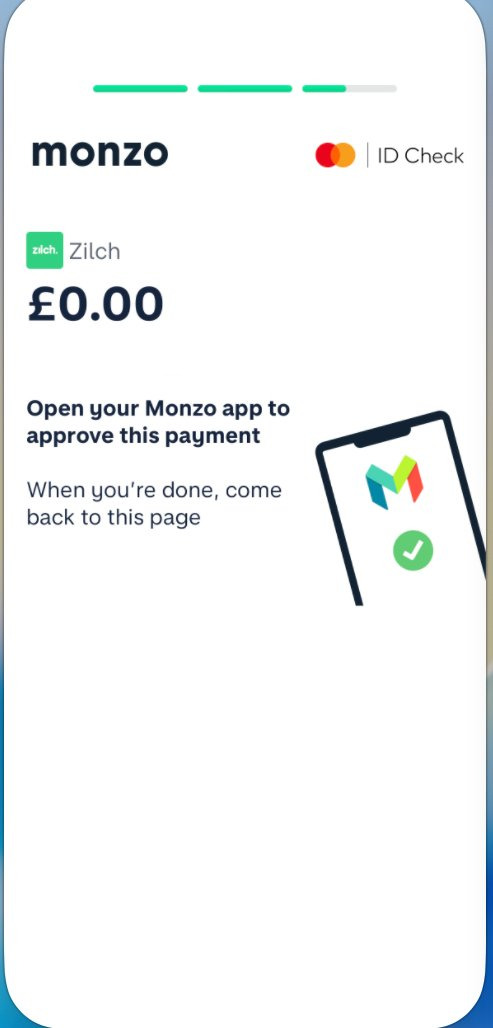
Some UK banks show a £0.00 identity check (for example Monzo’s ID Check) during linking. That is the bank’s verification step, not a live charge, and you approve it in the bank’s own app.
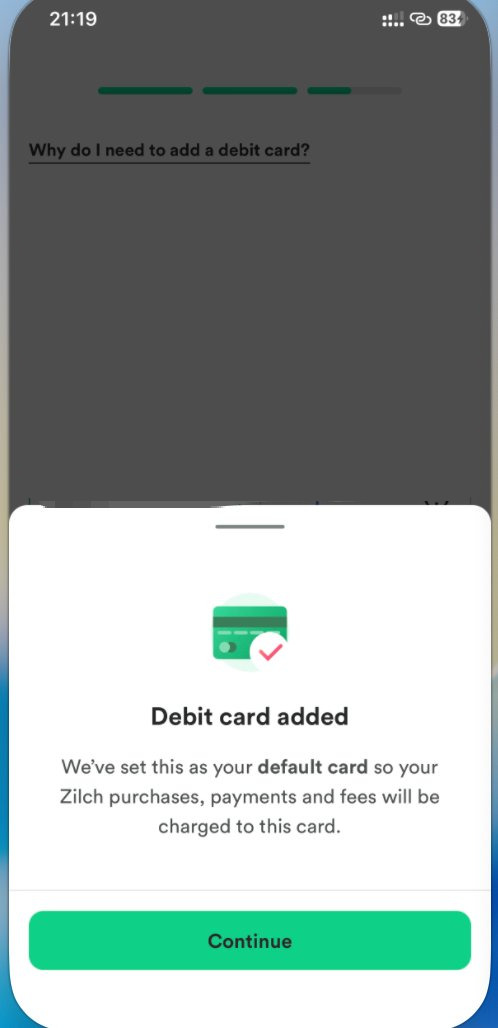
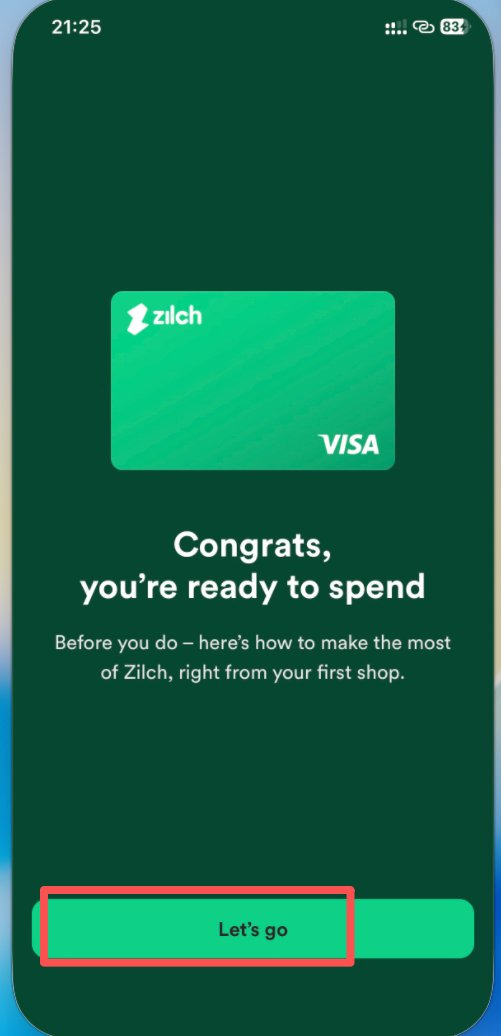
Once checks are complete and the agreement is signed, the app issues a virtual Visa. The UK site and Help Centre say it can be used online or in store where Visa is accepted (the physical card is also a Visa). Marketing pages also mention digital wallets such as Apple Pay; which wallet options appear depends on your account and on the app that day. This guide does not include hands-on wallet tests.
A physical card is optional and only if the feature is available on your account: Account → Order physical card. It can be sent only to the UK address linked to the account, usually arrives in three to seven business days, is sent without tracking, and you may have only one active physical card at a time. The fee is £4.99 on Standard or Extra. Plus members can order the first card free, but Zilch may charge £4.99 if Plus is cancelled within 90 days (or during a free trial). Cash withdrawals are not available, and restricted merchant categories listed in the Help Centre are not allowed. You should still choose a payment method in the app and enable the card before checkout if you want the higher Rewards or lower pay-over-time fees.
How payment works, fees, and “enable your card first”
Zilch offers several ways to pay, including Pay now, Pay over 6 weeks, and monthly options where you are eligible. Availability varies. One official rule comes up repeatedly:
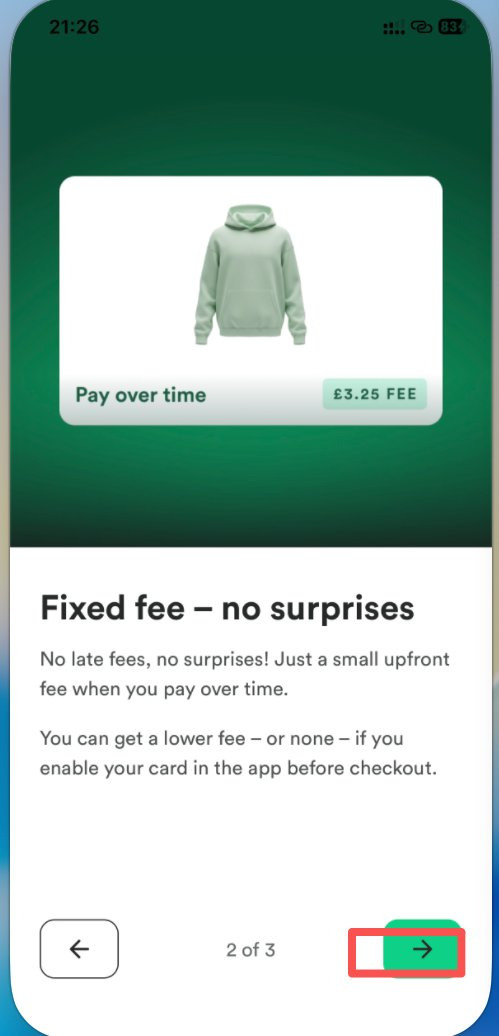
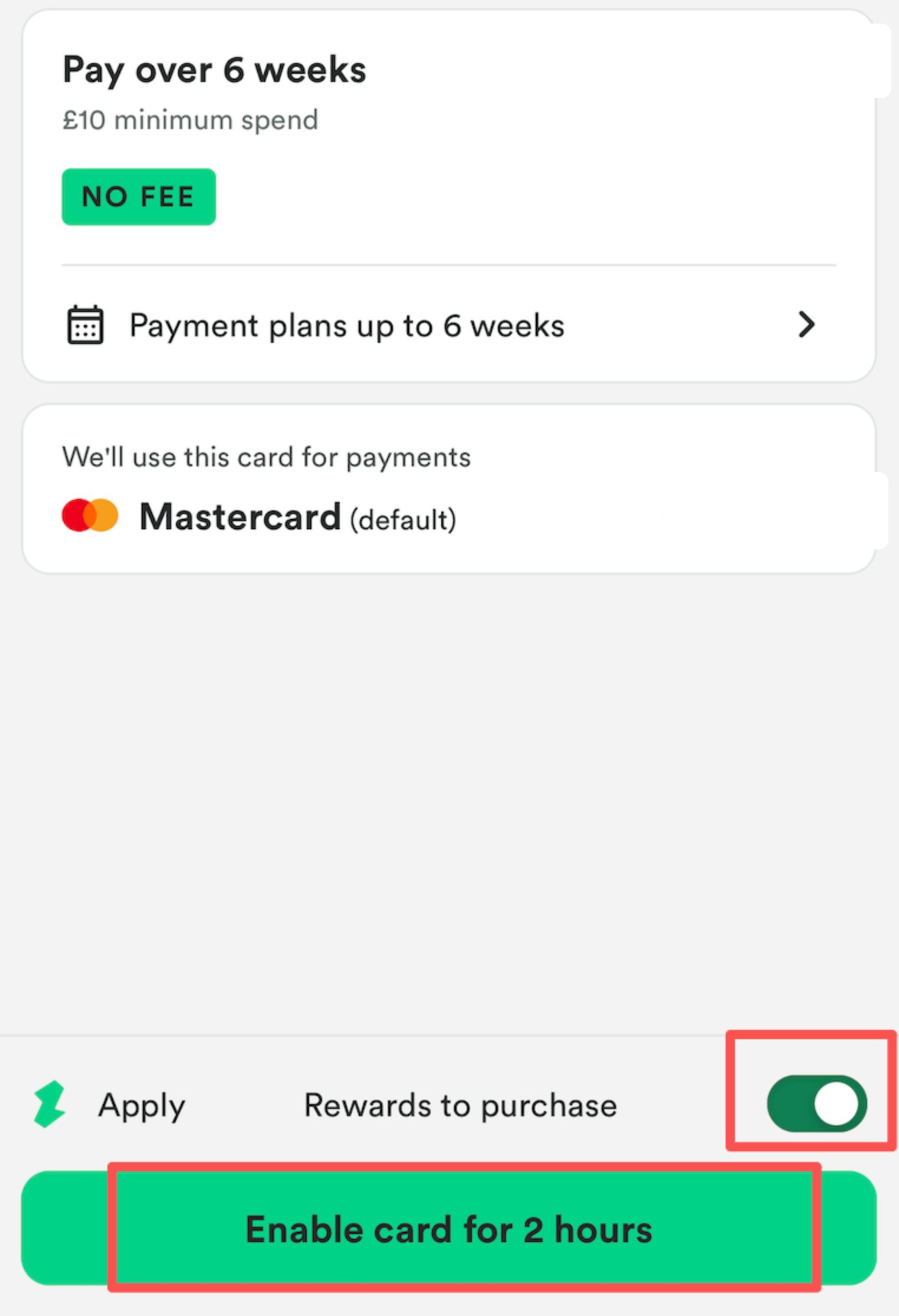
Before checkout, find the merchant in the app and enable your Zilch card. That is how you usually get the highest Rewards rate available for that purchase, and a lower fee — sometimes no fee — on eligible pay-over-time transactions. If the merchant is not listed, or you do not enable the card first, the purchase may be treated as Zilch Anywhere. The UK App Store listing says the Anywhere fee can be up to £3.50. An in-app explainer uses a £3.25 “Pay over time” example and states: “You can get a lower fee – or none – if you enable your card in the app before checkout.” The amount that applies is the one shown before you pay.
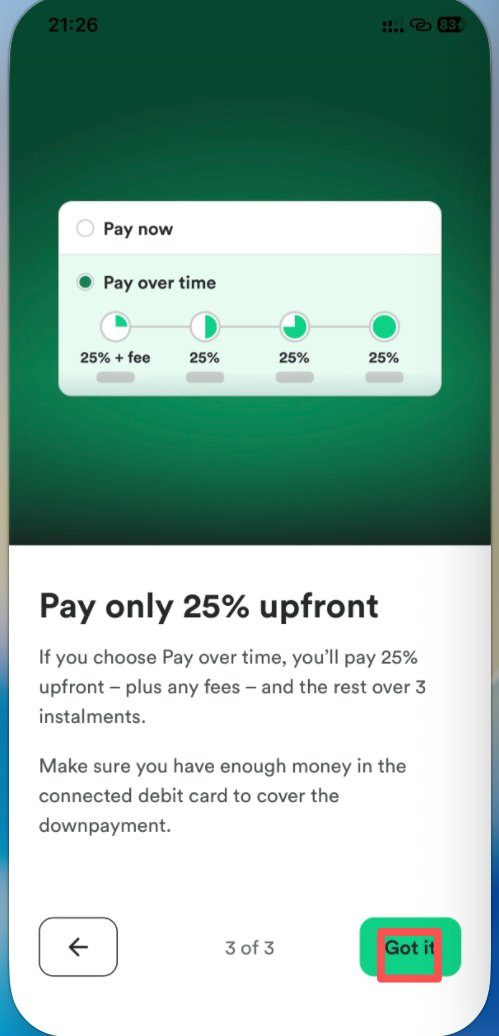
The welcome screen also says some instalment options require 25% upfront. If your starting limit is low, the amount you can spend on a single purchase is capped by the credit then available.
On “no interest” and “no late fees”: the website and the welcome screen do use that language, but almost always with *“Fees may apply”** and a disclosed representative APR. The figures checked on 14 November 2026 were not identical. The UK homepage showed “From 14.9% APR Rep” (worked example: £1,000 spent plus £11.50 in fees, total repayable £1,011.50). The App Store listing showed “From 14.99% APR Representative”. The in-app splash and the Classic welcome screen showed “From 18.6% APR REP” / “The APR is 18.6% Rep”. Use the representative example and fee wording you are shown that day. Marketing copy is not a promise that every purchase is fee-free.
Spending abroad, and user reports about Alipay or Meituan
The Help Centre article “Can I use Zilch abroad?” says you can use the card outside the UK in the same way as at home. Purchases in a currency other than GBP include a 2.99% foreign-exchange fee in the converted amount. Eligible purchases made abroad can still earn Rewards if you enable the card in the app first. Zilch operates in the UK; if something goes wrong with a purchase made outside the UK, its ability to help may be limited.
Some users have reported paying with the Visa through wallets or apps such as Alipay, Meituan or Taobao. That is not an official promise that one card will “cover” those platforms, or that those transactions are fee-free. Even when a screen shows “No fee”, the 2.99% FX fee may still apply, as may charges from the wallet, the merchant or the bank. Whether the next attempt works, and what it costs, depends on each platform’s rules at the time. Do not enable a different merchant’s card slot in order to change a fee, and do not repeatedly test large amounts. If you intend to try those platforms, read their own rules for overseas cards and only attempt an amount you can afford to lose as a test.
Rewards, memberships and referral promotions
The minimum rates in the Membership Terms (Version 4.1, November 2026) are:
- Standard (free): Pay now earns a 2% minimum when you enable your Zilch card before checkout, and 0.5% on other transactions. Pay later Rewards are not available on this plan.
- Extra (£2.99 a month; rolling out gradually and not offered to everyone): the Pay now minimums match Standard.
- Plus (£4.99 a month): Pay now earns a 3% minimum when the card is enabled, and 0.5% on other transactions; Pay later earns 1% when the card is enabled, and 0.25% otherwise.
The website and the welcome screen also use “up to 5%” for Pay now; Plus Help Centre copy also mentions “up to 6%”. The terms note that higher rates may apply at certain merchants, but you will always receive at least the minimum. Rewards have no cash value, cannot be moved to a bank card, and expire 12 months from the date they are earned unless the terms say otherwise. Pay later Rewards are usually credited when the transaction is paid off early in full or when the final instalment is paid on time; Pay now Rewards are usually added at the time of the transaction. Missed or failed payments can lead to Rewards being withheld or removed.
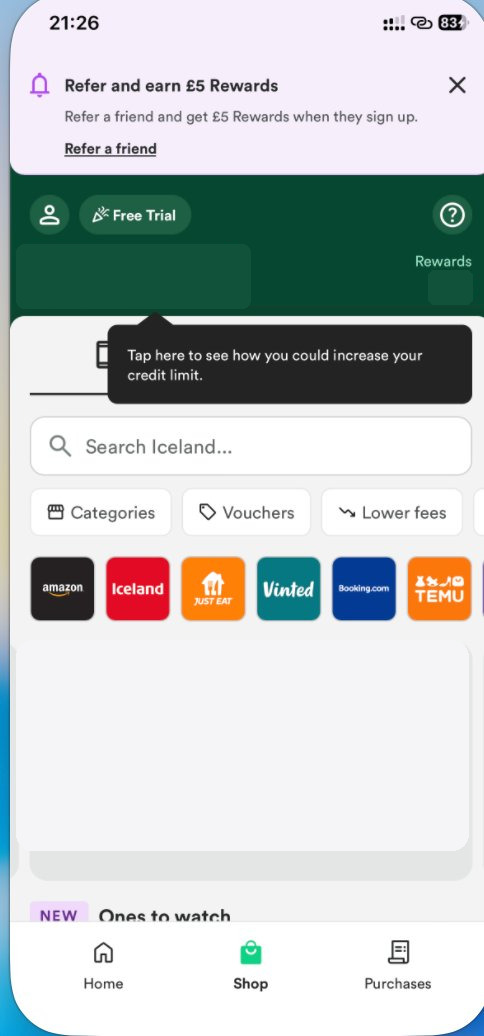
Standard Help Centre referral copy is that you and a friend typically each receive £5 in Rewards (the amount may change during promotions). The friend must use your unique link, then complete identity verification, be approved and receive a Zilch card within 30 calendar days. Rewards are usually applied within 10 working days of those tasks being completed. The in-app home screen has also shown a “Refer and earn £5 Rewards” banner.
On 14 November 2026 the Competition Terms also described a time-limited £10 Referrals promotion: if you share your referral link between 13:00 on 13/11/2026 and 12:00 on 30/11/2026, as those times are written on the page, and your friend successfully registers with that link during the promotional period, both of you can receive £10 in Rewards within 1 day of successful registration. It is a referral promotion, not a standalone “register by yourself and receive £10” offer. Rewards are non-transferable, non-exchangeable and have no cash alternative. Zilch may withhold Rewards in cases of suspected misuse and may amend or withdraw the promotion where reasonably necessary. That paragraph does not state a time zone; check the wording on the page the day you take part. The same page lists separate promotions, including a Green November prize draw — do not mix them up. This guide does not include a referral link.
Checklist and risks
Before you apply, it is worth confirming that:
- You are at least 18, a UK resident (the membership terms exclude the Channel Islands and the Isle of Man), and you will hold only one account.
- You can provide a UK postal address that matches the account, plus an accepted proof of address from the last 3 months (not a screenshot, and not a home printout).
- You have an eligible UK sterling debit card whose name and billing address match the Zilch account.
- You will complete Onfido verification, including the video, with genuine documents, and you will read the Regulated Credit Agreement before signing.
- You understand that limits are individual, the starting amount may be lower than the approved total, and £50–£4,500 is the range on the UK site, not a personal promise.
- You understand that “no interest” is not the same as “no fees”: instalment fees, Anywhere fees, a 2.99% FX fee, membership fees and a physical-card fee may apply. The APR is the representative figure shown that day.
- You will search in the app for the merchant you are actually paying and enable the card before checkout. Unlisted merchants may incur an Anywhere fee under the official rules.
- Credit reporting starts only after the account is active and fully verified. On-time payments may help a file; late or missed payments can hurt it.
- Any £10 offer is governed by the official promotion terms and usually requires a successful registration through a referral link. Do not use an invite code from an unclear source.
- Reports of using the card with Alipay, Meituan or similar services are user feedback. Success and fees are not official promises.
Zilch is a credit product. Borrow only what you can repay, and pay on time. Terms, fees and promotions change, so check www.zilch.com/uk/ and the in-app agreement again before you apply or spend.
Sources and date checked
The points above were checked on 14 November 2026 (Asia/Shanghai, UTC+8) against public materials, mainly:
- The Zilch UK site
- Help Centre articles: How do I sign up to Zilch?; What ID can I use to sign up to Zilch?; How do I link a debit card?; Does Zilch affect my credit score?; What are the Zilch plans?; Referrals terms and conditions; How do I refer a friend to Zilch?; Can I use Zilch abroad?; Order, receive and activate your physical Zilch card; How to use a Physical Zilch card
- Membership Terms of Use Version 4.1 (November 2026)
- Competition Terms (including the £10 Referrals section)
- The UK App Store listing for Zilch (app ID 1545361238)
Screenshots come from user-reported in-app pages. Private details have been covered with solid fills. This guide does not invent hands-on tests and does not cite any third-party social account.