Shadowrocket Advanced Guide 2026: Routing Modes, Rules, TUN, and Tailscale
Checked on 14 November 2026 against the App Store and the official site: a guide to Shadowrocket’s routing modes, rules, modules, tunnel / TUN, TLS fingerprints
What this guide covers
Shadowrocket is a rule-based networking utility sold on the App Store. The developer is Shadow Launch Technology Limited. The official site is www.shadowlaunch.com, and the product page is Shadowrocket on the App Store (app ID 932747118).
The App Store copy is explicit: it is a standalone networking utility and does not include any proxy services or server resources. Users are responsible for providing their own configurations. What you buy is the client, not a VPN subscription or a list of proxy nodes. This guide was checked on 14 November 2026 (Hong Kong time / Asia/Shanghai) against the US and Hong Kong App Store listings, the official site, and in-app screens. It does not invent hands-on testing. Screenshots supplied by users are examples only and are not official promises. Names and options may change; use the screens on your device that day.
On the check date, the US listing was USD 2.99 and the Hong Kong listing was HKD 22.00. Prices vary by storefront. The stated requirements are iOS 13.0 or later, with compatibility also listed for iPadOS 13, macOS 10.15, tvOS 17 and visionOS 1. The store version shown that day was 2.2.93.
Use the app only with networks and configurations you are allowed to use. Do not import third-party “membership unlock” modules to bypass paid subscriptions, and do not use location spoofing or similar tricks to get around bank, streaming or platform checks — that can breach those services’ terms and may be unlawful. This guide does not provide instructions for any of that.
Where configurations come from
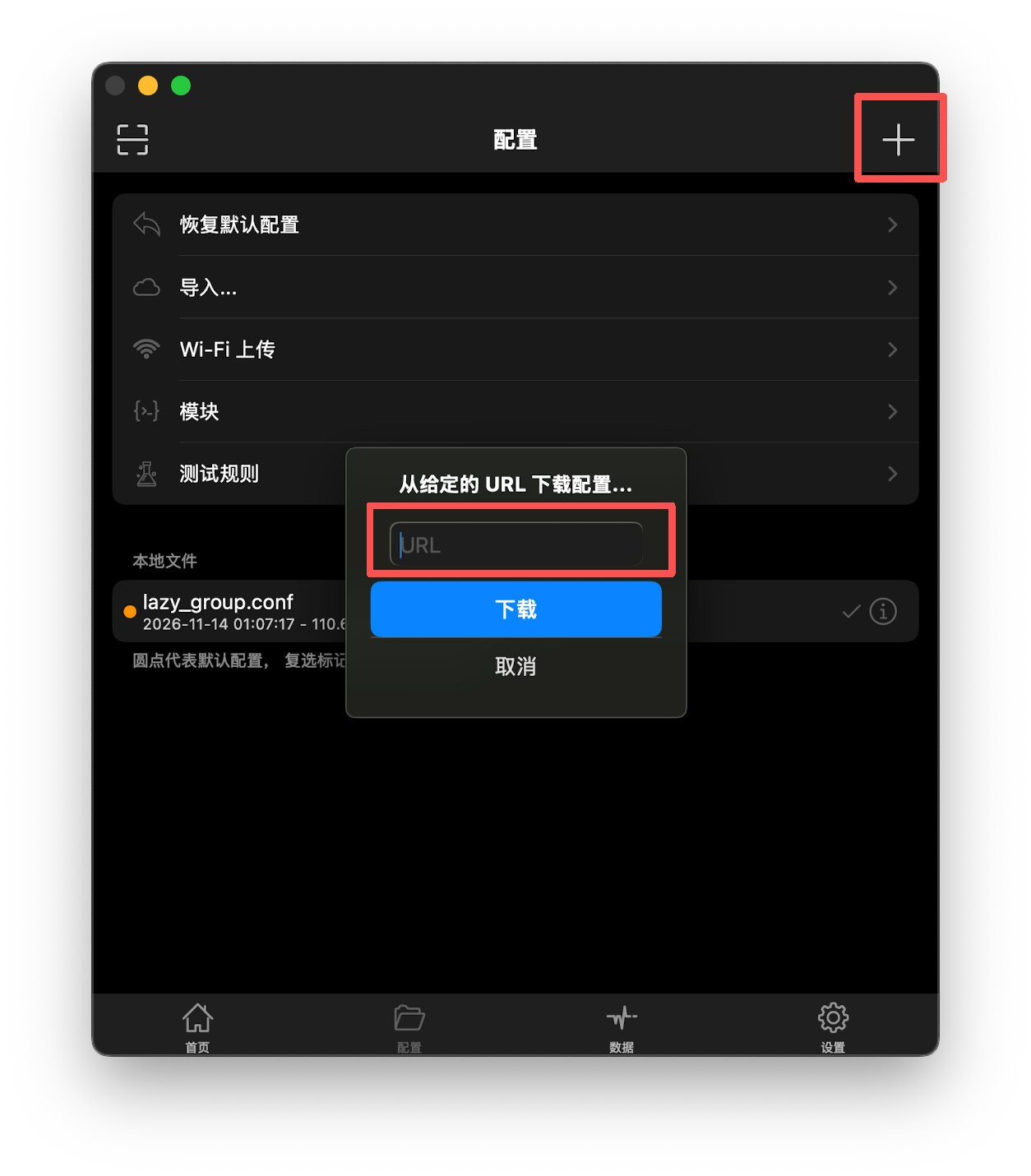
The Config tab lets you restore the default profile, import from a URL or iCloud, upload over Wi-Fi, or tap the “+” control to add a profile. The URL sheet asks for the address of the configuration file. Only import subscriptions or files you trust and can inspect. An untrusted source can ship broken rules or nodes you have no right to use.
Four global routing modes
Under Settings → Global Routing, the app lists four modes, with on-screen explanations along these lines:
- Config: forward traffic according to the rules in the configuration file.
- Proxy: forward traffic through the proxy.
- Direct: do not use the proxy.
- Scene: forward traffic according to a scene. The same page also has Scene and Group entries. Recent release notes mention fixes for Wi-Fi Scene rules (SSID), which confirms Scene is an official feature, not an unofficial add-on.
The same page has a Fallback switch: if the current node is unavailable, Shadowrocket will try other available nodes. Whether to turn it on depends on the quality of your nodes and on the wording that day.
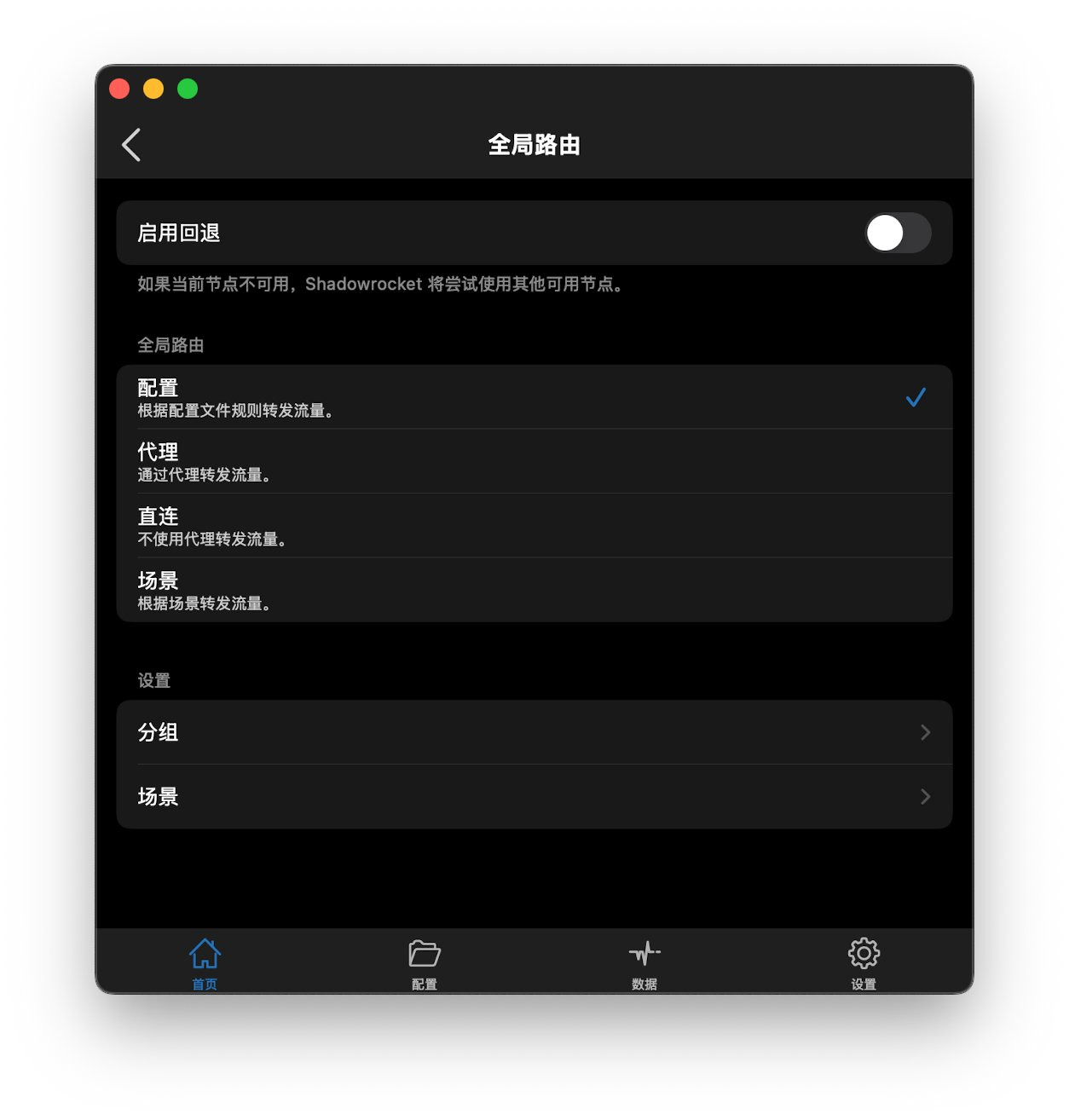
Most people leave Global Routing on Config and let the rule set decide what is proxied and what goes direct. Switch to Proxy or Direct only when you want a temporary override. The actual result depends on the rules and nodes you imported; the app itself does not guarantee reachability.
Writing and testing rules
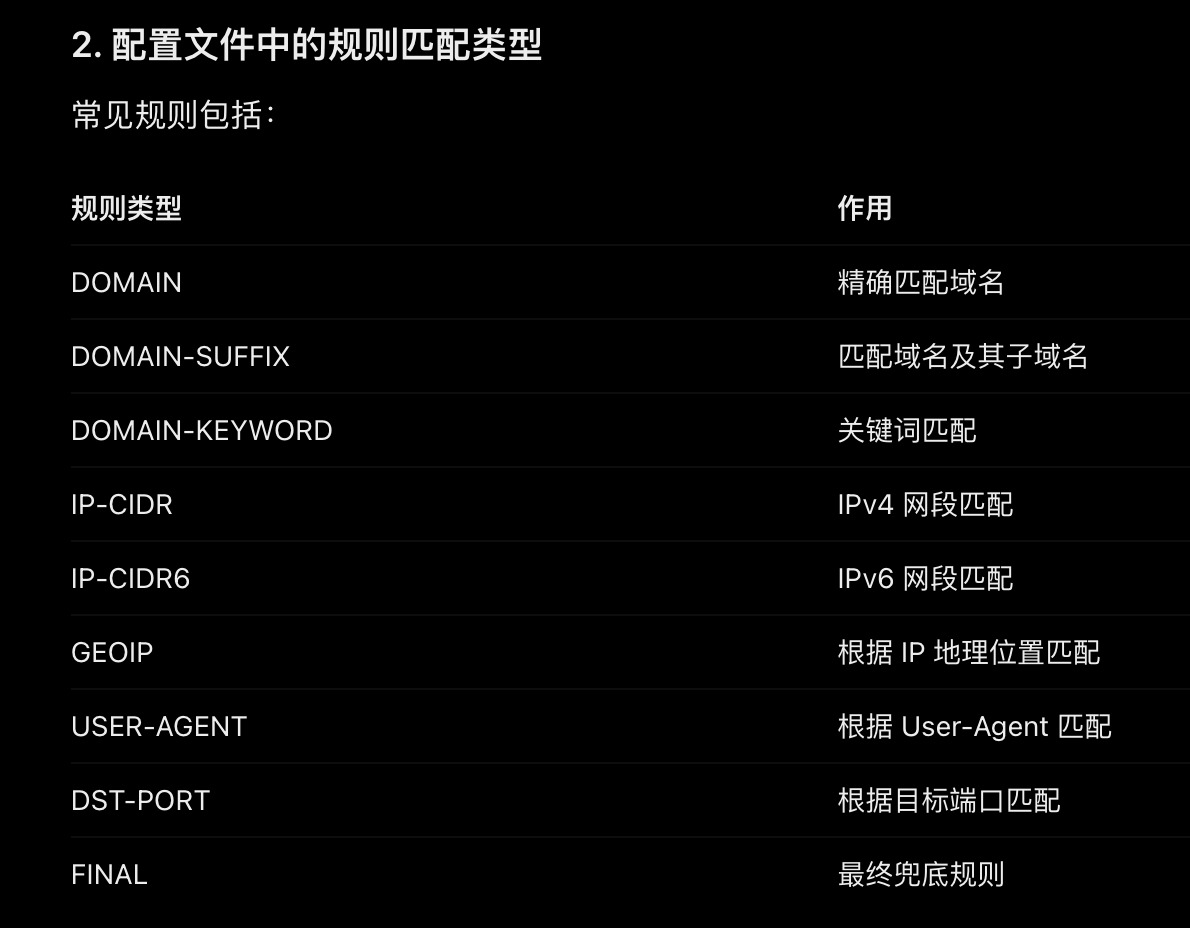
Community documentation usually lists the match types below. They line up with the in-app Type menu, but the table is not an official manual — treat the labels in the app as authoritative.
On the policy side, the interface and community profiles commonly use DIRECT, PROXY, and REJECT / REJECT-DROP. REJECT-style policies are often used to block ads or trackers. They only work if the rule still matches; sites change hostnames frequently.
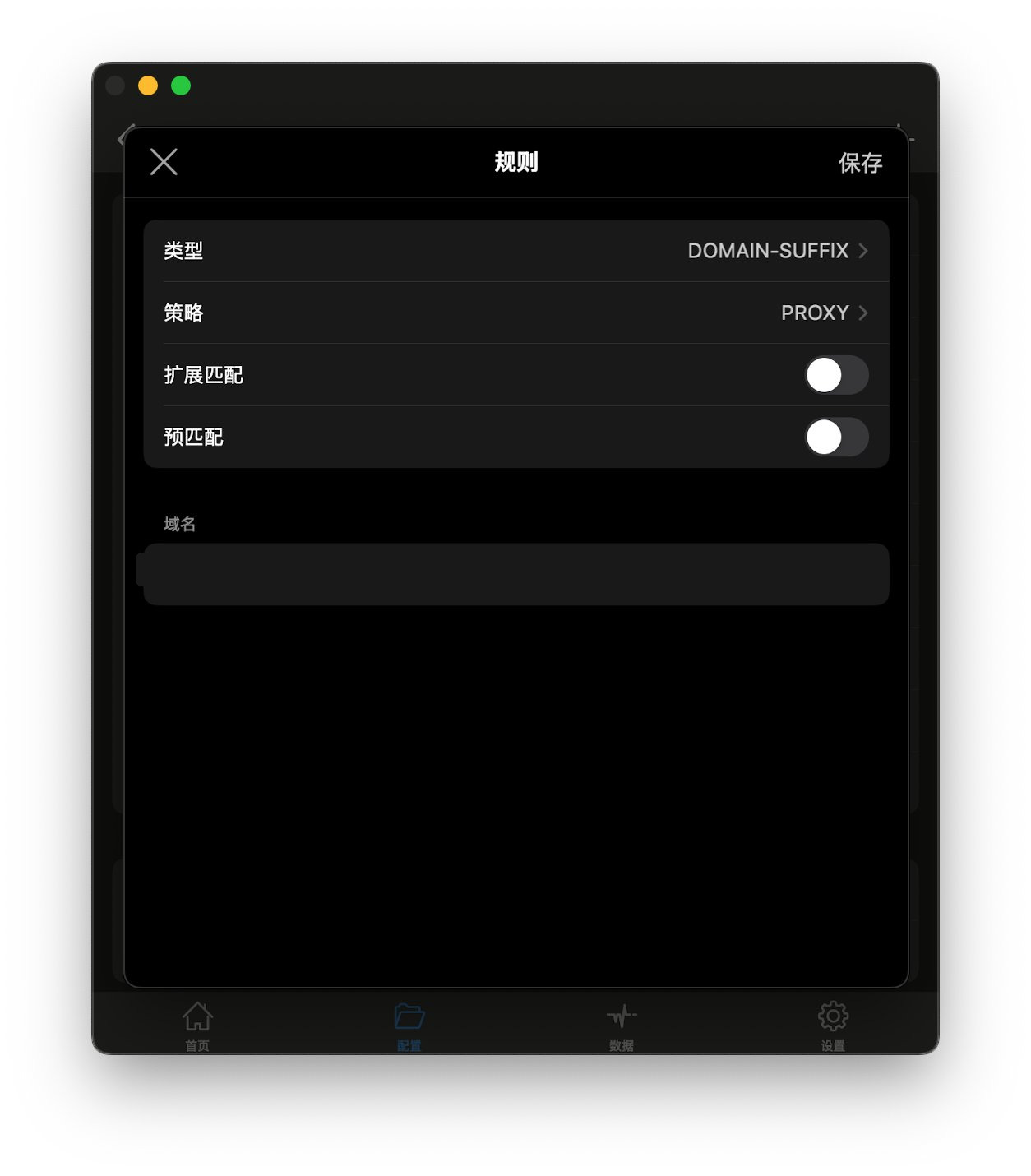
When you add a rule you choose the type, the policy, and options such as extended match and pre-matching. The domain in the screenshot below has been masked; the image is only to show the layout, not to point at a particular site.
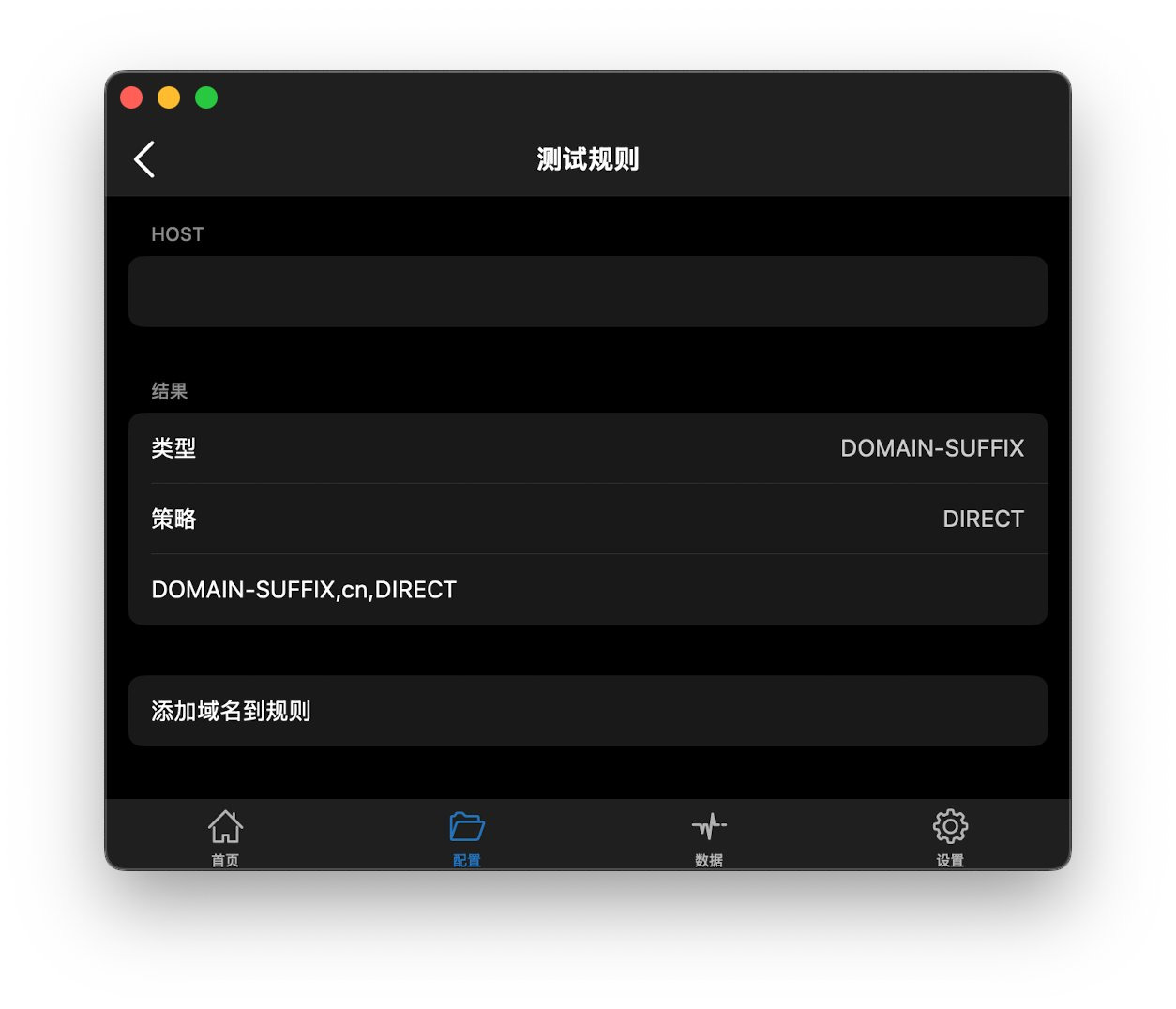
After saving, Rule Test shows which rule a hostname hits. For example, if the profile contains DOMAIN-SUFFIX,cn,DIRECT, testing a name that ends in .cn may show type DOMAIN-SUFFIX and policy DIRECT. That only means the suffix matched. It does not mean the site is hosted in China, and it does not mean Direct will actually open it. Users have reported that sending every .cn suffix direct also catches .cn sites that are in fact served from overseas (for example via a foreign CDN or code host), which then fail or behave oddly. That is a rule-design issue, not an app bug. It is safer to list the specific domains you really want direct, or to rely on IP / GeoIP data you trust, rather than one overly broad suffix.
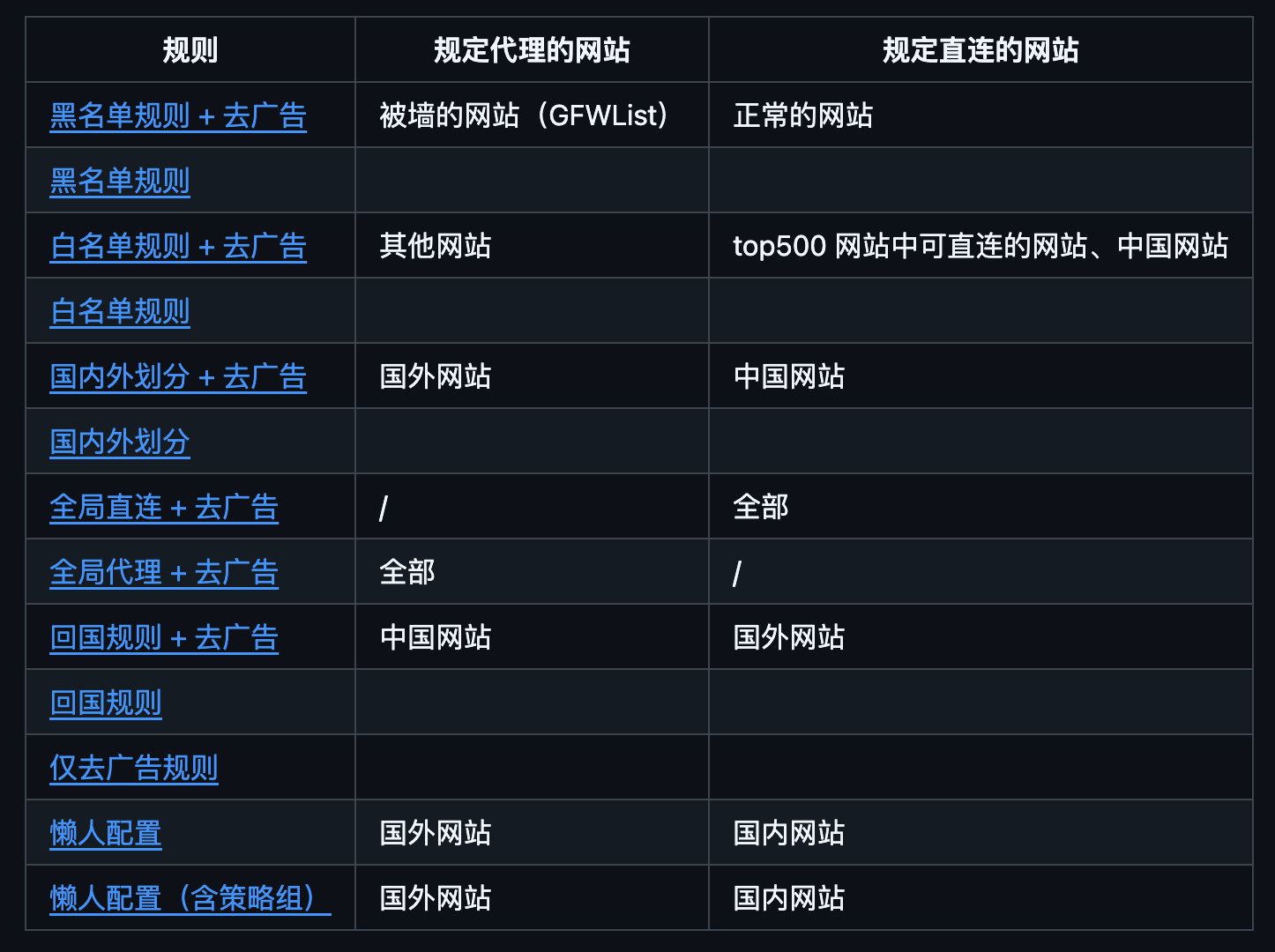
You can also import a rule list from a URL instead of writing every line by hand. Community maintainers publish split-routing or ad-blocking lists for Shadowrocket, and some public pages tabulate presets such as blacklist, whitelist, domestic/overseas split, “return-to-home,” ads-only, and “lazy” profiles. Those lists are not official Shadowrocket products. Links, categories and default policies change. Open the original page, read the rules, the update date and the licence, and do not treat any one list as a required standard.
Modules: use them, but not to “unlock” subscriptions
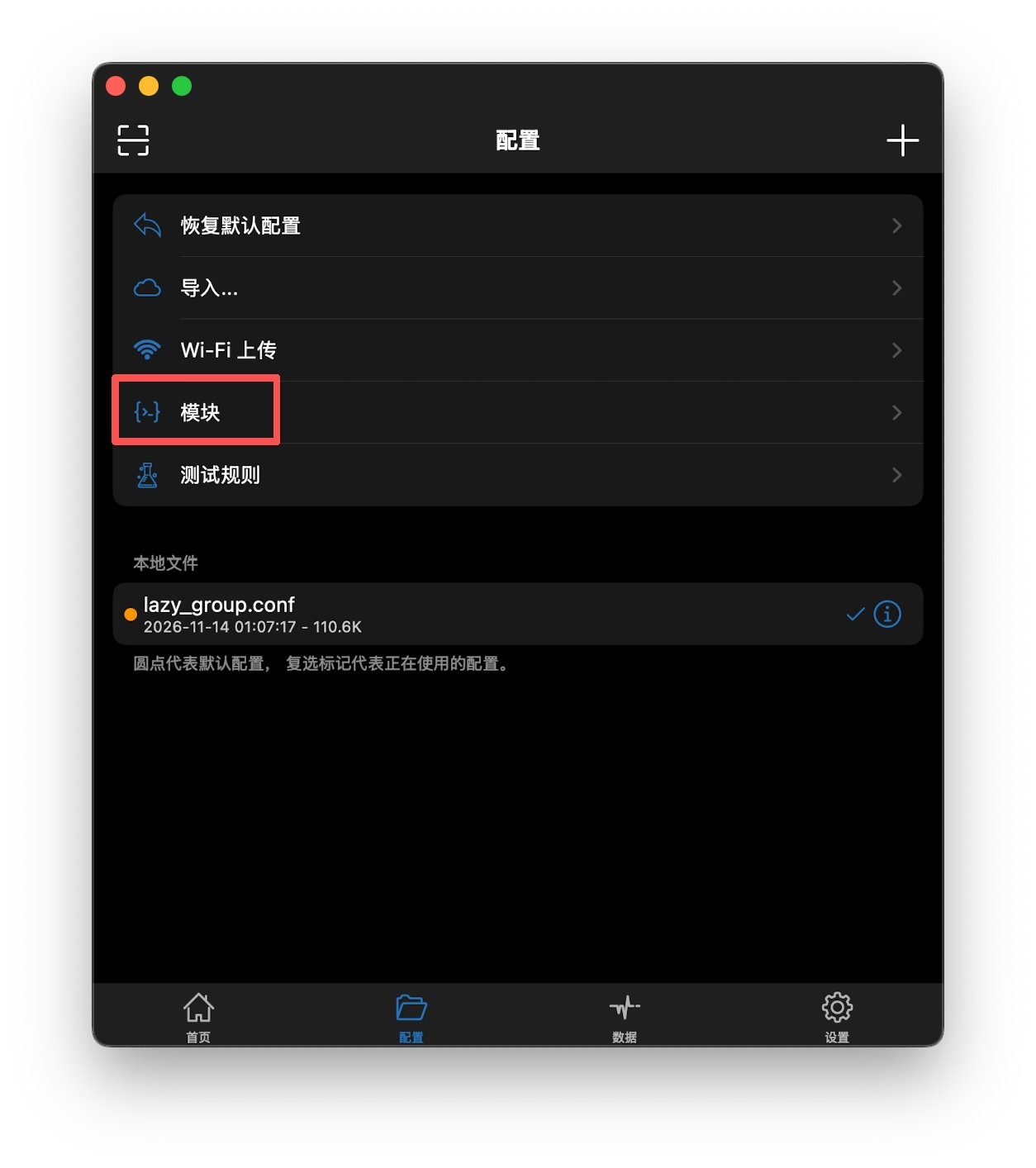
The Config tab has an official Modules entry. The module system is built into the app. Community uses include ad blocking and supplementary rules for particular sites. As with rule lists, inspect the source and what the script actually does before you import it.
Draw a hard line here. Many unofficial packs advertise “unlocks” for photo editors, readers, office suites or music streaming. Those modules typically rewrite requests or responses without authorisation. They can violate App Store rules and the target app’s terms, and they may be illegal. This guide does not recommend them, explain them, or link to them. Location spoofing (including methods Apple has already patched) is also out of scope. If you only want fewer ads, prefer a reviewable list that blocks domains or user agents, and make sure you can turn it off if something breaks.
Latency tests: TCP, ICMP and CONNECT measure different things
Connectivity Test offers TCP, ICMP and CONNECT. The in-app note for CONNECT is that it tests a URL request through the proxy server. You can set that test URL separately.
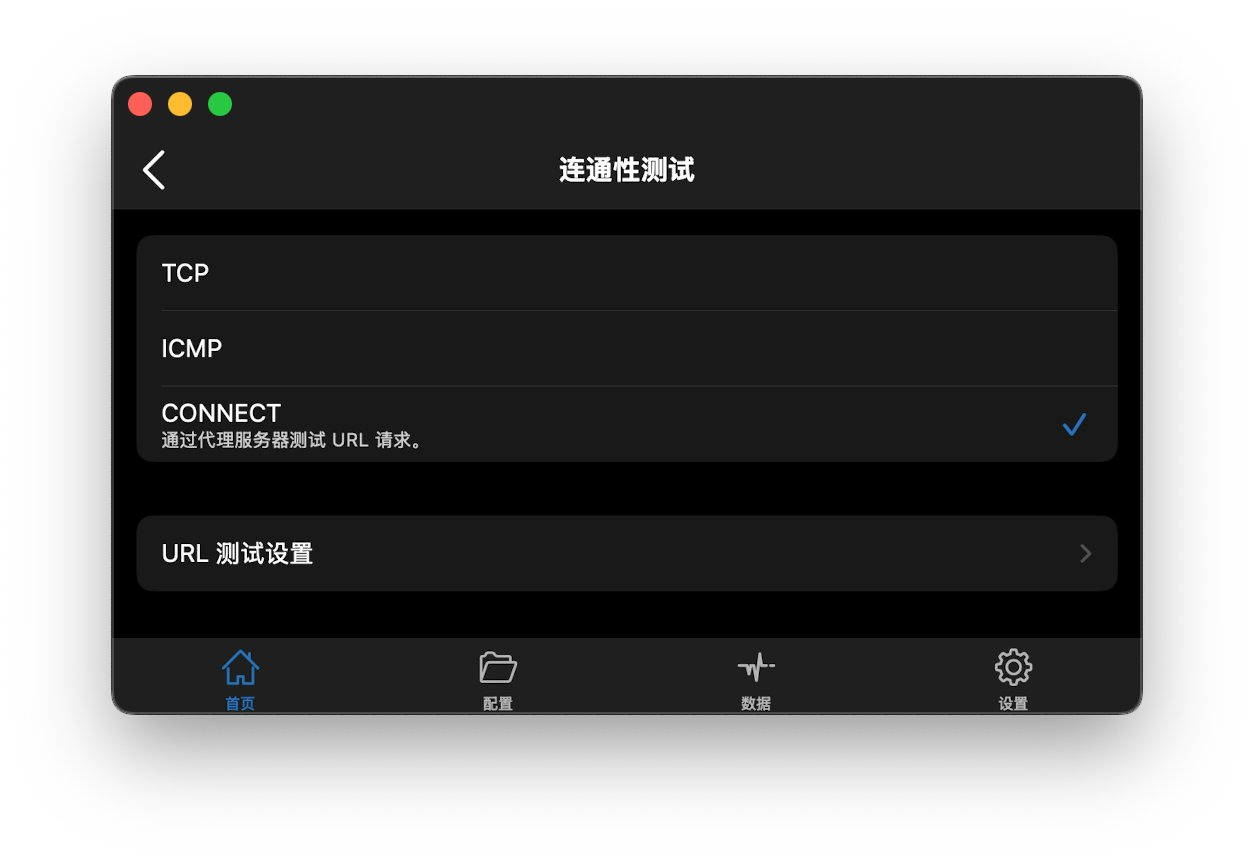
The three methods are not interchangeable. TCP and ICMP are closer to network-level reachability of a node or host. CONNECT issues an application-level request to the URL you chose, via the proxy, so some users treat it as a closer stand-in for “opening a page.” That does not make CONNECT the only valid test, and a single reading is not a promise of long-term stability. The test URL, node load and your local network all move the number. Use the on-screen labels and more than one measurement.
Tunnel toggles: include all networks, include APNs
The Tunnel page exposes several switches. The on-screen wording is along these lines (use the translation on your device):
- Force routing: this tunnel’s routing rules take precedence over any locally defined routes; the default is off.
- Include all networks: all network traffic is routed through the tunnel, with some exclusions.
- Include local networks: traffic sent to the local network is also included in the tunnel.
- Include APNs: traffic for Apple Push Notification service (APNs) is included in the tunnel.
- Include cellular services: whether cellular-related traffic enters the tunnel.
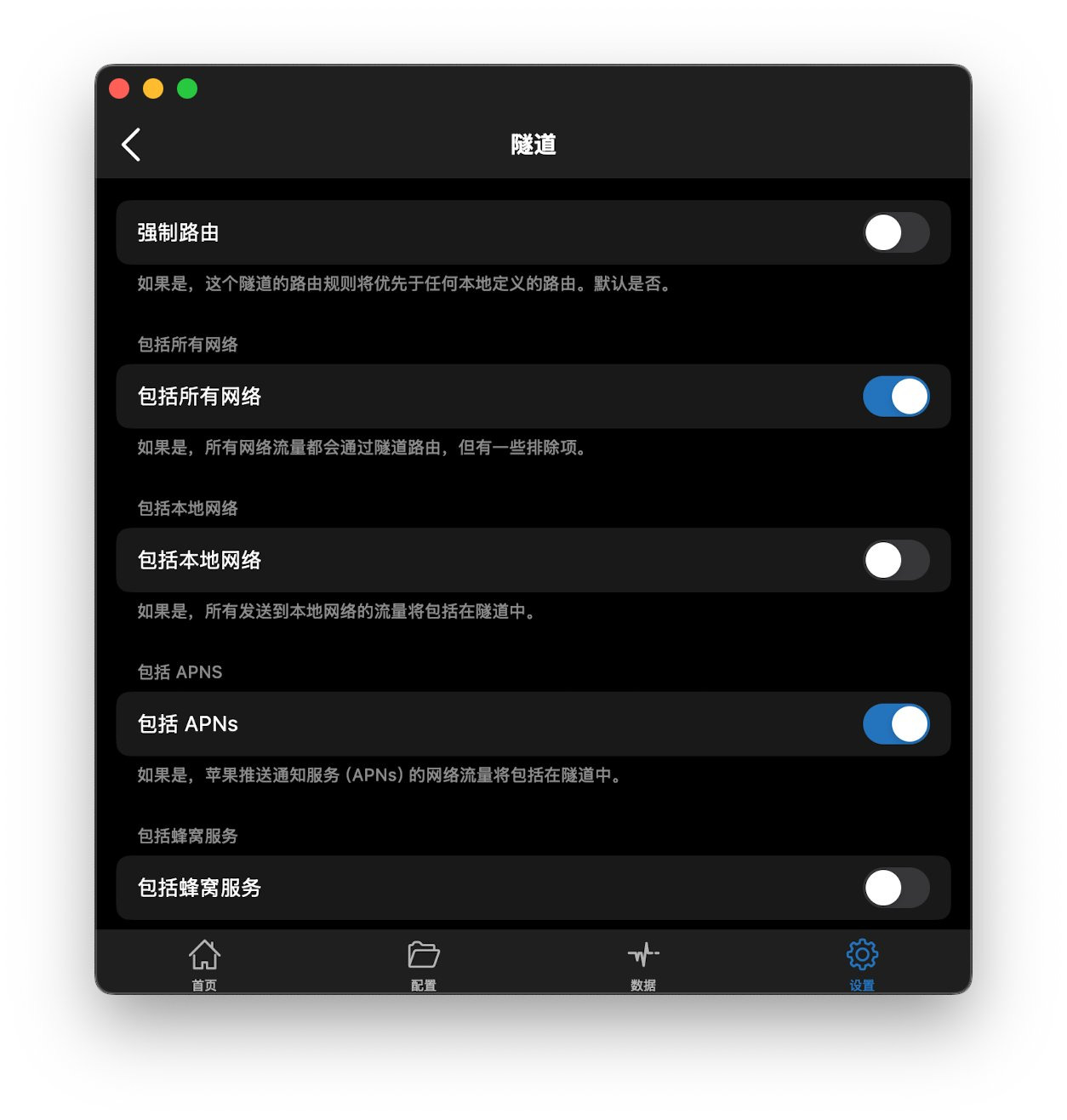
Some users report more reliable notifications in apps that depend on push, such as X or Telegram, after turning on “Include all networks” and “Include APNs.” That is anecdotal, not an official guarantee. Sending APNs through the tunnel can also make push worse on some networks; compare the two states yourself. The switches in the screenshot are only an illustration.
TUN mode: set proxy type to None
To use TUN mode, set Proxy Type to None. The interface labels that choice TUN Mode. This is an official option in the app; you do not install a separate TUN helper for this switch.
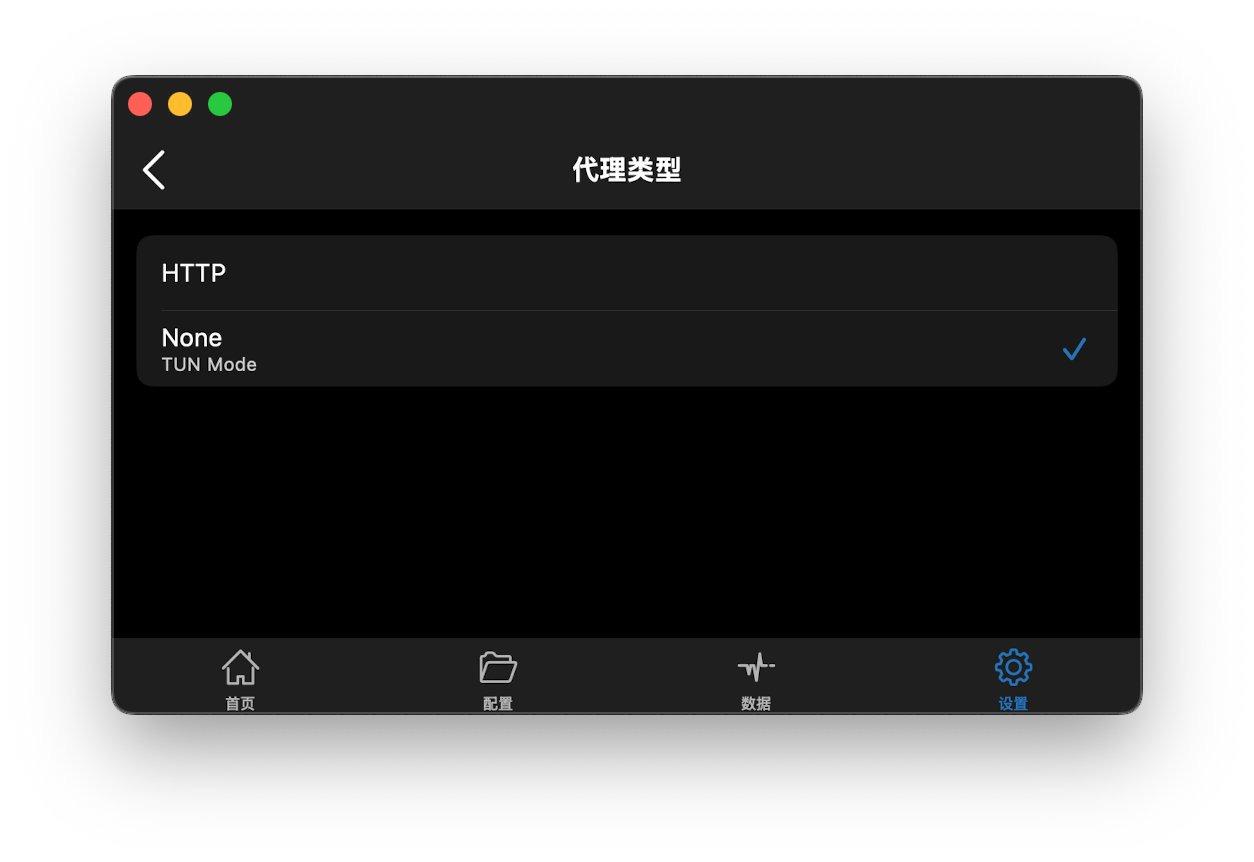
The same settings group has Proxy Address, with two choices:
- 198.18.0.3, labelled Default Tun HTTP Proxy Server.
- 127.0.0.1, labelled Loopback HTTP Proxy Server.
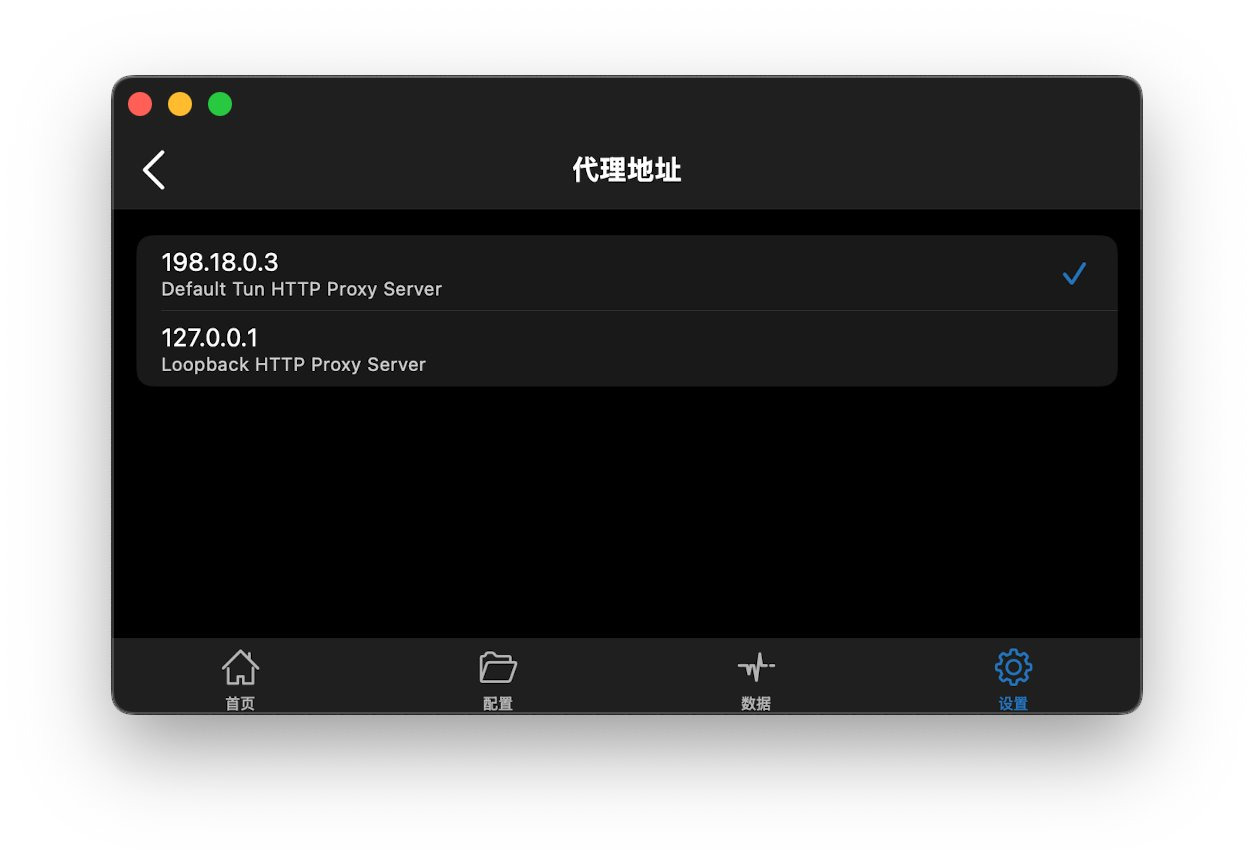
A common misunderstanding needs a correction: 198.18.0.3 is not a proxy server on the public internet. It is the app’s default local address in the TUN path. 198.18.0.0/15 is a documentation-and-benchmarks range, and proxy clients often use it for fake-IP mapping; it is not an address you can reach as a remote node. Which item to select should follow the on-screen wording and your system version that day. Do not paste this address into other software as if it were a remote endpoint.
TLS backends and fingerprints
The TLS page lists several backends, with labels along these lines:
- OpenSSL: TLS 1.3 / All iOS / Lower Memory, with a hint mark.
- SecureTransport: No TLS 1.3 / All iOS / Deprecated.
- Network: TLS 1.3 / At least iOS 12 / Limited.
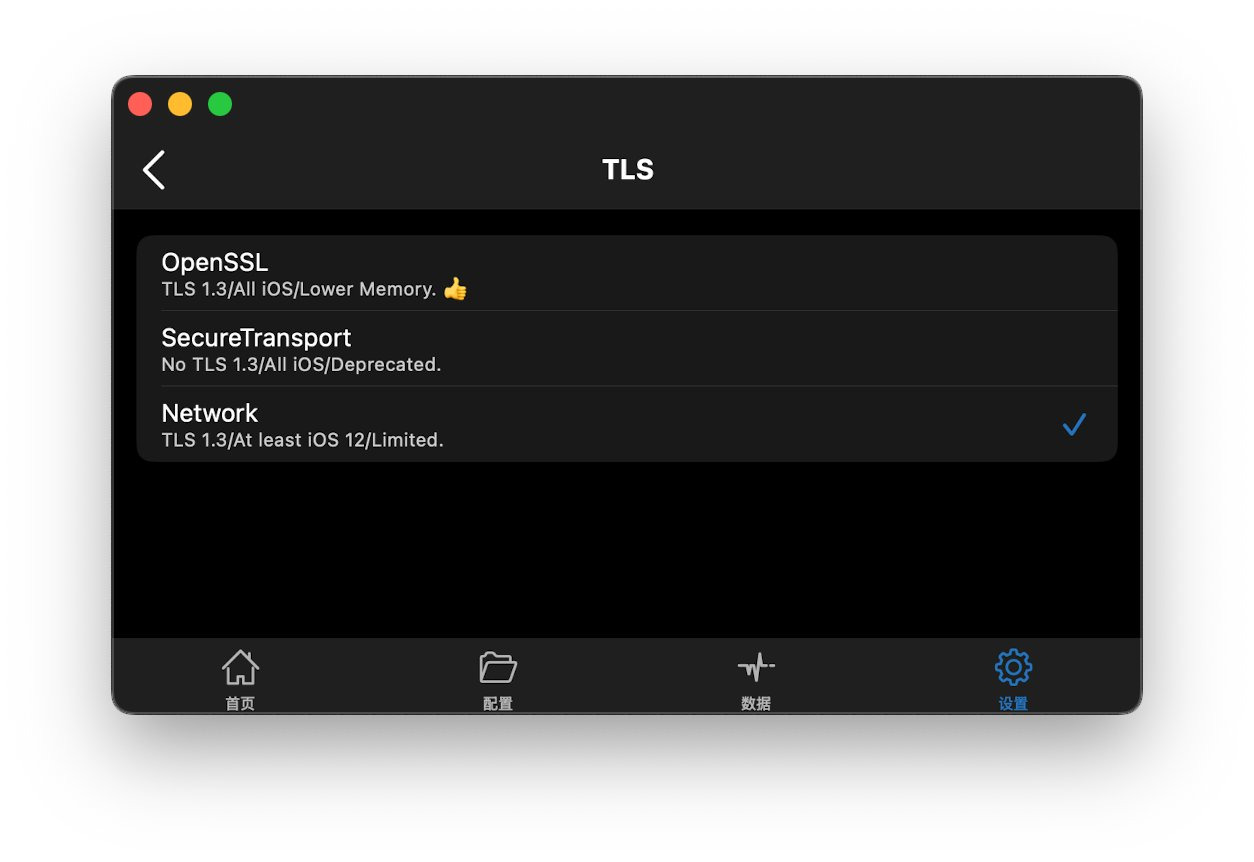
Two clarifications. First, the App Store minimum is iOS 13.0 — the app does not support iOS 12. “At least iOS 12” is the backend’s historical capability label, not a claim that the current app still runs on iOS 12. Second, the screen does not say “you must choose Network.” OpenSSL is marked as lower memory with a hint; Network is marked Limited. The workable choice depends on the node’s protocol, certificates and your device. If something breaks, switch back and compare; do not treat one user’s preference as a universal default.
Recent versions added TLS ClientHello fingerprinting and a profile picker. The Fingerprint page lists Safari, Chrome and Firefox profiles at various versions; some are additionally tagged “supports X25519MLKEM768” (a combination that includes a post-quantum key agreement). The example screenshot has Safari26_3 selected.
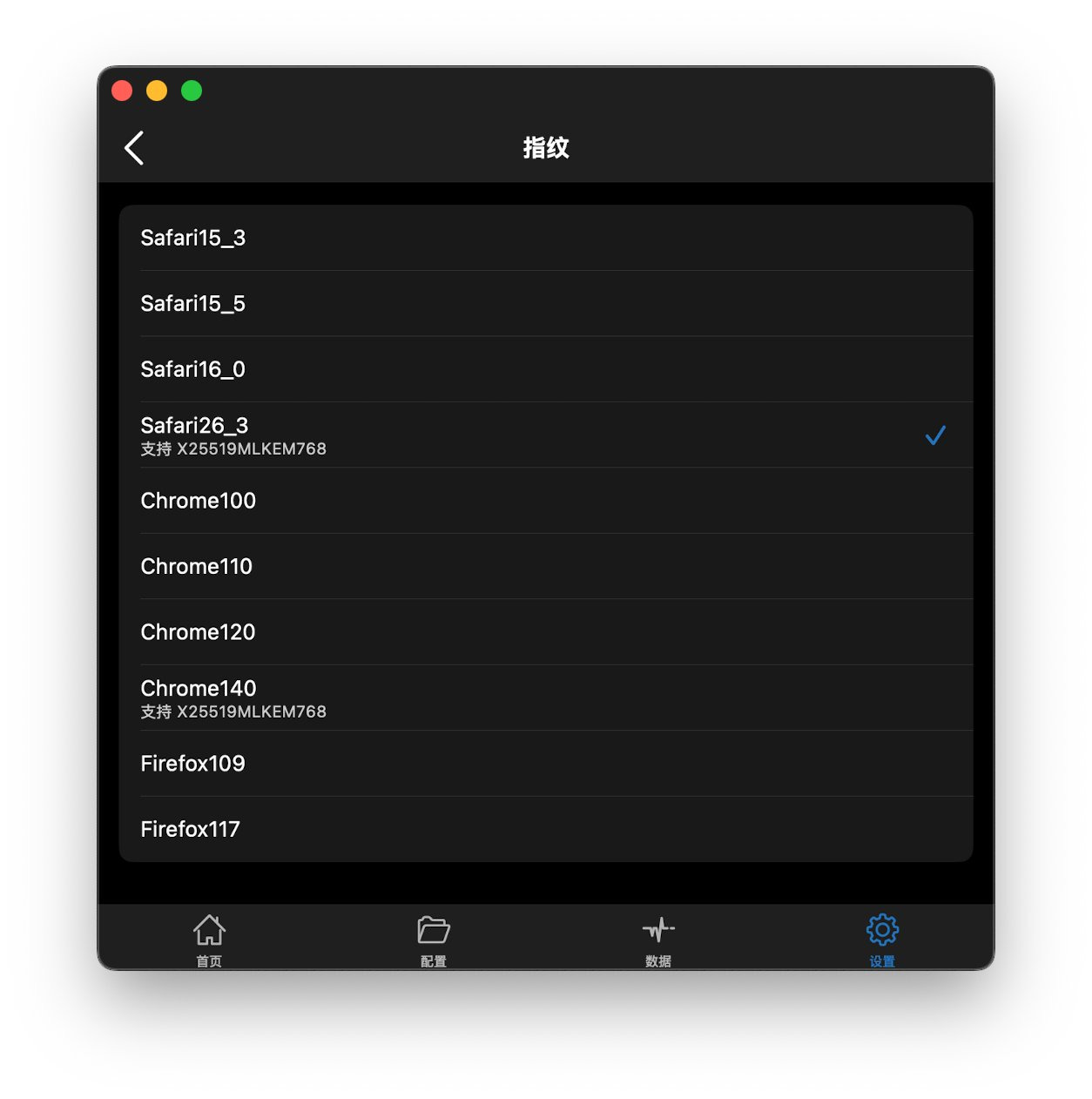
“Prefer a profile tagged for X25519MLKEM768” is a user preference, not a mandate. The handshake only works if the other end supports it too. Forcing an unsupported profile can prevent the connection. Follow the node’s documentation and the actual handshake.
GeoIP and third-party databases
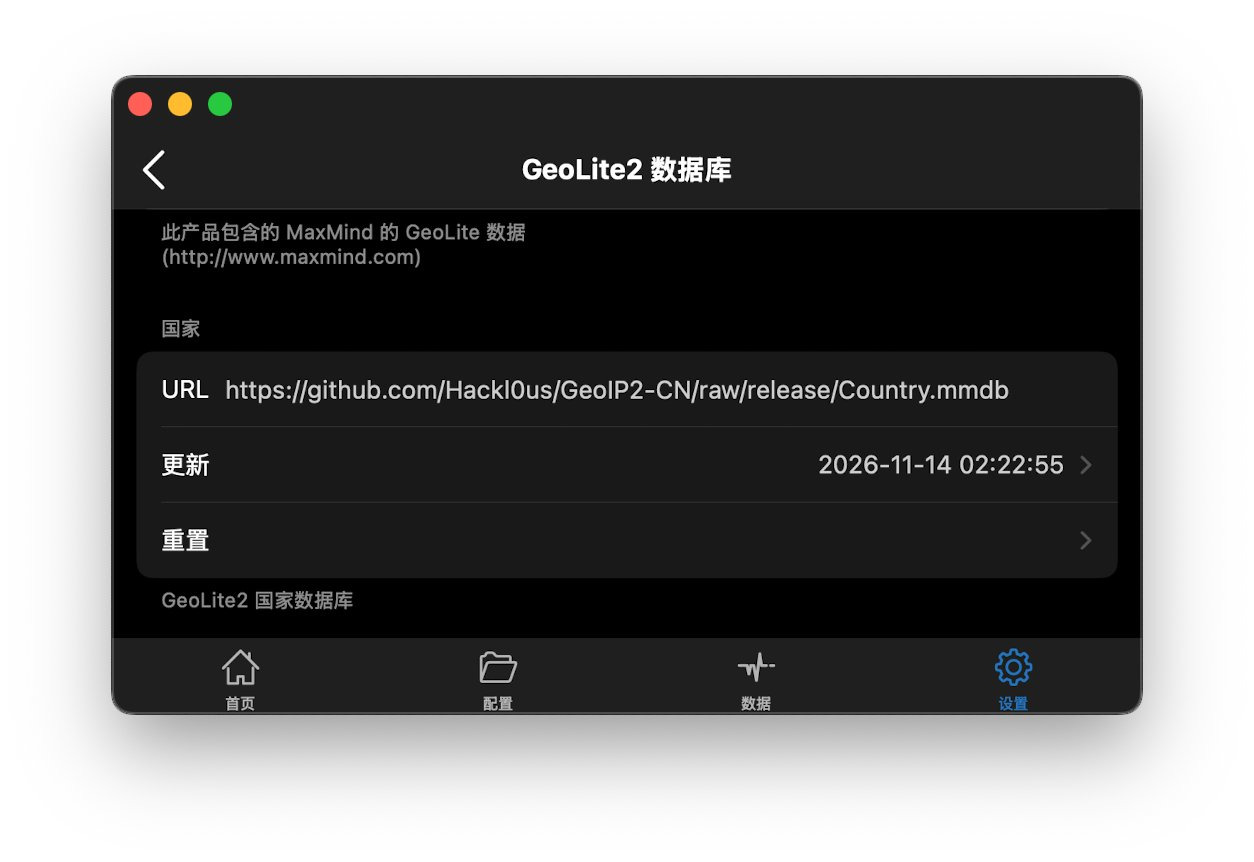
The in-app GeoLite2 Database screen states that the product includes MaxMind’s GeoLite data (www.maxmind.com). GeoLite2 is MaxMind’s free geolocation database, with its own licence and terms. It is updated less often and is less precise than paid GeoIP2; see MaxMind’s own documentation.
Some users replace the database URL with a community project, for example the Country.mmdb published by Hackl0us/GeoIP2-CN on GitHub. That is a third-party country database. It is not an official MaxMind database and not maintained by Shadowrocket. You must judge its accuracy, update cadence and licence yourself. A wrong URL or a stale file will make GEOIP rules mis-classify traffic. After testing, you can reset to the app’s default source. The timestamp in the screenshot is only that example’s last update.
Built-in Tailscale
Recent versions include a Tailscale module under Settings, so tailnet traffic can be handled inside the app. The options include Enable, Low Power Mode, an auth key, a control-server URL (default https://controlplane.tailscale.com), an exit node, and “Always use DERP” (force DERP relay and disable direct UDP). The copy says that, when enabled, Tailscale acts as a global module for tailnet traffic, and that changing the settings reloads the packet tunnel.
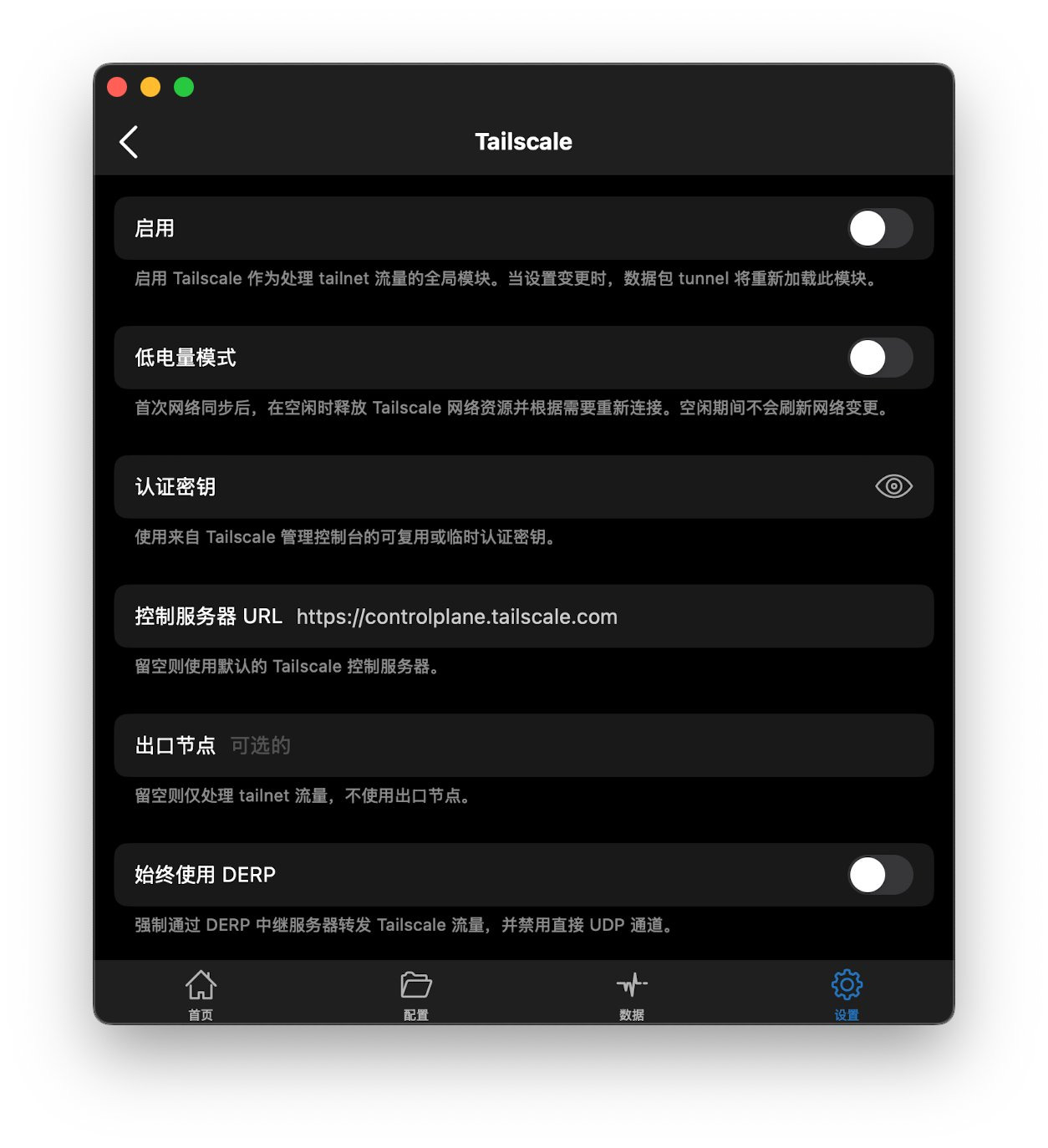
You do not necessarily need a separate Tailscale client on the same device in order to use a tailnet. You can still use the official Tailscale app instead. How the two interact should follow the Tailscale knowledge base and the in-app text that day. Auth keys come from the Tailscale admin console and may be reusable or one-off. Do not post keys in public or leave them visible in screenshots. This guide does not walk through a setup, and it does not promise that any particular combination of toggles will be stable. Exit nodes, subnet routes and MagicDNS also depend on your tailnet plan and access controls.
A few things to keep in mind
- The client is not a node. Neither the App Store nor the official site provides proxy servers. Nodes have to come from a service you are entitled to use. Expiry, blocks or a bad profile are not problems Shadowrocket can fix on its own.
- Rules and modules go stale. Ad domains, CDNs and site layouts change. A list that worked last year can break ordinary sites this year. If something goes wrong, disable the module you are unsure about or restore the default profile, then change one thing at a time.
- Copy changes with the version. The screenshots here come from user interfaces around November 2026. Option names, defaults and version numbers should be taken from the App Store page and the in-app text on your device.
- Stay inside the law and the other party’s terms. This is a networking utility, not a tool for unauthorised access, for bypassing paid paywalls, or for faking a location so that a bank or platform will accept you.
Official links
- Website: www.shadowlaunch.com
- App Store: Shadowrocket (id 932747118)
- GeoLite data: MaxMind
- Tailscale docs: tailscale.com/kb