Asda Mobile UK eSIM Keep-Number Guide: Low-Cost Giffgaff Alternative and Official Top-Up Rules
Asda Mobile online eSIM signup and keep-number notes, with official terms checked for the £5 minimum top-up (not the source’s £2 claim) and 180/270-day rules; T
What this guide covers
Source author @Wangdaso (long-form, 2026-07-27) positions Asda Mobile as a lower-cost UK number / SMS / keep-number option versus Giffgaff: checkout can select eSIM, avoiding physical-SIM shipping and native-device extract/convert steps.
This article checks official pages and terms. It does not invent personal tests. Claims such as a £2 minimum top-up or successful Telegram/WhatsApp signup are labeled as the source author’s report; where they conflict with Asda documents, the official text wins.
Official: Asda Mobile · Topping up · Rates & charges · Terms PDF
Official checks (important)
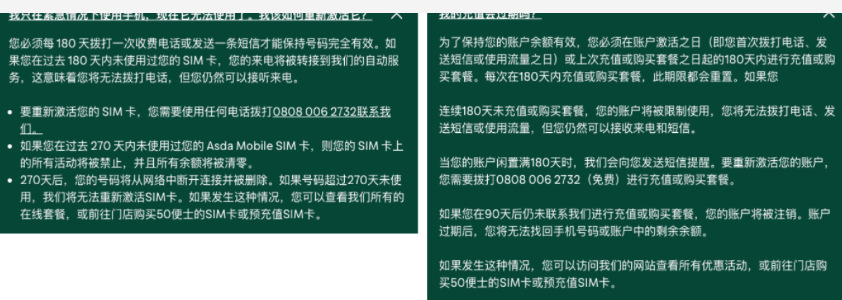
| Topic | Source post | Official check (at capture time) | | --- | --- | --- | | Online top-up minimum | £2 | Terms 4.2: £5 minimum, £50 maximum per transaction; £500 balance cap | | Keep number | Paid use every 180 days | Support: chargeable call or text every 180 days; ~270 days idle can bar service and delete the number | | eSIM | Available at checkout | Homepage states eSIM at checkout; per-plan availability follows the live basket | | Cards | Try foreign / crypto cards | Source also notes UK-issued cards are preferred; overseas cards are not guaranteed | | TG / WA | Author success | Anecdote only |
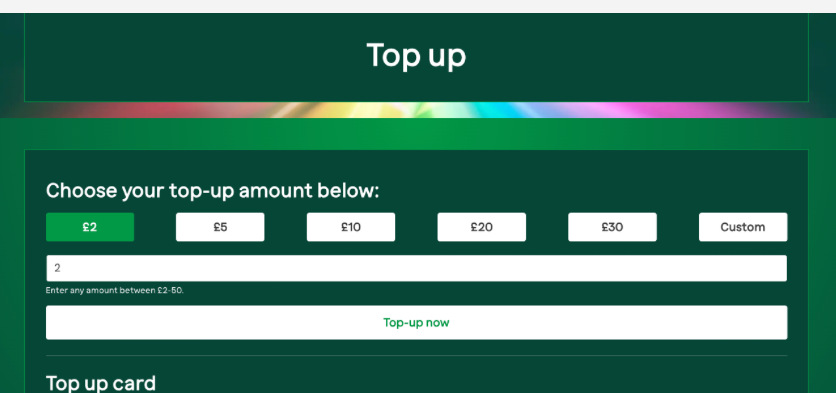
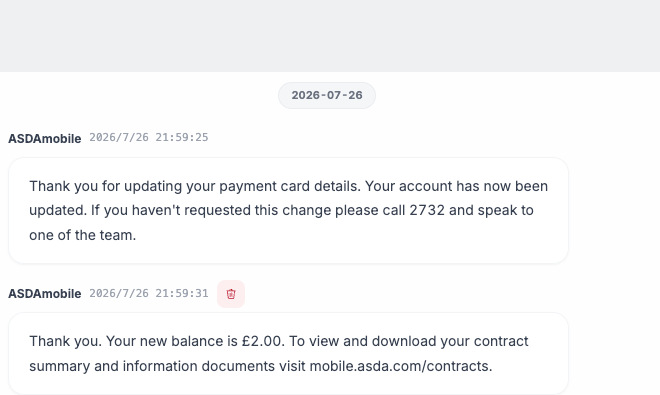
A screenshot showing a £2.00 balance does not override the contractual £5 minimum purchase for a top-up. Verify the live Top-up UI before paying.
Who it may suit
Maybe: You need a UK mobile number for SMS/signup, accept PAYG, can supply a usable UK address, and have a card that clears payment.
Caution: Heavy UK data needs, reliance on non-UK cards, no usable UK address, or a must-have physical SIM. Do not assume international cards that work on Giffgaff will clear Asda.
Asda Mobile runs on a Vodafone partner network. Roaming rates vary—turn data roaming off for keep-number use.
Before you buy
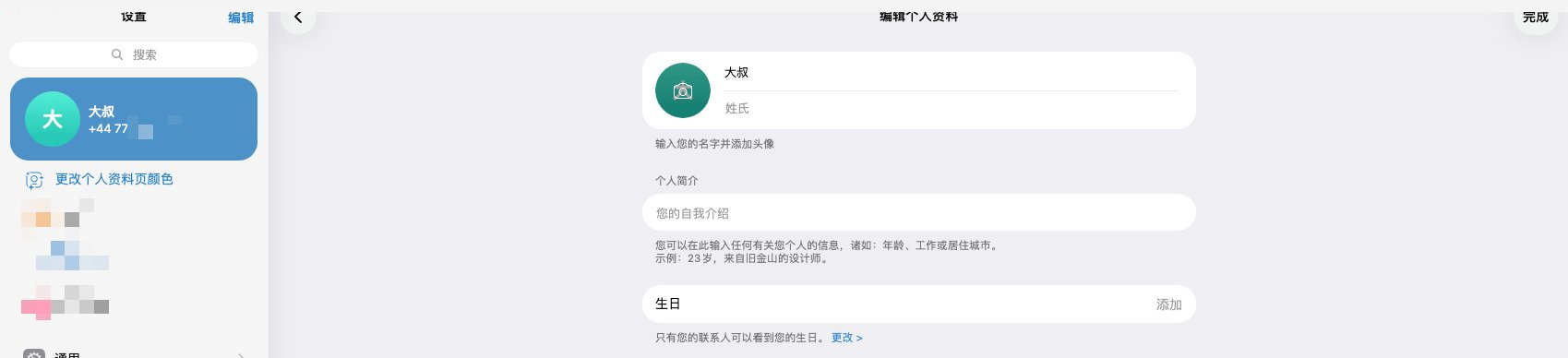
- eSIM-capable phone or writer (author used an iPad writer—author’s setup only)
- Payment card (checkout shows Visa/Mastercard; UK-issued more reliable per source/terms context)
- Stable network
- Real UK billing/contact address—never fabricate
Buy and install
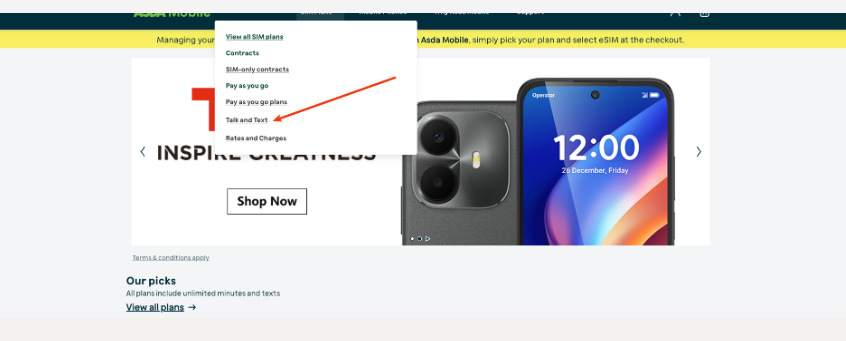
- Open mobile.asda.com and pick a PAYG-style plan.
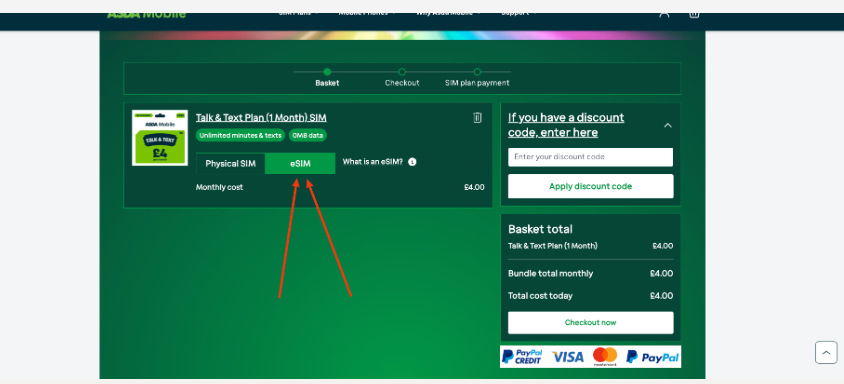
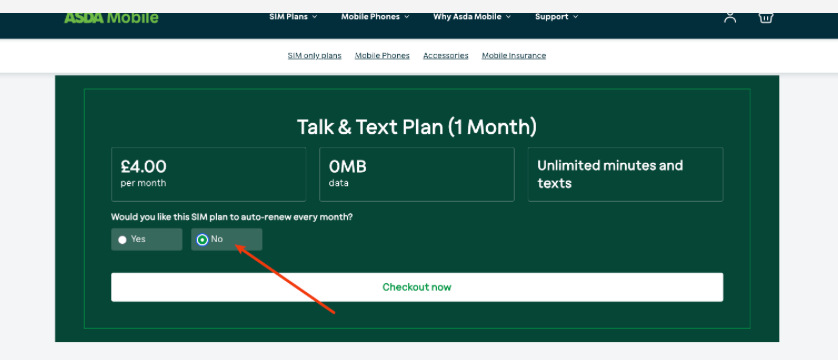
- Source used a cheaper Talk & Text-style plan (~£4/month then—confirm live).
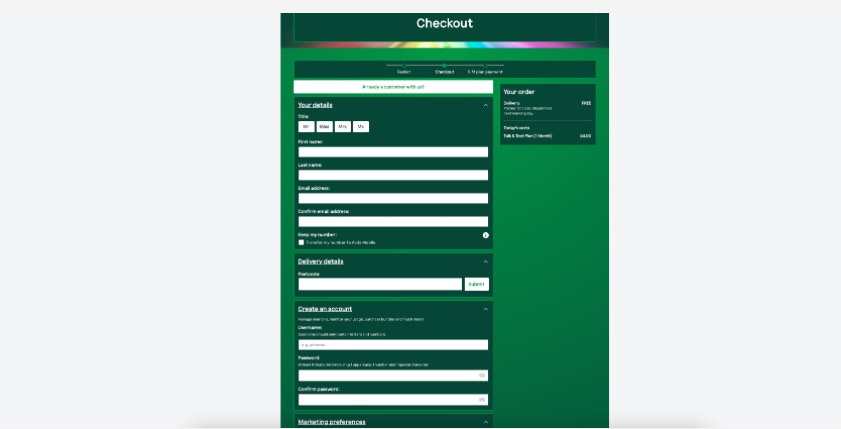
- At checkout choose eSIM; disable auto-renew if you do not want recurring charges.
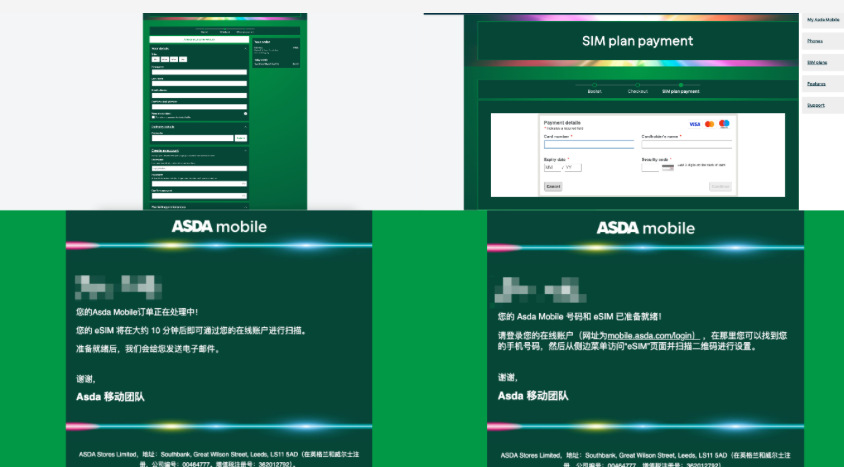
- Enter details, create the account, pay.
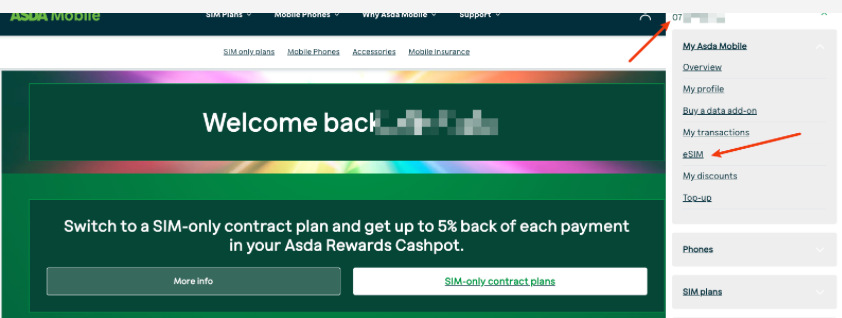
- After confirmation, sign in at My Account, open eSIM, scan the QR code.
Turn off auto-renew
The first month mainly opens the number. For SMS-only keep-number use, disable Recurring / Auto-renew in My Account. Exact labels follow the live page.
Top-up and keep-number (official)
- Online top-up: £5–£50 per transaction per terms—not the source headline’s £2.
- Monthly plans ≠ PAYG credit. Follow both “periodic top-up/plan” and “chargeable use” rules on the support pages.
- Practical keep-alive: about every 150 days, send one chargeable SMS to a normal UK mobile (~£0.10/SMS on the public rates table—re-check).
- Powering on, receiving free SMS, or Wi-Fi alone may not count.
Roaming and data
PAYG data can be expensive (author cited high per-MB notices—confirm your SMS and the rates page). For keep-number: disable Asda mobile data and data roaming; enable only to send the keep-alive SMS; be careful with inbound roaming calls abroad.
Do not casually delete the eSIM
QR codes may have install limits. Before wiping a phone, check transfer options in-account or with support. Turning a line off ≠ deleting the eSIM profile.
Source app tests (not ours)
The author reported Telegram and WhatsApp SMS signup success. This guide does not claim the same outcome for you.
Checklist
- Plan → eSIM at checkout → pay (approval not guaranteed).
- Install from My Account; disable unwanted auto-renew.
- Keep PAYG credit with the official £5+ top-up and periodic chargeable use.
- Disable data roaming; do not casually delete the eSIM.
- Treat £2 and TG/WA success as anecdotes.
Sources
- Source post: https://x.com/Wangdaso/status/2081578093173453158 (@Wangdaso; no invite codes)
- Official Asda Mobile site, Topping up, Rates & charges, Terms §4.2 (£5 minimum top-up)
- BiyaPay not involved. Re-check live pages before ordering.