JAL Pay Virtual Card Guide: JMB Signup, Apple Pay, Eligibility and Top-up Fees
Walk through JAL Pay virtual-card setup and Apple Pay, verified against official pages: Japan residents 12+ on JMB; Visa top-ups often 2.75%; prepaid/debit cann
What this covers
JAL Pay is Japan Airlines’ Mastercard prepaid wallet inside the JAL Mileage Bank (JMB) app. You can add the virtual card to Apple Pay for QUICPay+ / Mastercard contactless in Japan and for online use. It is prepaid—not a credit card.
This guide reconstructs the public signup flow from a shared thread and cross-checks eligibility, top-up fees and course limits on official pages. The source author stated they only confirmed card setup, not funding. We do not invent “tested top-up” claims, and we do not guarantee any overseas card or bank rail will succeed. Always re-check JAL Pay.
Read this first (official eligibility)
- Official eligibility: Japan residents aged 12+ who are JMB members; minors need a legal guardian’s consent. Foreign nationals may apply if they live in Japan. A Japan phone number alone does not replace residency.R1R5
- A smartphone that can receive SMS is required for app use. A Japan number / eSIM is a practical detail, not a residency waiver.
- Enter a real Japan residential address. Fabricated addresses create compliance risk.
- JAL Pay ≠ JAL NEOBANK. Do not enroll in NEOBANK just to finish the virtual-card path—foreign-national bank KYC usually needs a residence card (在留カード) or special permanent-resident certificate.
- Prepaid/debit cards cannot use the credit-card top-up rail, which needs a qualifying card with 3D Secure 2.0. Visa credit top-ups usually cost 2.75% tax-included (excluding JAL Card and some Saison-logo cards); Mastercard / JCB / Diners are generally free of that fee.R2
- Your course controls limits and overseas capability. “コース未選択” has low domestic limits and no overseas shopping/FX. Higher courses need NEOBANK settings and/or identity documents (often including My Number) per the course page.R3
- Side comments in the thread (ANA Pay signup pauses, Rakuten eSIM notes, etc.) change quickly—verify each product’s own site. This guide does not endorse them.
- Source promo-code placeholders are removed. No third-party invite codes are included. BiyaPay is unrelated here.
What to prepare
- JAL Mileage Bank (JMB) app
- An email inbox for the enrollment link
- A Japan mobile number that can receive SMS (common in practice; official materials stress SMS capability)
- Passport romanization plus kanji name, furigana, DOB, gender, real Japan address, and occupation
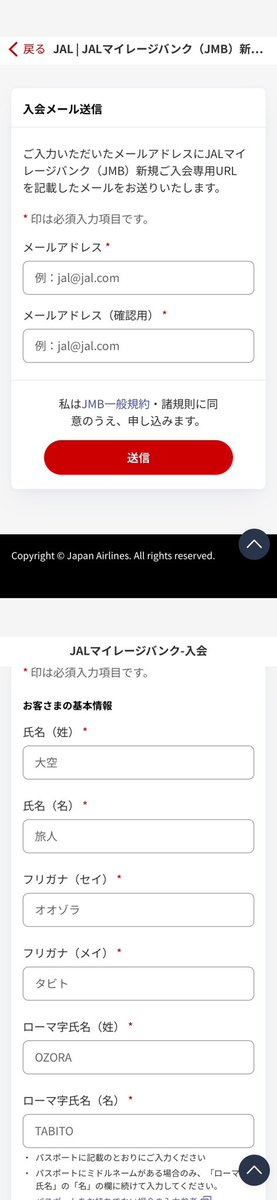
Setup flow (thread UI path + official boundaries)
These steps mirror the shared screenshots so you can follow the UI. Approval still depends on official eligibility and risk checks.
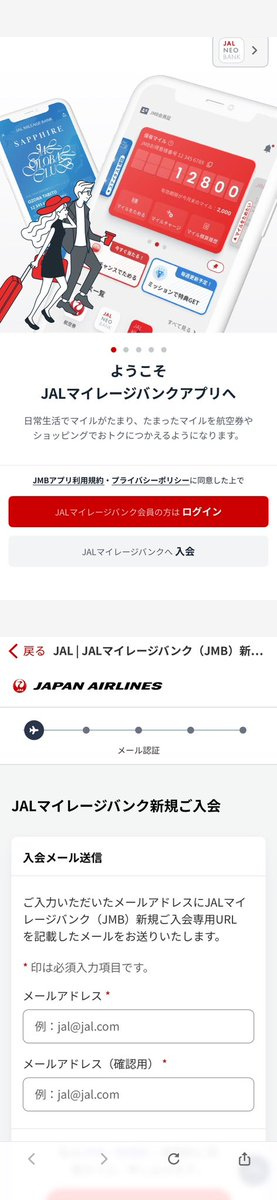
1. Install the JMB app and tap join
New members enter email twice, then open the dedicated enrollment link from mail.
2. Enter basic information
Kanji name, furigana, romanization (passport uppercase), DOB, gender, address, Japan phone, occupation. Rare kanji may render as numeric HTML entities; verify romanization/furigana/DOB/gender before submit.
3. Finish JMB enrollment and sign in with the membership number
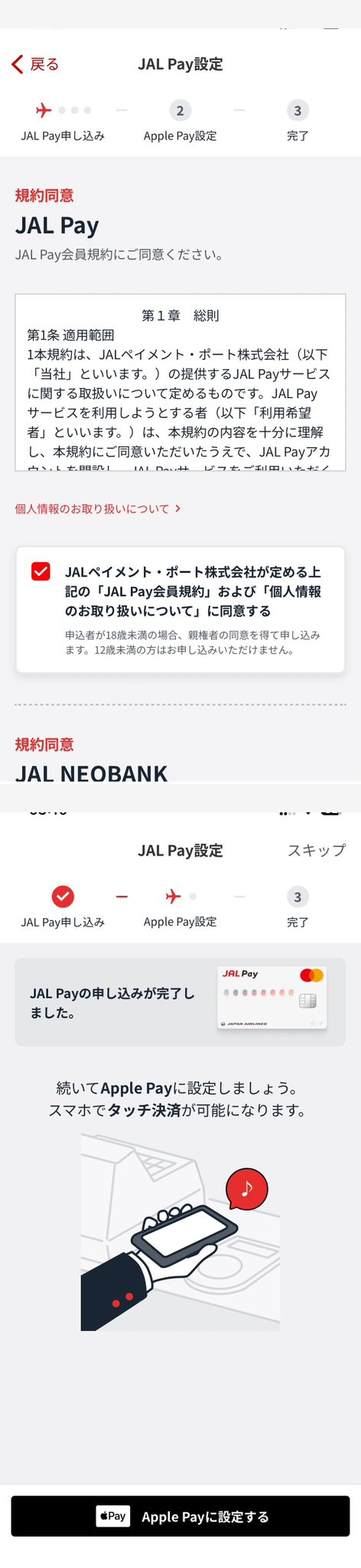
4. Open JAL Pay setup and accept the JAL Pay membership terms
Path sketch: JAL Pay → “JAL Payを設定” → agree to terms. Accept the JAL Pay agreement. Do not open NEOBANK just for this virtual card.
5. Set a 4-digit PIN; leave promo blank
Avoid birthday-like PINs. The source said the prior newcomer promo had expired; this guide does not distribute invite/promo codes.
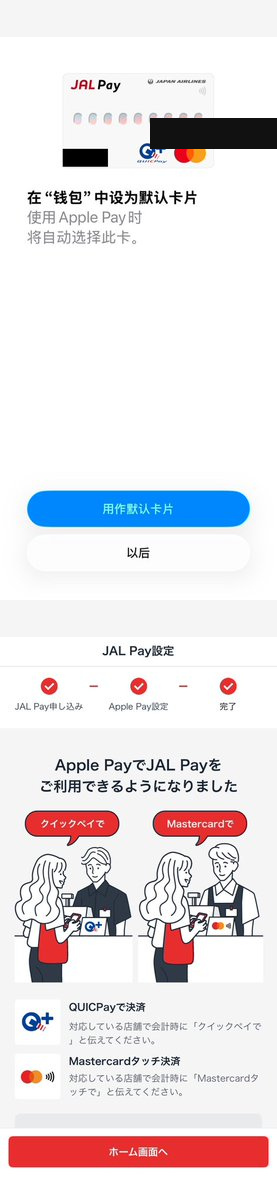
6. After application completion, add Apple Pay
Use “Apple Payに設定する”, add the card to Wallet, and optionally make it default. In stores, say “クイックペイで”, “マスターカードで”, or “タッチ決済で”.R4
Top-up methods (official list; funding not personally verified here)
- Credit-card top-up: commonly ¥1,000–¥50,000 per charge; 3D Secure 2.0 required; no prepaid/debit; Visa usually 2.75%; Mastercard/JCB/Diners generally free of that fee. Credit-card-funded balance is typically non-withdrawable overseas ATM / non-pre-exchange.R2
- Bank transfer to the designated accounts; remitter name = JMB number + katakana name; bank fees extra; minimum about ¥1,000.
- Internet banking via listed Japanese banks (Mizuho, MUFG, SMBC, Resona, Saitama Resona—confirm live list).
- JAL NEOBANK / docomo SMBC Net Bank account transfer if you actually have that account.
- Miles charge when you have miles; timing differs by course.
Settlement time and issuer 3D Secure support must be confirmed live.
Course / limit risk (time-sensitive)
| Course | Domestic shop | Overseas shop | Balance cap (overview) | Notes | | --- | --- | --- | --- | --- | | 未選択 | Yes (low) | No | ~¥50,000 | Low top-up caps too | | ショッピング専用 | Yes | Yes | ~¥300,000 | Often needs NEOBANK transfer setup | | ショッピング+ATM | Yes | Yes + ATM | ~¥1,000,000 | ID docs required to switch |
Limits and earn rates change (e.g., prior 未選択 top-up cut; 2026 earn-rate notes). Re-open コースのご案内 before you rely on a number.
Common mistakes
- Treating a Japan phone number as proof that residency is optional.
- Assuming card setup means top-up will work—especially with debit/prepaid cards on the credit rail.
- Enabling NEOBANK without a residence card.
- Expecting overseas shopping on コース未選択.
Sources and timing
Checked on 2026-11-09 Asia/Shanghai (UTC+8) against JAL Pay home, charge, course and Apple Pay pages. Rules change—trust the live site/app. Source post: https://x.com/qiyouqiu114/status/2119307809183387810.