CALENDAR Rakuten eSIM: ¥3,100 for 6 months, 3GB a month, SMS receive only
CALENDAR WORLD's Rakuten prepaid eSIM is listed at ¥3,100 tax included for 6 months and 3GB a month. Overseas roaming is up to 1GB inside that 3GB, and SMS is r
What this is
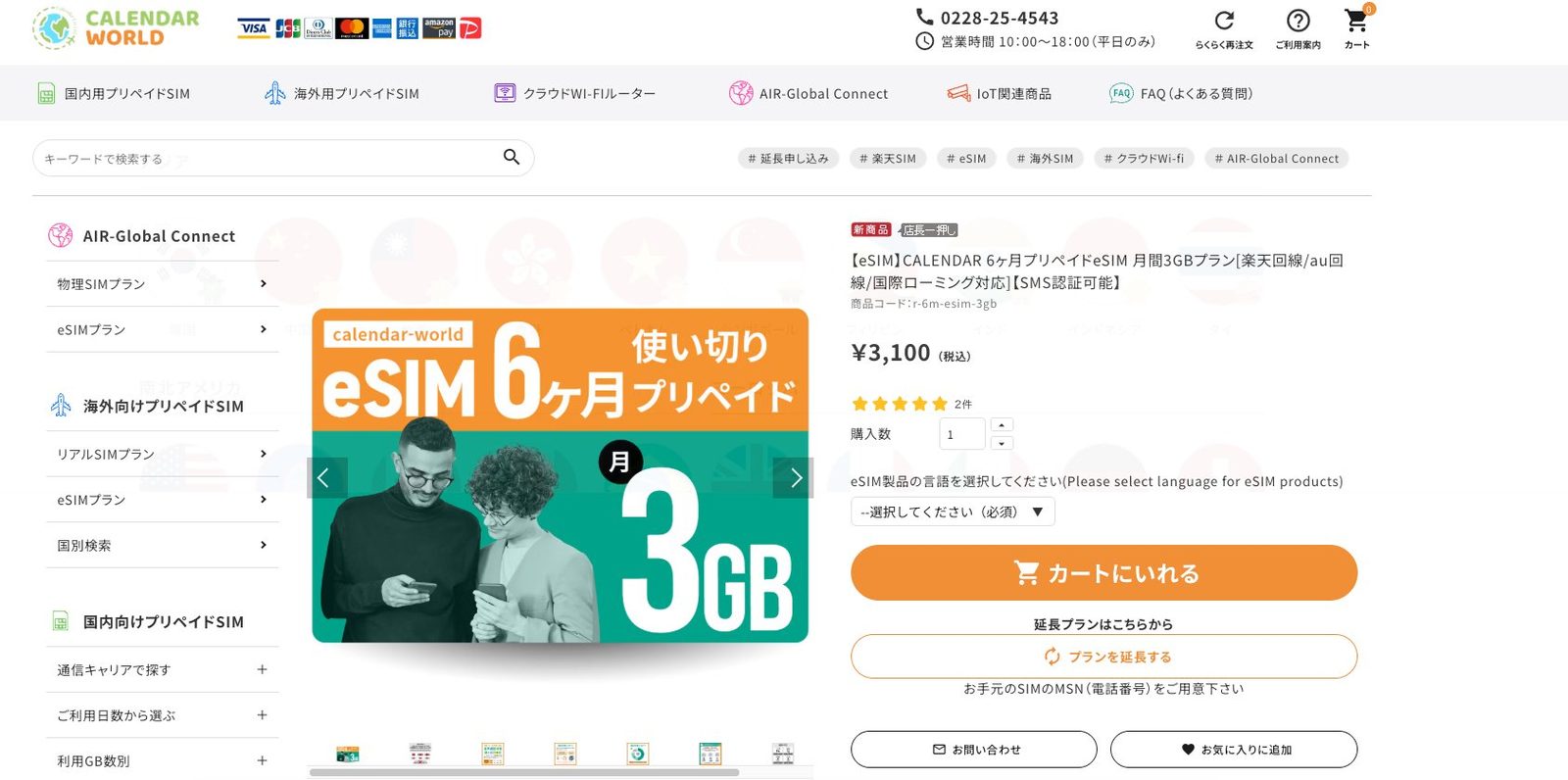
CALENDAR WORLD (jpsimshop.com) sells a prepaid Rakuten Mobile eSIM. The 6-month, 3GB-per-month item is ¥3,100 tax included, product code r-6m-esim-3gb. The page lists a Rakuten line, the au partner network, international roaming, and SMS.
This is not a data-only travel eSIM. The shop says SMS is receive-only. A 7 November 2026 follow-along activated it in mainland China, received a 070 number, and got SMS from a few Japanese services. The shop does not promise a 070 number.
Before you start
- Check the live product page. On 7 November 2026 it was ¥3,100 tax included for 6 months, 3GB of high-speed data per month. The au partner line and overseas roaming are each capped at 1GB per month, and both count inside the 3GB. After that, speed drops to at most 200kbps, or 128kbps while roaming. The quota resets on the 1st.
- Receive-only SMS. You cannot send SMS, and Rakuten Link is not included. The shop says some services (Lawson Ticket is the example they give) may not deliver a code. Abuse of overseas SMS can get the line shut off.
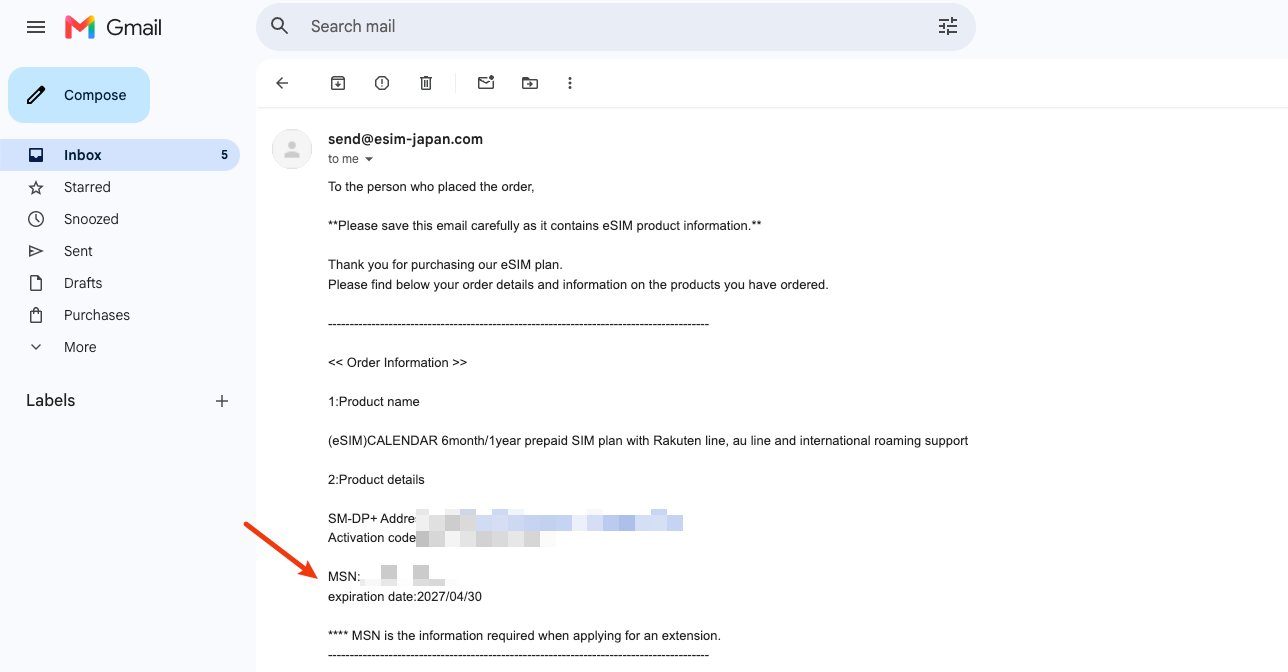
- The purchase month counts as one of the six. A November 2026 order email showed service through 30 April 2027. Installing later does not extend that date.
- The original QR code is generally single-use. A reissue can take weeks, and the old eSIM stops when reissue starts.
- On 4 November 2026 the shop said some overseas IP addresses cannot open checkout. That can also hit a later renewal. This guide does not describe a workaround.
- Use your own name, address, and email. Do not use a disposable SMS number as the contact phone.
Steps
1. Open the right item
Open the 6-month, 3GB eSIM. The title should mention Rakuten, au, international roaming, and SMS. Choose an eSIM language you can read, then pay.
The account form asks for your name, katakana, email, phone, and address. The shop says the activation email can take up to about 45 minutes. Check spam.
2. Install on Wi-Fi and save the MSN
On iPhone, add the eSIM from Settings, Cellular, using the QR code. Some Android phones need a manual APN. The product page says most phones set it automatically.
The email contains the SM-DP+ address, activation code, the MSN (the Japanese number), and the end date. Do not share the code or the number. Renewal asks for that MSN.
3. Test SMS and roaming while the plan is active
The 7 November 2026 follow-along says activation worked in mainland China on a China Unicom signal, the number started with 070, and four Japanese card apps delivered SMS. Roaming looked like a Japan IP. That is one session, not a promise for every site.
Turn roaming on after you land overseas, which is what the product page says to do.
4. Renew on a separate item, before the end date
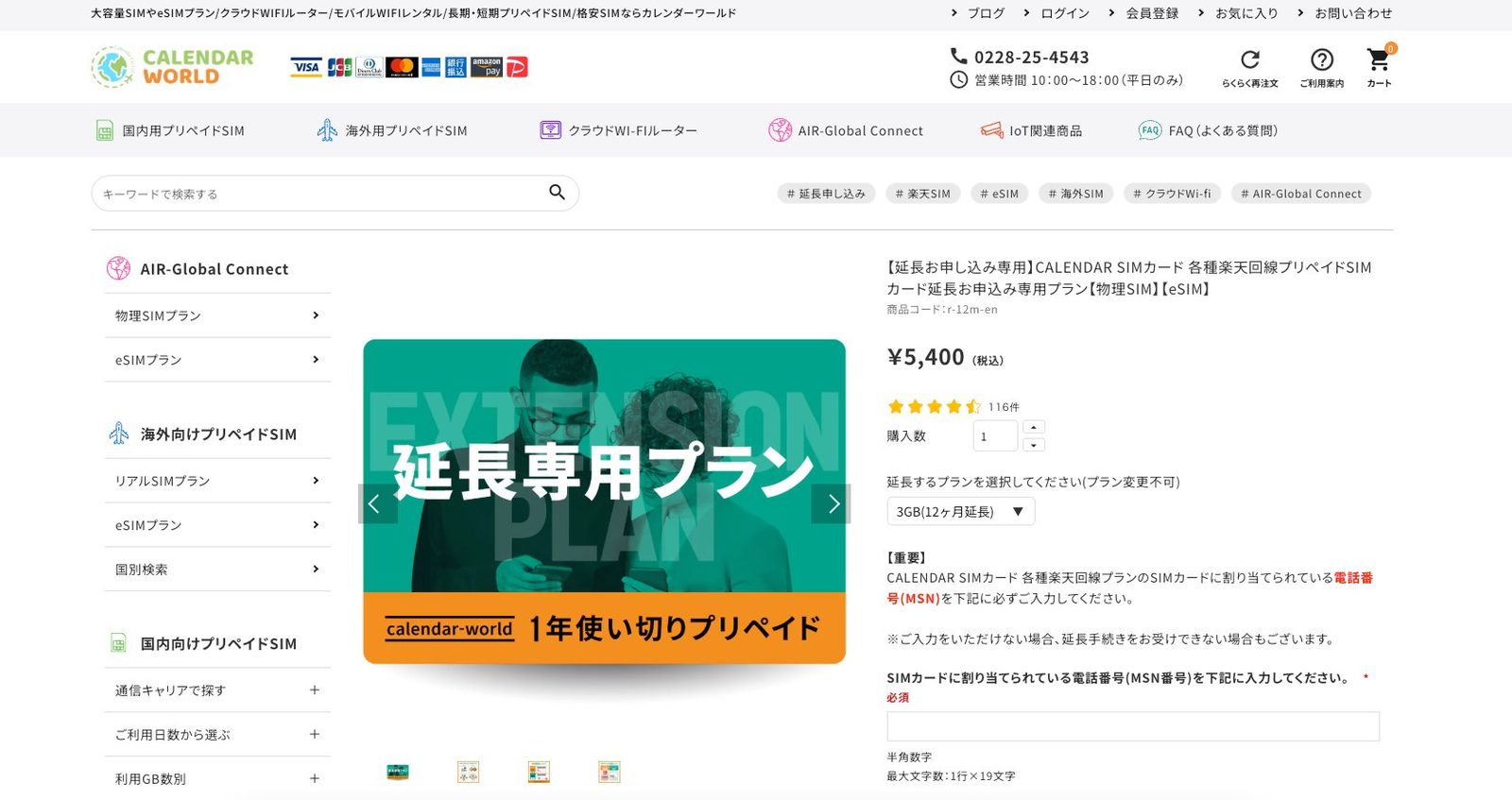
A 12-month extension is listed at ¥5,400 tax included: extension page. It asks for the original MSN and says you cannot change plan there.
The follow-along quotes a cutoff of the 15th of the expiry month, 14:00 Japan time, with a possible move to the next business day if the shop is closed. Only specified CALENDAR products qualify. A Rakuten line bought elsewhere cannot be renewed here. Keep the original order details. The shop may text a reminder about two months ahead. If you are abroad and miss that SMS, keep your own date.
Carddoger summary
Use this if you want a Japanese number that can receive SMS, a small monthly data quota, and a published way to extend the same line. ¥3,100 for six months and ¥5,400 for twelve more were the shelf prices when this was checked. It does not make calls, does not send SMS, and does not guarantee a code from any Japanese bank or wallet. Mainland first-time setup and long-term roaming rest on one 7 November 2026 follow-along, not on an official promise.