iFAST Global Bank Account Guide: Apply Online with a Chinese ID and Chinese Proof of Address for a UK Multi-Currency Account
iFAST Global Bank is a UK digital bank authorised by the PRA and regulated by the PRA and FCA. Apply online for a free multi-currency account with a Chinese ID
What this covers
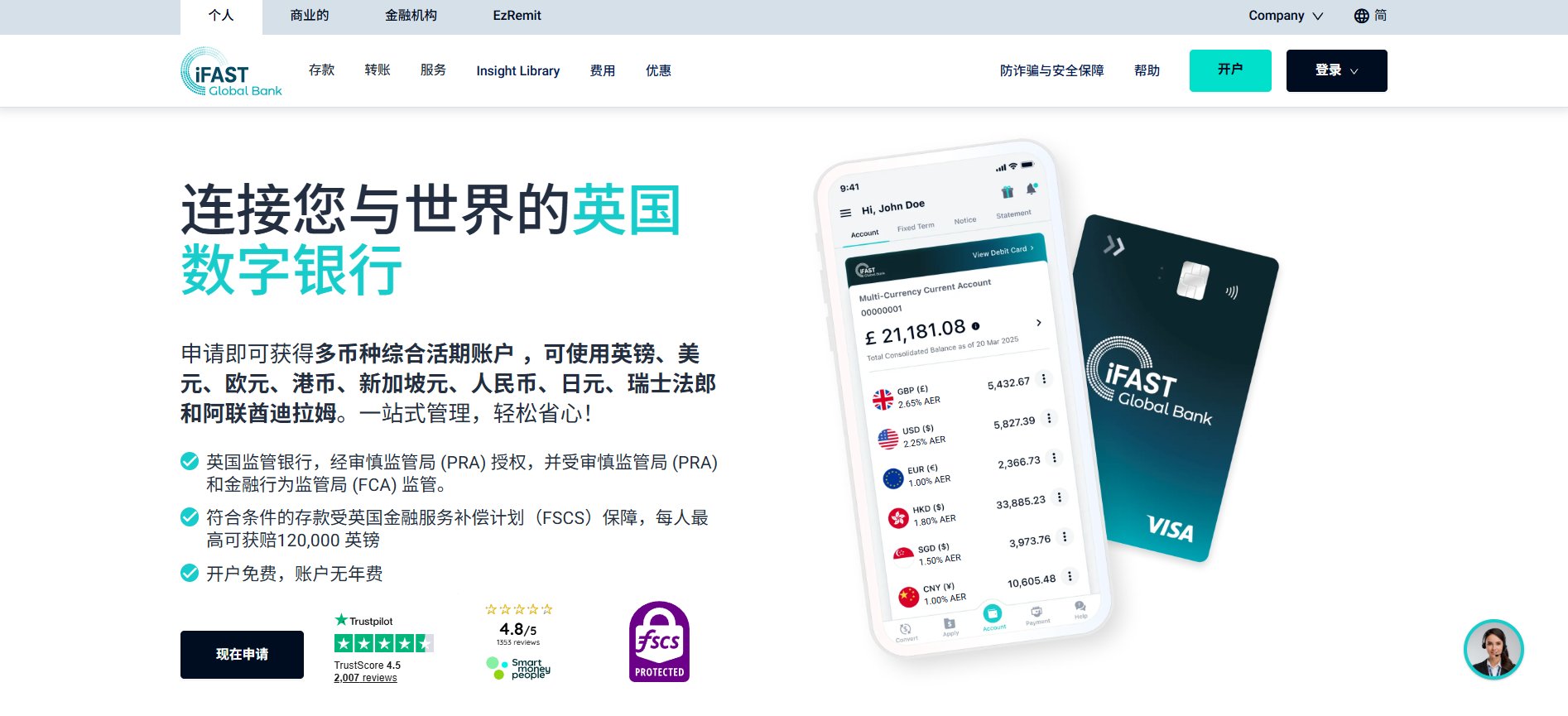
iFAST Global Bank is a UK-licensed digital bank, authorised by the PRA and regulated by the PRA and FCA. Personal clients get a Multi-Currency Current Account; the official site currently lists GBP, USD, EUR, HKD, SGD, CNY, JPY, CHF, AED, CAD and AUD, with UK account details plus IBAN / SWIFT payments.
This guide walks through the web application step by step for mainland China residents applying online with a national ID (or passport / Mainland Travel Permit for HK & Macau) plus a Chinese proof of address. With documents ready, the form takes about 20 minutes. Opening is free with no annual fee and no minimum balance (per the official site), but every application is reviewed individually — completing the flow does not guarantee approval.
Before you start
- Email: use one you will keep long-term. It becomes your online-banking login and receives codes and review notices.
- Phone: the form lets you pick a +86 China mobile number.
- ID: Chinese national ID card, passport, or Mainland Travel Permit for HK & Macau residents — any one.
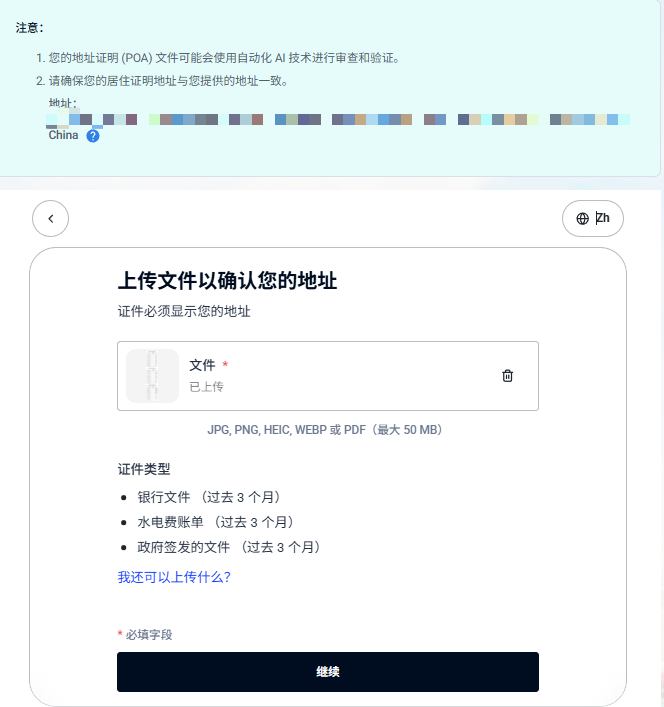
- Proof of address: issued within the last 3 months, showing your name and full address. Official options include bank statements, utility bills and credit-card statements (the upload page also lists government-issued documents). It is first checked by automated AI review and must match the residential address on your application.
- Device: a desktop browser works; if you have no camera for ID / selfie capture, switch to your phone's browser.
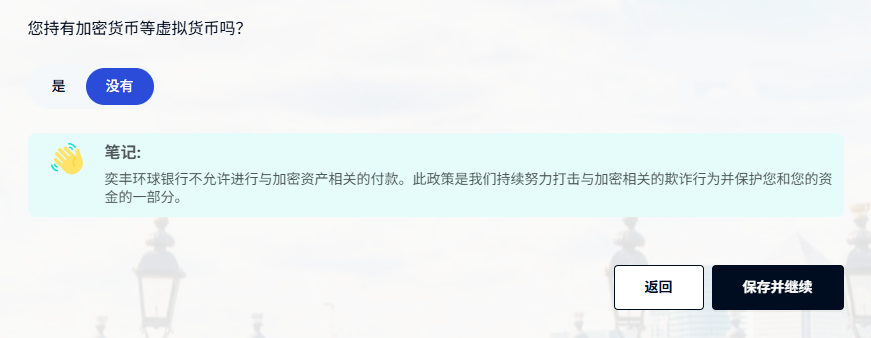
- Crypto: the form asks whether you hold crypto and states that iFAST does not allow crypto-related payments. Don't plan to use it as an exchange on/off-ramp.
- Fees: same-currency outbound transfers carry fixed fees (e.g. GBP £15, USD $18, EUR €12); cross-currency transfers are listed as free but include an FX spread; sending / intermediary banks may deduct charges. See the official fee document.
- Protection: eligible deposits are covered by the UK FSCS up to £120,000 per person (official wording). FX losses, mistaken transfers and scams are not covered.
Steps
1. Open the official site and click "Open account"
Go to the iFAST Global Bank website. You can switch the language to Simplified Chinese at the top right, then click "Open account".
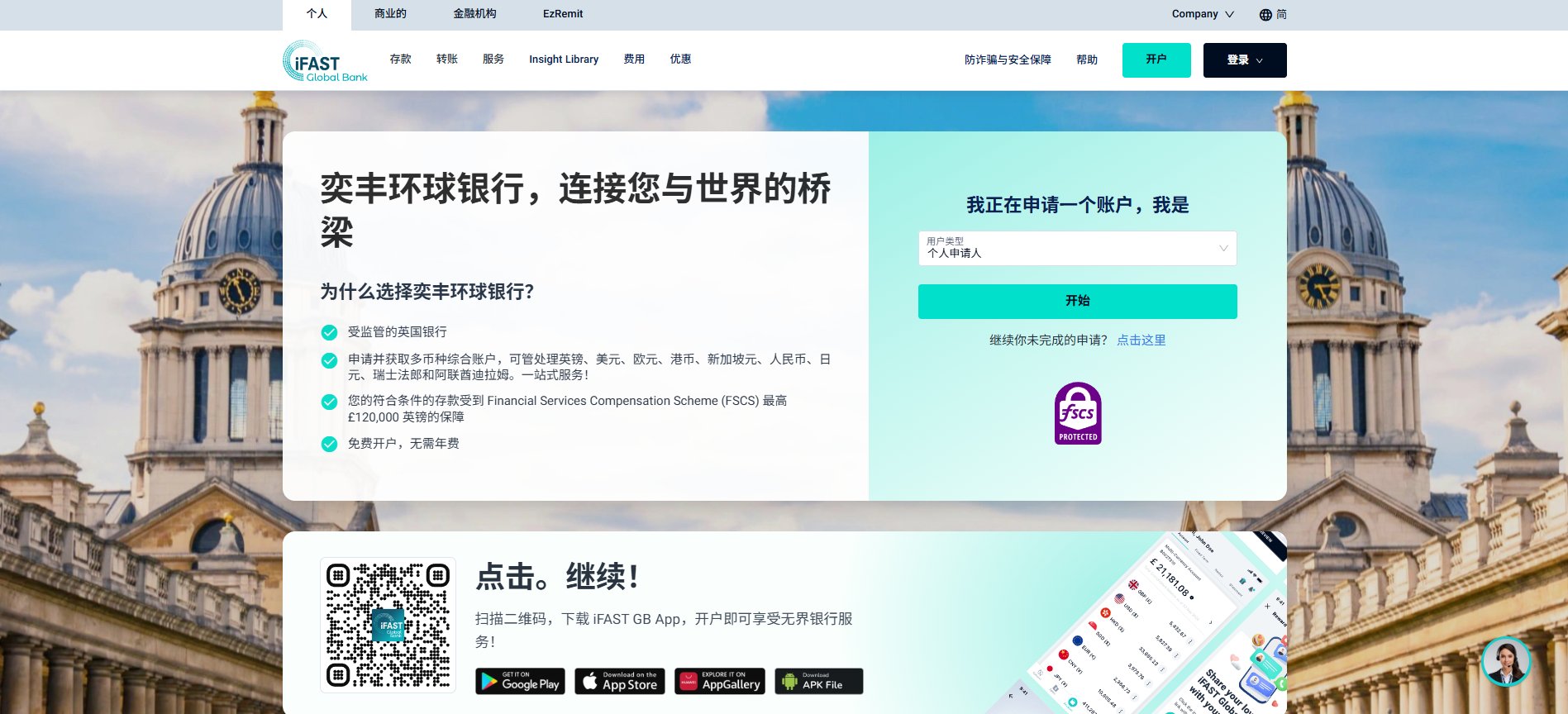
2. Choose "Individual applicant"
In the applicant-type dropdown choose "Individual applicant" and click "Start".
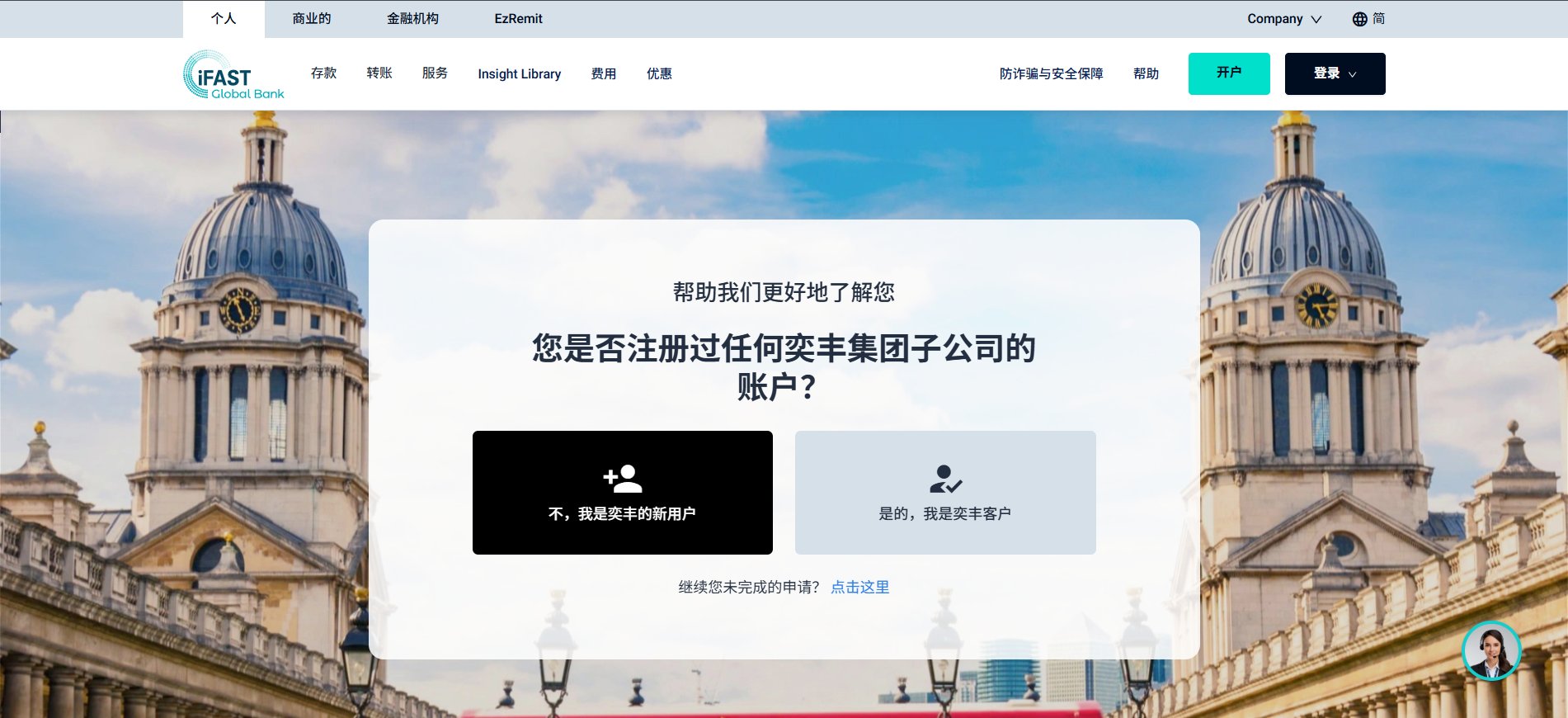
3. New or existing iFAST client
Two buttons: "No, I'm new to iFAST" / "Yes, I'm an iFAST client". First-timers pick the left one; if you've held another iFAST group account, answer truthfully on the right.
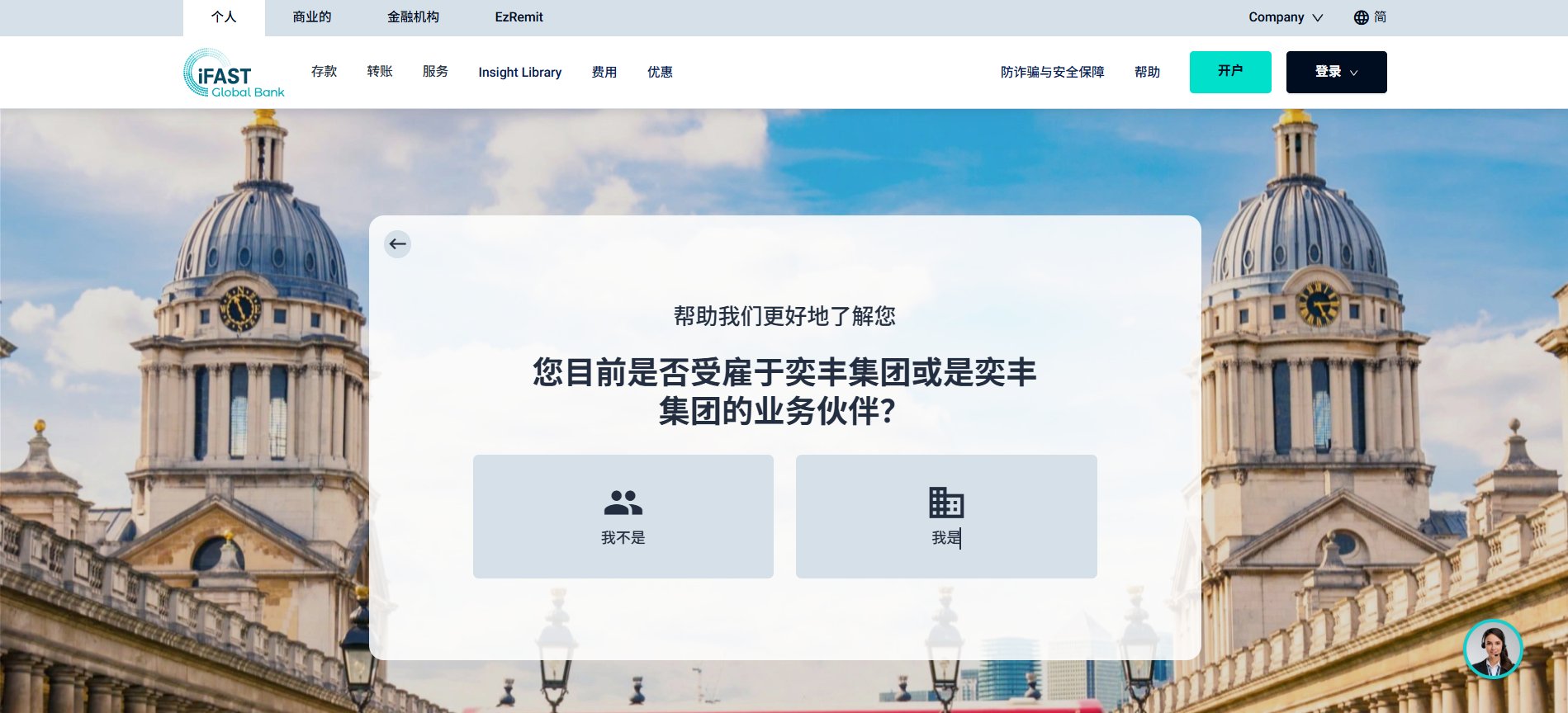
4. Employment with the iFAST group
When asked whether you are employed by the iFAST group or its partners, most applicants choose "No".
5. Create your login and fill in personal details
Enter your email → click "Verify" → enter the emailed code → Next. Progress is saved automatically; use "Continue your unfinished application" to resume later.
Fill personal details as on your ID: name in capital pinyin, nationality and place of birth China, and a +86 phone if you like.
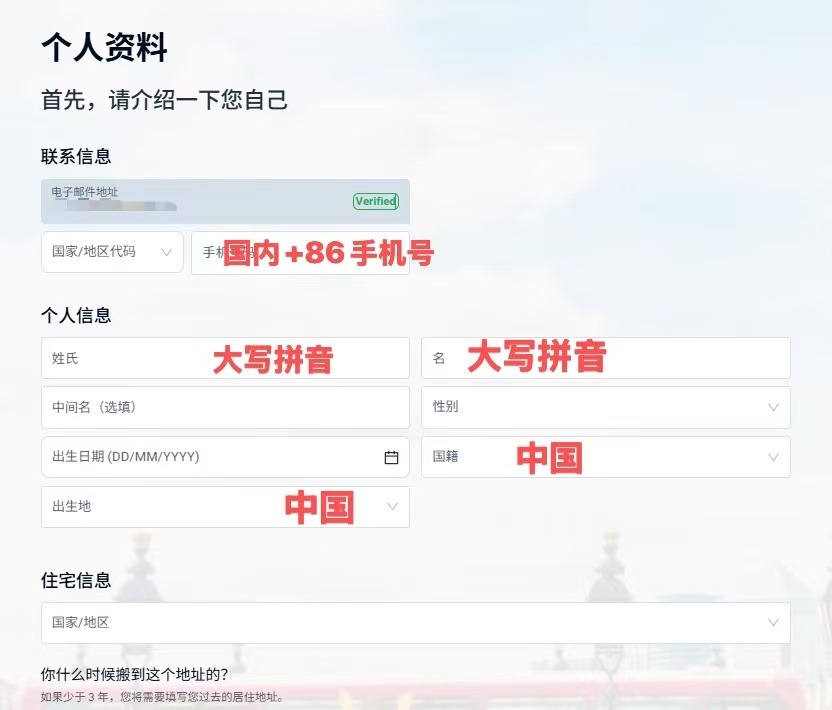
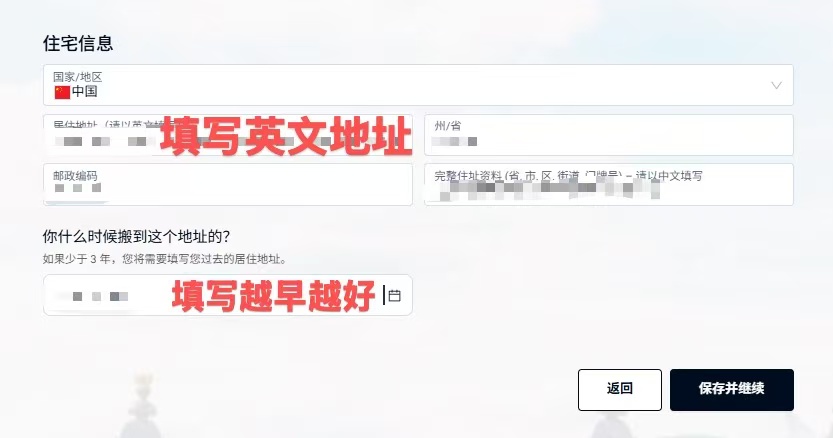
6. Residential address in English
Enter your address in English (a translation of your Chinese address). It must be the same address shown on the proof of address you upload later. Answer "when did you move here" truthfully — a longer history is better. Click "Save and continue".
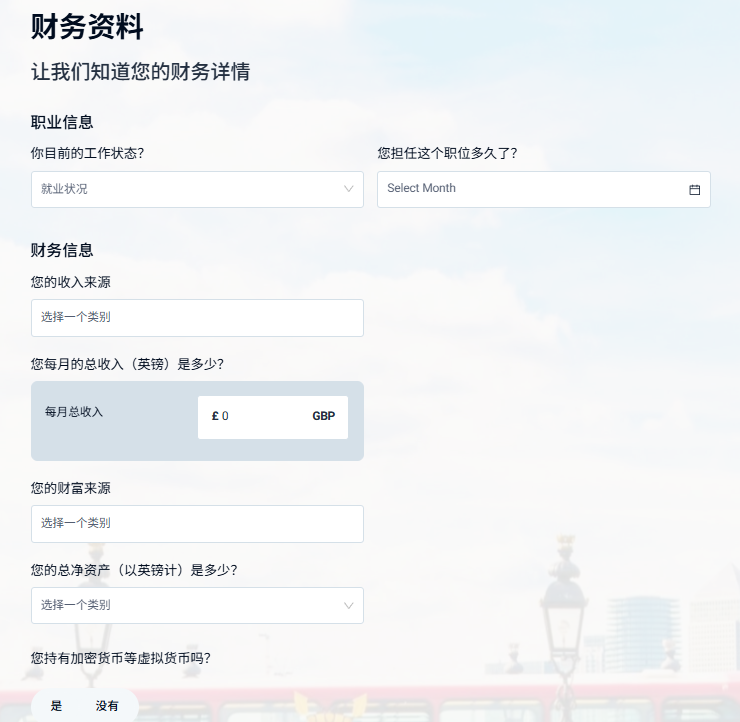
7. Financial details
Employment status, income source, monthly income, source of wealth and net worth — fill in your real situation and keep it consistent.
8. Crypto question
At the bottom, "Do you hold crypto or other virtual currencies?" comes with a note that iFAST does not allow crypto-related payments. Answer truthfully and keep account usage away from crypto assets, then "Save and continue".
9. Account purpose and expected flows
Give the main reason for opening, first deposit amount and source, expected monthly inflows / outflows and source / destination countries, and monthly transaction count. Click "Save and continue".
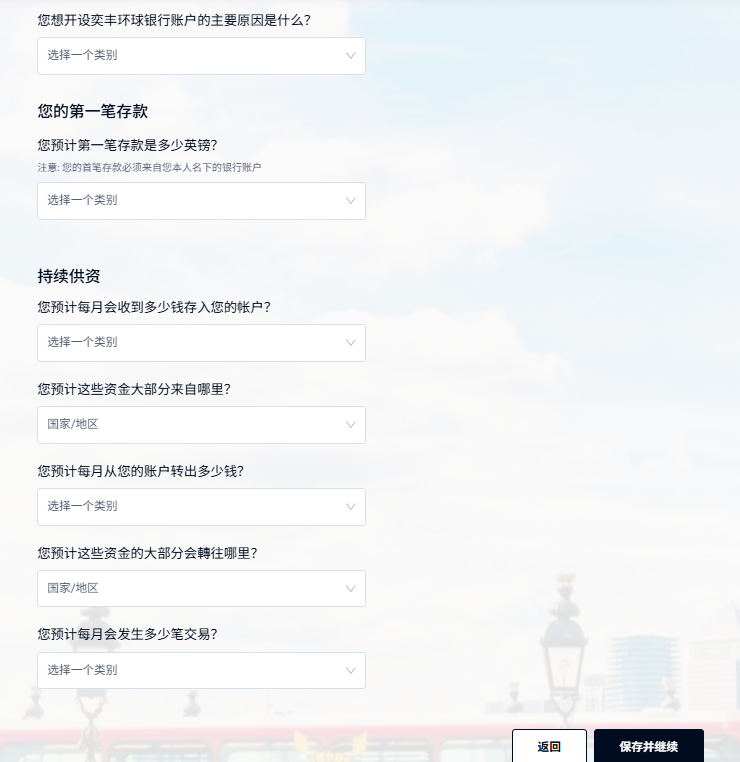
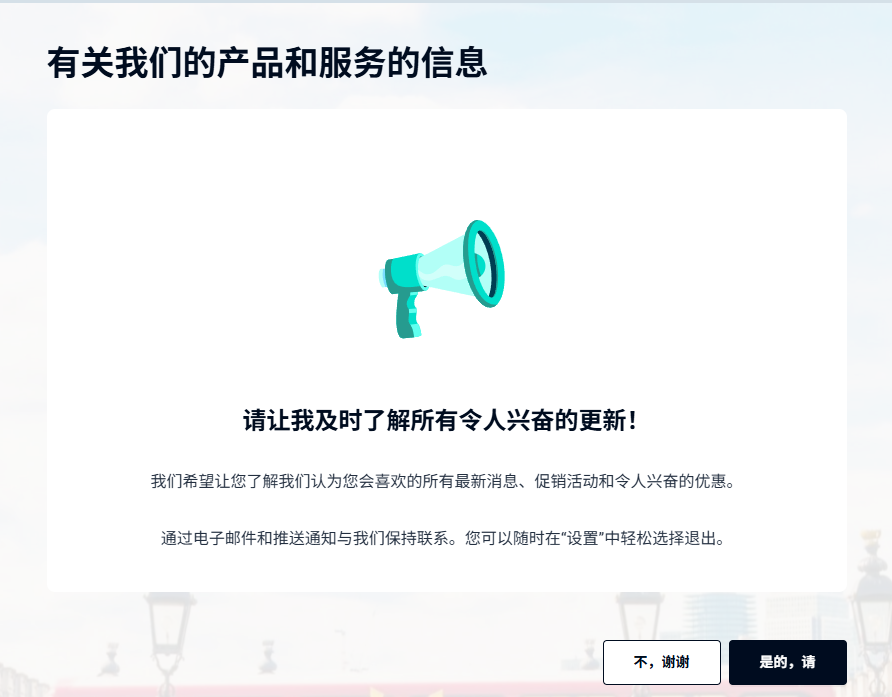
10. Marketing preferences
Opt in or out of product and service updates as you prefer; you can change it later in settings.
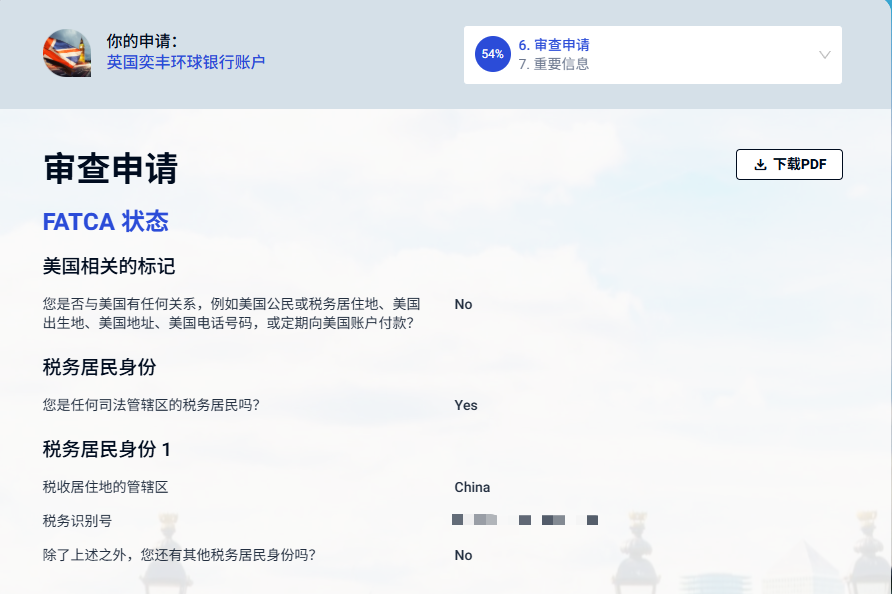
11. Review your application
Check FATCA status and tax residency (Chinese tax residents usually enter China and their taxpayer ID), then scroll down and click "Agree and continue".
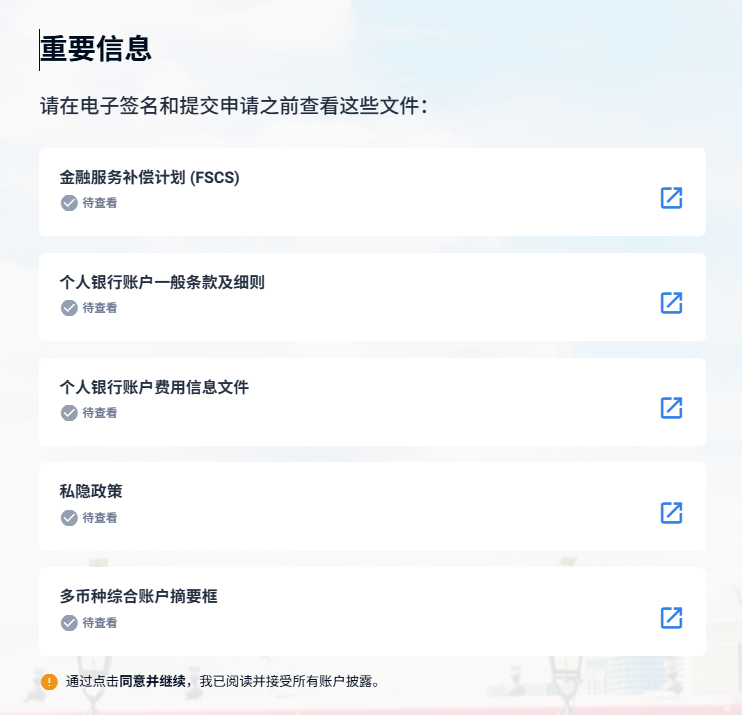
12. Open all five key documents
The page lists five documents: FSCS information, personal account general terms, fee information document, privacy policy, and the multi-currency account summary box. Open each via the icon on the right until all show as viewed, then click "Agree and continue".
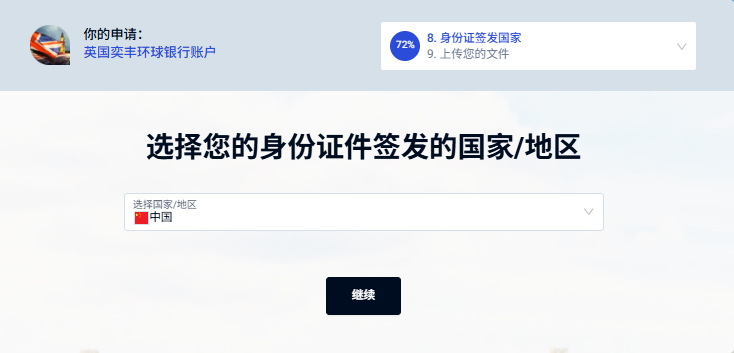
13. ID issuing country
Select "China" as the issuing country / region and continue.
14. Residence region, switch to phone if needed
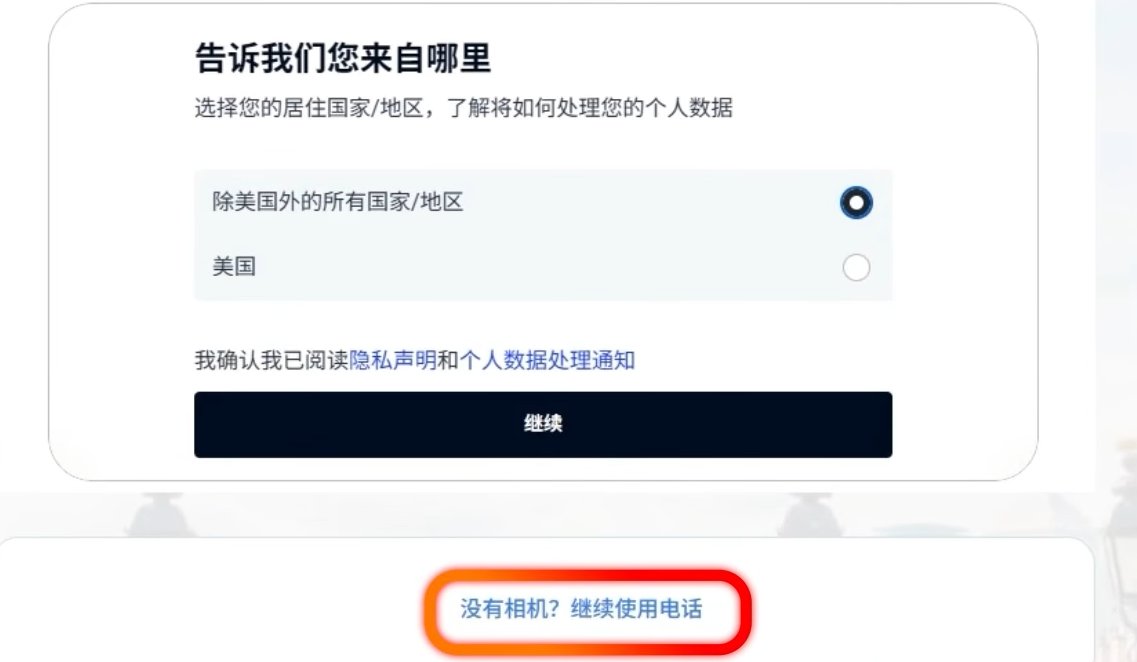
Select "All countries / regions except the US", confirm the privacy notice, and continue. No camera on your computer? Click "No camera? Continue on phone" and finish capture on your phone.
15. Choose document type and capture
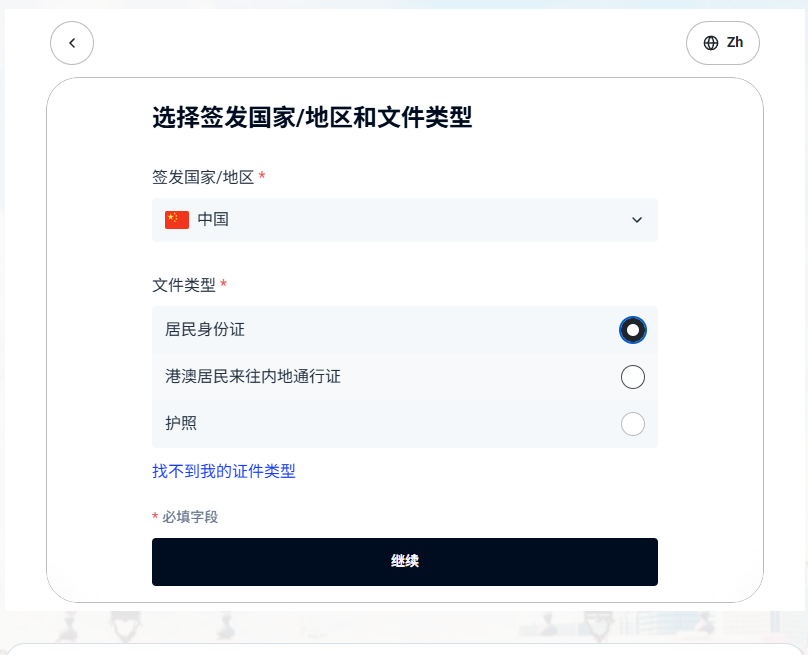
With China as issuing country, choose national ID, Mainland Travel Permit for HK & Macau, or passport, then follow the prompts to photograph it and complete the face check.
16. Proof-of-address type
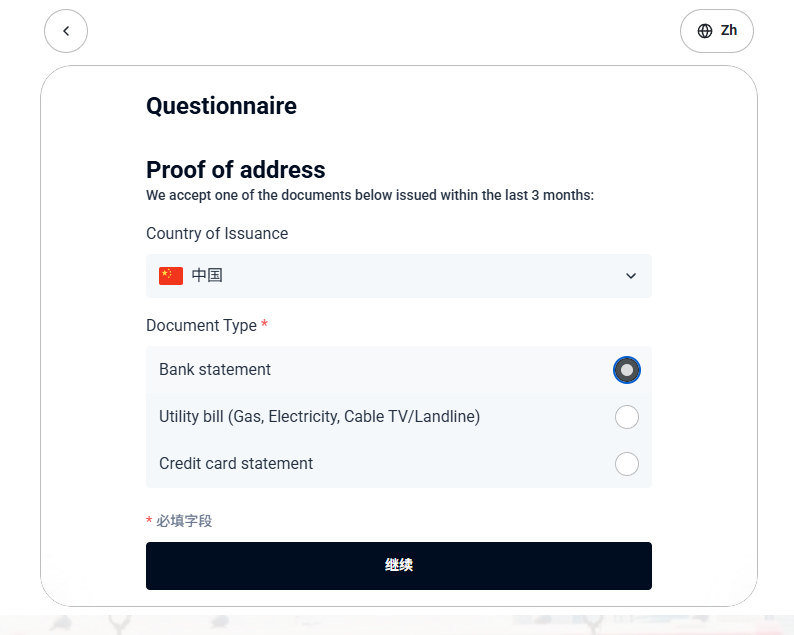
On the Proof of address page choose bank statement, utility bill or credit-card statement, issued within the last 3 months.
17. Upload proof of address
Upload the file (JPG, PNG, HEIC, WEBP or PDF, up to 50MB). The page notes it is checked by automated AI review and the address must match the residential address you entered.
18. Submit and wait for review
After submitting, the page shows processing and an application reference number — keep it for any support queries.
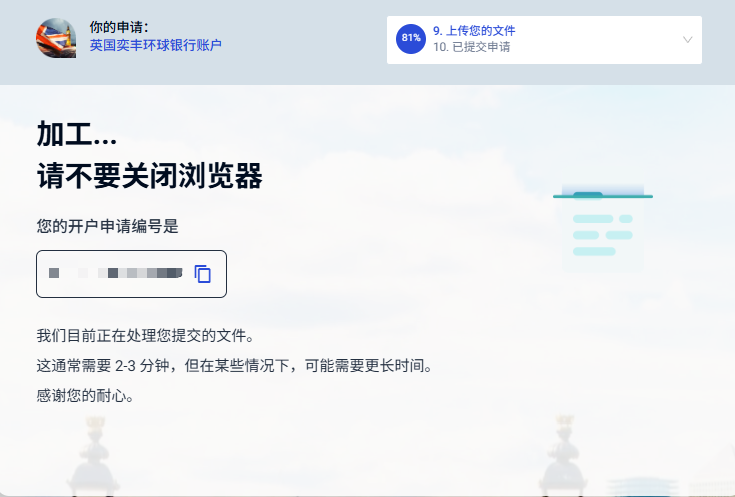
Public reports put review at a few days to about a week; extra-document requests, source-of-funds checks or name screening can extend it. If your proof of address fails AI review or goes to manual review, you'll get an email asking for more documents.
19. After approval: app, token and first deposit
- After the welcome email, install the official "iFAST GB" app, sign in and set up the digital token.
- View account numbers, IBAN and SWIFT details for each currency in the multi-currency account.
- Make the first deposit as a small transfer from an account in your own name, then scale up; sending and intermediary banks may deduct fees.
- The site shows a Visa debit card, but availability and delivery to your region depend on the in-account option and bank notices.
Carddoger summary
iFAST Global Bank suits anyone wanting an online UK-licensed multi-currency account with a UK IBAN and multi-currency payments: fully web-based, a Chinese ID plus Chinese proof of address is enough to apply, and opening and maintenance are free. Get three things right: the application address matches your proof of address exactly, your financial answers are consistent, and your source of funds is clear.
Caveats: approval isn't guaranteed and timing varies; same-currency outbound transfers have fixed fees; crypto-related payments aren't allowed; card availability depends on your account page. Treat it as a complementary channel rather than a replacement for a main Hong Kong account.
This is a process guide, not investment or financial advice. Fees, currencies and rules follow iFAST Global Bank's latest official pages.