Nu Bank US Signup Guide: 3.5% APY Account and 1.5% Cashback Metal Card
Nubank's US launch is invite-only. The Nu Account pays 3.50% APY with no fees; the Nu Credit Card offers a $2,500 starting limit, unlimited 1.5% cashback, a met
What this covers
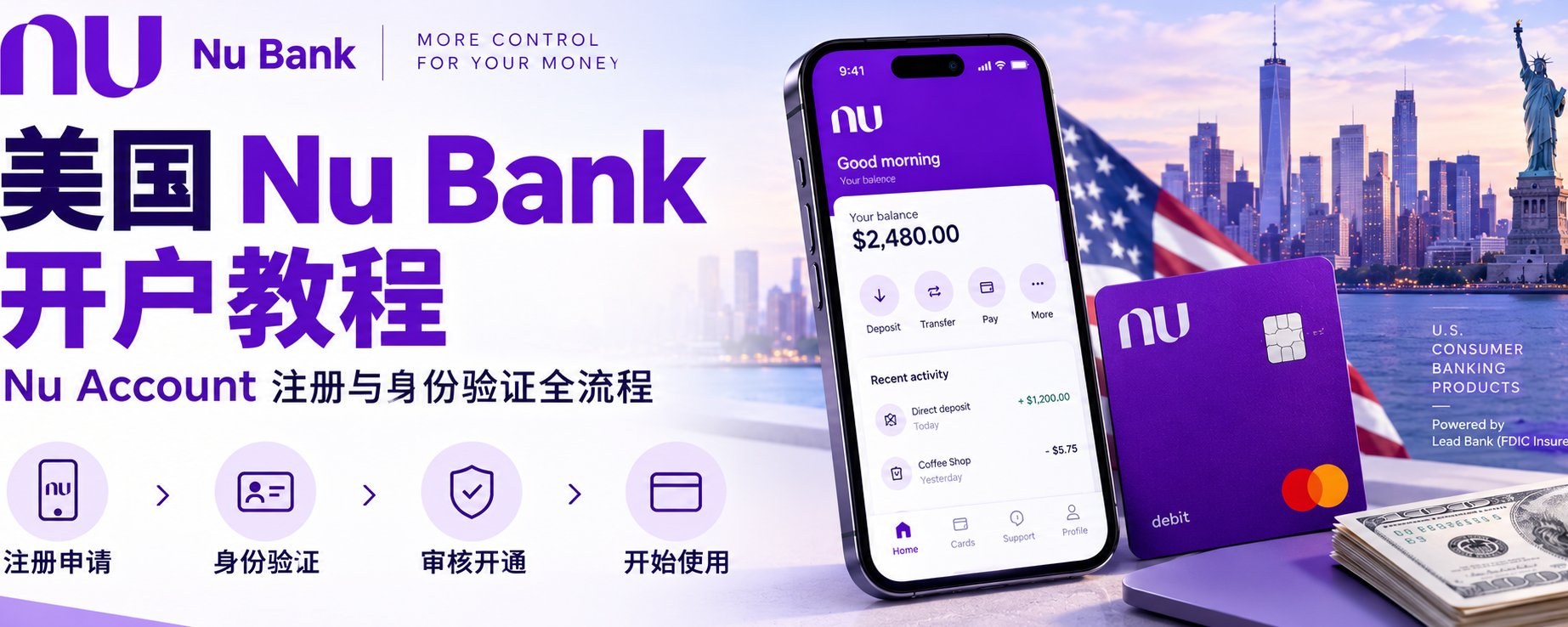
Nubank, Latin America's largest digital bank, now has a US version (Nu US): the Nu Account (checking and savings) and the Nu Credit Card. Signup is invite-only for now, so you can register only after you get the official account-opening email. Using real signup screenshots, this guide walks through the full signup from email to ID upload and summarises both products' benefits and fees.
Before you start
- Join the waitlist on the official site first. When the invite email arrives, sign up with the same email.
- Your phone number and address should match your US credit file. The home address is where your card is mailed: it must be a US address, PO boxes and commercial addresses aren't allowed, and it can't be changed for a while after signup, so make sure you can receive mail there.
- You need a passport and a face check, plus one more ID; without US documents, a Chinese national ID works.
- Fill everything in truthfully, and choose the tax and residency options that really apply to you.
- Approval varies; following these steps doesn't guarantee approval.
Steps
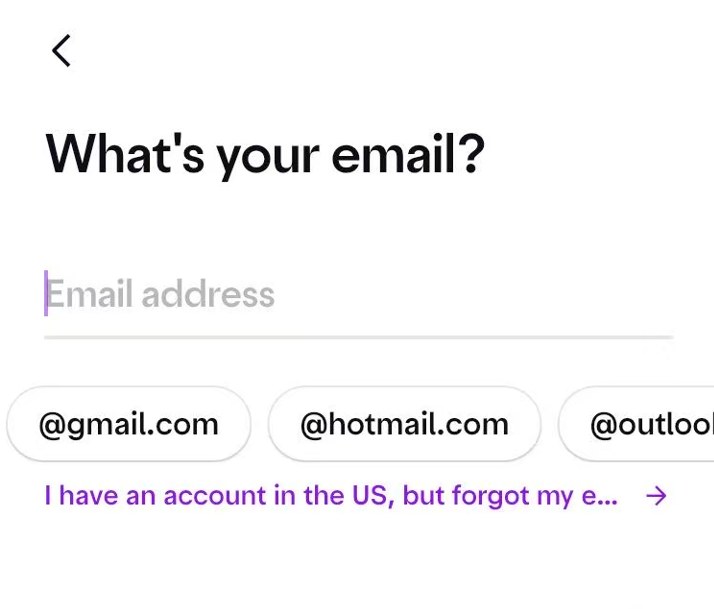
1. Enter your waitlist email
Open the link in the official invite email and enter the email you joined the waitlist with on the What's your email? screen.
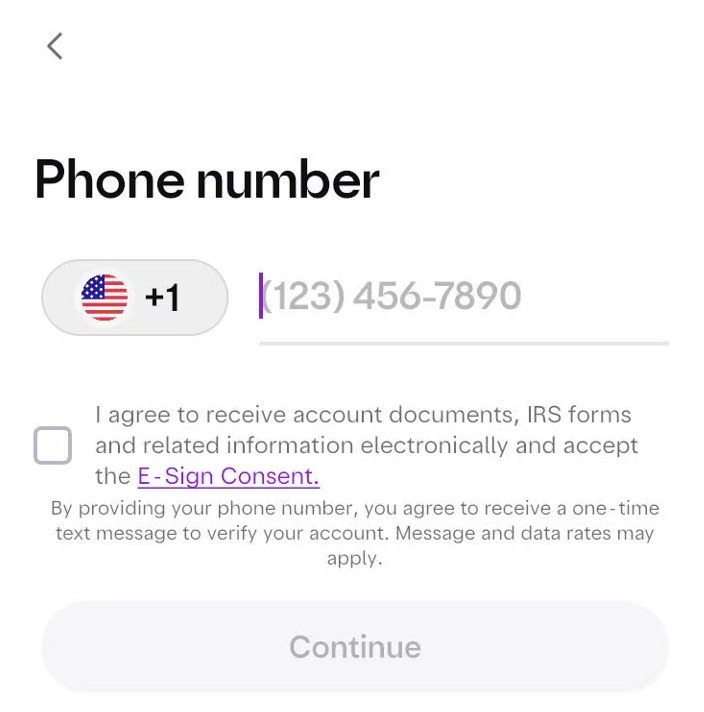
2. Phone number
Enter your US phone number (the one on your credit file), agree to electronic documents and the E-Sign Consent, and verify with the text code.
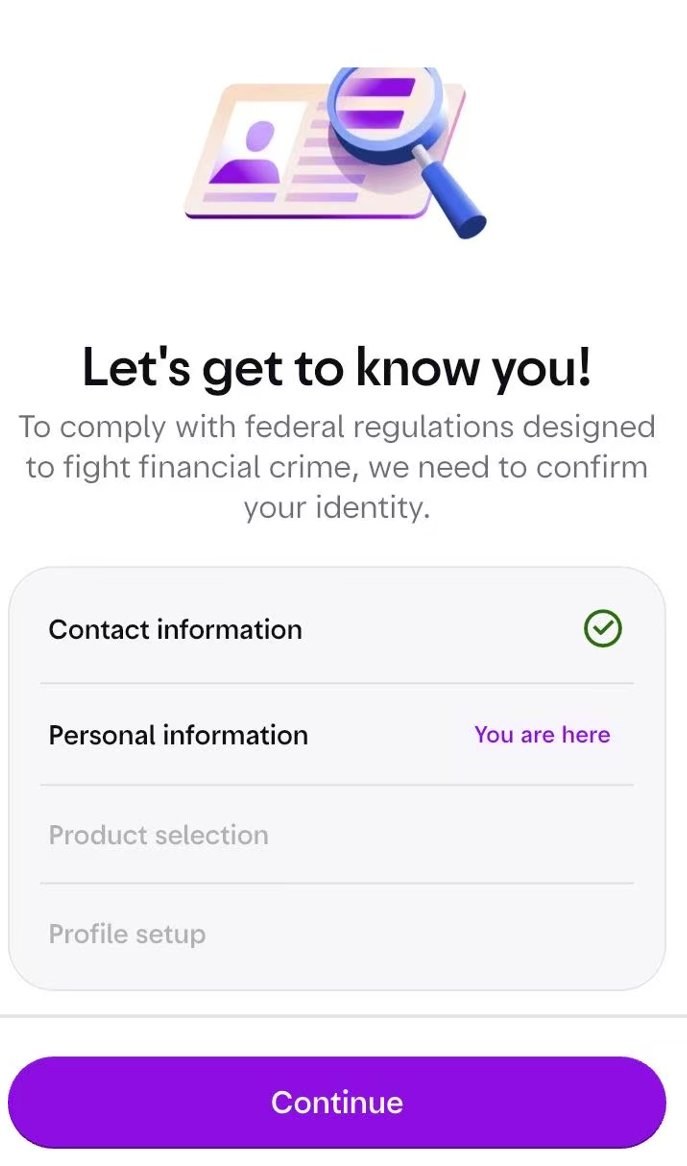
3. Start your personal information
The Let's get to know you screen outlines the flow: contact information, personal information, product selection and profile setup. Tap Continue.
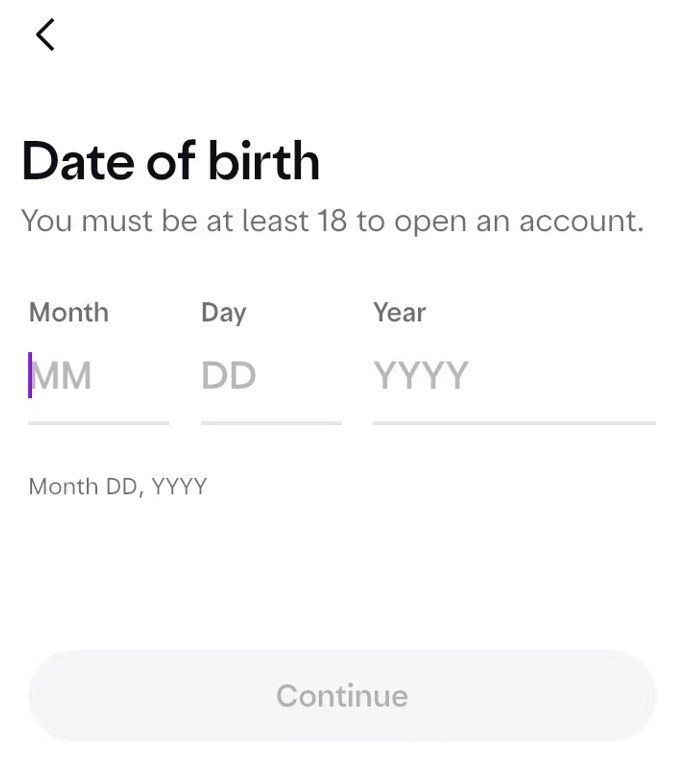
4. Date of birth
Enter it as MM/DD/YYYY. You must be at least 18.
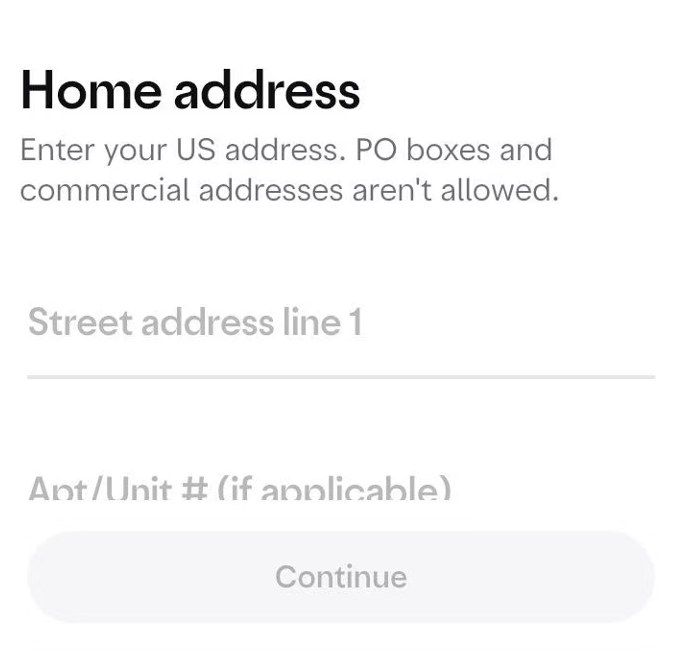
5. Home address
Use the US address on your credit file; it is also where the card is mailed. No PO boxes or commercial addresses, and it can't be changed for a while after signup.
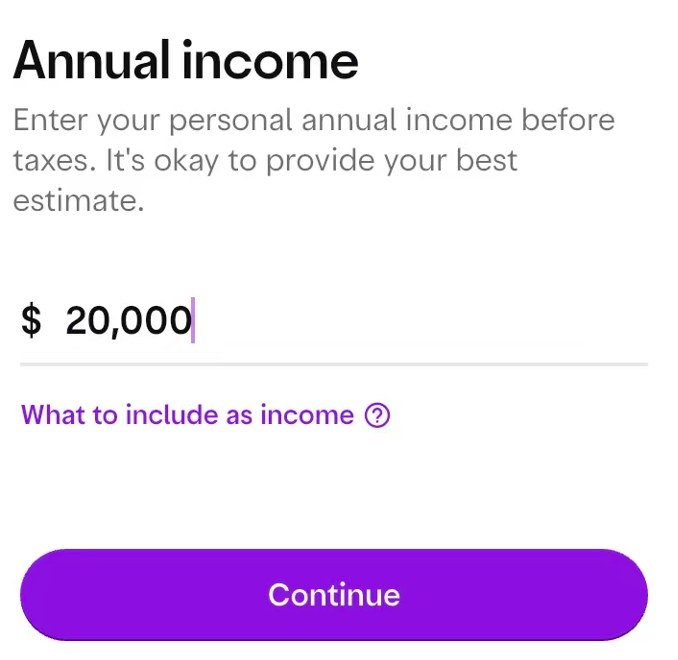
6. Annual income
Enter your personal pre-tax annual income; an estimate is fine. Use your real figure, for example $20,000.
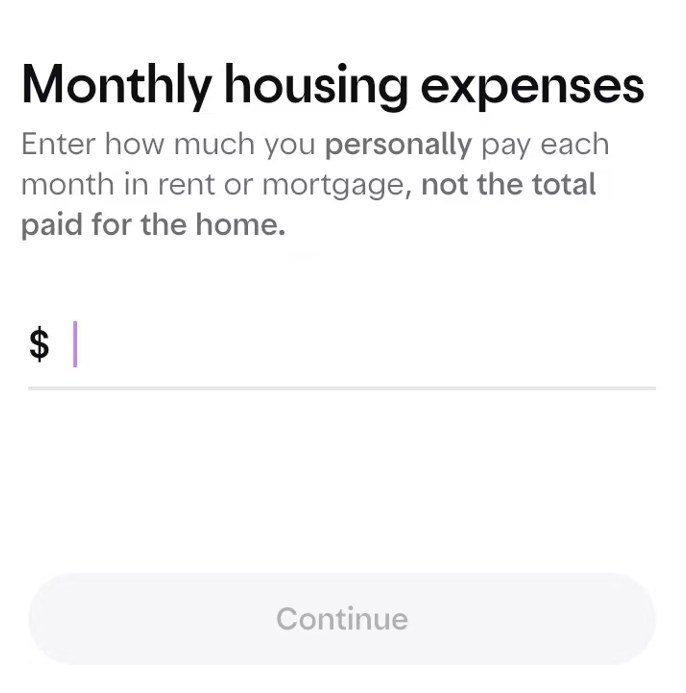
7. Monthly housing expenses
Enter what you personally pay each month in rent or mortgage, not the total for the home. Enter 0 if you have none.
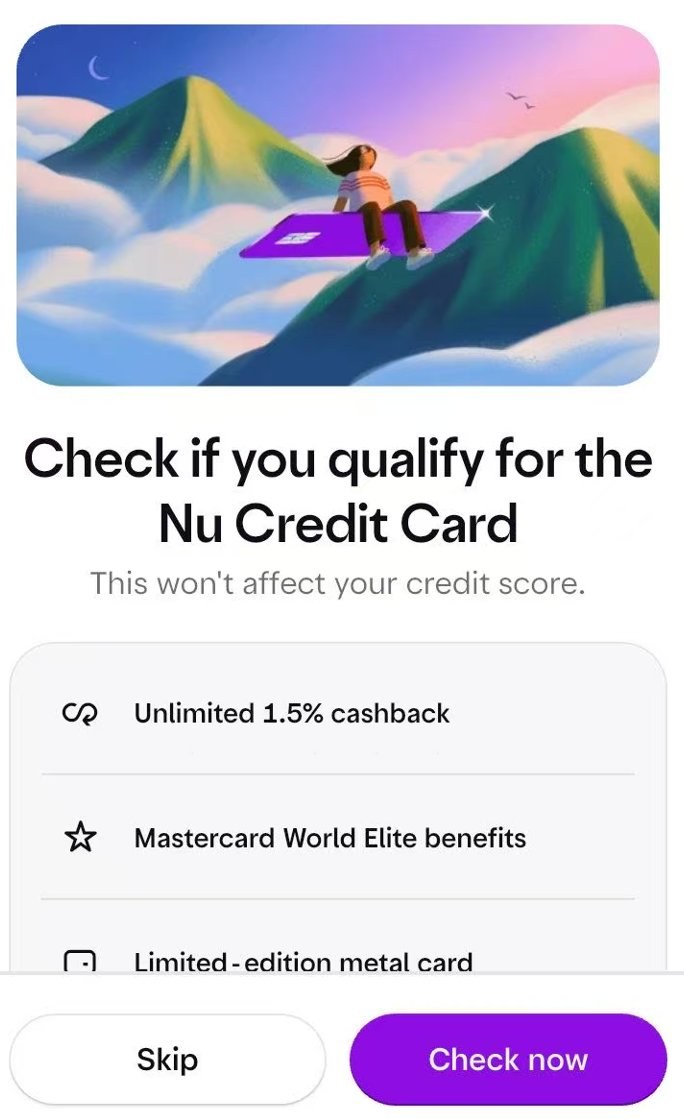
8. Check credit card eligibility (optional)
Tap Check now to see if you qualify for the card without affecting your credit score, or Skip if you don't want it.
9. Choose products
If you qualify for both the account and the card, tap Continue with both to get both.
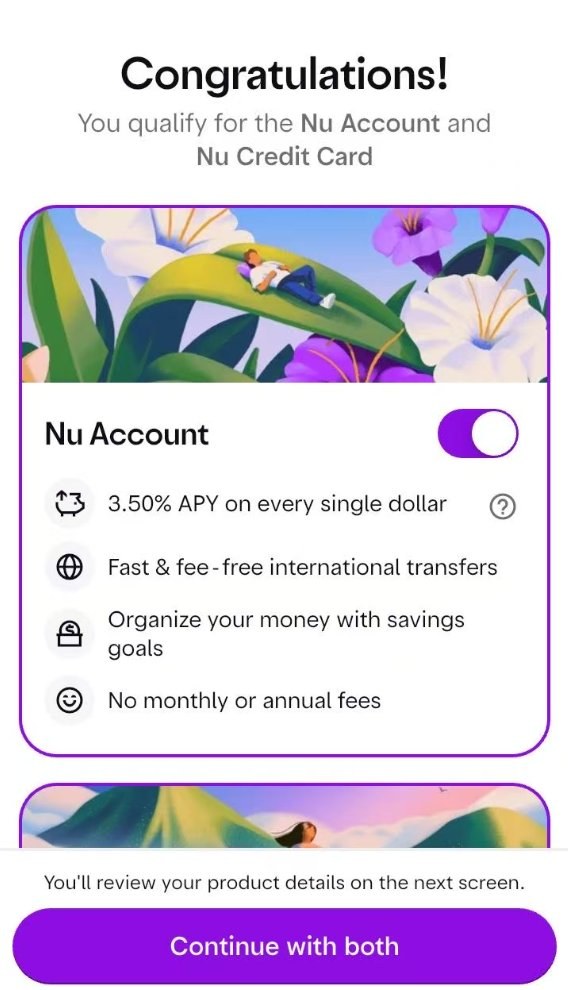
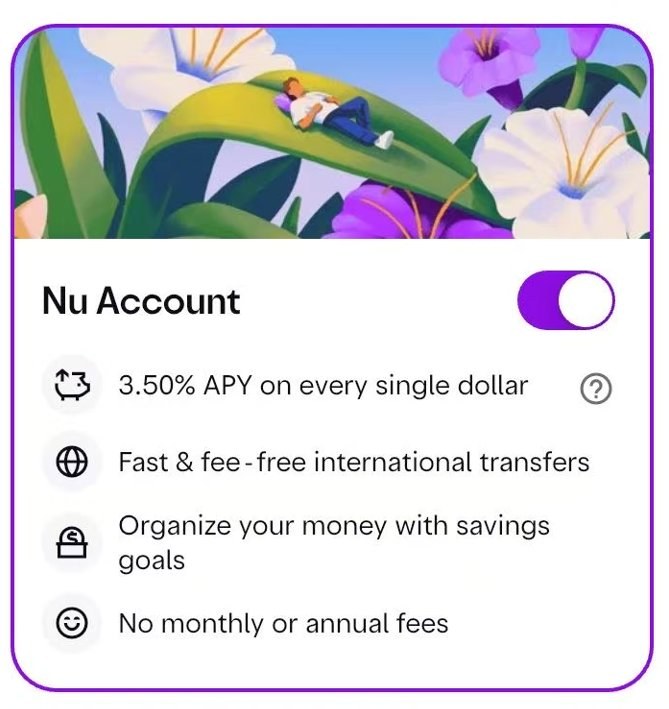
Nu Account (checking + savings): 3.50% APY on every dollar; fast, fee-free international transfers; savings goals; no monthly or annual fees.
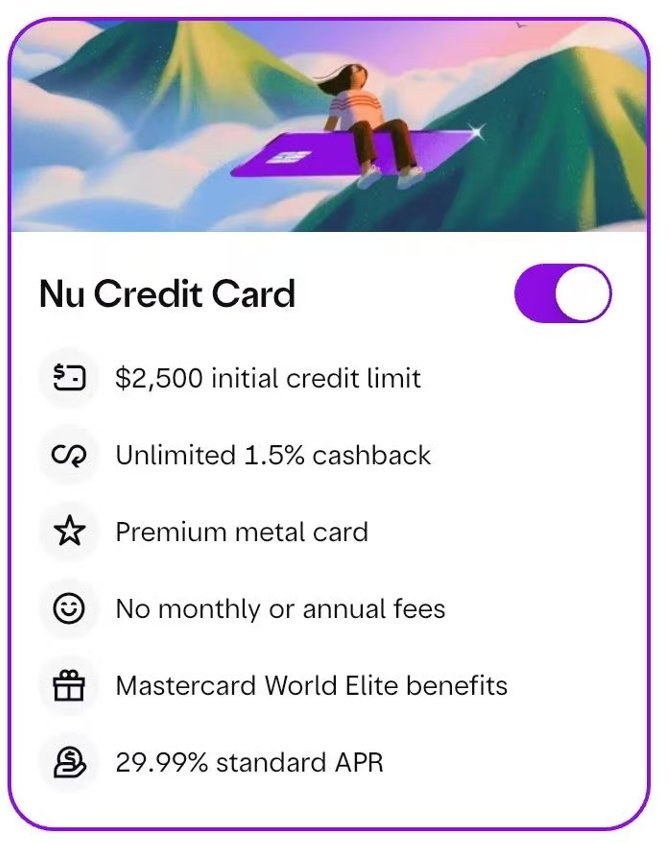
Nu Credit Card: $2,500 initial limit; unlimited 1.5% cashback; premium metal card; no monthly or annual fees; Mastercard World Elite benefits; 29.99% standard APR. US card interest is very high, so avoid carrying a balance.
10. Review fees and terms
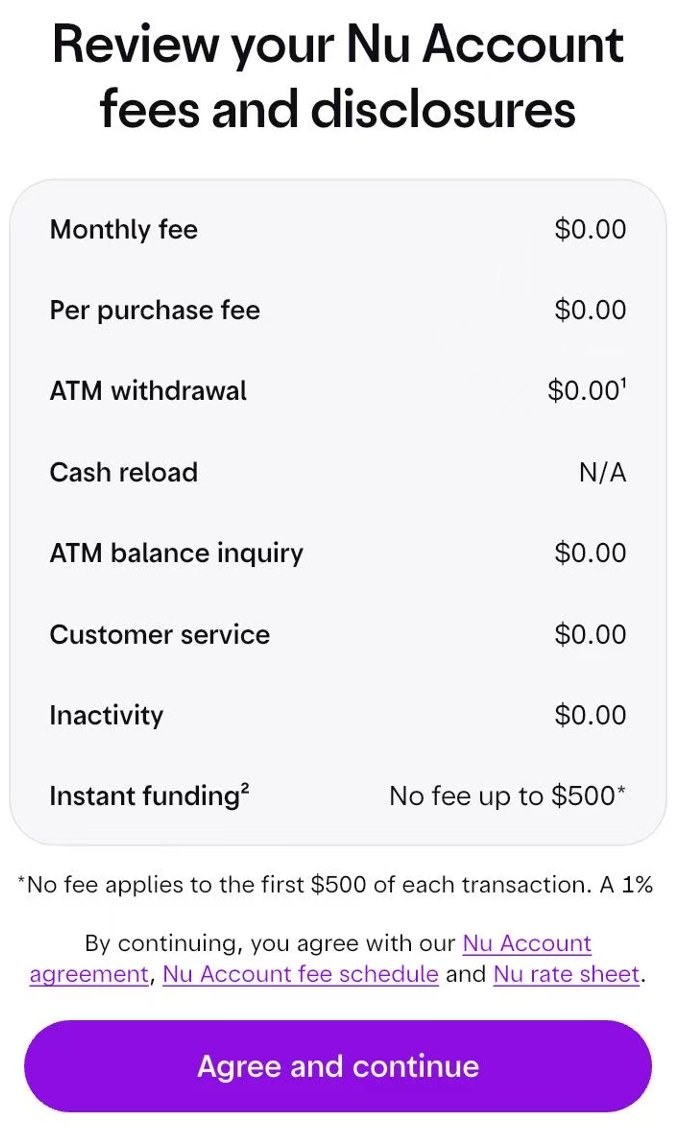
First the Nu Account disclosures: $0 monthly fee, per-purchase fee, ATM withdrawals and balance inquiries, customer service and inactivity. Instant funding is free for the first $500 of each transaction, with 1% on the rest. Tap Agree and continue.
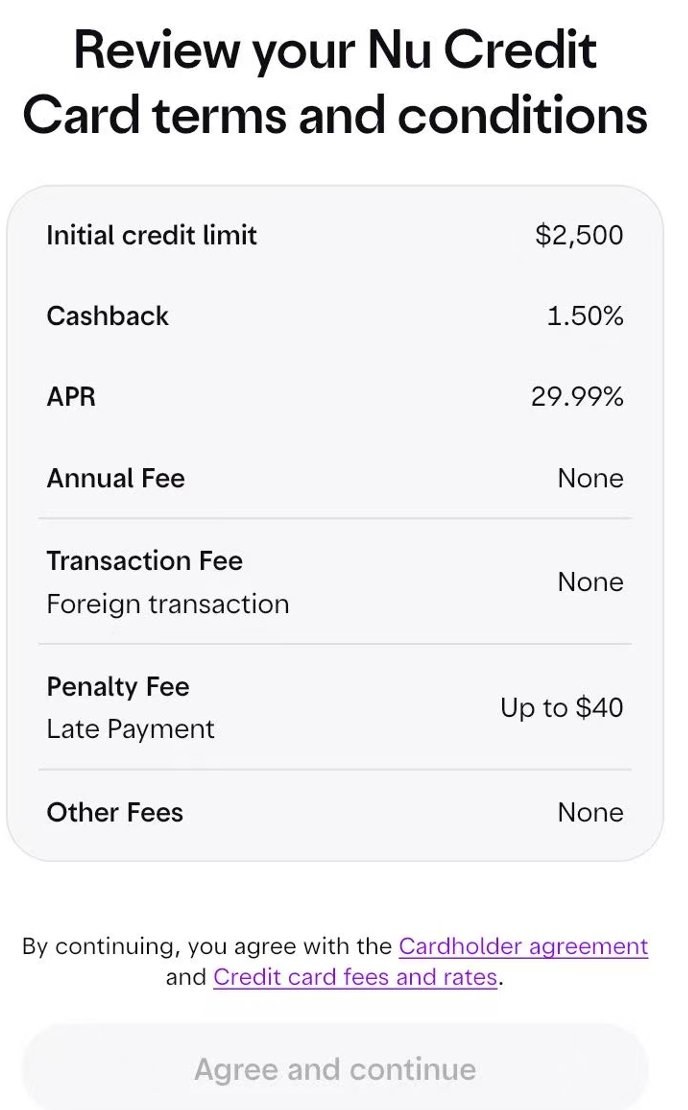
Then the card terms: $2,500 initial limit, 1.50% cashback, 29.99% APR, no annual fee, no foreign transaction fee, late fee up to $40.
11. Create a password
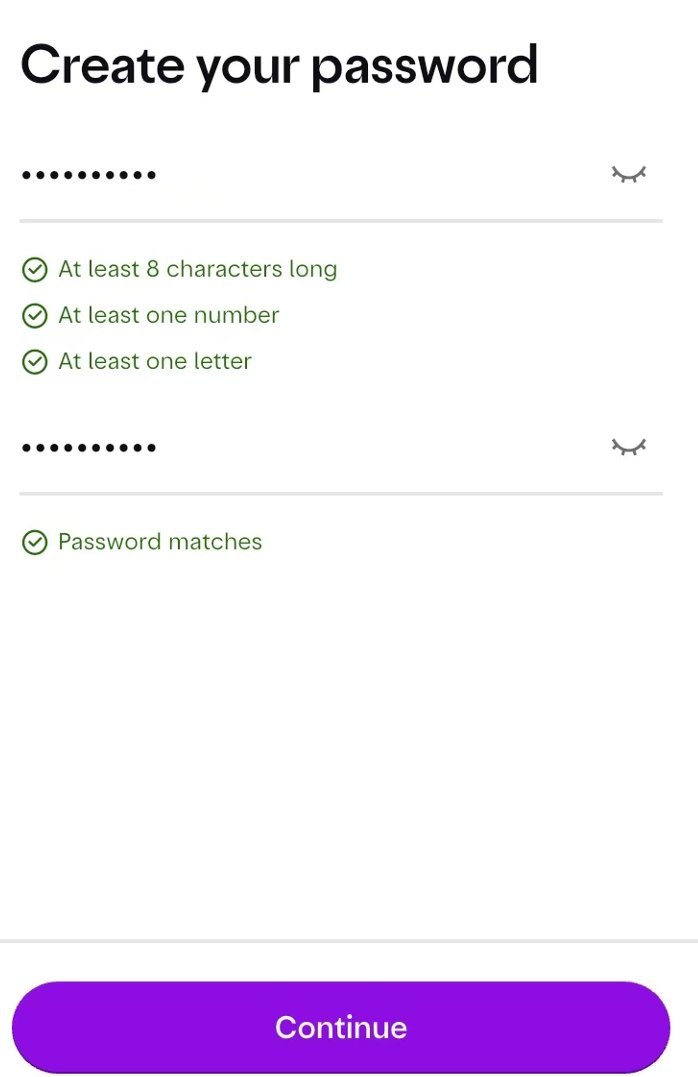
At least 8 characters with at least one number and one letter ; adding an uppercase letter is recommended.
12. Set a 4-digit PIN
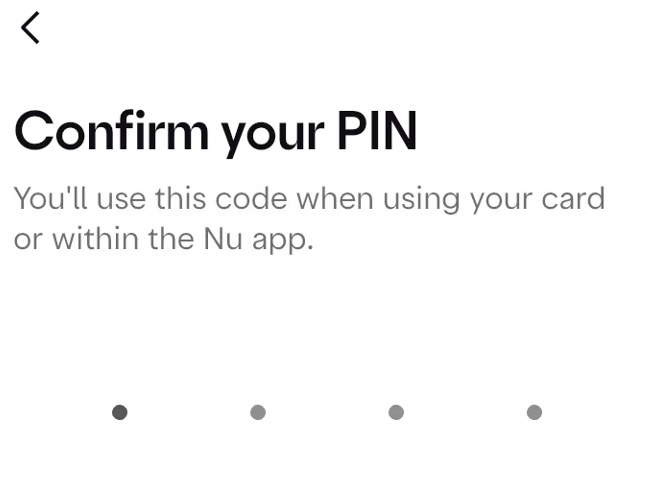
You'll use it with your card and inside the Nu app.
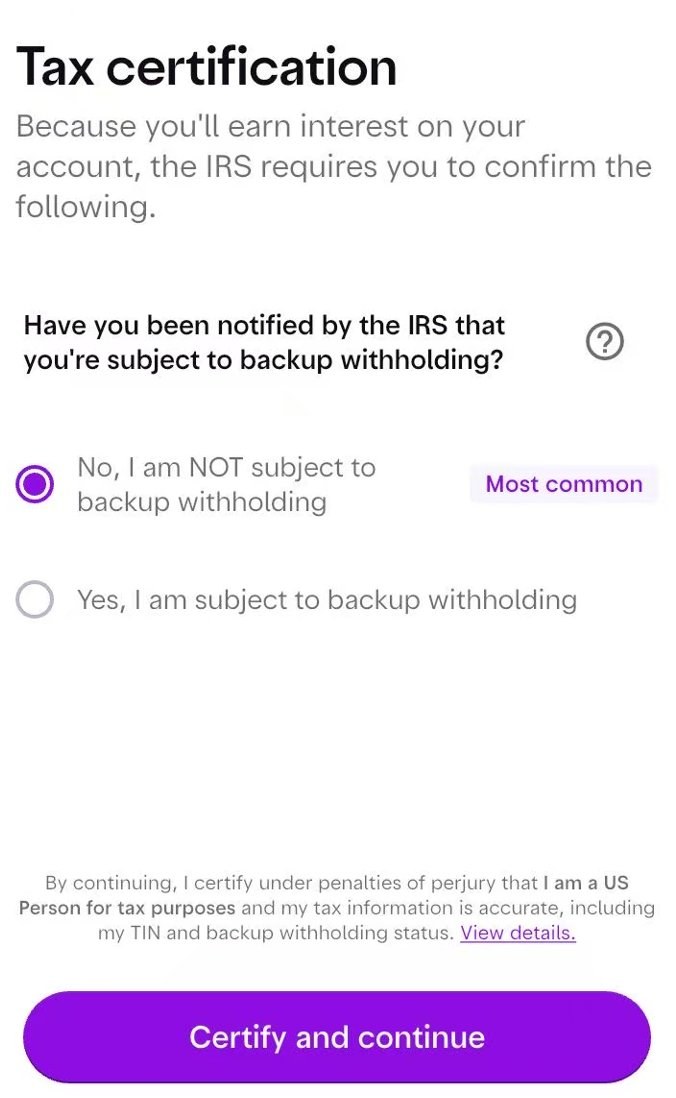
13. Tax certification
Because the account earns interest, the IRS requires you to confirm whether you are subject to backup withholding. The options are No, I am NOT subject to backup withholding (most common) or Yes. Continuing certifies that you are a US Person for tax purposes, similar to a W-9, so answer according to your real tax status.
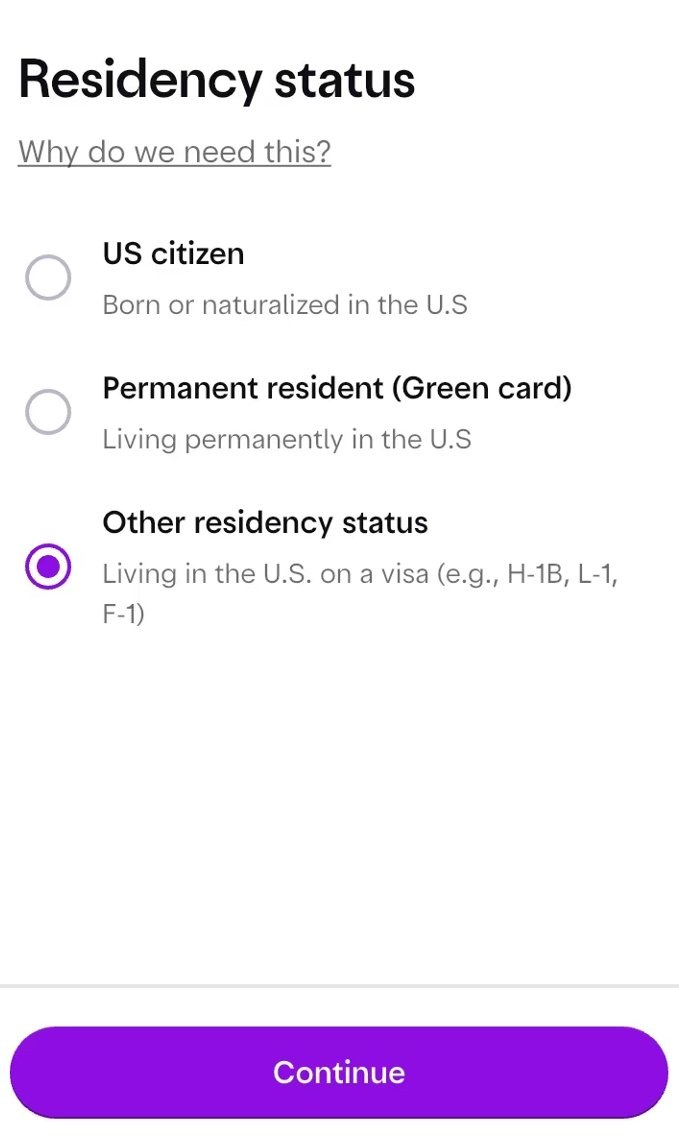
14. Residency status
Choose US citizen, permanent resident (green card) or Other residency status (living in the US on a visa such as H-1B, L-1 or F-1). Visa holders living in the US choose Other residency status.
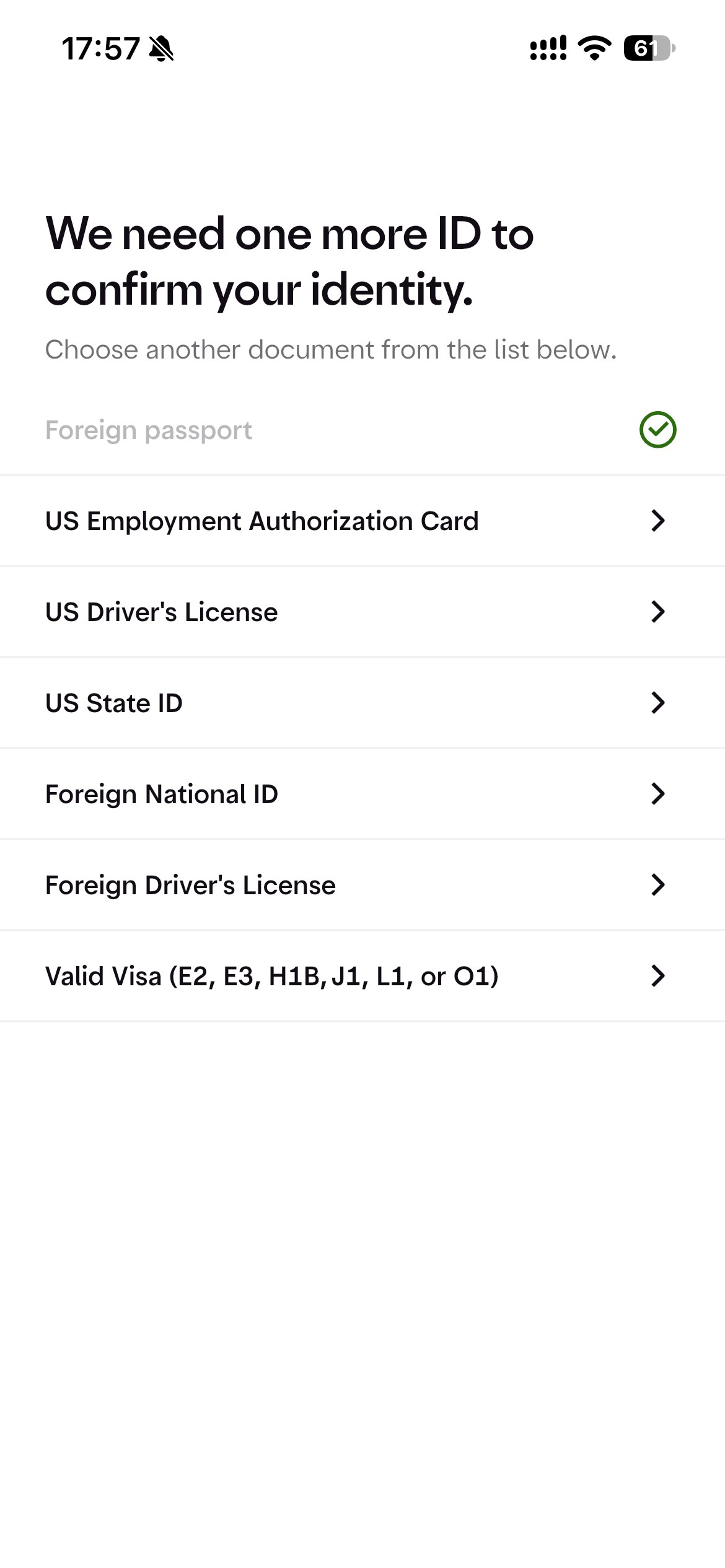
15. Face check and ID upload
Complete the face check and upload your passport (Foreign passport). Next, the We need one more ID screen asks for a second document: US EAD, US driver's license, US state ID, Foreign National ID, foreign driver's license or a valid visa. Without US documents, choose Foreign National ID and upload your Chinese national ID card. Then wait for the decision.
Carddoger summary
Nu US stands out with 3.50% APY and no fees on the account, plus a no-annual-fee metal card with 1.5% cashback and Mastercard World Elite perks. The hurdles are the waitlist invite and a phone number and address that match your US credit file, with no PO box or commercial address for card delivery. Answer the tax and residency screens truthfully. Approval varies, so have your passport and a stable US address ready before you apply.