Elios Signup Guide: Self-Custody Wallet, Visa Virtual Card and a US Receiving Account
Elios puts a self-custody wallet, a Visa Platinum virtual card and a US ACH account in your name into one app, converting incoming USD to USDC. Seven steps from
What this covers
Elios is an app that combines a self-custody wallet, a Visa virtual card and a USD receiving account. Incoming dollars are converted to USDC automatically, and it can also receive USDC and USDT directly. This guide follows the real app screens: download and sign in, set up the account, fill in your details, pass Sumsub KYC, get the Visa card, and open the USD virtual account.
Before you start
- Elios is a fintech company, not a bank; banking services are provided by SSB (Member FDIC). The App Store developer is Elios Lab Limited (a Hong Kong company). Check this before installing.
- Your balance is held as a stablecoin (USDC). The wallet is self-custody: the platform can't touch your money, but if you lose your recovery password nobody may be able to help.
- You need an iPhone (Android availability per the store), an Apple ID or Google account, a valid ID of your own (passport, driving licence, national ID, Home Return Permit or residence permit), a real phone number and home address, and good lighting for the liveness check. Allow 10–15 minutes.
- Fill everything in truthfully. A false country of residence, address or phone number is false information to a financial institution and can get the account frozen and funds held.
- Only open the verification page from inside the app. Never use a verification link someone sends you.
- Screens, fees and limits may change; the app and official terms are authoritative (source info as of 2026-11-02).
Steps
1. Download and sign in
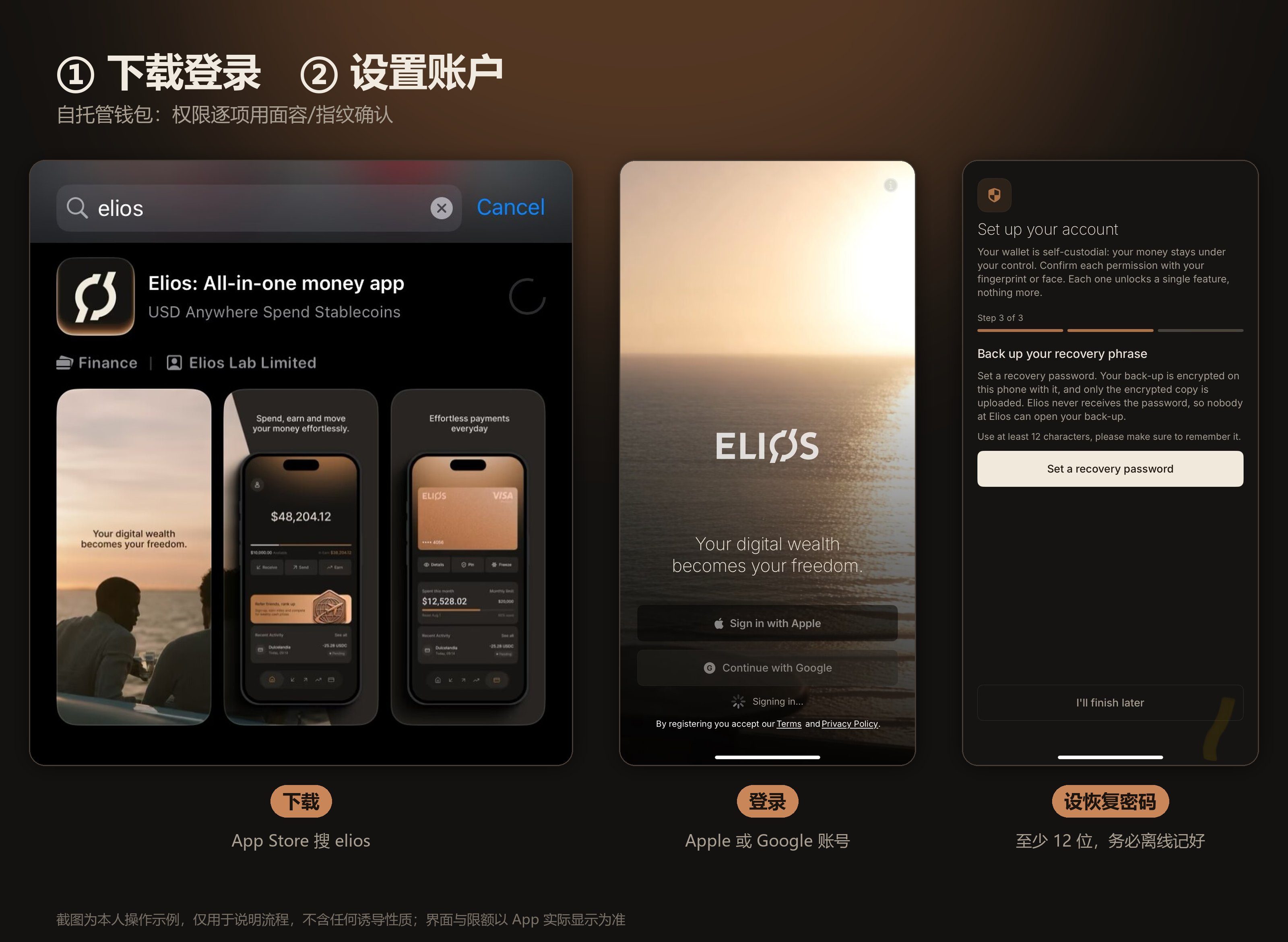
Search for elios in the App Store, find "Elios: All-in-one money app" and confirm the developer is Elios Lab Limited. Sign in with Apple or continue with Google.
2. Set up the account
- Your accounts: the app creates a Main account and a Reserve account for you.
- Card permissions: approve Card spending, Card settlement and Card refunds, confirming each with Face ID or fingerprint.
- Back up your recovery phrase: set a recovery password of at least 12 characters. The backup is encrypted on your phone before upload and Elios never receives the password, so write it down offline.
3. Enter your details
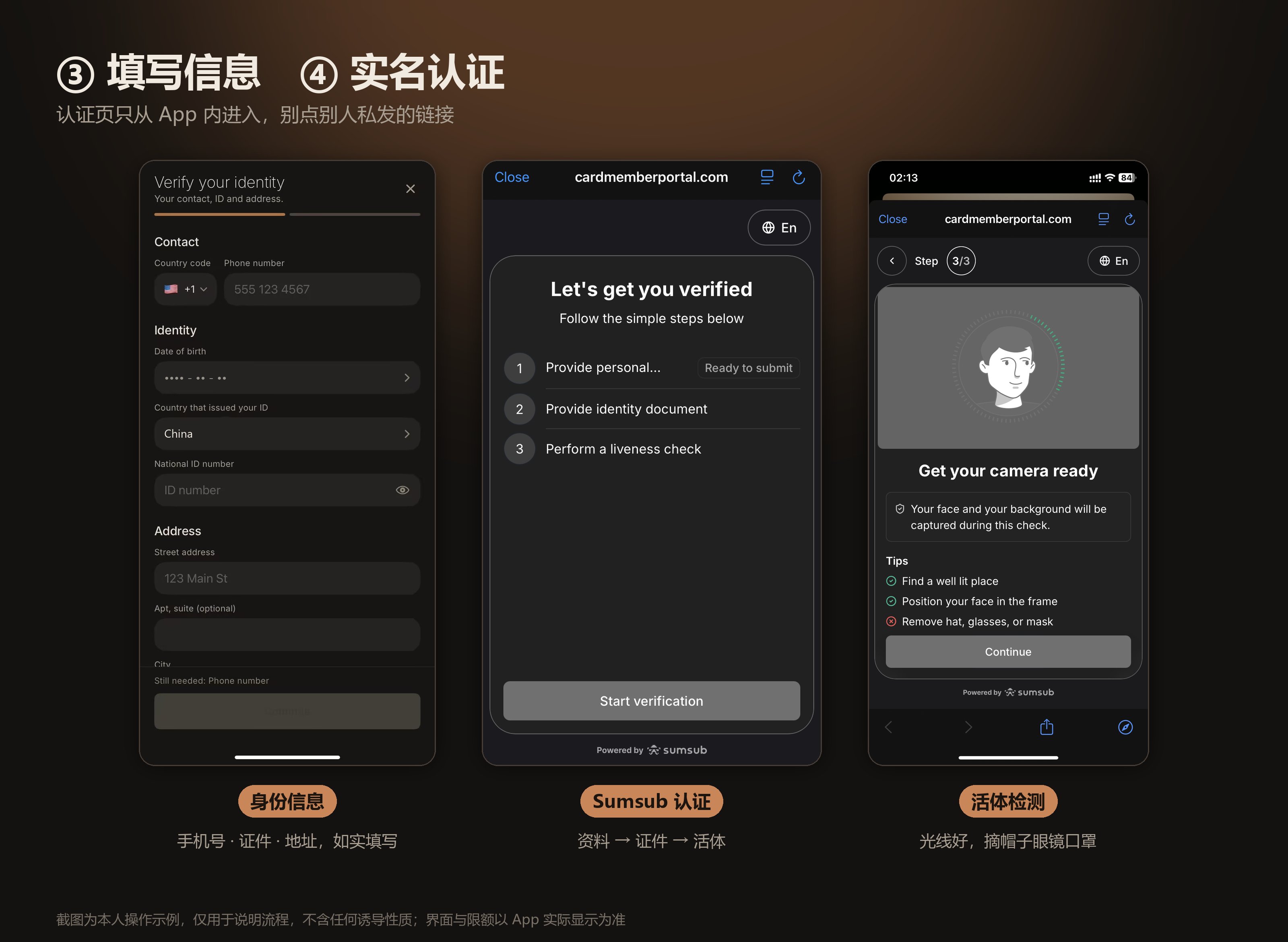
Open the Card tab at the bottom and tap Start verification. Fill in:
- Contact: country code and phone number;
- Identity: date of birth, ID issuing country and ID number;
- Address: street, apartment (optional), city and so on;
- Employment / Account use: occupation, annual income (USD), purpose of the account and expected monthly amount.
4. Pass Sumsub verification
Verification runs on cardmemberportal.com, marked "Powered by Sumsub". Confirm your country of residence and accept the privacy and biometric terms (Agree and continue), then:
- Step 1/3: check your phone number and address;
- Step 2/3: choose the issuing country and document type, and photograph your ID;
- Step 3/3: liveness check. Remove hat, glasses and mask and keep your face in the frame.
After submitting you'll see "Verifying your personal information"; results usually come within minutes.
5. Choose residence and get the Visa card
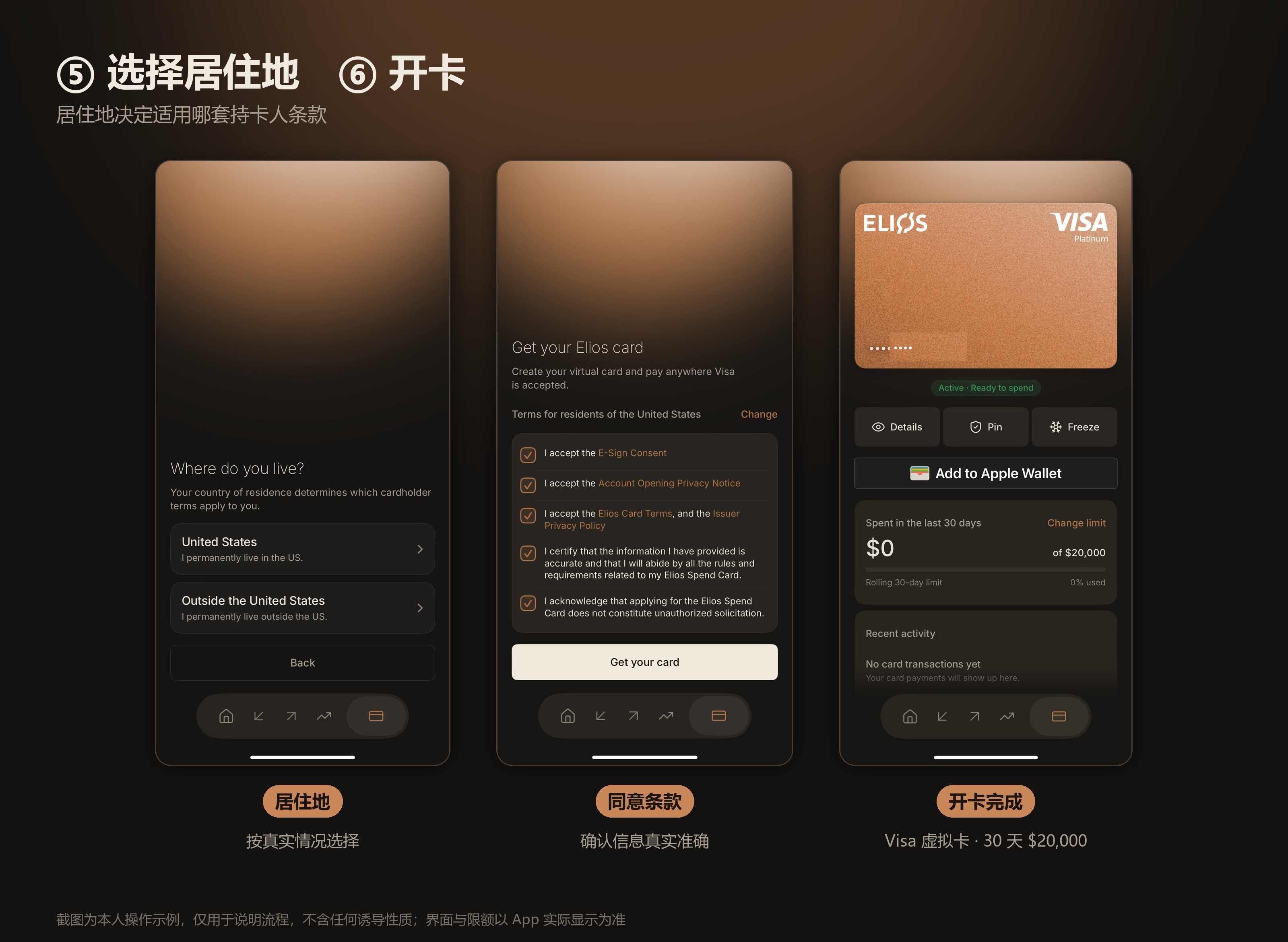
The app asks Where do you live? Your answer decides which cardholder terms apply: choose United States if you live there permanently, otherwise Outside the United States. Answer truthfully.
Tick E-Sign Consent, the account opening privacy notice, the Elios Card terms and the rest, confirm your information is accurate, and tap Get your card. The card is issued within seconds.
6. Card ready
The card shows Active · Ready to spend:
- It is a Visa Platinum virtual card that can be added to Apple Wallet;
- You can view the number (Details), set a PIN and freeze it in one tap;
- The default limit is $20,000 per rolling 30 days, adjustable via Change limit.
7. Receive money and the USD virtual account
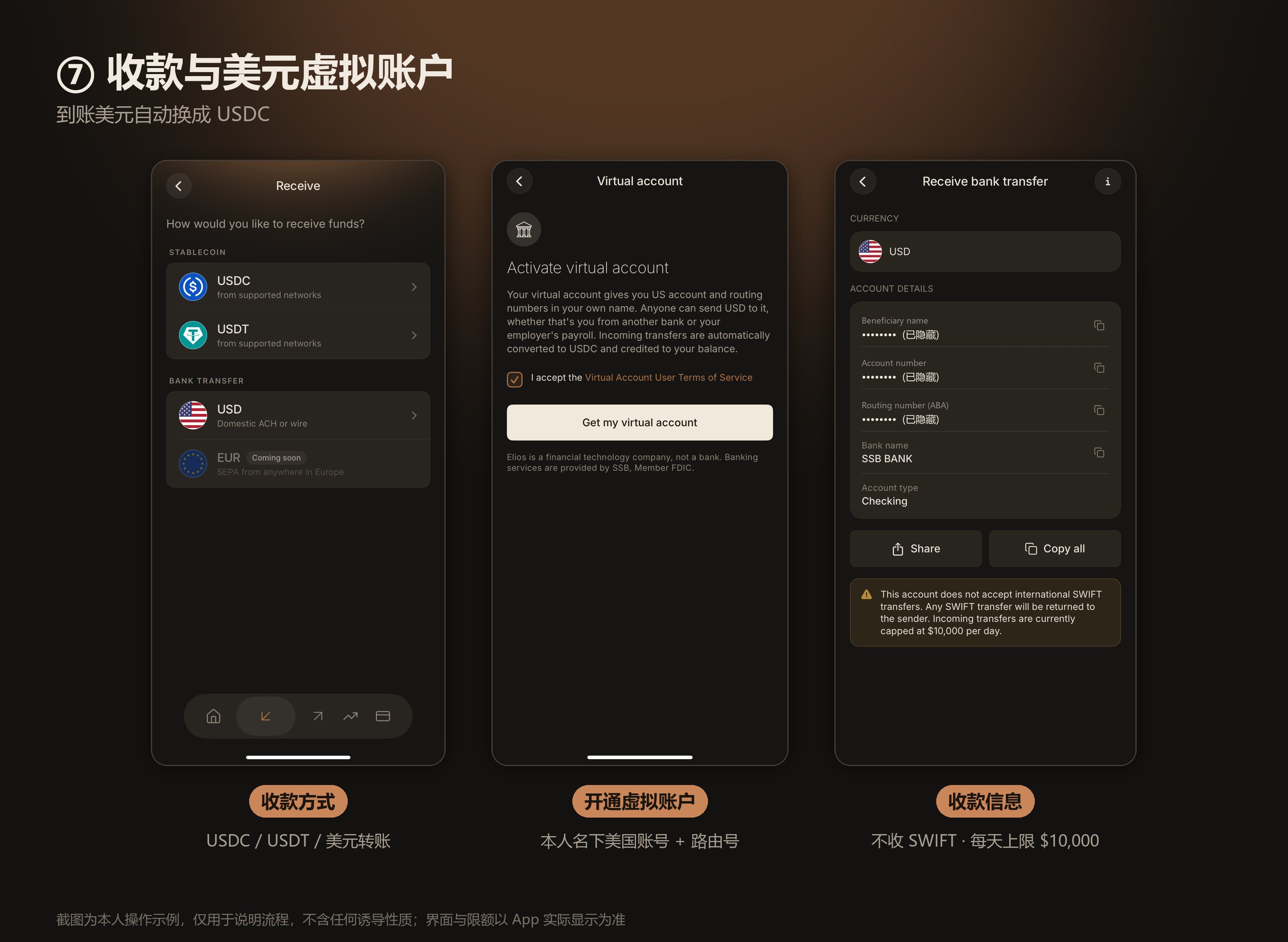
On the Receive screen you can pick USDC or USDT (supported networks) or a USD bank transfer (ACH or wire); EUR via SEPA is marked coming soon.
Choose USD, open Virtual account, accept the terms and tap Get my virtual account. You get a US account number and routing number in your own name at SSB BANK (Checking). Anyone can pay you from a US bank or payroll, and deposits are converted to USDC.
Note: the account does not accept international SWIFT transfers (they are returned), and incoming transfers are capped at $10,000 per day.
Carddoger summary
Elios bundles a self-custody wallet, a Visa Platinum virtual card and a US ACH account in your own name into one app, and signup is fully online in about a quarter of an hour. It suits people who get paid in USD by US employers or platforms and want to spend in stablecoins. Keep three things in mind: it is not a bank and your balance is USDC; only you know the recovery password; and the USD account rejects SWIFT and caps deposits at $10,000 a day. Fill in your details truthfully and test small deposits and card payments before relying on it.