Fizz Canada eSIM, pick a plan, referral code, install, and keep the number
Fizz is a lower-cost Canadian mobile. Cloud-resident uses include a CA number, keep-alive, and later KOHO / Shakepay signups. Prefer a Quebec (QC) address. Some
What this is
Fizz is a Canadian mobile brand aimed at cheap and self-serve. For cloud residents, or anyone who needs a Canadian mobile, common uses are
- Order a Canadian eSIM and get a local number
- Keep the number (drop the monthly, keep the CA line)
- Later sign up for KOHO, Shakepay, and other services that want a Canadian mobile
This guide follows the site. Register, create a plan, pick address and eSIM, drop extras, enter the referral, pay, install from mail, then move or change the plan. Screenshots come from a real open.
Prices, roam maps, and referral cash back move. fizz.ca plus the app and mail that day win.
Before you start
Referral code and bonus
Use referral code XWTWI when you open.
- Community notes. Up to about $50 cash back (often includes next-month credit and similar. Fizz campaign page that day wins)
- Where. The Referral code step while you build a plan
- Miss it and you often cannot add it later. Confirm it applied before you pay
- If it says invalid, the live campaign wins. You can also ask on community whether a newer code exists
Region and roaming
- Fizz is not the same in every Canadian region. Some provinces or areas have no international roaming
- Community notes. Prefer a Quebec (QC) address. Search a usable address on Google Maps (legal, for your own use, not for fraud)
- A first account on the wrong address can land you in a no-roam zone
Papers and pay
| Item | Notes | |------|------| | Site | https://fizz.ca/en | | SIM | Cloud residents, pick eSIM | | Pay | Mainland Visa / Mastercard often work (checkout wins) | | Referral | XWTWI | | Cooling | Community notes. Cancel inside 14 days (terms win) |
Risk
- Address, plan, and number rules follow the carrier. A pass is not guaranteed
- Keep-alive plans, roam packs, and referral cash back change
- This is a process note, not a line or bonus promise
Steps
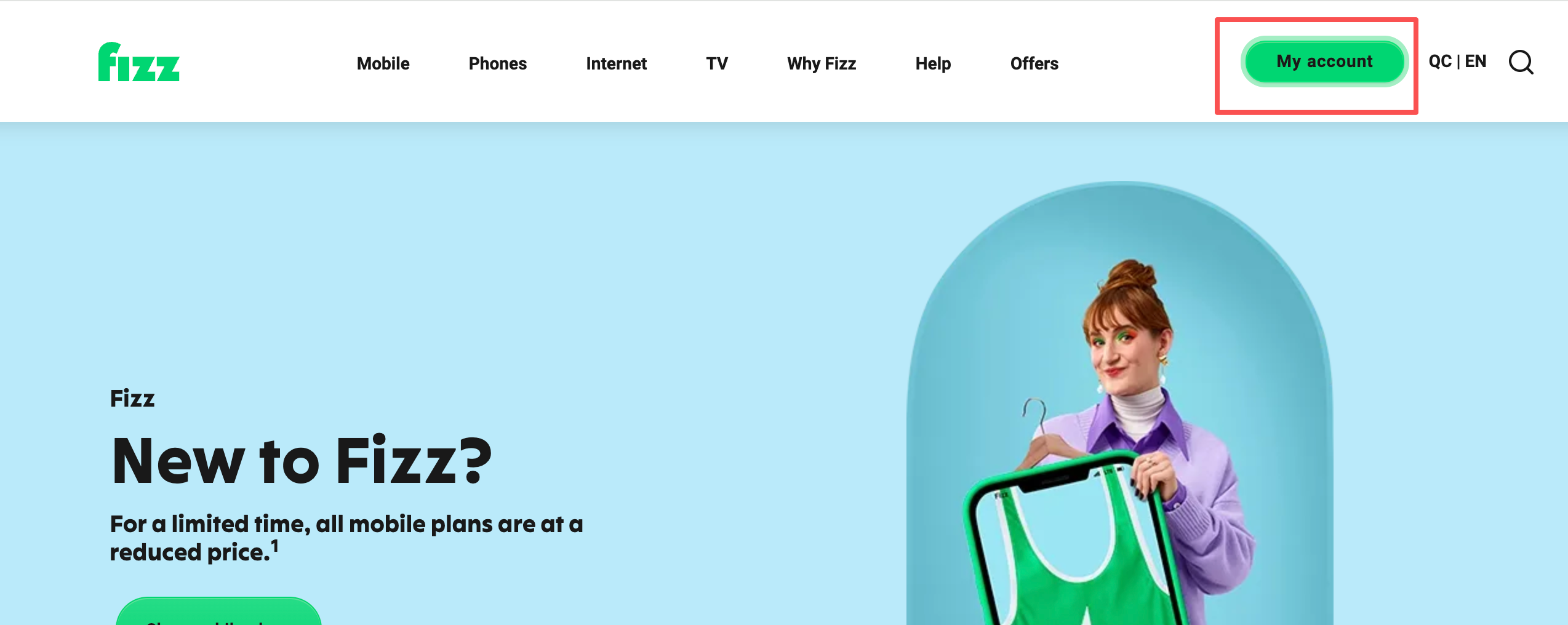
1. Open the site and register / log in
Go to https://fizz.ca/en. Top right, create an account and log in.
A regular email is enough. The referral is entered later in Create a plan, not on the register page.
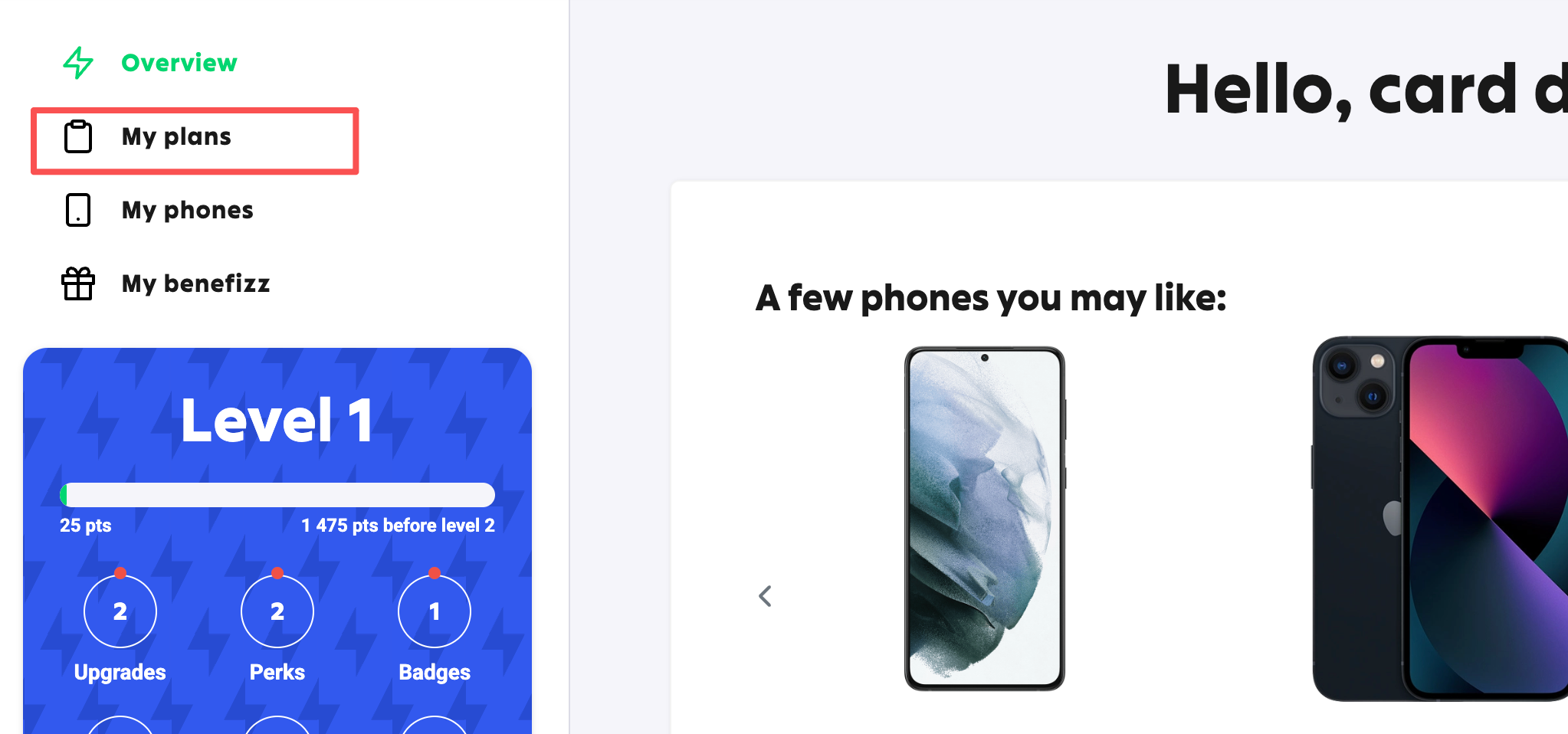
2. Open My plans
After login, open My plans and get ready to create one.
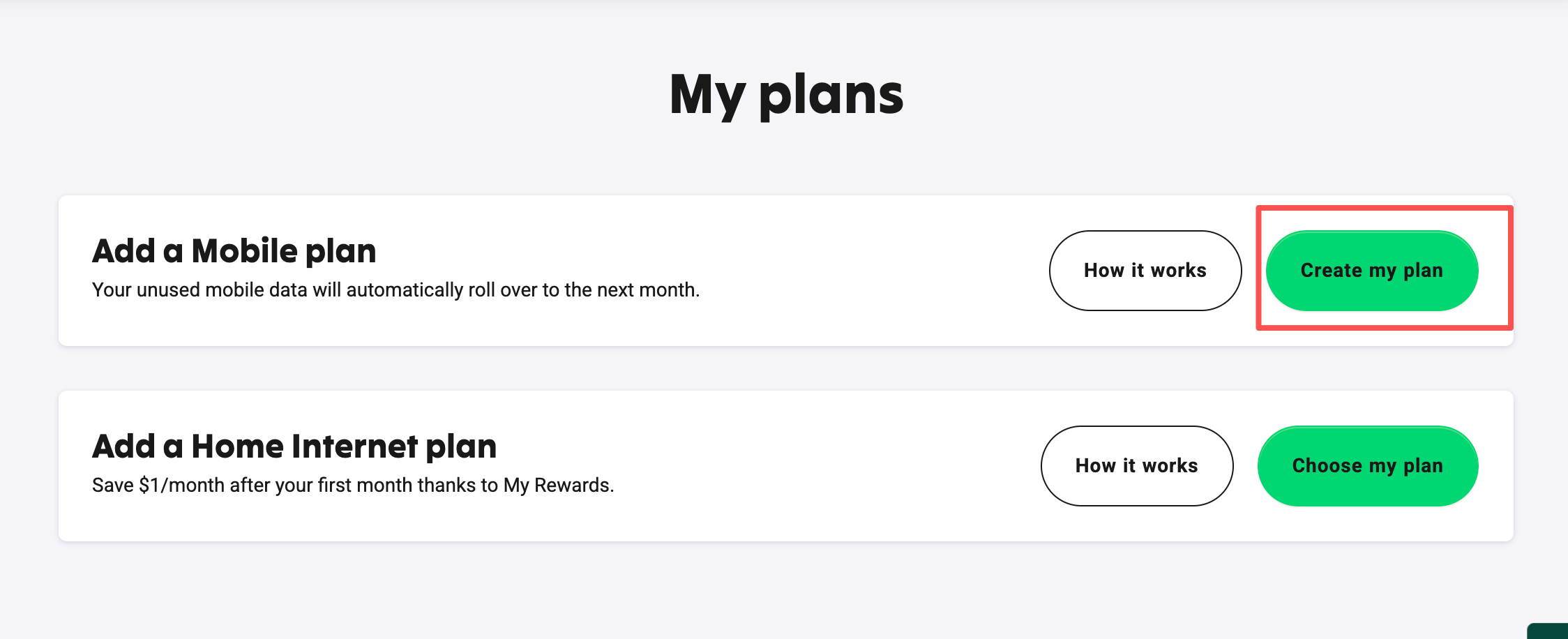
3. Create a plan
In My plans, Create a plan and start configuring.
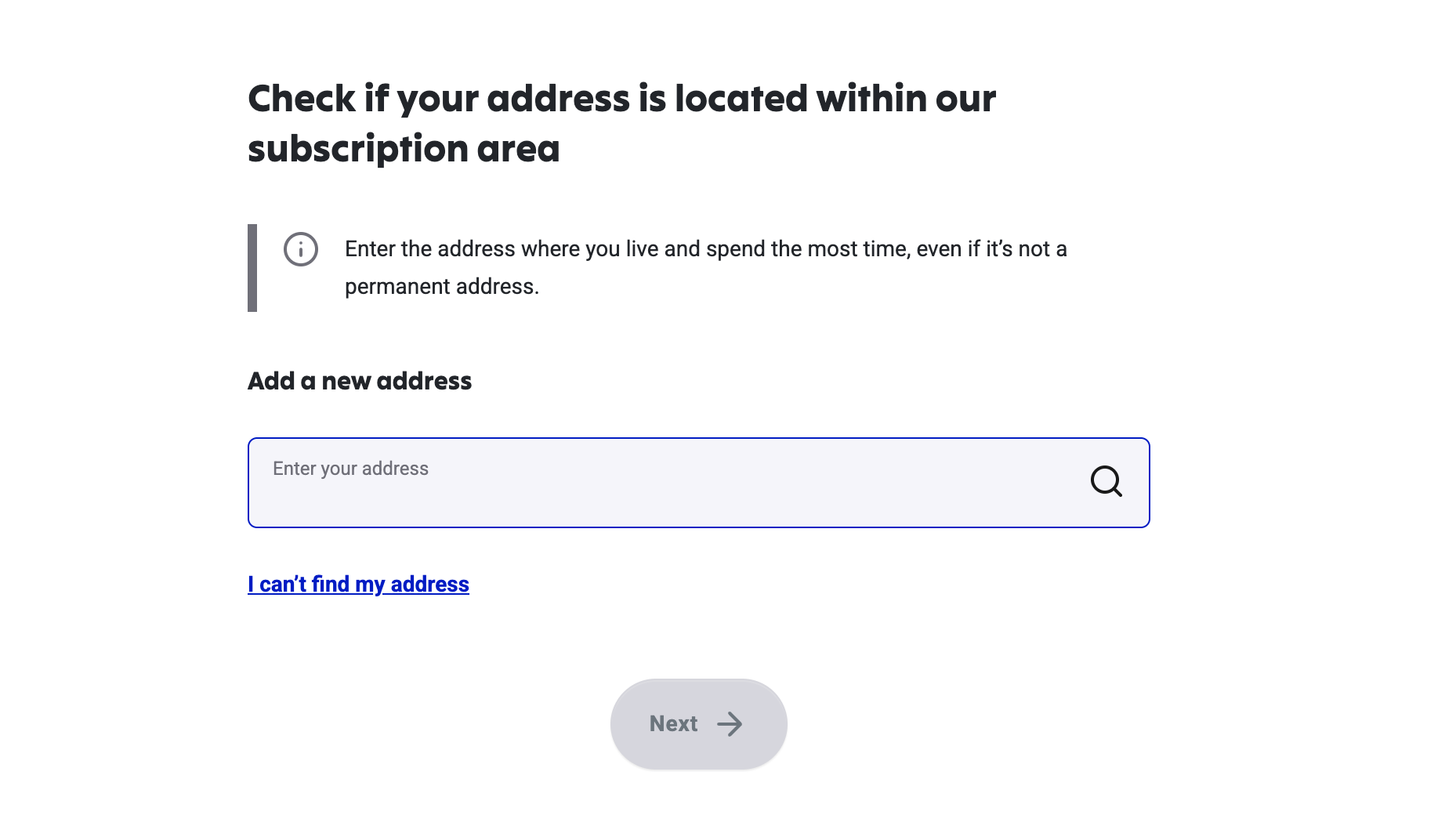
4. Enter a Canadian address (QC first)
Next screen wants an address. Coverage is only part of Canada. Prefer a Quebec (QC) address. Search a usable one on Google Maps.

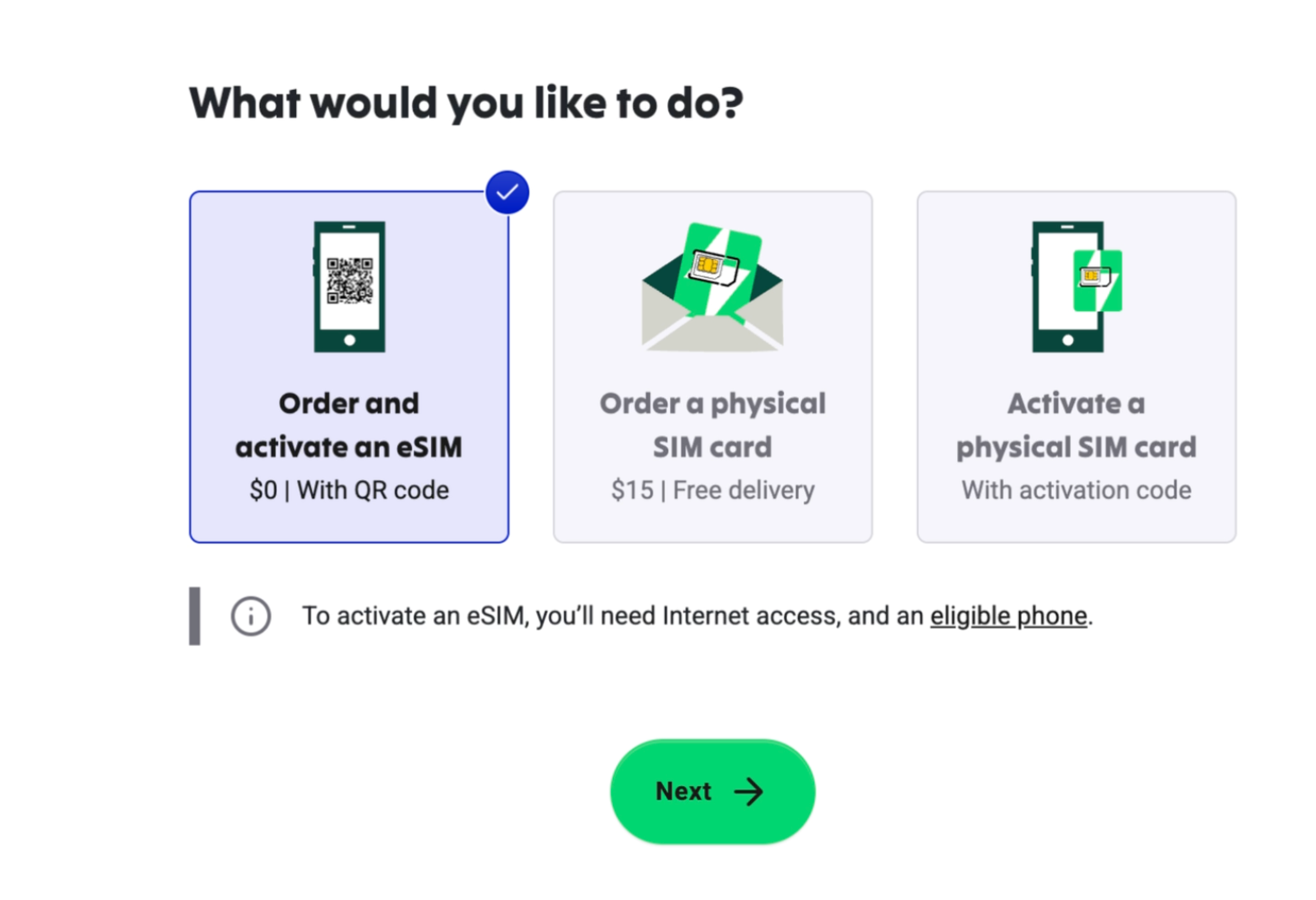
5. Pick SIM type. eSIM
Cloud residents usually pick eSIM (no physical card to receive).
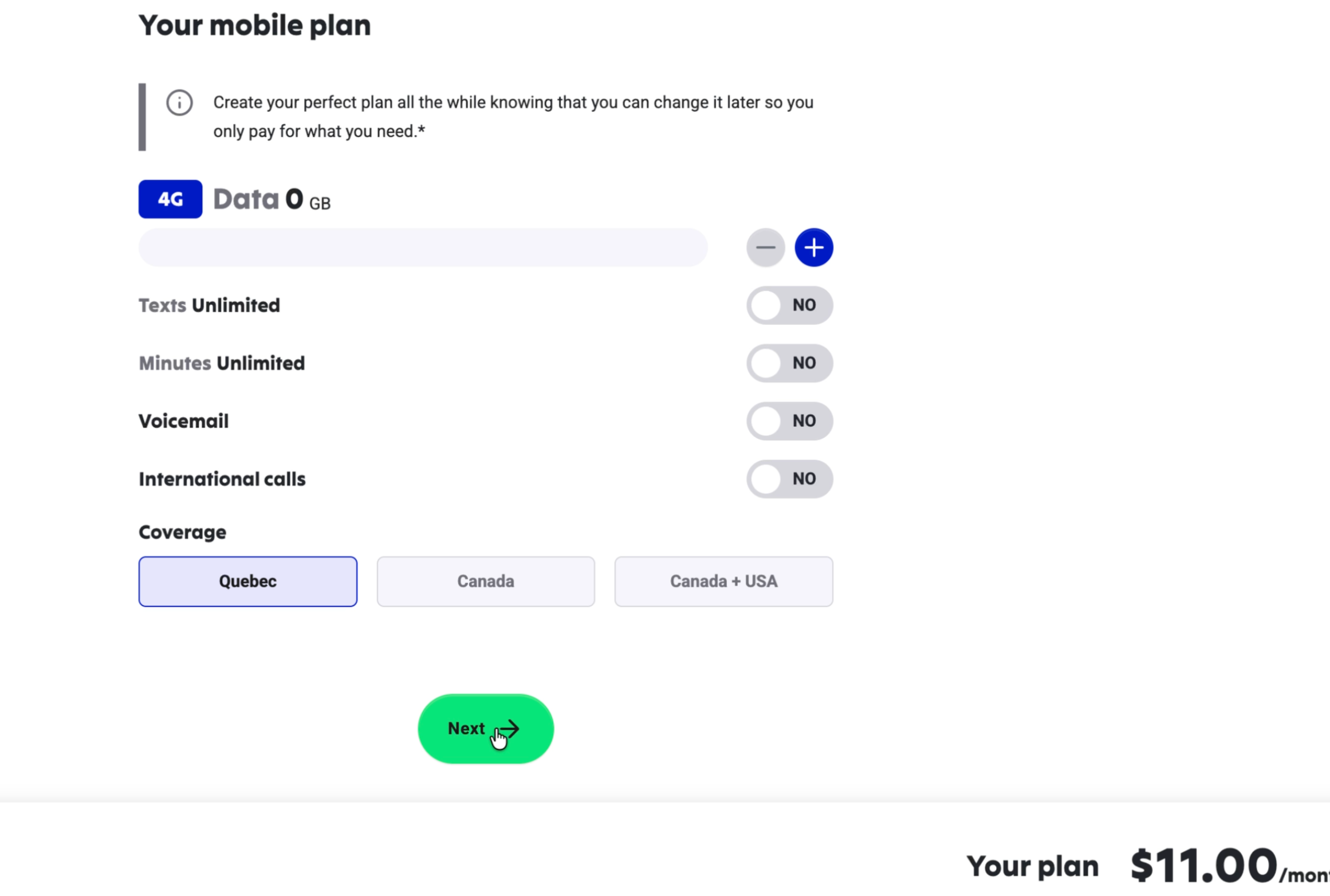
6. Configure the plan. Turn extras off, keep Quebec
- Drop data, voice, and add-ons you do not need, or turn them off
- Region can be Quebec only, which costs less
- Community starter is about 11 CAD (live page price wins)
- Cancel inside 14 days (terms win)
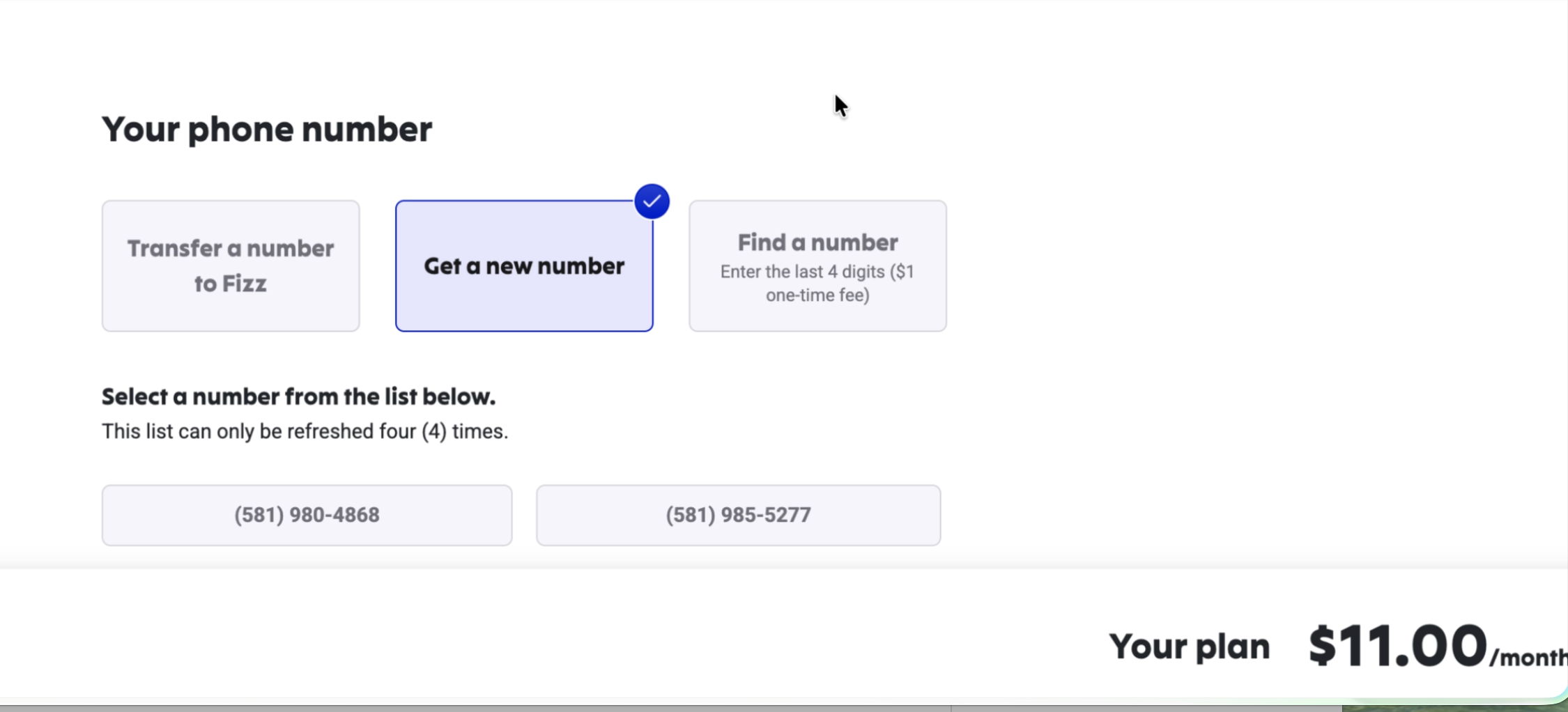
7. Pick a number
New users usually pick a new number. After that you usually hit the referral step.
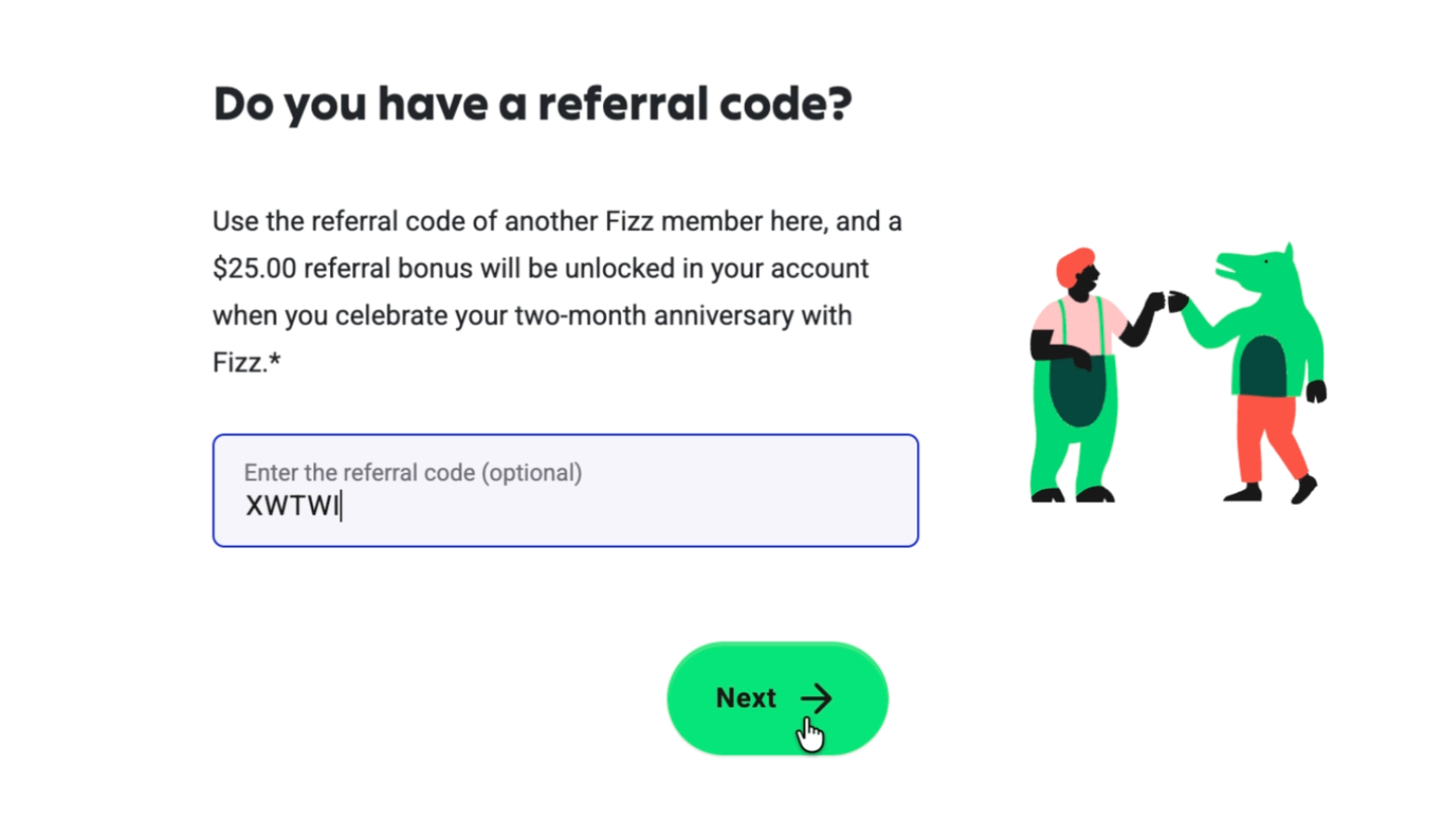
8. Enter the referral code
When the page asks for a referral / Referral code, enter
XWTWI
- Confirm an Applied style notice before you continue
- Miss it and it is often hard to add later. Community cash back up to about $50 (Fizz campaign page wins)
9. Confirm and pay
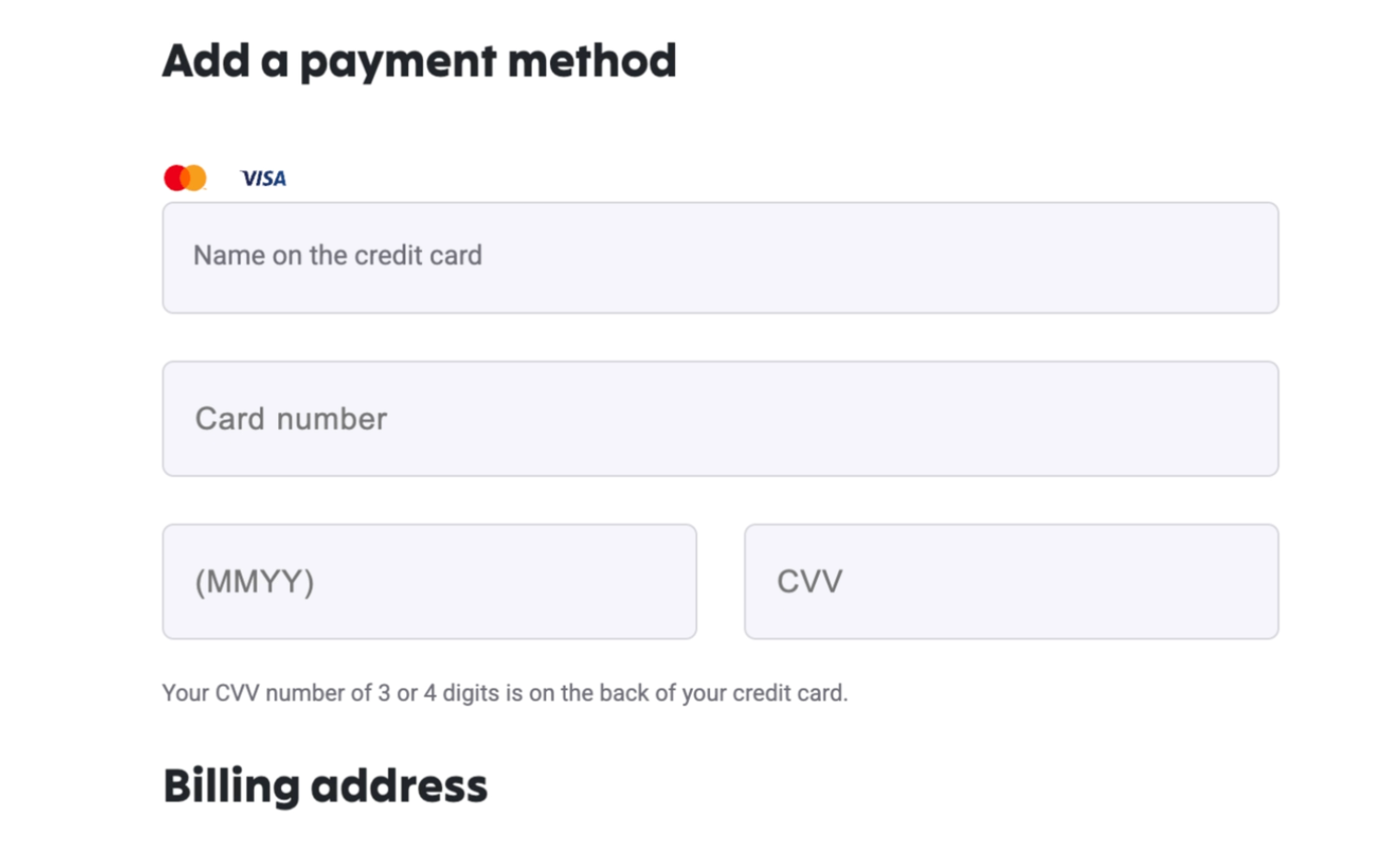
Check plan, number, address, and referral, then pay. Checkout usually takes mainland Visa / Mastercard (your bank and Fizz risk checks decide a decline).
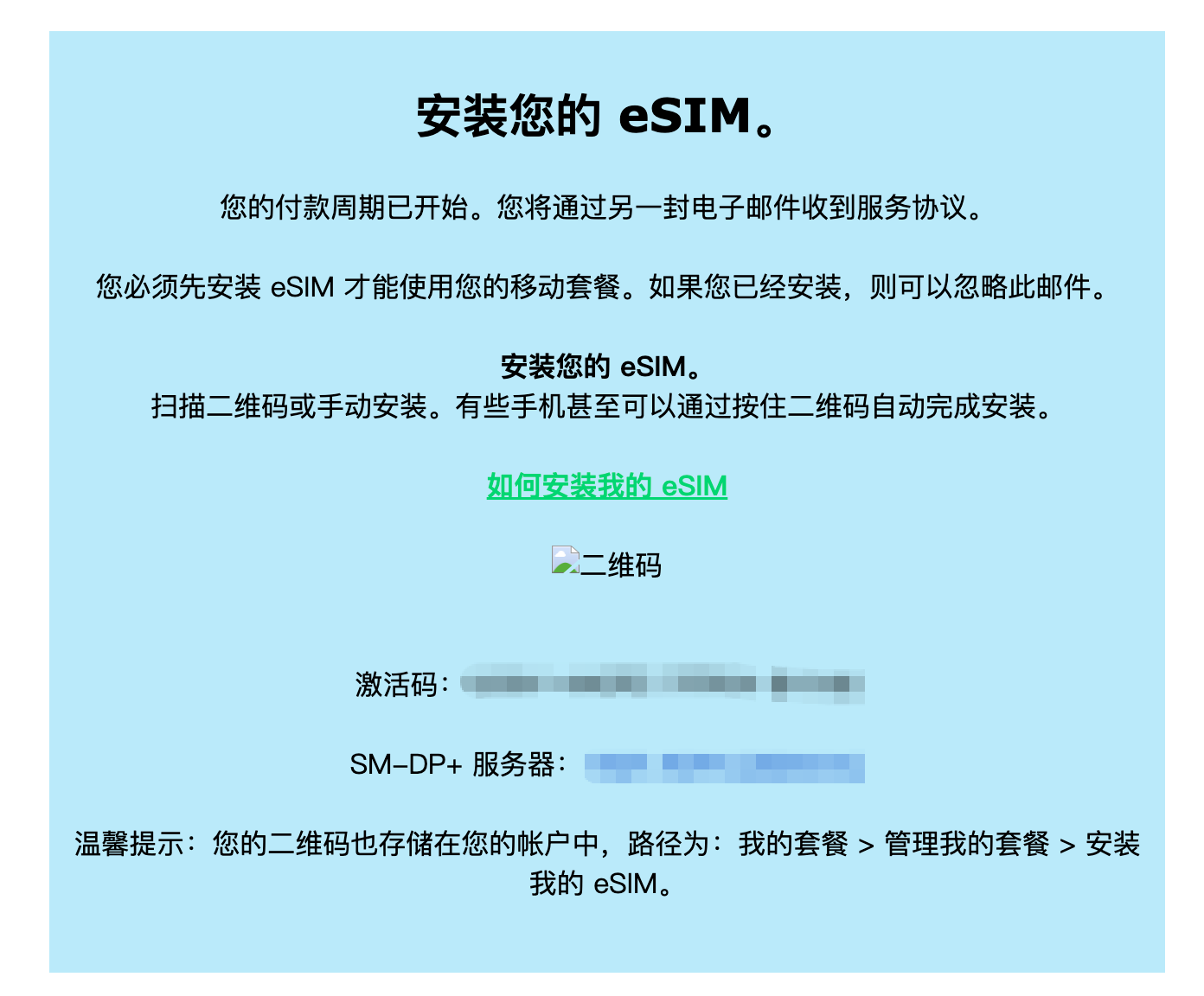
10. Wait for the eSIM QR in mail
After pay, the eSIM QR goes to the register email. You can also find install under
My plans → Manage my plan → Install eSIM
11. Install and activate the eSIM
Scan with the phone, or add it by hand with the activation code plus SM-DP+ host from the mail.
- After activate, signal can be slow. Community notes about 15 minutes. Wait
- Keep a stable network while you install (Wi-Fi is steadier)
12. Move the eSIM (new phone or reinstall)
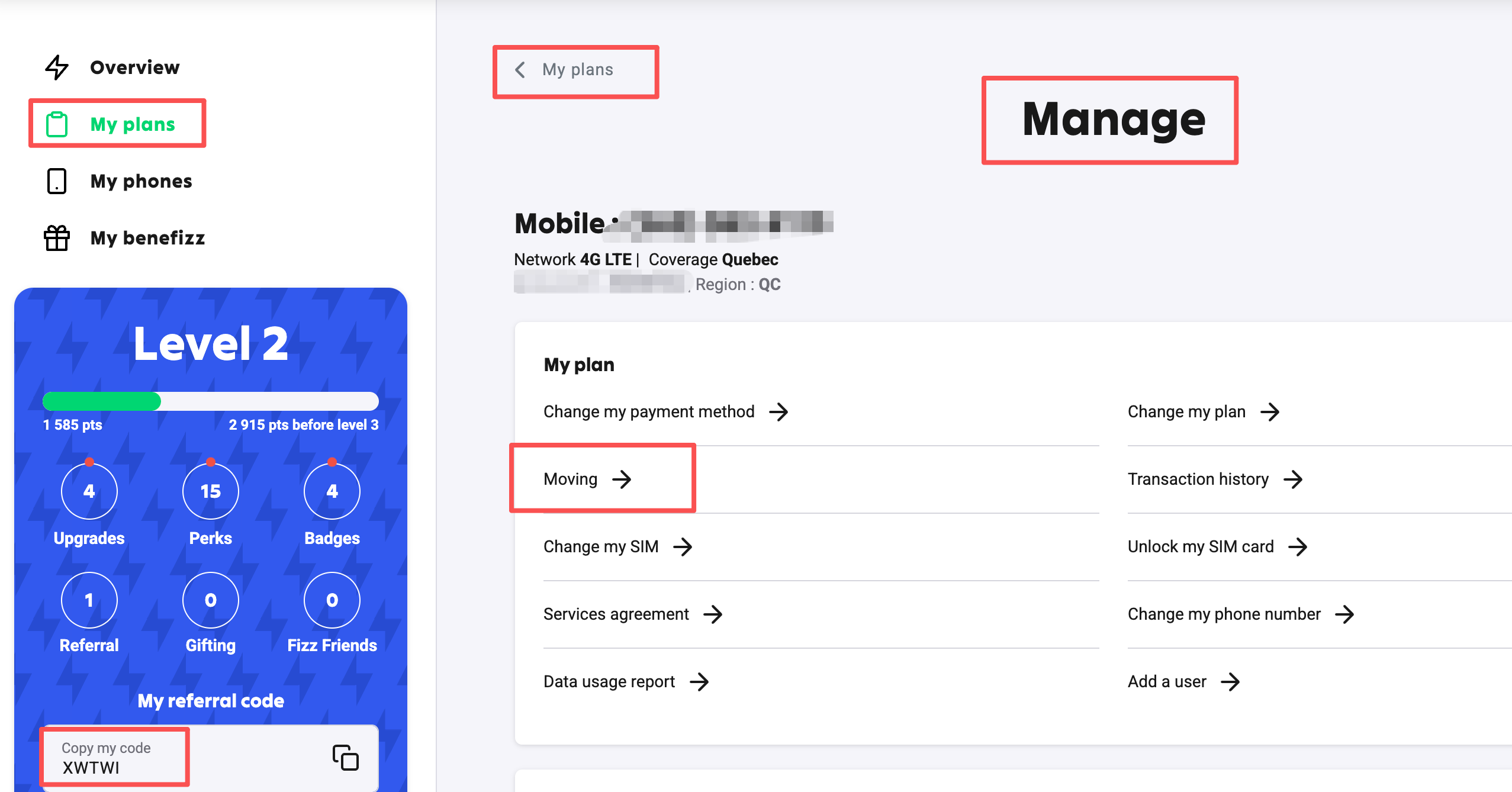
To move the eSIM to another device, use
My plans → Manage my plan → Moving
and follow the prompts.
13. Month two, drop the plan (keep-alive)
From the second billing cycle you can switch to a cheaper plan. Community notes often say the floor is about 7 CAD (about 6 USD). Your in-account change-plan page wins.
Once you have a working Canadian number, you can try KOHO, Shakepay, and other services that want a CA mobile (their risk desks decide, not Fizz).
One-line checklist
- Open fizz.ca, register and log in
- My plans, create a plan, address QC, pick eSIM
- Drop the plan to the floor, Quebec only, pick a number
- Enter
XWTWI, pay - Install the eSIM from mail / Manage. Month two you can drop the plan to keep the number
Fizz site, account, mail, and campaign page win. This is a screenshot process note. Prices and bonuses can move any time.
Carddoger take
Fizz fits cloud residents who need a Canadian number and a monthly they can control. Address QC, pick eSIM, drop the plan, do not miss the referral.
Key points
- Referral
XWTWI. Confirm it applied before you pay. Miss it and it is often hard to add - First-month plan and later keep-alive prices move. Your account price wins
- eSIM from mail / Manage. New phone uses Moving
- After you have a CA number, KOHO and similar still depend on their risk desks
- Prices, roam, and cash-back campaigns change
Fizz site, account, mail, and campaign page win. This is a screenshot process note, not a bonus promise.